manuals.online logo
Brands
  1. Home
  2. •
  3. Brands
  4. •
  5. Honeywell
  6. •
  7. Control Panel
  8. •
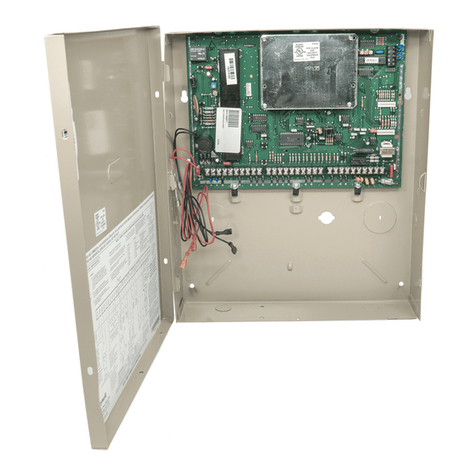
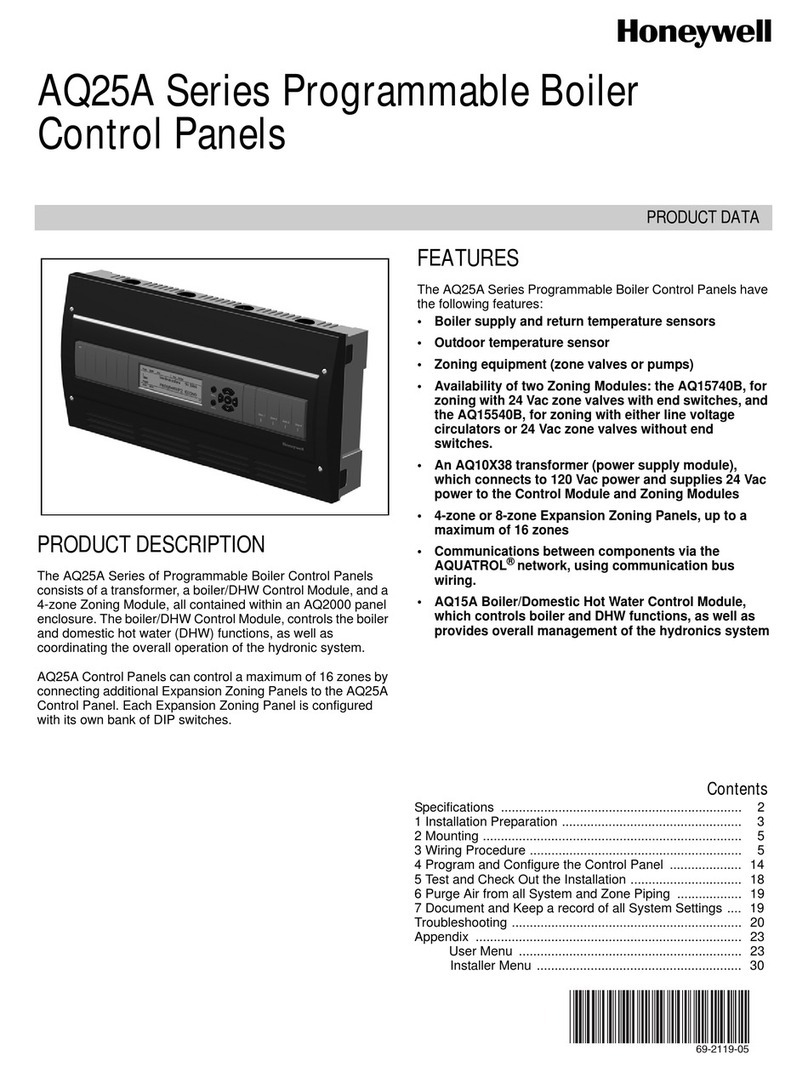
  9. Honeywell AQ252 Series User manual

Honeywell AQ252 Series User manual

This manual suits for next models

2

Other Honeywell Control Panel manuals

Honeywell MRP-2002 User manual

Honeywell

Honeywell MRP-2002 User manual

Honeywell Ademco Accord User manual

Honeywell

Honeywell Ademco Accord User manual

Honeywell Galaxy Dimension series User guide

Honeywell

Honeywell Galaxy Dimension series User guide

Honeywell Symphony Instruction Manual

Honeywell

Honeywell Symphony Instruction Manual

Honeywell DX Connexion Series User manual

Honeywell

Honeywell DX Connexion Series User manual

Honeywell PC8900A User manual

Honeywell

Honeywell PC8900A User manual

Honeywell SMX-AUS User manual

Honeywell

Honeywell SMX-AUS User manual

Honeywell SLC User manual

Honeywell

Honeywell SLC User manual

Honeywell Gamewell GFANN-80 Technical manual

Honeywell

Honeywell Gamewell GFANN-80 Technical manual

Honeywell W8835A User manual

Honeywell

Honeywell W8835A User manual

Honeywell Lynx Touch L5100 Installation guide

Honeywell

Honeywell Lynx Touch L5100 Installation guide

Honeywell ENVIRAZONE PANEL W8835 Operation manual

Honeywell

Honeywell ENVIRAZONE PANEL W8835 Operation manual

Honeywell AQ255 Series Operation manual

Honeywell

Honeywell AQ255 Series Operation manual

Honeywell FCI Gamewell Flex 404 User manual

Honeywell

Honeywell FCI Gamewell Flex 404 User manual

Honeywell Notifier NFS-320/E/C User manual

Honeywell

Honeywell Notifier NFS-320/E/C User manual

Honeywell Gamewell-FCI GWF-7075 User manual

Honeywell

Honeywell Gamewell-FCI GWF-7075 User manual

Honeywell CM737 Installation instructions

Honeywell

Honeywell CM737 Installation instructions

Honeywell OMNI 408 Assembly instructions

Honeywell

Honeywell OMNI 408 Assembly instructions

Honeywell nfs2-3030 Owner's manual

Honeywell

Honeywell nfs2-3030 Owner's manual

Honeywell Notifier RP-2001 User manual

Honeywell

Honeywell Notifier RP-2001 User manual

Honeywell Gent Viglion EN54 Installation and operation manual

Honeywell

Honeywell Gent Viglion EN54 Installation and operation manual

Honeywell Lyric LCP300-L User manual

Honeywell

Honeywell Lyric LCP300-L User manual

Honeywell Fire-Lite Alarms MS-9050UD User manual

Honeywell

Honeywell Fire-Lite Alarms MS-9050UD User manual

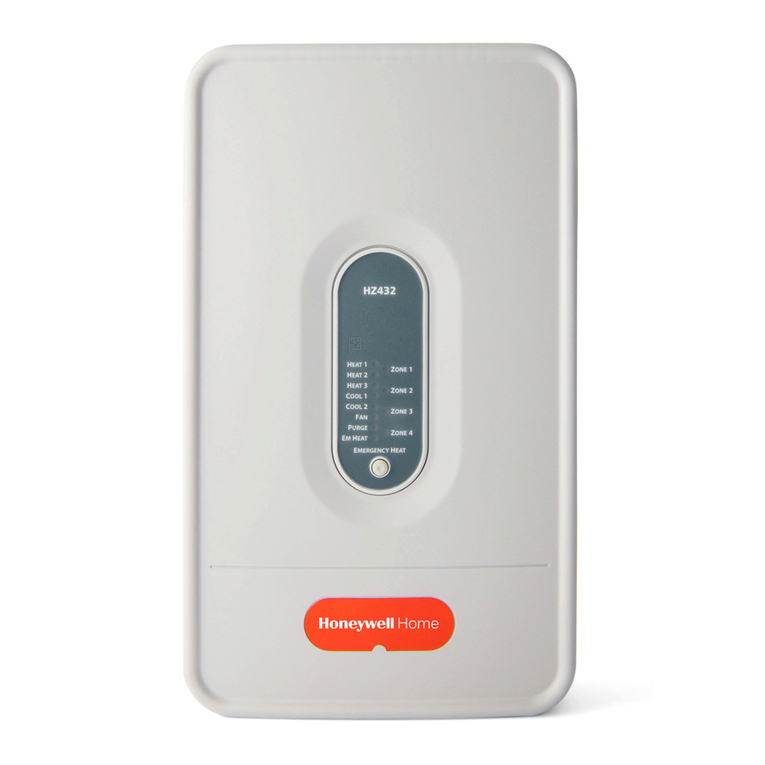
Honeywell TrueZONE HZ432K/U User manual

Honeywell

Honeywell TrueZONE HZ432K/U User manual

Popular Control Panel manuals by other brands

RDZ PC-HRX user manual

RDZ

RDZ PC-HRX user manual

STG-BEIKIRCH MZ3 operation instruction

STG-BEIKIRCH

STG-BEIKIRCH MZ3 operation instruction

Efka Variocontrol V810 instruction manual

Efka

Efka Variocontrol V810 instruction manual

Cebora 208-10 instruction manual

Cebora

Cebora 208-10 instruction manual

AMX AutoPatch CP-15 instruction manual

AMX

AMX AutoPatch CP-15 instruction manual

Satel CA-6 KLED-S user manual

Satel

Satel CA-6 KLED-S user manual

Evolution IQ plus 800 installation manual

Evolution

Evolution IQ plus 800 installation manual

Fagor 8040 TCO CNC operating manual

Fagor

Fagor 8040 TCO CNC operating manual

AKO PROCool AKO-17635-2 quick guide

AKO

AKO PROCool AKO-17635-2 quick guide

ABB 6136/30M-101 operating instructions

ABB

ABB 6136/30M-101 operating instructions

Telikou BK-603 Belt Pack instruction manual

Telikou

Telikou BK-603 Belt Pack instruction manual

Mapei Mapeheat Thermo Touch user guide

Mapei

Mapei Mapeheat Thermo Touch user guide

Bosch D9412GV4 owner's manual

Bosch

Bosch D9412GV4 owner's manual

Mitsubishi Heavy Industries SC-SL4-AE2/1 user manual

Mitsubishi Heavy Industries

Mitsubishi Heavy Industries SC-SL4-AE2/1 user manual

Sminn BOX L VF1L EI instruction manual

Sminn

Sminn BOX L VF1L EI instruction manual

Balboa TP600 user manual

Balboa

Balboa TP600 user manual

Nice HSCU1 Instructions and warnings for installation and use

Nice

Nice HSCU1 Instructions and warnings for installation and use

Truma CP plus installation instructions

Truma

Truma CP plus installation instructions

manuals.online logo
manuals.online logoBrands
  • About & Mission
  • Contact us
  • Privacy Policy
  • Terms and Conditions

Copyright 2025 Manuals.Online. All Rights Reserved.

AQ252 Universal Injection/Mixing Boiler Reset Control Panels
369-1986—02
Temperature Ratings:
Boiler Design Temperature: 80°F to 210°F (26°C to
99°C)
Boiler Differential: 2°F to 41°F (1°C to 23°C), or Auto
Boiler (Supply) Minimum Control Temperature: OFF,
59°F to 180°F (OFF, 15°C to 82°C)
Boiler (Supply) Maximum Control Temperature: OFF,
120°F to 225°F (OFF, 49°C to 107°C)
Outdoor Low Design Control Temperature: -60°F to
32°F (-51°C to 0°C)
Return Minimum Control Temperature: OFF, 80°F to
180°F (OFF, 27°C to 82°C)
Secondary Loop Mixing (Supply) Design Temp
Range: 70°F to 210°F (21°C to 99°C)
Secondary Loop Mixing (Supply) Min. Control Temp
Range: OFF, 35°F to 150°F (OFF, 2°C to 66°C)
Secondary Loop Mixing (Supply) Max. Control Temp
Range: OFF, 80°F to 210°F (OFF, 27°C to 99°C)
Sensor Temperature Rating: -58°F to 230°F (-50°C to
110°C)
Warm Weather Shut Down (WWSD) Temperature: OFF,
35°F to 100°F (OFF, 1°C to 38°C)
Cold Weather Shut Down (CWSD) Temperature: OFF,
32°F to 100°F (OFF, 0°C to 38°C)
Inputs/Outputs:
Auxiliary (Demand) Input: External dry contacts
connection only
DHW Demand Input: External dry contacts connection
only
Heat Demand (Thermostat R-W) Input: External dry
contacts connection only
Modulating Output: )-10 or 2-10 Vdc for variable speed
pump or modulating boiler
Mixing Valve (Com, O, C): 324 Vac, 0.5A, 12VA
R–C Input (on Control and Zoning Modules): 24 Vac
Class II
R–C Output (on transformer): 38 VA, 24 Vac Class II
Interface and Timings:
User Interface (Setting, Programming): LCD Display
and a 7-button keypad
Setback Program: 7 day, up to 2 setback periods/day.
Boiler Heat Post Purge: Off, 10 seconds to 30 minutes
(factory default is 30 seconds)
Pump/Valve exercise: 30 seconds per 2 weeks of space
heating inactivity
Thermostat Compatibility: Digital non-communicating
thermostats and/or AQ1000 Series 2-wire communicating
thermostats
Supply/Return/Secondary (Mixed) Loop Sensor: 10K ohm
NTC thermistor at 77°F (25°C) ± 0.5°F (±0.3°C). Lead
length: 10 ft. (3.0 m); up to 500 ft. (150 m) using 18 AWG or
larger wire, beta=3892.
Outdoor Sensor: 10K ohm NTC thermistor at 77°F (25°C) ±
0.5°F (±0.3°C). Lead length: 15 ft. (4.6 m); up to 500 ft. (150
m) using 18 AWG or larger wire, beta=3892
Dimensions (HxWxD): 8 x 16 1/2 x 3 3/8 in. (20.3 x 42 x
8.5 cm) approximate
Weight: 4.9 lb. (2.3 kg)
Approvals: Canadian Standards Association: Certified, File
No. LR76030
1 INSTALLATION PREPARATION
NOTES: Throughout these instructions, the following
terminology conventions are used:
—AQ155 refers to the AQ15540B Zoning Module.
—AQ157 refers to the AQ15740B Zoning Module.
—AQ1520 refers to the AQ15200B Control Module within
an AQ252 Series Control Panel.
—AQ252 refers to the AQ25242B and AQ25244B
Control Panels. Where there are specific instructions or
details relating to the -42B or -44B Control Panels, the
full model number (i.e., AQ25244B) is used.
—AQ255 refers to all of the AQ25542B, AQ25582B and
AQ25742B Expansion Zoning Panels.
—AQ257 refers to the AQ25744B Expansion Zoning
Panel. Where there are specific instructions or details
relating to the -542B, -582B, -742B, or - 744B
Expansion Zoning Panels, the full model number (i.e.,
AQ25744B) is used.
—Control Module refers to the component within an
AQ252 Series Control Panel that performs the master
control operations. See Table 1 on page 2 for specific
models.
—Control Panel refers to an assembled product,
consisting of a transformer, Control Module and Zoning
Module, all contained within an AQ2000 panel
enclosure.
—Expansion Zoning Panel refers to an assembled
product, consisting of a Zoning Module and (if
applicable) a transformer, contained within an AQ2000
panel enclosure. Expansion Zoning Panels are
available in either 4-zone or 8-zone configurations.
—Zoning Module refers to the component within the
AQ252 Series Control Panel that controls zoning
operations.
When Installing this Product…
1. Read these instructions carefully. Failure to follow
them could damage the product or cause a
hazardous condition.
2. Check the ratings given in the instructions and on
the product to make sure the product is suitable for
the application.
3. Installers must be trained, experienced, and licensed
service technicians.
4. Follow local codes for installation and application.
5. After installation is complete, check out the product
operation as printed in these instructions.

AQ252 Universal Injection/Mixing Boiler Reset Control Panels
69-1986—02 4
WARNING
Risk of electrical shock.
Can cause severe injury, property damage or death.
Disconnect power supply before installation and before
servicing.
Check That You Have All the Necessary
Equipment For a Successful Installation
• AQ2000 Series components:
— AQ252 Control Panel
— AQ Expansion Zoning Panels (if more than four space
heating zones in the system)
— Digital thermostats (one for every space heating zone
being controlled)
• Boiler supply and return temperature sensors and
secondary loop sensor (included with the AQ252 Control
Panel)
• Outdoor temperature sensor (included with AQ252 Control
Panel)
• Low voltage thermostat wire
• Zoning equipment (zone valves or pumps)
Read All Instructions Carefully Before
Proceeding
The AQ252 Control Panels are a part of a totally new family of
hydronic controls. And although they - and other AQ2000
system components - are very easy to install and operate, they
are different than other hydronic controls that you have
previously installed. So take a moment to read through this

quick installation guide before beginning the installation.
Failure to follow them could damage the product or cause a
hazardous condition.
Familiarize Yourself With the AQ252 Control
Panel Layout
Refer to Fig. 1. All AQ252 Control Panels consist of three
functional components:
1. AQ10X38 transformer (power supply module), which
connects to 120 Vac power and supplies 24 Vac power to
the Control Module and Zoning Modules
2. AQ15200B boiler/DHW Control Module, which controls
the boiler and domestic hot water (DHW) functions,
mixing operation for the secondary loop, as well as
coordinating the overall operation of the hydronic
system.
3. One of two different 4-zone Zoning Modules:
• AQ15740B (part of the AQ25244B Control Panel)
for zoning with 24 Vac zone valves with end
switches.
• AQ15540B (part of the AQ25242B Control Panel)
for zoning with either line voltage circulators or 24
Vac zone valves without end switches.
AQ252 Control Panels can control a maximum of 16 zones by
connecting additional Expansion Zoning Panels to the AQ252
Control Panel. Each Expansion Zoning Panel is configured
with its own bank of DIP switches, located in the left-most
section of each Zoning Module. To expand the capacity of an
AQ252 Control Module beyond 16 zones, an AQ254 Add-A-
Temperature Expansion Control Panel is required. The
hydronic system can be expanded by 16 zones for each
AQ254 connected to the AQ2000 network. A maximum of
three (3) AQ254 Panels may be connected to an existing
AQ2000 Control Panel for a maximum of 64 zones connected
on the AQUATROL network.
In general, the top terminals of the AQ2000 Series components
carry low voltage (24 Vac) power and the bottom terminals
carry line voltage (120 Vac) power. This is illustrated in Fig. 1.
The two exceptions to this are:
1. AQ15740B Zoning Module for use with zone valves with
end switches.
2. AQ15540B Zoning Module when used with low voltage
zone valves without end switches.
For these the two exceptions, the bottom terminals of the
Transformer and Control Module carry line voltage (120 Vac),
but the bottom terminals of the Zoning Module will carry low
voltage (24 Vac) power.
The powered terminals on the bottom of the AQ2000 Series
Control Modules and Zoning Modules are connected internally,
as shown in Fig. 2 on page 5. The voltage supplied to the N
and L terminals is also available at the adjacent terminal pairs
when the hot ( ) relays are switched.
AQ252 Universal Injection/Mixing Boiler Reset Control Panels
569-1986—02
Fig. 1. AQ252 Control Panel layout (AQ25242B shown).
Fig. 2. Internal wiring for AQ2000 Series components line voltage relays.
2MOUNTING
This section describes how to mount the Control Panel,
Expansion Zoning Panels, and the Thermostats.
Mount AQ252 Control Panel
Mount the control panel on the wall:
1. Use the template supplied with the AQ252 Series
Control Panel to mark mounting holes for panels.
2. Install two top screws, mount the panel, and install the
two lower screws.
Mount Expansion Zoning Panel(s)
If there are Expansion Zoning Panels to install, mount them to
the wall now:
1. Remove wire channel plugs from the AQ252 Control
Panel and any Expansion Zoning Panels (see Fig. 3).
2. Mount Expansion Zoning Panel on the right-hand end of
the AQ252 Control Panel. Install two top screws of the
Expansion Zoning Panel, ensuring it is level with the
adjoining Control Panel, and install two lower screws.
3. Reverse wire channel plugs and re-insert them into their
slot, to form a wiring channel between the Control Panel
and the Expansion Zoning Panel (see Fig. 3) and to
connect the two panels together.
4. Repeat steps 1–3 for any additional Expansion Zoning
Panels.
M27682A
LOW
VOLTAGE
(24 V)
LINE
VOLTAGE
(120 V)
ZONING MODULE
TRANSFORMER CONTROL MODULE
FOR THE AQ25242B TERMINALS CAN BE LINE VOLTAGE (IF USED WITH PUMPS) OR LOW VOLTAGE (IF USED WITH ZONE VALVES)
1
1
Zone 1 Zone 2 Zone 3 Zone 4
M27683A
CONTACTS
SYMBOL
Zone 1 Zone 2 Zone 3 Zone 4
AQ252 Universal Injection/Mixing Boiler Reset Control Panels
69-1986—02 6
Fig. 3. Orientation of wire channel plugs for creating pass-through wire channel and
for joining Control Panel to Expansion Zoning Panels.
M23733A
WIRE
CHANNEL
PLUGS
WIRE
CHANNEL
PLUGS
AQ252 Universal Injection/Mixing Boiler Reset Control Panels
769-1986—02
Mount and Wire Thermostats in the Zones
Install the thermostats on the walls in the zones that are to be
controlled by the AQ252 Control Panel.
When using AQ1000 thermostats refer to the installation
instructions (form #69-2005) included with the AQ1000
thermostats.
If not done already, run low voltage thermostat wire (24 gauge
or heavier) from the thermostats back to the Zoning Modules
connected to the AQ252 Control Panel.
NOTES: If not otherwise specified, low voltage wiring should
be run with 18 gauge thermostat wire and line voltage
wiring should be run with 14 gauge wire. AQUATROL®
line voltage screw terminals are only approved for use
with 22 to 12 gauge copper conductors.
Several wiring diagrams are included in this
document. For additional information, refer to
http:// customer.honeywell.com or your local
distributor.
3 WIRING PROCEDURE
The AQ252 Control Panel is pre-wired at the factory, making
for faster installation.
For all models, the low voltage output terminals located at the
top of the transformer secondary are wired to the R and C input
terminals of the Control Module, as well as the R and C inputs
of the Zoning Module. The B-B Exp. Bus terminals (26 and 27)
of the Control Module are wired to the B-B Exp. Bus IN
terminals of the Zoning Module.
Beginning with the top left of Fig. 4 and moving clockwise
around the panel, wire components to the AQ252 Control
Panel and Expansion Zoning Panels (if installed) in the
following six steps:
• “Step 1 – Transformer Wiring”
• “Step 2 – Control Panel Wiring”
• “Step 3 – Thermostats Wiring” on page 9
• “Step 4 – Zoning Equipment Wiring” on page 11
• “Step 5 – Line Voltage System Outputs” on page 13
• “Step 6 – Connection To Line Voltage Power” on page 14
Fig. 4. Wiring sequence.
Step 1 – Transformer Wiring
Factory pre-wiring of the Control Panels is shown as dotted
lines in Fig. 4.
In addition to the pre-wiring, run low voltage jumper wires from
available R and C terminals on the secondary of the
transformer to the R and C terminals of any Expansion Zoning
Panel.
Step 2 – Control Panel Wiring
Wire the Temperature Sensors, System Demands, Low
Voltage Outputs, and Communication Bus (Refer to Fig. 5 on
page 8 for wiring terminals on the top of the AQ252):
• “Temperature Sensor Wiring” on page 8
• “System Demands Wiring” on page 9
• “Low Voltage Outputs Wiring” on page 9
• “Communication Bus Wiring” on page 10
M27684A
STEP 1 STEP 2 STEP 3
STEP 4STEP 5STEP 6
TO EXPANSION ZONING MODULES
(IF INSTALLED)
Zone 1 Zone 2 Zone 3 Zone 4
AQ252 Universal Injection/Mixing Boiler Reset Control Panels
69-1986—02 8
Fig. 5. Low voltage wiring for the AQ15200B Control Module.
Temperature Sensor Wiring
Connect the lead wires of each sensor to the corresponding
terminals on top of the AQ1520 Control Module. See Fig. 5.
The Boiler Supply, Return and Secondary loop sensors can be
installed either as strap-on sensors or inserted into an
immersion well that is packed with thermally-conductive paste.
BOILER SUPPLY AND RETURN SENSORS.
Both the Supply and Return Sensors should be installed on the
supply and return piping of the boiler for proper operation of
the AQ252 Control Panel. Even if the AQ252 is connected to a
modulating condensing boiler with its own supply and/or return
sensors, the AQ252’s sensors should still be installed for the
control to operate.
The Boiler Supply water sensor should be installed on the
supply piping close to the exit port of the boiler, using one of
the AQ12C11 strap-on sensors supplied with the AQ252. See
Fig. 6 on page 8.
The Boiler Return sensor should be installed on the return
piping as close to the entrance port to the boiler as practical,
using the other AQ12C11 strap-on sensor supplied with the
AQ252.
The correct location is one that will measure the temperature of
all combined sources of water returning back to the boiler.
Insulate strap-on sensors with pipe wrap to ensure accurate
boiler temperature sensing.
The Boiler Supply and Return water sensors come with 10 ft.
(3m) of wire to minimize the need for splicing.
SECONDARY (MIXED) LOOP SUPPLY SENSOR
The secondary sensor should be installed on the secondary
(mixed) water piping, far enough downstream of the mixing
device that the return water from the mixed loop and the boiler
loop water are sufficiently well mixed, but before it flows
through a branch leading to a zoning pump, zoning valve or
manifold. The sensor used for the secondary loop is the same
type of sensor (AQ12C11) as the Boiler Supply and Return
sensors. See Fig. 6.
Fig. 6. Strap-on temperature sensor installation.
OUTDOOR SENSOR
The outdoor sensor should be located:
• in a shady location out of direct sunlight
• at least three feet from dryer, bathroom, or other vents
• above the expected snow line where ice and debris cannot
cover it
• on the north side of the building.
See Fig. 7 on page 9 for typical placement. Outdoor sensor
comes with 10 ft. (3m) of wire to facilitate splicing the sensor on
the interior of the building. Alternatively, if the building is
equipped with a continuous fresh air supply using, for example,
an air-to-air heat exchanger, the outdoor sensor may be
installed in the insulated portion of the ventilation intake duct,
taking care not to expose the sensor to direct or indirect
sunlight.
TO BOILER SUPPLY SENSOR
TO BOILER RETURN SENSOR
TO OUTDOOR SENSOR
TO SECONDARY SENSOR
IN FROM “R” TERMINAL ON
TRANSFORMER MODULE
(FACTORY-WIRED)
TO “T-T” TERMINALS ON
BOILER AQUASTAT
TO B-B “EXP.BUS IN”
TERMINALS ON CONNECTED
ZONING MODULE
TO SETPOINT LOAD
(OPTIONAL)
TO DHW AQUASTAT
TO MODULATING MIXING VALVE
OR VARIABLE SPEED PUMP
TO FLOATING
ACTION MIXING
VALVE
IN FROM “C” TERMINAL
ON TRANSFORMER MODULE
(FACTORY-WIRED)
TO LOW VOLTAGE AUXILIARY
DEVICE (OPTIONAL)
TO AUXILIARY INPUT
SWITCH (OPTIONAL)
M27685A
M13763
AQ252 Universal Injection/Mixing Boiler Reset Control Panels
969-1986—02
Fig. 7. Outdoor temperature sensor installation.
IMPORTANT
Do not run sensor wires parallel, or close, to
telephone, Ethernet, or power cables. Cross all
power, Ethernet, and telephone wiring at right angles.
If sensor wires are located in an area with strong
sources of electromagnetic interference, or EMI, (e.g.,
if sensor wires are run in the same electrical chase as
line voltage wiring) use twisted pair, shielded cable, or
run wires in a grounded metal conduit.
This is important because the calculated temperature
- based on the sensor's resistance reading - can be
distorted by high EMI, potentially causing the AQ252
to not operate properly.
If using shielded cable or conduit, connect the shield
wire to earth ground only at the AQ252 panel. Do not
ground the shield or conduit at any other location or
electromagnetic shielding will be ineffective. If
shielded cable is used, Honeywell recommends the
use of shielded cable with a continuous ground plane,
such as foil, with an integral drain wire for bonding to
earth ground.
System Demands Wiring
Additional information about settings for the various System
Demands is discussed in Table 6 on page 32.
AUX-IN
If the optional Aux In. contacts (terminals 11 and 12) will be
used, wire them now. These inputs are powered with 24 Vdc
and must connect only to a dry closure contact (unpowered
switch).
The Aux-In contact closure sets the system into a specific
state, as determined by the installer setup using the
EQUIPMENT SETUP > AUXILIARY I/O sub-menu (see
Fig. 25 on page 41).
HEAT DEMAND
If the optional Heat Demand (terminals 13 and 14) will be used,
wire them to a system setpoint demand (dry contact closure),
such as a pool or spa Aquastat®.
The HEAT contact closure drives the system to control either at
the Reset temperature or the Setpoint temperature, as
determined by the installer setup using the EQUIPMENT
SETUP > ZONING > HEAT DMND selection (see Fig. 25 on
page 41). Heat Demand priority allows only heat for the first 30
minutes of a call for heat and then allows the space heating
needs to be added in for the next 30 minutes. This cycle
continues until the call for heat is satisfied.
DOMESTIC HOT WATER
Wire the DHW (terminals 15 and16) to the Aquastat or
thermostat on the domestic hot water tank.
DHW priority allows only DHW heat for the first 30 minutes of a
call for DHW and then allows the space heating needs to be
added in for the next 30 minutes. This cycle continues until the
call for DHW is satisfied.
NOTE: If the AQ252 is connected to a modulating
condensing boiler with built-in DHW management, the
DHW tank’s Aquastat should be connected to the
AQ252's DHW (terminals 15 and 16). The AQ252's
Aux. Out (terminals 24 and 25) should be wired to the
boiler's DHW input terminals to the AQ252.
Low Voltage Outputs Wiring
10 VDC
The 10 Vdc terminals (17 and 18) of the AQ252 produce a
modulating (0-10 Vdc or 2-10 Vdc) signal that can drive a
modulating boiler’s combustion fan or a modulating mixing
device, such as a motorized mixing valve or a variable-speed
injection pump.
Boiler Signal: If the AQ252 panel is configured to send a
0-10V or 2-10V signal to a modulating/condensing
boiler, connect the AQ252’s modulating output terminals
(17 and 18) to the modulating signal input on the boiler
control.
Secondary Loop Control: If a 0-10V or 2-10V driven
variable speed injection pump or a modulating mixing
valve is used for controlling the temperature of the
secondary loop, wire the mixing device to the - and +
terminals (17 and 18) of the AQ252.
FLOATING ACTION OUTPUT
Floating action valve: If a floating action valve is used for
controlling the temperature of the secondary (mixed)
loop, wire the Common (Com), Open (O), and Close (C)
(terminals 19, 20, and 21) of the AQ252 to the
corresponding terminals on the mixing valve’s actuator.
BOILER
Wire the Boiler dry contact output (terminals 22 and 23) to the
T-T terminals on the boiler Aquastat or the boiler's control
panel. See Fig. 15 on page 13 for wiring connections to a
typical boiler Aquastat.
These contacts are made any time the system has a request
for boiler operation, unless the water supply temperature is
above the target temp at that time. If this occurs, the system
primary boiler pump would come on.
M13775
AQ252 Universal Injection/Mixing Boiler Reset Control Panels
69-1986—02 10
AUX-OUT
If the Auxiliary Out low voltage output will be used, wire it now
to the device (e.g., A/C compressor) that will be switched when
the Auxiliary Out’s dry contacts close. Wire the hot leg of the
device through the Aux. Out connection (terminals 24 and 25).
The Aux-Out relay contacts close to correspond with an action,
as determined by the installer setup using the EQUIPMENT
SETUP > AUXILIARY I/O sub-menu (see Fig. 25 on page 41).
NOTE: The Aux. Out contacts are rated for low voltage
devices only.
Communication Bus Wiring
All AQ2000 components communicate with each other on the
AQUATROL network using communication bus wiring. This
wiring must connect all AQ2000 components. Otherwise,
features that depend on this networked communication (e.g.,
zone synchronization, outdoor temperature displayed on
thermostats, etc.) will not function.
The communication bus wiring is polarity insensitive. The
installer does not need to worry about a +ve or –ve orientation
of the wires. If there are two wires connected between the B-B
Bus Exp. In on one module and B-B Bus Exp. Out on another
module, there will be communication. See example in Fig. 8 for
how this wiring is to be installed.
The communication bus connections for AQ252 Control
Panels are pre-wired at the factory.
Fig. 8. Wiring for communication bus.
Step 3 – Thermostats Wiring
NOTE: The new AQ2000 panels will work with either digital
(electronic) non-communicating thermostats or
AQ1000 communicating thermostats.
1. Using low voltage thermostat wire, connect one thermo-
stat from each zone to the corresponding THERMO-
STATS Zone X inputs on top of the Zoning Module (see
Fig. 9).
2. If there are additional zones (on Expansion Zoning
Panels) connected to this Zoning Module, run low
voltage thermostat wiring from the B-B Exp. Bus Out
connection (terminals 13 and 14) of the Zoning Module
to the B-B Exp. Bus. In connection (terminals 3 and 4) on
the Expansion Zoning Panel.
IMPORTANT
Do not run thermostat wires parallel, or close, to
telephone, Ethernet, or power cables. Cross all
power, Ethernet, and telephone wiring at right angles.
If thermostat wires are located in an area with strong
sources of electromagnetic interference, or EMI, (e.g.,
if thermostat wires are run in the same electrical
chase as line voltage wiring) use twisted pair,
shielded cable, or run wires in a grounded metal
conduit.
This is important, because the AQ1000 thermostats
are communicating thermostats which send and
received data via the two wires connecting them to
the Zoning Module. This data can be distorted by the
EMI, potentially causing the AQ252 to not operate
properly.
3. Run low voltage thermostat wiring from the R and C
output terminals on the secondary of the AQ252 Control
Panel’s transformer to the R and C input terminals on the
Expansion Zoning Panel. As an alternative, you can run
low voltage thermostat wiring from the R and C terminals
on the Zoning Module to the R and C terminals on the
Expansion Zoning Panel.
Zone 1 Zone 2 Zone 3 Zone 4
M27686
A
DATA BUS
COMMUNICATION
WIRING
AQ25744B
AQ25242B
AQ252 Universal Injection/Mixing Boiler Reset Control Panels
11 69-1986—02
Fig. 9. Connecting thermostats.
Step 4 – Zoning Equipment Wiring
Because the Zoning Module of the AQ25242B Control Panel
can be used with either line voltage pumps or valves, or low
voltage zone valves (with or without end switches), field
installed wiring of the correct voltage needs to be connected to
the zoning equipment terminals on the bottom left portion of
the Zoning Module.
Line Voltage – Circulators or Zone Valves
Refer to Fig. 10. Remove the plastic wiring barrier that is
located in the bottom wiring channel between the AQ15200B
Control Module and the Zoning Module. Run jumper wires from
the N and L terminals on the bottom of the AQ252 Control
Panel’s transformer, through the wiring channel across the
bottom of the Control Panel, and to the corresponding N and L
terminals of the Zoning Module.
Fig. 10. Wiring an AQ15540B Zoning Module for use
with line voltage circulators.
Low Voltage – Zone Valves With or Without End
Switches
Wire using step 1 for zone valves without end switches, or use
step 2 for zone valves with end switches:
1. Low voltage zone valves without end switches:
Using Fig. 12 on page 11 as a guide, run jumper wires
from the R and C terminals on the secondary of the
AQ252’s transformer, through the wiring channel across
the top of the Control Panel, and down through the wiring
channel on the right side of the panel and over to the R
and C terminals on the bottom of the Zoning Module.
IMPORTANT
If low voltage zone valves are used with the
AQ25242B Control Panel, the supplied Low Voltage
Output sticker (shown in Fig. 11) must be applied over
the line voltage output sticker (see Fig. 10) that is
already attached to the Zoning Module.
Fig. 11. Low voltage output sticker.
Fig. 12. Wiring an AQ15540B Zoning Module for use
with low voltage zone valves without end switches.
2. Low voltage zone valves with end switches:
See Fig. 13. 24 Vac power is pre-wired between the
transformer secondary at the top left of the AQ252’s
transformer and the AQ15740B Zoning Module. No field
wiring is required.
Fig. 13. Wiring an AQ15740B Zoning Module for use
with low voltage zone valves with end switches.
NOTE: When wiring zone valves with end switches, note the
transformer's VA:
If low voltage zone valves with end switches are used
for zone control, make sure the selected zone valves
do not draw more power (VA) than the 38 VA capacity
of the AQ10X38 transformer supplied with the AQ252
Control Panel. This integral transformer has enough
power to operate 4 motorized zone valves (such as
Honeywell V8043E valves or 4 valves using low-
amperage draw, heat motor actuators, such as
Honeywell MV100 actuators), plus power the
electronics of the AQ252's Control Module and up to
FROM B-B “EXP. BUS”
TERMINALS ON
CONTROL MODULE
TO B-B “EXP. BUS IN” TERMINALS
ON CONNECTED ZONING MODULE
(IF AN EXPANSION ZONING PANEL
IS CONNECTED)
THERMOSTAT ON ZONE 1
THERMOSTAT ON ZONE 2
THERMOSTAT ON ZONE 3
THERMOSTAT ON ZONE 4
M13776C
FROM LINE VOLTAGE
120V TERMINALS
(N AND L) ON BOTTOM
OF TRANSFORMER
M27687
A
M27688A
FROM LOW VOLTAGE
24 VAC TERMINALS
(C AND R) ON TOP
OF TRANSFORMER
MMMM
M27689A
M
M27690A
MMM
AQ252 Universal Injection/Mixing Boiler Reset Control Panels
69-1986—02 12
16 AQ1000 thermostats. If zone valves with high-
amperage draw heat-motor actuators are used (such
as Taco 500 series zone valves), additional 24 Vac
transformer capacity will need to be wired to the
Zoning Module to power the valves. See Fig. 14 on
page 12 for recommended wiring of additional low
voltage VA capacity to AQ2000 Series Zoning
Modules.
CAUTION
Equipment Damage Hazard.
Can damage internal circuitry of Zoning Module.
The ES1 and ES2 terminals of the AQ15740B Zoning
Module are powered terminals and must only be
connected to a set of dry contacts, such as a zone
valve motor's end switch. If power is applied to these
contacts (for example, by running line voltage through
the zone valves’ end switches to bring on a circulator
feeding those valves), the internal circuitry of the
Zoning Module will be damaged, in which case the
warranty for this product will be voided.
Fig. 14. Wiring of additional low voltage VA capacity.
THERMOSTATS
ZONE 1 ZONE 2 ZONE 3 ZONE 4
M27691A
THERMOSTATS
ZONE 1 ZONE 2 ZONE 3 ZONE 4
Zone 1 Zone 2 Zone 3 Zone 4
USING AN AQ15740B
VALVE ZONING MODULE
POWER SUPPLY. PROVIDE DISCONNECT MEANS AND OVERLOAD PROTECTION AS REQUIRED.
1
Zone 1 Zone 2 Zone 3 Zone 4
1
2
3
1
2
3
1
2
3
1
2
3
1
2
3
1
2
3
1
2
3
1
2
3
24 VAC
100 VA
TRANSFORMER
115 VAC
115 VAC
24 VAC
100 VA
TRANSFORMER
1
1
USING AN AQ15540B
PUMP ZONING MODULE