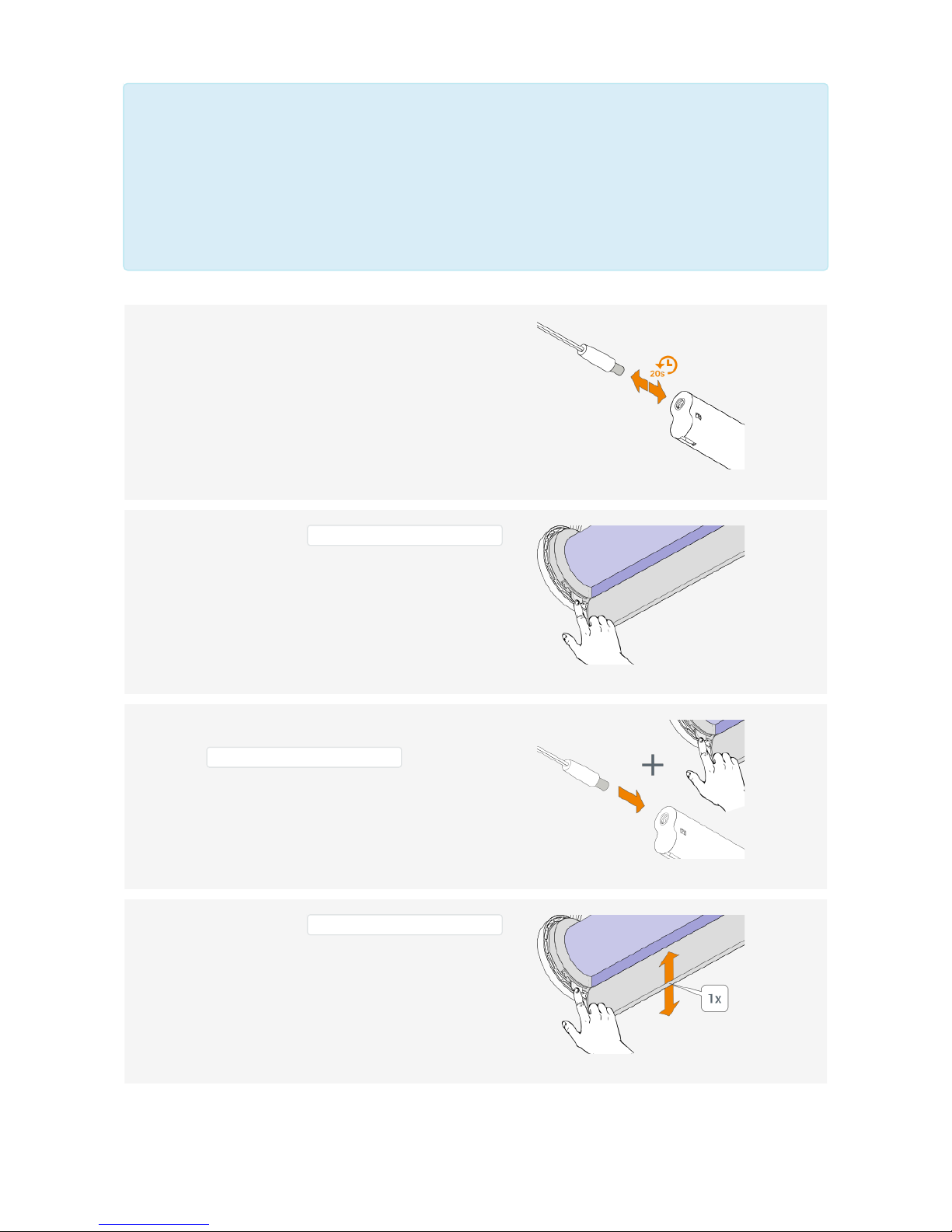
By reading out the LED sequence after power up, the motor type can be seen.
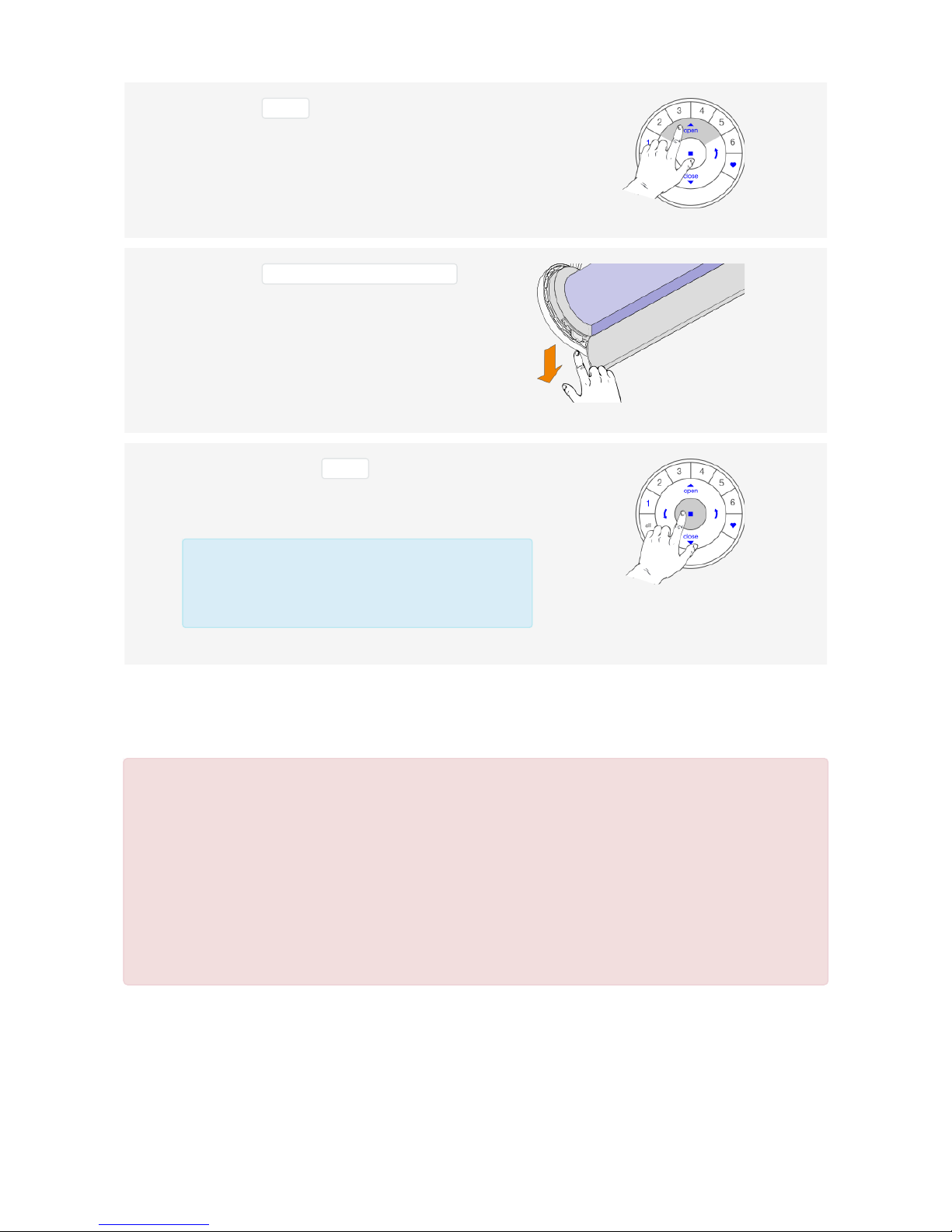
1.2. End limits reset (factory default)
This procedure will erase all limits stored in the volatile motor memory. It will not clear the Network ID and
Group assignments.
1.1.1 Power up the motor by connecting the power cable to
the battery wand or power supply.
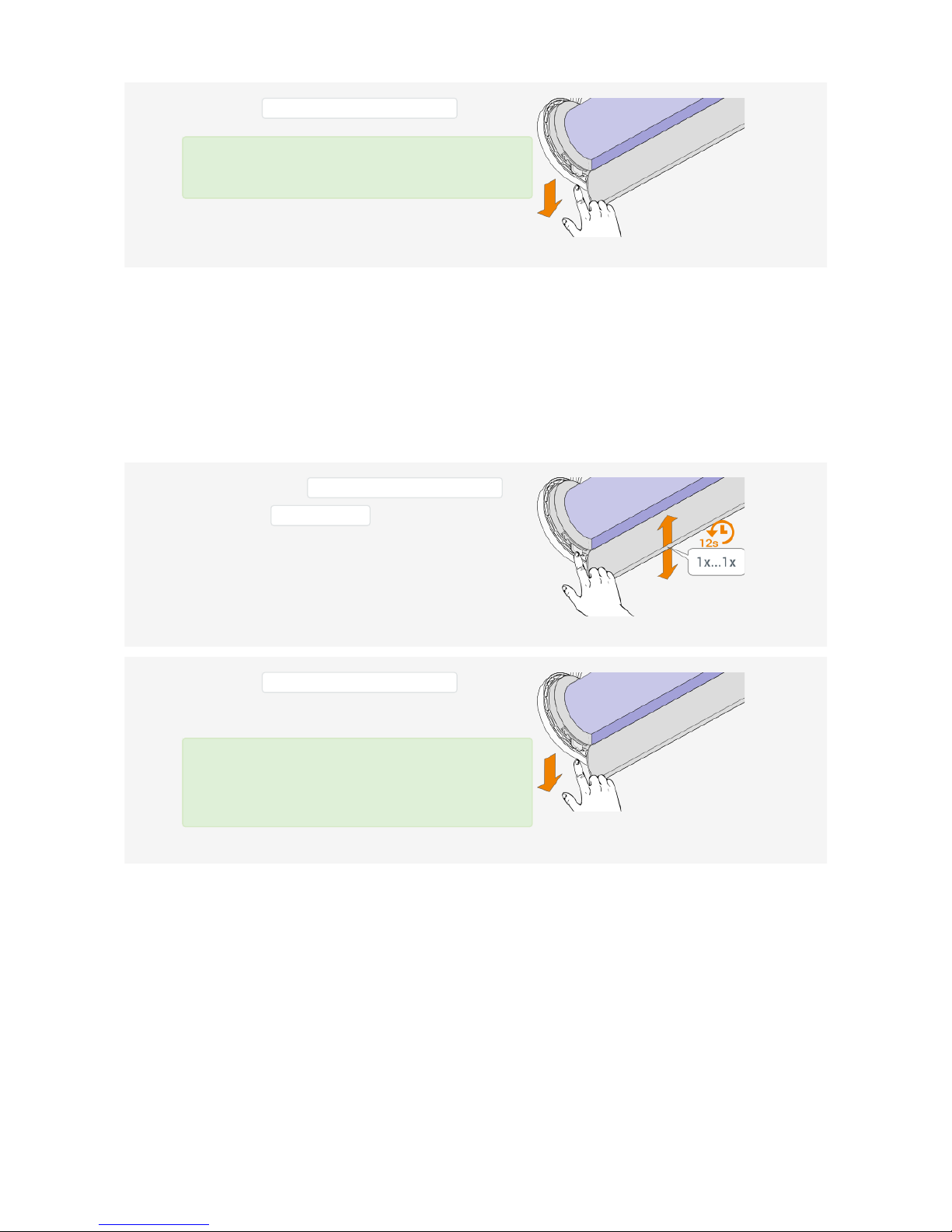
1.1.2 Immediately Check the motor button LED sequence
after start up.
1.1.3 LED sequence of motor set to Roller
blind type:
LED sequence of motor set to Roller
blind, slow scene speed disabled
type:
ALL GOOD!
LED sequence of motor set to Twist®
shade type:
LED sequence of motor set to Twist®
shade, slow scene speed disabled
type:
NOT OK!
Page 2 of 19 version: 1.1