manuals.online logo
Brands
  1. Home
  2. •
  3. Brands
  4. •
  5. IBM
  6. •
  7. Laptop
  8. •
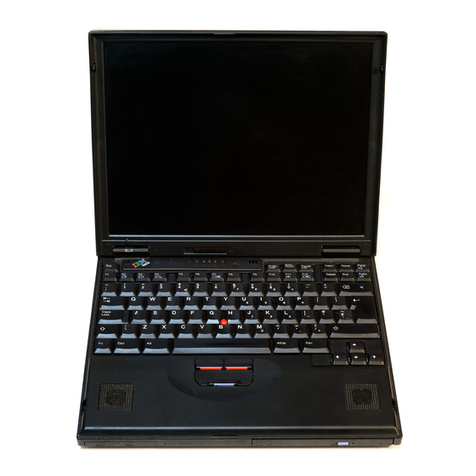
  9. IBM ThinkPad 390/i Series 1700 (2626, 2627) Owner's manual

IBM ThinkPad 390/i Series 1700 (2626, 2627) Owner's manual

Other IBM Laptop manuals

IBM 600E - ThinkPad 2645 - PII 400 MHz Service manual

IBM

IBM 600E - ThinkPad 2645 - PII 400 MHz Service manual

IBM THINKVANTAGE T60 How to use

IBM

IBM THINKVANTAGE T60 How to use

IBM ThinkPad 770X User manual

IBM

IBM ThinkPad 770X User manual

IBM ThinkPad R50 Series Manual

IBM

IBM ThinkPad R50 Series Manual

IBM ThinkPad X20 Owner's manual

IBM

IBM ThinkPad X20 Owner's manual

IBM ThinkPad 240 User manual

IBM

IBM ThinkPad 240 User manual

IBM ThinkPad T40 series Owner's manual

IBM

IBM ThinkPad T40 series Owner's manual

IBM ThinkPad 365C Owner's manual

IBM

IBM ThinkPad 365C Owner's manual

IBM ThinkPad 770X User manual

IBM

IBM ThinkPad 770X User manual

IBM ThinkPad i Series 1400 Owner's manual

IBM

IBM ThinkPad i Series 1400 Owner's manual

IBM ThinkPad 770E Owner's manual

IBM

IBM ThinkPad 770E Owner's manual

IBM ThinkPad 390 User manual

IBM

IBM ThinkPad 390 User manual

IBM ThinkPad 560Z User manual

IBM

IBM ThinkPad 560Z User manual

IBM ThinkPad X20 Owner's manual

IBM

IBM ThinkPad X20 Owner's manual

IBM ThinkPad 385XD Dimensions

IBM

IBM ThinkPad 385XD Dimensions

IBM ThinkPad 390X Owner's manual

IBM

IBM ThinkPad 390X Owner's manual

IBM ThinkPad 380Z Owner's manual

IBM

IBM ThinkPad 380Z Owner's manual

IBM ThinkPad 510Cs Service manual

IBM

IBM ThinkPad 510Cs Service manual

IBM WordPad z50 User manual

IBM

IBM WordPad z50 User manual

IBM ThinkPad X32 Series How to use

IBM

IBM ThinkPad X32 Series How to use

IBM ThinkPad 770X User manual

IBM

IBM ThinkPad 770X User manual

IBM ThinkPad 560Z Configuration guide

IBM

IBM ThinkPad 560Z Configuration guide

IBM THINKPAD T41 - Warranty User manual

IBM

IBM THINKPAD T41 - Warranty User manual

IBM ThinkPad 365X User manual

IBM

IBM ThinkPad 365X User manual

Popular Laptop manuals by other brands

EUROCOM ARMADILLO 2 W840AU Service manual

EUROCOM

EUROCOM ARMADILLO 2 W840AU Service manual

HP EliteBook 8570p Maintenance and service guide

HP

HP EliteBook 8570p Maintenance and service guide

Toshiba L300-EZ1522 Specifications

Toshiba

Toshiba L300-EZ1522 Specifications

HP Compaq 6520s Maintenance and service guide

HP

HP Compaq 6520s Maintenance and service guide

Lenovo ThinkPad T530 null

Lenovo

Lenovo ThinkPad T530 null

Lenovo ThinkPad X1 Carbon user guide

Lenovo

Lenovo ThinkPad X1 Carbon user guide

Lenovo ThinkPad T400s Ghid de service şi depanare

Lenovo

Lenovo ThinkPad T400s Ghid de service şi depanare

Toshiba TE2000 user manual

Toshiba

Toshiba TE2000 user manual

Acer SP514-51N user manual

Acer

Acer SP514-51N user manual

Fujitsu P1620 - LifeBook - Core 2 Duo 1.2 GHz Getting started

Fujitsu

Fujitsu P1620 - LifeBook - Core 2 Duo 1.2 GHz Getting started

Dell G3 15 Setup and specifications

Dell

Dell G3 15 Setup and specifications

Clevo D400P Service manual

Clevo

Clevo D400P Service manual

HP EliteBook 840r G4 Maintenance and service guide

HP

HP EliteBook 840r G4 Maintenance and service guide

Clevo NL51CU Service manual

Clevo

Clevo NL51CU Service manual

Dell Inspiron 3700 Get started

Dell

Dell Inspiron 3700 Get started

Toshiba R700-S1320 Specifications

Toshiba

Toshiba R700-S1320 Specifications

Lenovo ThinkPad 310D reference guide

Lenovo

Lenovo ThinkPad 310D reference guide

Sony PCG-F801A user guide

Sony

Sony PCG-F801A user guide

manuals.online logo
manuals.online logoBrands
  • About & Mission
  • Contact us
  • Privacy Policy
  • Terms and Conditions

Copyright 2025 Manuals.Online. All Rights Reserved.

Thank you for purchasing this Factory Service
Manual CD/DVD from servicemanuals4u.com.
Please check out our eBay auctions for more great
deals on Factory Service Manuals:
servicemanuals4u
S10L-9626-00
IBM Mobile Systems
ThinkPad 390/i Series 1700 (2626, 2627)
Hardware Maintenance Manual
November 1998
Before using this information and the product it supports,
be sure to read the general information under “Read This
First” on page 19.
First Edition (November 1998)
The following paragraph does not apply to the United
Kingdom or any country where such provisions are
inconsistent with local law:
INTERNATIONAL BUSINESS MACHINES CORPO-
RATION PROVIDES THIS PUBLICATION "AS IS"
WITHOUT ANY WARRANTY OF ANY KIND, EITHER
EXPRESS OR IMPLIED, INCLUDING, BUT NOT LIMITED
TO, THE LIMITED WARRANTIES OF
MERCHANTABILITY OR FITNESS FOR A PARTICULAR
PURPOSE. Some states do not allow disclaimers or
express or implied warranties in certain transactions; there-
fore, this statement may not apply to you.
This publication could include technical inaccuracies or
typographical errors. Changes are periodically made to the
information herein; these changes will be incorporated in
new editions of the publication. IBM may make improve-
ments or changes in the products or the programs
described in this publication at any time.
It is possible that this publication may contain references
to, or information about, IBM products (machines and pro-
grams), programming, or services that are not announced
in your country. Such references or information must not
be construed to mean that IBM intends to announce such
IBM products, programming, or services in your country.
Requests for technical information about IBM products
should be made to your IBM Authorized Dealer or your
IBM Marketing Representative.
 Copyright International Business Machines Corpo-
ration 1998. All rights reserved. Note to US Government
Users — Documentation related to restricted rights — Use,
duplication, or disclosure is subject to restrictions set forth
in GSA ADP Schedule Contract with IBM Corp.
Important
This manual is intended for trained servicers who are
familiar with ThinkPad products. Use this manual
along with the advanced diagnostic tests to trouble-
shoot problems effectively.
Before servicing an IBM ThinkPad product, be sure to
review the safety information under “Safety Notices
(Multi-lingual Translations)” on page 4 and “Safety
Information” on page 11.
Related Publications
The following product publications are available through
IBM or your IBM Authorized Dealer.
Publication Part, Form Number
Mobile Systems HMM
Volume 1: Laptop, Note-
book, Portable, and
ThinkPad Computers
(Models L40, CL57, N45,
N51, P70/P75, ThinkPad
300, 350, 500, 510, 710T,
Expansion Unit, Dock I,
Dock II)
30H2356, S82G-1501-01
Mobile Systems HMM
Volume 2: ThinkPad Com-
puters (Models 340, 355,
360, 370, 700, 701, 720,
750, 755)
30H2357, S82G-1502-03
Mobile Systems HMM
Volume 3: ThinkPad Com-
puters (Models 365, 380,
385, 560, 760, SelectaDock)
84H8099, S82G-1503-05
Mobile Systems HMM
Volume 4: ThinkPad Com-
puters (Models 380, 385,
560, 760, 765)
05L1271, S05L-1270-01
iii
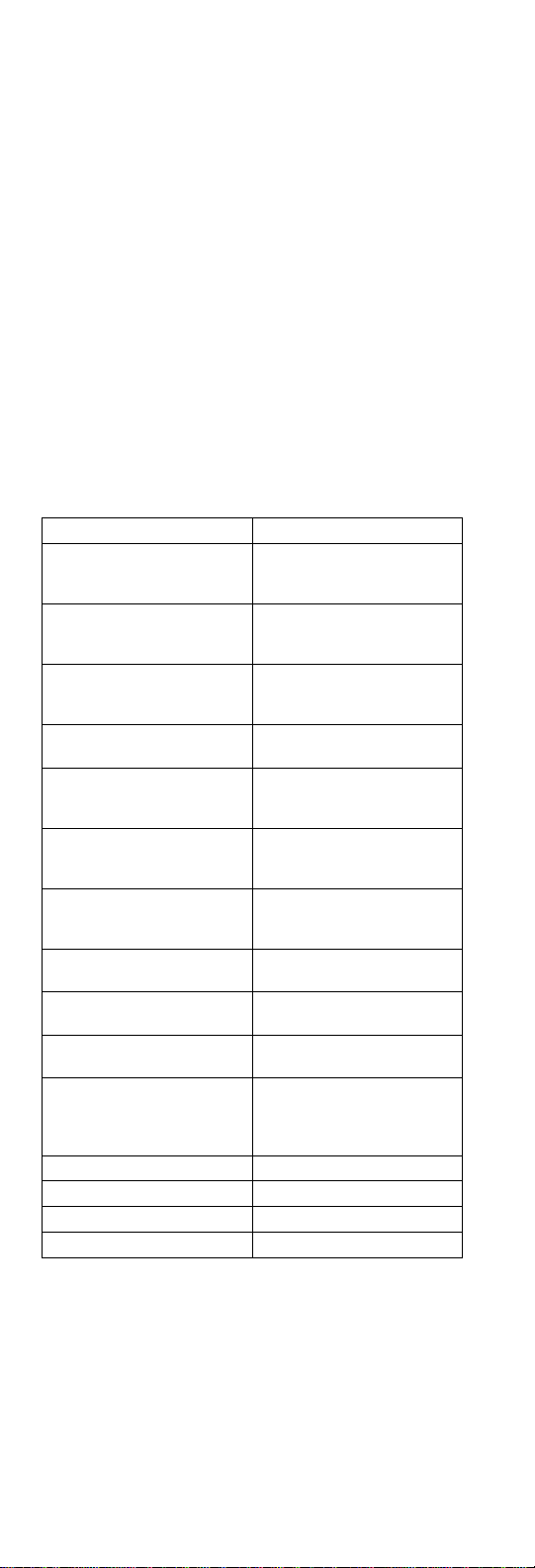
Related Diskettes
The following diskettes are available through IBM or your
IBM Authorized Dealer.
Diskette Part, Form Number
ThinkPad 300 (2615)
Advanced Diagnostics
Diskette
33G9361, S33G-9361
ThinkPad 350, 350C, 425,
425C (2618) Advanced
Diagnostics Diskette
A211000, GA21-1000
ThinkPad 365 (2625)
Advanced Diagnostics
Diskette
76H7578, S30H-2498
ThinkPad 380/385 (2635)
Maintenance Diskette 06J0333, S06J-0333
ThinkPad 390/i Series 1700
(2626, 2627) Diagnostic and
Utilities Diskettes
10L9942, S10L-9942
ThinkPad 500 (2603)
Advanced Diagnostics
Diskette
71G3702, S71G-3702
ThinkPad 510 (2604)
Advanced Diagnostics
Diskette
83G8095, S83G-8095
ThinkPad 700 (9552) Refer-
ence Diskette 42G2017, S42G-2017
ThinkPad 700C (9552) Ref-
erence Diskette 42G2023, S42G-2023
ThinkPad 720/720C (9552)
Reference Diskette 61G1194, S61G-1194
ThinkPad Hardware Mainte-
nance Diskette (for all
Models 355, 360, 560, 750,
755, 760)
78H5384, S78H-5384
ThinkPad Dock I (3545) 71G4140, S71G-4140
Docking Station (3550) 42G2428, S42G-2428
Data/Fax Modem 61G1556, S61G-1556
FaxConcentrator/A 84F8540, S84F-8540
iv ThinkPad 390/i Series 1700
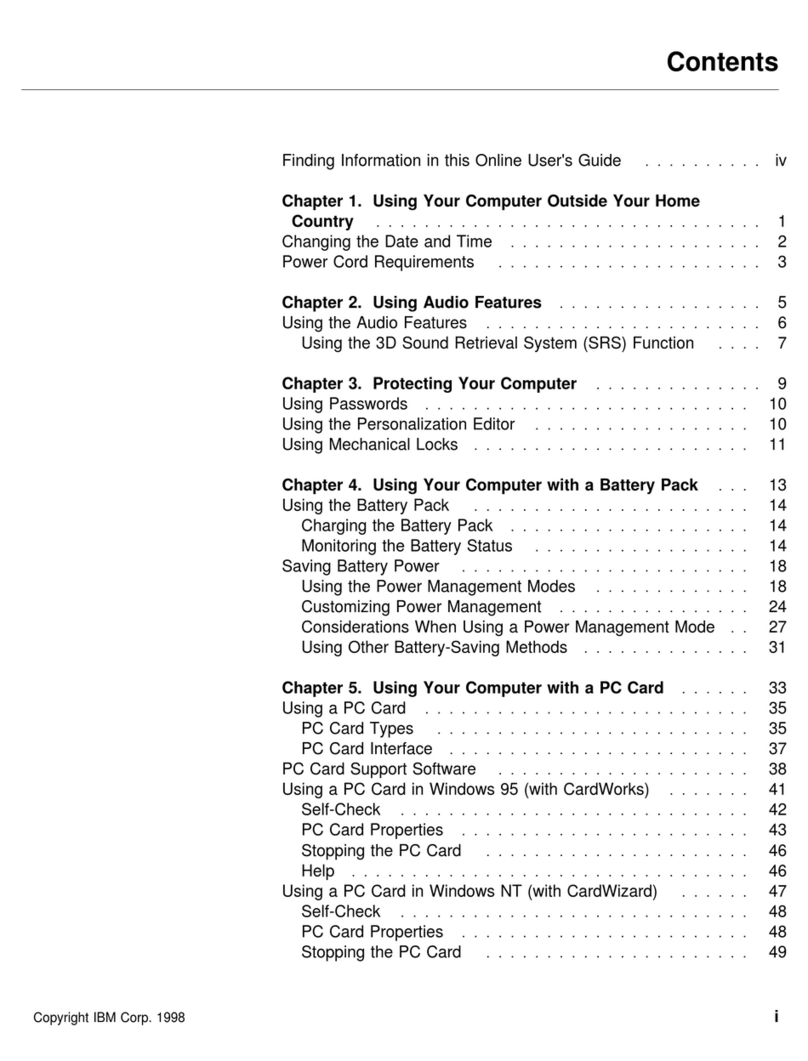
Contents
Introduction . . . . . . . . . . . . . . . . . . . 1
Important Service Information ........... 1
How to Use Error Messages .......... 2
How to Read POST Error Messages ...... 2
Drive and Diskette Compatibility Matrix ....... 3
Safety Notices (Multi-lingual Translations) ..... 4
Safety Information . . . . . . . . . . . . . . . . 11
General Safety . . . . . . . . . . . . . . . . 11
Electrical Safety . . . . . . . . . . . . . . . . 12
Safety Inspection Guide ............ 13
Handling Electrostatic Discharge-Sensitive Devices 15
Grounding Requirements . . . . . . . . . . . . 15
Laser Compliance Statement ........... 16
ThinkPad 390/i Series 1700 Hardware Maintenance
Manual . . . . . . . . . . . . . . . . . . . . . 19
Read This First .................. 19
What to Do First ................ 20
How to Disable the Password ......... 21
Product Overview . . . . . . . . . . . . . . . . . 21
Fn Key Combinations ............. 22
Status Indicators . . . . . . . . . . . . . . . . 23
Checkout Guide . . . . . . . . . . . . . . . . . 24
Audio Checkout . . . . . . . . . . . . . . . . 25
Diskette Drive Checkout ............ 25
CD-ROM ASM Checkout ............ 26
Fan ASM Checkout .............. 27
Keyboard and Auxiliary Input Device Checkout . 27
Memory Checkout . . . . . . . . . . . . . . . 27
Modem Board Checkout ............ 28
Power System Checkout ............ 28
TrackPoint Checkout . . . . . . . . . . . . . . 30
Power Management Features ......... 31
Symptom-to-FRU Index . . . . . . . . . . . . . . 33
Numeric Error Codes .............. 34
Error Messages . . . . . . . . . . . . . . . . 36
No Beep Symptoms .............. 37
LCD-Related Symptoms . . . . . . . . . . . . 37
Keyboard-Related Symptoms . . . . . . . . . . 38
Indicator-Related Symptoms . . . . . . . . . . 38
Power-Related Symptoms . . . . . . . . . . . 38
PC Card (PCMCIA)-Related Symptoms ..... 38
Speaker-Related Symptoms . . . . . . . . . . 38
Power Management-Related Symptoms ..... 39
Peripheral-Device-Related Symptom . . . . . . 39
Intermittent Problems . . . . . . . . . . . . . 40
Undetermined Problems . . . . . . . . . . . . 40
CE Utility Program Diskette ............ 41
Setting the LCD Panel ID ........... 41
Setting the Thermal Sensor .......... 41
Contents v
Writing the VPD Data ............. 41
Flash UUID . . . . . . . . . . . . . . . . . . 42
Running the Diagnostics .............. 42
PQA System Diagnostics ............ 42
Audio Resource and Speaker-out Test ..... 45
PCMCIA WrapCard Test ............ 46
Modem Dial and Data Transfer Test ...... 46
FIR Data Transfer Test ............. 46
USB Connect/Disconnect Test ......... 46
Fan Diagnostics . . . . . . . . . . . . . . . . 46
FRU Removals and Replacements ......... 47
FRU Service Procedures ............ 48
Battery ASM . . . . . . . . . . . . . . . . . . 49
Hard Disk Drive ................ 49
Combo Bay . . . . . . . . . . . . . . . . . . 50
Diskette Drive (FDD ASM) ........... 50
CD-ROM ASM . . . . . . . . . . . . . . . . . 51
Combo Bay FPC ............... 52
Hard Disk Adapter Combo Bay ASM ...... 52
Modem Card . . . . . . . . . . . . . . . . . 53
Backup Battery (RTC) ............. 54
Keyboard . . . . . . . . . . . . . . . . . . . 54
LED Board . . . . . . . . . . . . . . . . . . 56
Upper Heatsink . . . . . . . . . . . . . . . . 56
PCMCIA Slots . . . . . . . . . . . . . . . . . 57
CPU Board . . . . . . . . . . . . . . . . . . 58
LCD Panel ASM ................ 59
Upper Cover ASM ............... 60
IMM Lower Heatsink ASM ........... 62
FanASM . . . . . . . . . . . . . . . . . . . 62
Power Latch, IR Board, and DC-DC & BATT Board 63
Planar Board . . . . . . . . . . . . . . . . . 64
Combo Bay Interposer Board .......... 65
LCD Bezel ASM 14.1" ............. 66
Speaker ASM 14.1" .............. 67
VR Board ASM 14.1" ............. 68
Microphone ASM 14.1" ............. 69
LCD Panel ASM 14.1" ............. 69
LCD Inverter ASM 14.1" ............ 70
LCD FPC ASM 14.1" .............. 71
LCD Bezel ASM 13.3" ............. 71
Speaker ASM 13.3" .............. 72
VR Board ASM 13.3" ............. 73
LCD Inverter ASM 13.3" ............ 74
Microphone ASM 13.3" ............. 74
LCD Panel ASM 13.3" ............. 75
LCD FPC ASM 13.3" .............. 75
LCD Bezel ASM 12.1" ............. 76
Speaker ASM 12.1" .............. 77
VR Board ASM 12.1" ............. 78
LCD Inverter ASM 12.1" ............ 79
Microphone ASM 12.1" ............. 79
LCD Panel ASM 12.1" ............. 80
vi ThinkPad 390/i Series 1700

LCD FPC ASM 12.1" .............. 81
Switch Location . . . . . . . . . . . . . . . . 82
System Unit Parts Listing ............. 83
LCD Unit Parts Listing ............... 88
12.1" LCD ASM Parts Listing .......... 88
13.3" LCD ASM Parts Listing .......... 89
14.1" LCD ASM Parts Listing .......... 90
Notices . . . . . . . . . . . . . . . . . . . . . . 92
Trademarks . . . . . . . . . . . . . . . . . . . 92
Contents vii
viii ThinkPad 390/i Series 1700

Introduction
Important Service Information
Important
Diskette fixes are customer installable. The diskette
fixes are located on the PC Company Bulletin Board
Service (BBS). The direct phone line for modem con-
nection is 919-557-0001 or tieline 255-0001.
Advise customers to contact the PC Company
HelpCenter at 800-772-2227 if they need assistance in
obtaining or installing any diskette fixes.
Customers in Canada should call IBM HelpPC at
800-565-3344 for assistance or down-load information.
The Canadian BBS phone numbers are:
Montreal 514-938-3022
Toronto 905-316-4255
Vancouver 604-664-6464
Winnipeg 204-934-2735
FRU Replacement Strategy
Before Replacing Parts
Ensure that all diskette fixes are installed prior to
replacing any FRUs listed in this manual.
Use the following strategy to prevent unnecessary FRU
replacement and service expense:
If you are instructed to replace a FRU and that
does not correct the problem, reinstall the original
FRU before you continue.
Some computers have both a processor board and a
system board. If you are instructed to replace either
the processor board or the system board, and the first
board that you replaced does not correct the problem,
reinstall the original board, then replace the other
(processor or system) board.
If an adapter or device consists of more than one
FRU, an error code may be caused by any of the
FRUs. Before replacing the adapter or device,
remove the FRUs, one by one, to see if the symp-
toms change. Replace only the FRU that changed
the symptoms.
Introduction 1