¤3Distress call
• The distress call is repeated every 3.5–4.5 min., until re-
ceiving an ‘acknowledgement.’
• Push [CLR] to cancel the ‘Call repeat’ mode.
• “????” may blink instead of position and time indications
when the GPS data is invalid, or has not been manually
updated after 4 hours.
DDSimple call
qConfirm no distress call is being received.
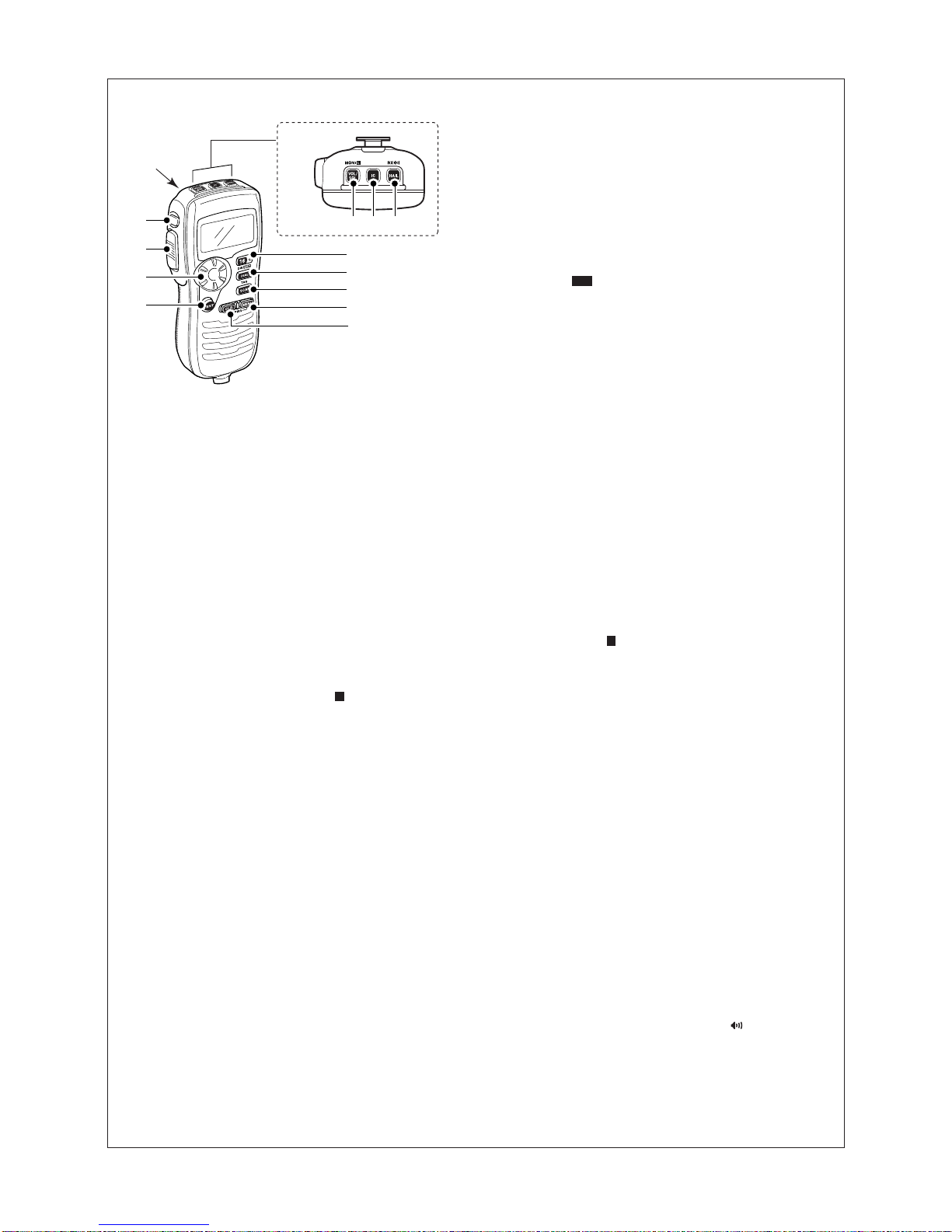
wWhile pulling down the distress key cover on the back
side, push [DISTRESS] for 5 sec. to transmit the distress
call.
•When no GPS is connected, input your position and UTC
time, if possible.
•While pushing [DISTRESS], the key backlighting blinks.
eAfter transmitting the distress call, the transceiver waits for
an acknowledgment call on Channel 70.
• Transmitting after 2 sec., the display changes to Channel 16
automatically.
•After receiving the acknowledgment, reply using the micro-
phone.
DDRegular call
The nature of the distress call should be included in the dis-
tress call.
qSelect and enter “DDiissttrreessssSSeettttiinngg” in the DSC
menu.
wSelect and enter the nature of the distress.
•‘Undesignated,’ ‘Explosion,’ ‘Flooding,’ ‘Collision,’
‘Grounding,’ ‘Capsizing,’ ‘Sinking,’ ‘Adrift (Disable adrift),’
‘Abandoning (Abandoning ship),’ ‘Piracy (Piracy attack)’ and
‘MOB (Man overboard)’ are available.
•The selected nature of the distress is stored for 10 minutes.
rPush [DISTRESS] for 5 sec. to transmit the distress call.
•While pushing [DISTRESS], the key backlighting blinks.
tAfter transmitting the distress call, the transceiver waits for
an acknowledgment call on Channel 70.
• Transmitting after 2 sec., the display changes to Channel 16
automatically.
•After receiving the acknowledgment, reply using the micro-
phone.
eSet your position data and current UTC time. (See ‘¤2Po-
sition and time programming’ for details.)
•
When a suitable GPS receiver is connected to the transceiver,
this step is skipped.
Transmitting DSC calls (continued)
DDTransmitting an individual acknowledgement
“IInnddiivviidduuaallAACCKK” item appears after an individual call is
received.
qSelect and enter “IInnddiivviidduuaallAACCKK” in the DSC menu.
wSelect and enter the desired individual address or ID code.
eSelect and enter an acknowledgement “AAbblleettooCCoomm--
ppllyy” or “UUnnaabblleettooCCoommppllyy.”
rPush [ENT] to transmit the acknowledgement call.
DDTransmitting a group call
qSelect and enter “GGrroouuppCCaallll” in the DSC menu.
wSelect and enter the desired group address.
eSelect and enter a desired intership channel.
rPush [ENT] to transmit the group call.
tPush [CLR] to exit and the transceiver selects the intership
channel specified in step eautomatically.
•Even if [CLR] hasn’t been pushed, the transceiver selects the
specified intership channel in step eautomatically after 2 sec.
of inactivity.
DDTransmitting an all ships call
qSelect and enter “AAllllSShhiippssCCaallll” in the DSC menu.
wSelect and enter the desired category.
•The selectable category may differ according to the connected
transceiver setting.
ePush [ENT] to transmit the all ships call.
rPush [CLR] to exit and the transceiver selects Channel 16
automatically.
•Even if [CLR] hasn’t been pushed, the transceiver automati-
cally selects Channel 16 after 2 sec. of inactivity.
DDTransmitting a position request call
qSelect and enter “PPoossiittiioonnRReeqquueesstt” in the DSC
menu.
wSelect and enter the desired individual address.
ePush [ENT] to transmit the position request call.
rPush [CLR] to return to the previous indication before en-
tering the DSC menu.
•Even if [CLR] hasn’t been pushed, the display automatically
returns to the previous indication after 2 sec. of inactivity.
DDTransmitting a position request reply call
“PPoossiittiioonnRReeppllyy” item appears after a position request
call is received.
qSelect and enter “PPoossiittiioonnRReeppllyy” in the DSC menu.
wSelect and enter the desired individual address.
rPush [ENT] to transmit the position request reply call.
•Your position data is transmitted.
DDTransmitting a position report call
qSelect and enter “PPoossiittiioonnRReeppoorrtt” in the DSC
menu.
wSelect and enter the desired individual address.
rPush [ENT] to transmit the position report call.
tPush [CLR] to return to the previous indication before en-
tering the DSC menu.
•Even if [CLR] hasn’t been pushed, the display automatically
returns to the previous indication after 2 sec. of inactivity.
eSet your position data and current UTC time. (See ‘¤2Po-
sition and time programming’ for details.)
•
When a suitable GPS receiver is connected to the transceiver,
this step is skipped.
eSet your position data and current UTC time. (See ‘¤2Po-
sition and time programming’ for details.)
•
When a suitable GPS receiver is connected to the transceiver,
this step is skipped.
¤4Transmitting DSC calls
To ensure correct operation of the DSC function, please
make sure you set the squelch correctly.
DDTransmitting an individual call
qSelect and enter “IInnddiivviidduuaallCCaallll” in the DSC
menu.
wSelect and enter the desired individual address.
eSelect and enter a desired intership channel.
rPush [ENT] to transmit the individual call.
tStandby on Channel 70 until an acknowledgement is re-
ceived.
yWhen the acknowledgement is received, and if it is ‘Able to
comply,’ the display changes to the specified channel (in
step e) is selected with beeps automatically.
•Or it is ‘Unable to comply,’ the display returns to the operated
channel (before enter the DSC menu) with beeps.
uPush [CLR] to stop the beep, then push and hold [PTT] to
communicate your message to the responding ship.
7