EnglishDeutsch
 logo
Brands
  1. Home
  2. •
  3. Brands
  4. •
  5. Insignia

  6. •
  7. Batteries Charger
  8. •
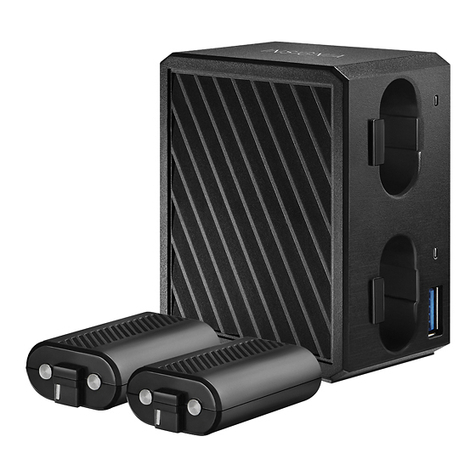
  9. Insignia NS-GXBOCK101-C2 User manual

Insignia NS-GXBOCK101-C2 User manual

This manual suits for next models

4

Other Insignia Batteries Charger manuals

Insignia NS-PWL965 User manual

Insignia

Insignia NS-PWL965 User manual

Insignia NS-VR2DCS4 User manual

Insignia

Insignia NS-VR2DCS4 User manual

Insignia NS-GN3DSCS101 User manual

Insignia

Insignia NS-GN3DSCS101 User manual

Insignia NS-PS4DRC101 User manual

Insignia

Insignia NS-PS4DRC101 User manual

Insignia NS-PW3X4AC2W22B User manual

Insignia

Insignia NS-PW3X4AC2W22B User manual

Insignia V20 Series User manual

Insignia

Insignia V20 Series User manual

Insignia NS-HW48NL19 User manual

Insignia

Insignia NS-HW48NL19 User manual

Insignia X Series User manual

Insignia

Insignia X Series User manual

Insignia NS-GXBOBCS101-C2 User manual

Insignia

Insignia NS-GXBOBCS101-C2 User manual

Insignia NS-PWLC591 User manual

Insignia

Insignia NS-PWLC591 User manual

Insignia NS-PWLC591 User manual

Insignia

Insignia NS-PWLC591 User manual

Insignia NS-PWSPPYR19 User manual

Insignia

Insignia NS-PWSPPYR19 User manual

Insignia NS-Q2CS User manual

Insignia

Insignia NS-Q2CS User manual

Insignia NS-MWPC2 User manual

Insignia

Insignia NS-MWPC2 User manual

Insignia NS-PWLC641 User manual

Insignia

Insignia NS-PWLC641 User manual

Insignia NS-MWPCLC5G User manual

Insignia

Insignia NS-MWPCLC5G User manual

Insignia NS-CAHCC02 User manual

Insignia

Insignia NS-CAHCC02 User manual

Insignia NS-MWPC5K User manual

Insignia

Insignia NS-MWPC5K User manual

Insignia NS-GXBOSBCX19 User manual

Insignia

Insignia NS-GXBOSBCX19 User manual

Insignia NS-MWPCA5 User manual

Insignia

Insignia NS-MWPCA5 User manual

Insignia Qi NS-MWPC5CU User manual

Insignia

Insignia Qi NS-MWPC5CU User manual

Insignia NS-GXBODRC102 User manual

Insignia

Insignia NS-GXBODRC102 User manual

Insignia NS-PWL965-C User manual

Insignia

Insignia NS-PWL965-C User manual

Insignia NS-HW36A2P User manual

Insignia

Insignia NS-HW36A2P User manual

Popular Batteries Charger manuals by other brands

AA Portable Power Corp Universal Smart Charger user manual

AA Portable Power Corp

AA Portable Power Corp Universal Smart Charger user manual

Enelion Vertica manual

Enelion

Enelion Vertica manual

RCA CHU6 instruction manual

RCA

RCA CHU6 instruction manual

ANSMANN ALCT 6/24-10 manual

ANSMANN

ANSMANN ALCT 6/24-10 manual

Hitachi UC 18YRSL Safety instructions and instruction manual

Hitachi

Hitachi UC 18YRSL Safety instructions and instruction manual

Olympus B-20 LPC instructions

Olympus

Olympus B-20 LPC instructions

Exibel ZH1708143 operating instructions

Exibel

Exibel ZH1708143 operating instructions

Lenmar Mach 1 user manual

Lenmar

Lenmar Mach 1 user manual

CTEK MXS 5.0 manual

CTEK

CTEK MXS 5.0 manual

ABB HT842379 Operation manual

ABB

ABB HT842379 Operation manual

Nitecore Superb Charger SC4 user manual

Nitecore

Nitecore Superb Charger SC4 user manual

Renogy RBC2125DS-21W quick guide

Renogy

Renogy RBC2125DS-21W quick guide

Braun BWC02M User instructions

Braun

Braun BWC02M User instructions

CTEK MXS 3.6 manual

CTEK

CTEK MXS 3.6 manual

Black & Decker BDV090 Original instructions

Black & Decker

Black & Decker BDV090 Original instructions

Trinity DPD quick start guide

Trinity

Trinity DPD quick start guide

Hulkman Sigma 1 user guide

Hulkman

Hulkman Sigma 1 user guide

IKEA koppla manual

IKEA

IKEA koppla manual

https://manuals.online logo
https://manuals.online logoBrands
  • About & Mission
  • Contact us
  • Privacy Policy
  • Terms and Conditions

Copyright 2026 Manuals.Online. All Rights Reserved.

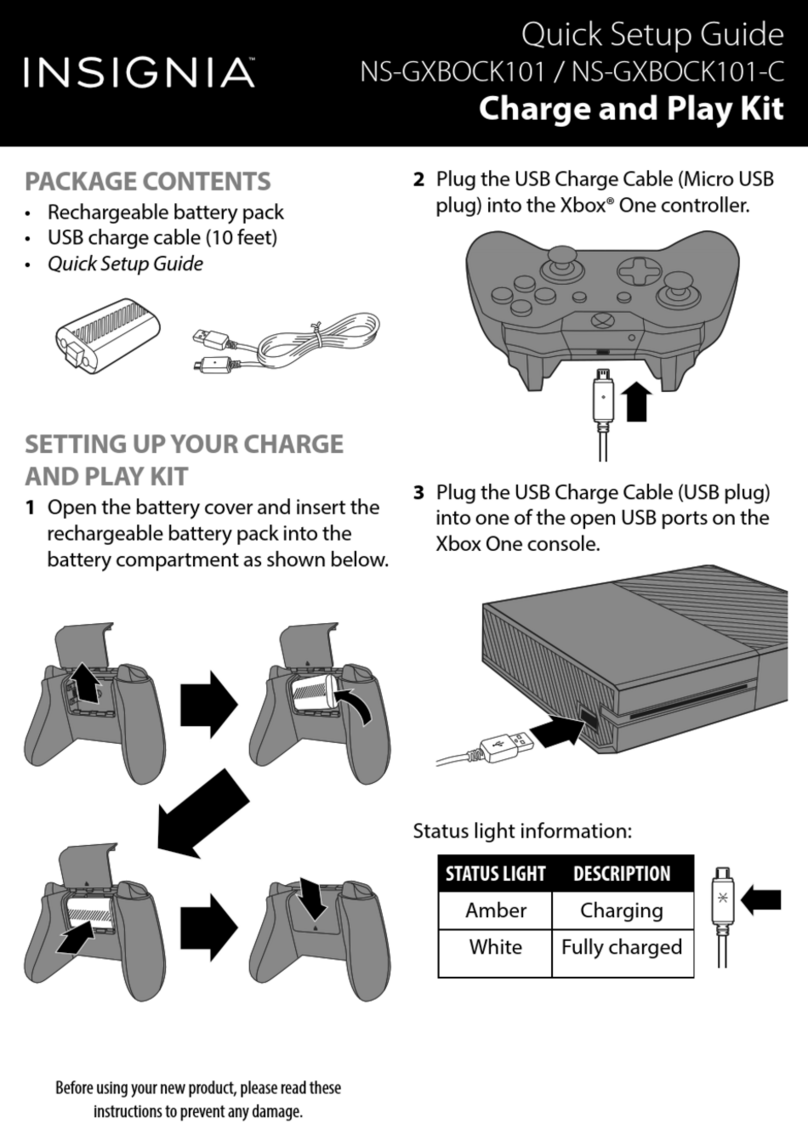
SETTING UP YOUR CHARGE AND
PLAY KIT
1Open the battery cover and insert the
rechargeable battery pack into the
battery compartment as shown below.
Before using your new product, please read
these instructions to prevent any damage.
PACKAGE CONTENTS
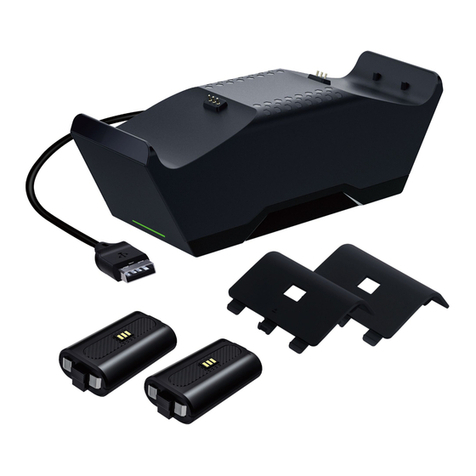
• Rechargeable battery pack
• USB charge cable (10 feet)
• Quick Setup Guide
QUICK SETUP GUIDE
Charge and
Play Kit
NSGXBOCK101 / NSGXBOCK101C /
NSGXBOCK101C2 / NSGXBOCK102 /
NSGXBOCK102C
2Plug the USB Charge Cable (Micro USB
plug) into the Xbox® One controller.
3Plug the USB Charge Cable (USB plug)
into one of the open USB ports on the
Xbox One console.
Status light information:
LEGAL NOTICES
FCC Information
This device complies with part 15 of the FCC Rules.
Operation is subject to the following two conditions:
(1)This device may not cause harmful interference,
and (2) this device must accept any interference
received, including interference that may cause
undesired operation.
Caution: Changes or modifications not expressly
approved by the party responsible for compliance
could void the user’s authority to operate this
equipment.
Note: This equipment has been tested and found to
comply with the limits for a Class B digital device,
pursuant to part 15 of the FCC Rules.These limits are
designed to provide reasonable protection against
harmful interference in a residential installation.This
equipment generates, uses and can radiate radio
V4 ENGLISH 16-0533
frequency energy and, if not installed and used in
accordance with the instructions, may cause harmful
interference to radio communications. However, there is no
guarantee that interference will not occur in a particular
installation. If this equipment does cause harmful
interference to radio or television reception, which can be
determined by turning the equipment off and on, the user is
encouraged to try to correct the interference by one or more
of the following measures:
• Reorient or relocate the receiving antenna.
• Increase the separation between the equipment and
receiver.
• Connect the equipment into an outlet on a circuit different
from that to which the receiver is connected.
• Consult the dealer or an experienced radio/TV technician
for help.
ICES-003 statement
CAN ICES-3 (B)/NMB-3 (B)
STATUS LIGHT
Amber
White
DESCRIPTION
Charging
Fully charged
ONEYEAR LIMITED WARRANTY
Visit www.insigniaproducts.com for details.
CONTACT INSIGNIA:
For customer service, call
1-877-467-4289 (U.S. and Canada) or
01-800-926-3000 (Mexico)
www.insigniaproducts.com
Microsoft and Xbox One are registered trademarks of the Microsoft group of companies.
INSIGNIA is a trademark of Best Buy and its affiliated companies
Distributed by Best Buy Purchasing, LLC
7601 Penn Ave South, Richfield, MN 55423 U.S.A.
©2016 Best Buy. All rights reserved.
Made in China