Controls and operation
- 4 -
English
EMG (Emergency Channels)
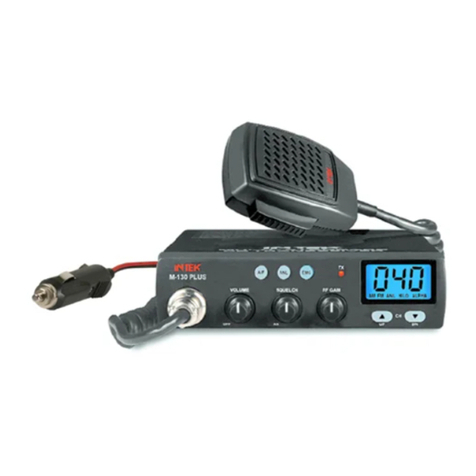
Shortly press the DW/EMG key to select the emergency channels. Two emergency
channels (CH9, CH19) are pre-programmed according to the selected frequency
band (refer to the following table). Each time the key is shortly pressed, radio selects
CH19, then CH9, then the normal operating channel. When an emergency channel is
selected (CH9, CH19), the EMG icon (N) appears on the LCD display.
2. SCAN Key
By pressing the SCAN key, the SCAN (automatic scanning of busy channels) function
is enabled. To enable the SCAN function, first turn the SQUELCH control (10)
clockwise, until the background noise is cut. Then press the SCAN key, radio will
automatically start scanning all channels continuously and the SCAN icon (O) will
appear on the LCD. Auto-scan stops if a signal is detected on a channel, in order to let
the user listen to the incoming signal and will start scanning again when no signal is
detected on that channel. It is possible to remain on that channel by pressing the PTT
key (17) within 5 seconds, otherwise radio will start scanning again. Auto-scan may be
also re-started at any time by pressing again the SCAN key. To exit the SCAN mode,
shortly press the PTT key (17).
3. ESP (Electronic Speech Processor) Key
The ESP (Electronic Speech Processor) is an exclusive advanced feature in some of
the new INTEK mobile CB radios. ESP means Electronic Speech Processor, in other
words electronic modulation processor. This microprocessor controlled audio device
is also called COMPANDER (Compressor-Expander), it works as a modulation
compressor in transmission and as a modulation expander is receive mode. The ESP
allows to obtain a stronger, cleaner and clearer audio signal and it is a great help in
noisy areas, in case of long distance communication or with weak signals. The
efficiency of ESP is even greater when communicating with other radios having the
same system. To enable or disable the ESP function, press the ESP key. When the
ESP function is enabled, the ESP icon (M) appears on the LCD display.
COUNTRY
CODE
CH-9
CH-19
I0
AM
AM
I2
AM
AM
DE
AM
AM
D2
AM
AM
EU
AM
AM
CE
FM
FM
SP
AM
AM
FR
AM
AM
UK
AM
AM
PL
AM
AM
Modulation without ESP Modulation with ESP
100%
0%
100%
ESP performance
of the modulation
in RX and TX modes