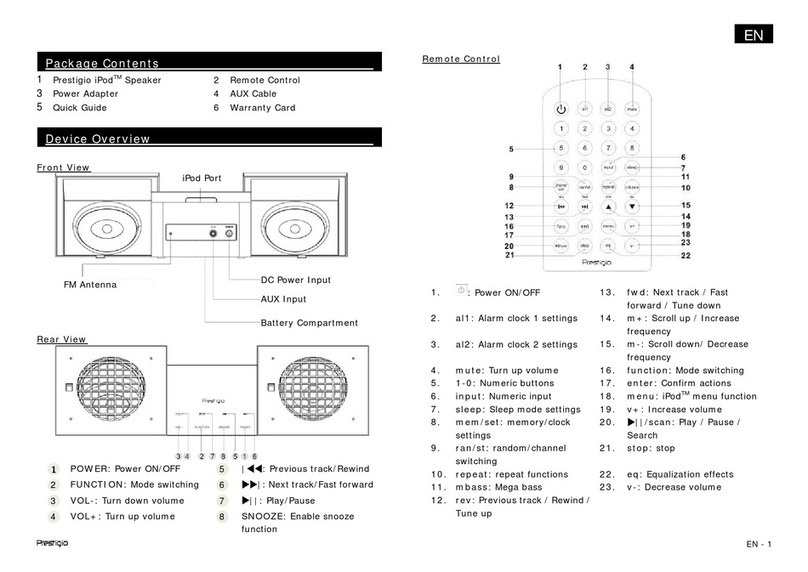
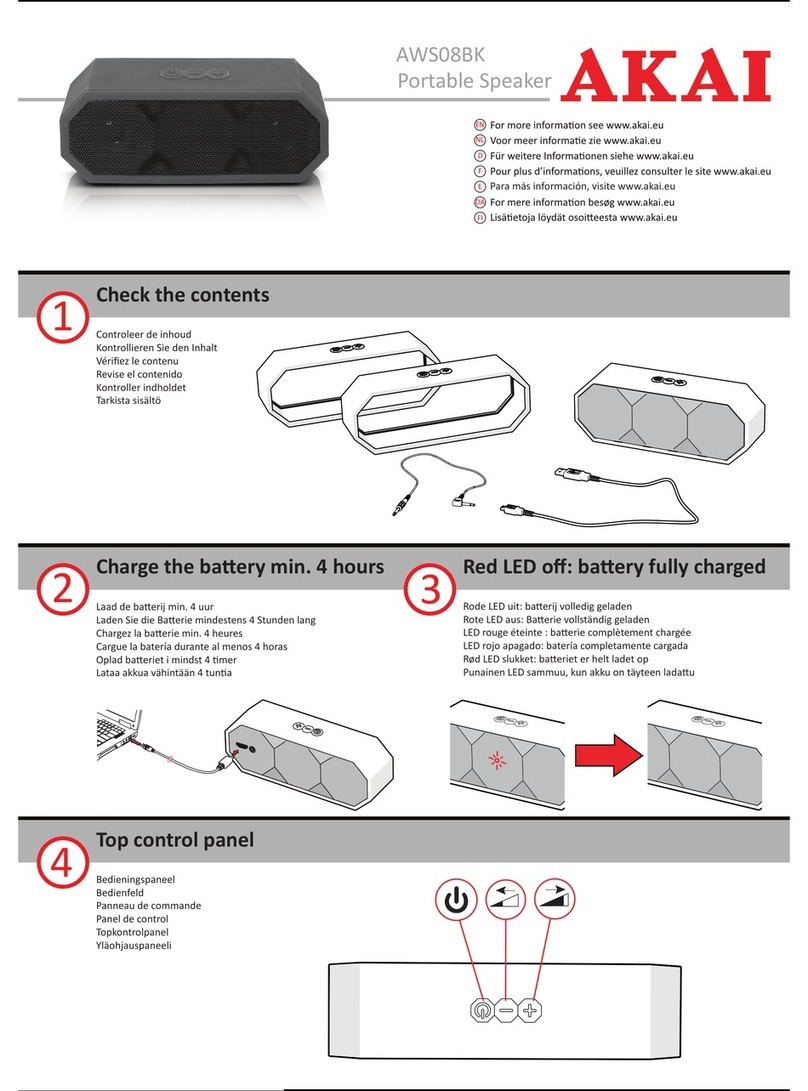
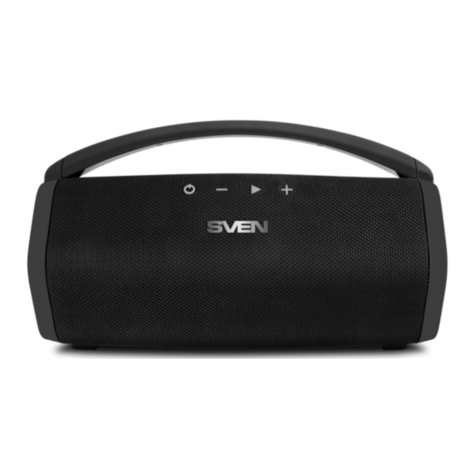
Features
Back Panel
1. Power – Hold this button to power
Solar Stone on and off.
2. Bluetooth Connect –Press this
button to begin Bluetooth connecting.
Note: Solar Stone will automatically
power off after 30 minutes if no audio
is playing.
3. Link –Press this button to link two
Solar Stone units together.
4. Charging Adapter Input – Insert the included charging adapter here to charge the Solar
Stone battery.
Solar Stone should be fully charged prior to first use for maximum battery life. Once fully
charged, Solar Stone’s solar panel can provide suitable power for limited daily use
without the need to connect the charging adapter.
5. Reset –If Solar Stone is working abnormally, shutdown the unit by placing a paperclip
into the Reset hole located on the bottom of Solar Stone, and gently push until the unit
turns off. Try this only after you have first attempted to reboot Solar Stone using the
power button.
6. Charging LED – This LED is solid red when the battery is charging and turns off when
the battery is fully charged/no adapter is connected.
7. Bluetooth LED – This LED slowly blinks blue when the speaker is powered on, blinks fast
while Bluetooth searching, and is solid when Bluetooth connected.
8. Link LED – This LED blinks fast when searching for another Solar Stone and is solid
when linked to another Solar Stone.
Bluetooth Connecting with Solar Stone
Connecting to one Solar Stone:
1. Power on Solar Stone by holding down the power button. You will hear “Power On” for
confirmation. *
2. Press the Bluetooth Connect button to enter Connecting Mode - the Bluetooth LED will
blink fast, and you will hear “Pairing” to indicate this. *
3. Navigate to your device’s Bluetooth setup screen, find Solar Stone, and connect. Solar
Stone LED will light up solid when it is connected and you will hear “Pairing successful,
connected” for confirmation. *
Note: If you experience trouble in connecting, select “Forget this Device” on your
Bluetooth device and try to connect again.
4. To disconnect, hold the Bluetooth Connect button on Solar Stone Bluetooth. You will
hear “Disconnected” for confirmation. *
5. If your Bluetooth device is not able to connect to Solar Stone Bluetooth, hold the
Bluetooth Connect button on the speaker to break previous Bluetooth connections and
reset the Bluetooth module.
LINK