manuals.online logo
Brands
  1. Home
  2. •
  3. Brands
  4. •
  5. IR-Tec
  6. •
  7. Security Sensor
  8. •
  9. IR-Tec DUOGUARD DP-550 User manual

IR-Tec DUOGUARD DP-550 User manual

Other IR-Tec Security Sensor manuals

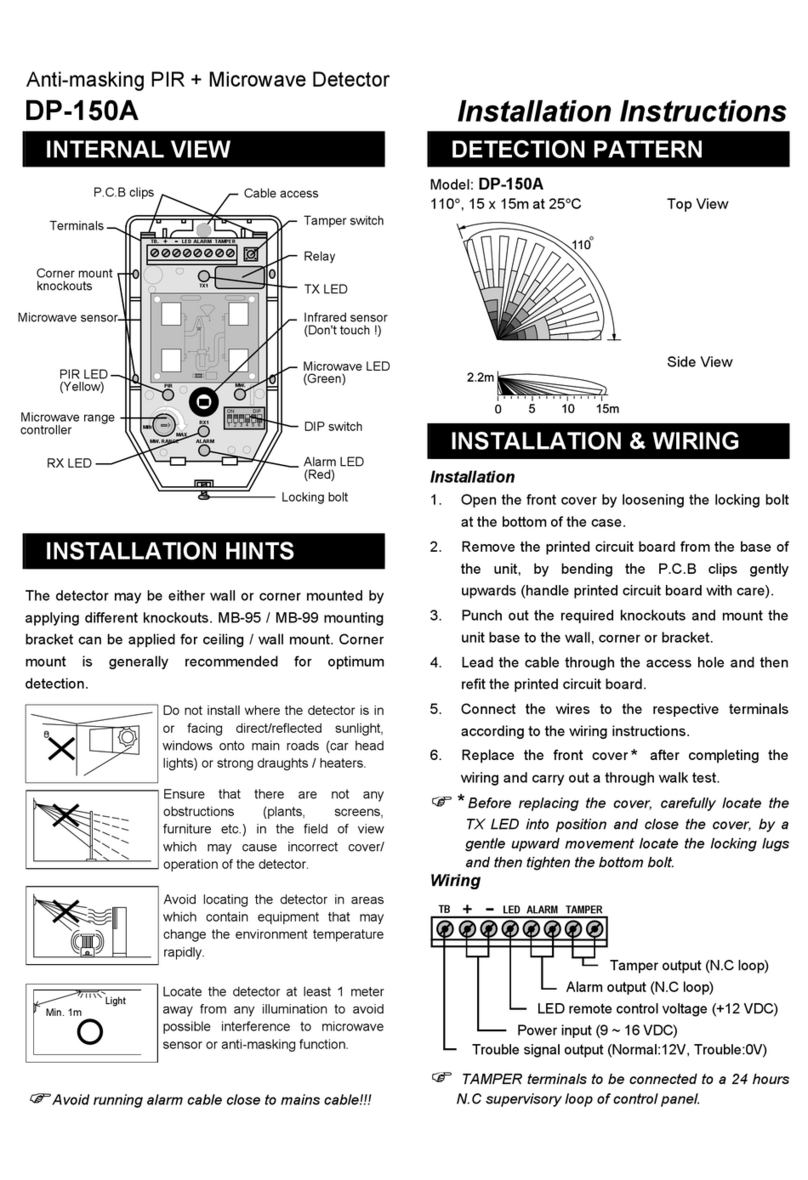
IR-Tec DP-150A User manual

IR-Tec

IR-Tec DP-150A User manual

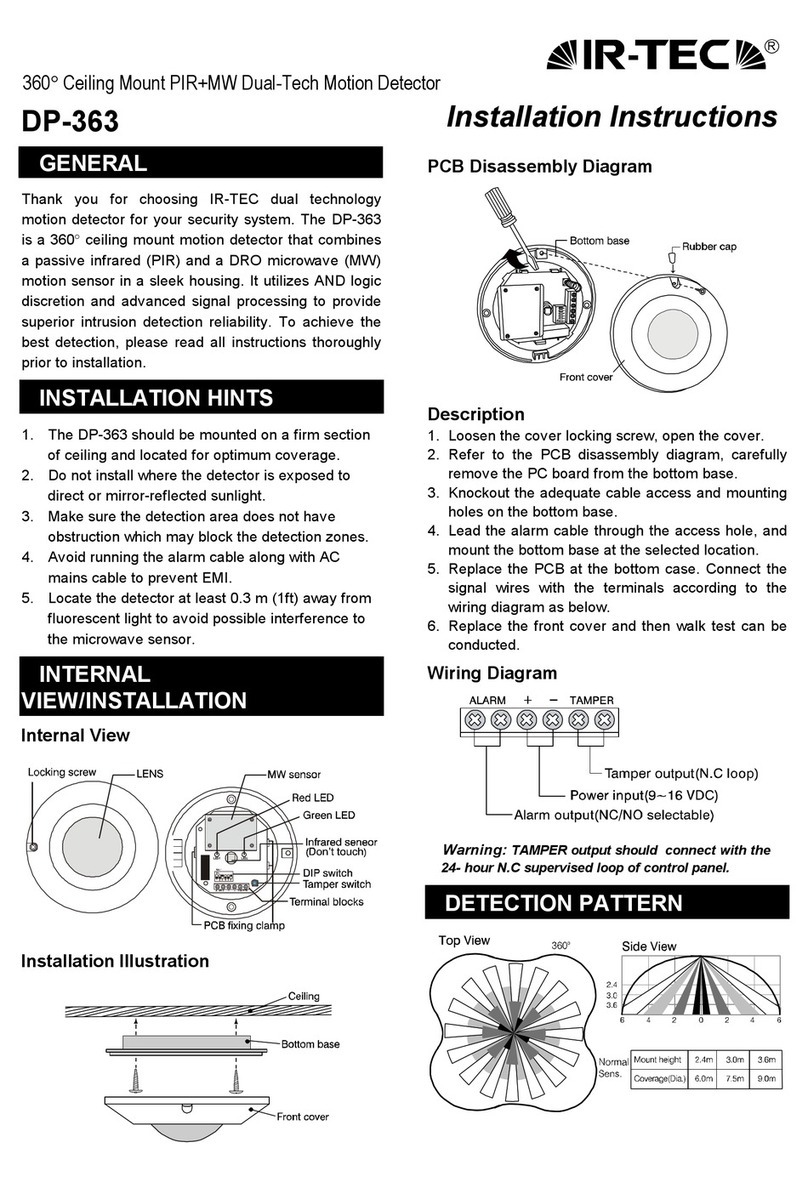
IR-Tec DP-363 User manual

IR-Tec

IR-Tec DP-363 User manual

IR-Tec DUOGUARD DP-550 User manual

IR-Tec

IR-Tec DUOGUARD DP-550 User manual

IR-Tec DUOGUARD DP-150 User manual

IR-Tec

IR-Tec DUOGUARD DP-150 User manual

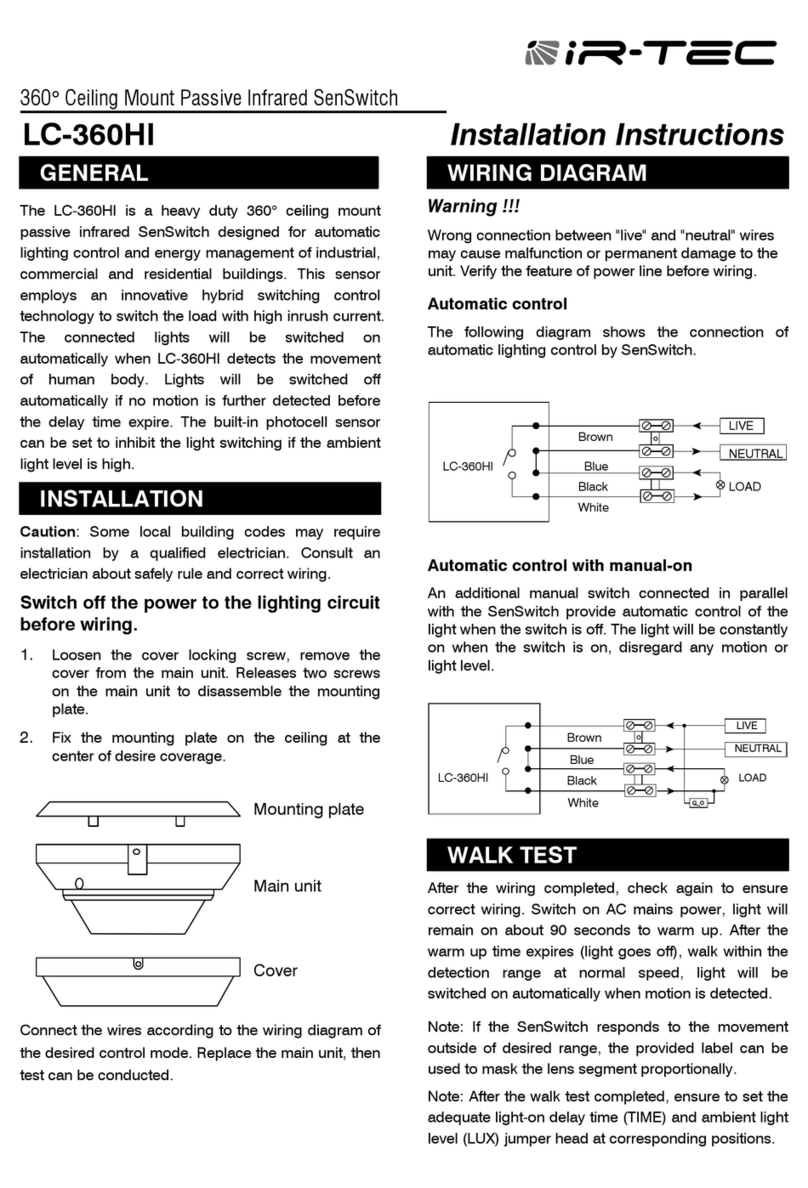
IR-Tec LC-360HI User manual

IR-Tec

IR-Tec LC-360HI User manual

IR-Tec OS-361DT User manual

IR-Tec

IR-Tec OS-361DT User manual

IR-Tec DUOGUARD DP-250 User manual

IR-Tec

IR-Tec DUOGUARD DP-250 User manual

IR-Tec ACTIVATA LC-200 User manual

IR-Tec

IR-Tec ACTIVATA LC-200 User manual

IR-Tec Plato IR-580 User manual

IR-Tec

IR-Tec Plato IR-580 User manual

IR-Tec DUOGUARD DP-550P User manual

IR-Tec

IR-Tec DUOGUARD DP-550P User manual

Popular Security Sensor manuals by other brands

Honeywell Home PROSiXCOCN Installation and setup guide

Honeywell Home

Honeywell Home PROSiXCOCN Installation and setup guide

Duevi SIRPZ-RB-868 Operation

Duevi

Duevi SIRPZ-RB-868 Operation

RKI 65-2483RK Operator's manual

RKI

RKI 65-2483RK Operator's manual

Nortech PD160 Enhanced Series user manual

Nortech

Nortech PD160 Enhanced Series user manual

Omron K8AC-H2 manual

Omron

Omron K8AC-H2 manual

Agilent Technologies G8610 Series Quick reference card

Agilent Technologies

Agilent Technologies G8610 Series Quick reference card

Shinko SE2EA-1-0-0 instruction manual

Shinko

Shinko SE2EA-1-0-0 instruction manual

Det-Tronics X Series instructions

Det-Tronics

Det-Tronics X Series instructions

ACR Electronics COBHAM RCL-300A Product support manual

ACR Electronics

ACR Electronics COBHAM RCL-300A Product support manual

TOOLCRAFT 1712612 operating instructions

TOOLCRAFT

TOOLCRAFT 1712612 operating instructions

Elkron IM600 Installation, programming and functions manual

Elkron

Elkron IM600 Installation, programming and functions manual

Bosch WEU PDO 6 Original instructions

Bosch

Bosch WEU PDO 6 Original instructions

THORLABS PDA10JT user guide

THORLABS

THORLABS PDA10JT user guide

Waeco UV-DETECT operating manual

Waeco

Waeco UV-DETECT operating manual

Intermatic IOS-DSIMF manual

Intermatic

Intermatic IOS-DSIMF manual

Siemens AZL66 Series manual

Siemens

Siemens AZL66 Series manual

BTI Profiline Multi Finder operating instructions

BTI

BTI Profiline Multi Finder operating instructions

Challenger SL01 instruction manual

Challenger

Challenger SL01 instruction manual

manuals.online logo
manuals.online logoBrands
  • About & Mission
  • Contact us
  • Privacy Policy
  • Terms and Conditions

Copyright 2025 Manuals.Online. All Rights Reserved.

R
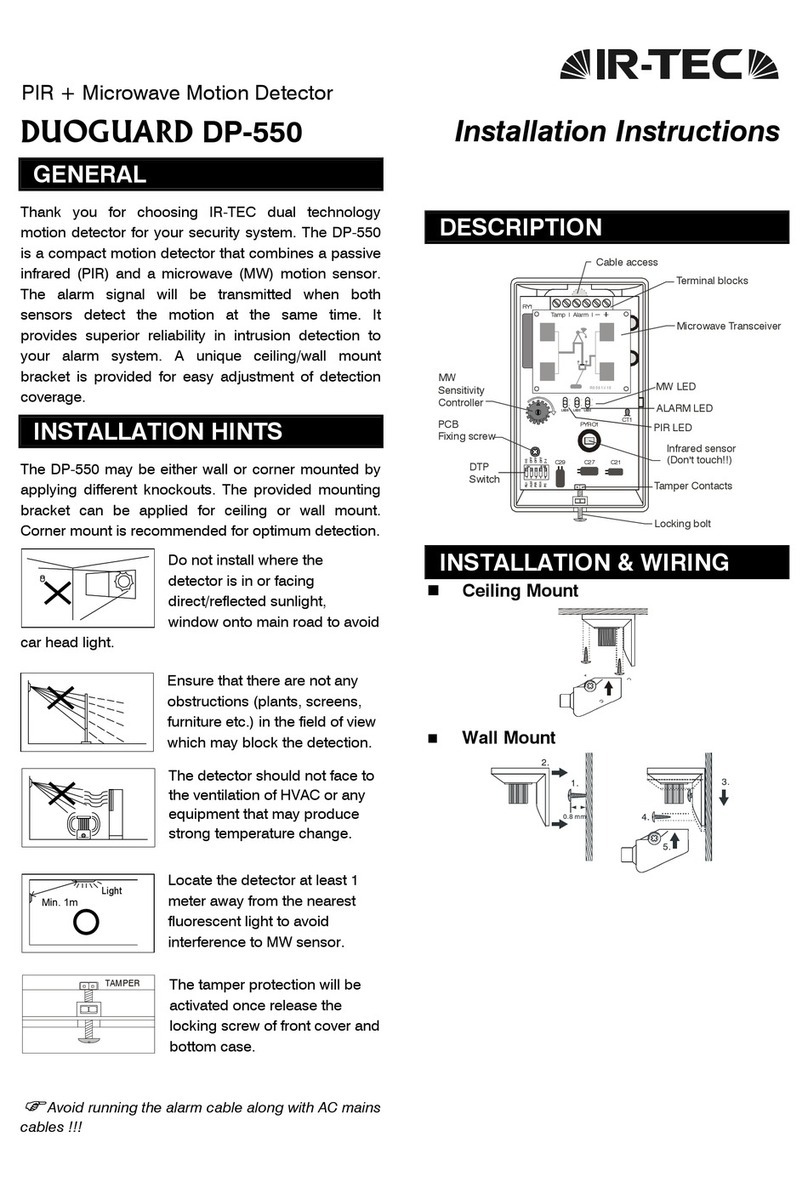
PIR + Microwave Motion Detector
DUOGUARD DP-550 Installation Instructions
GENERAL
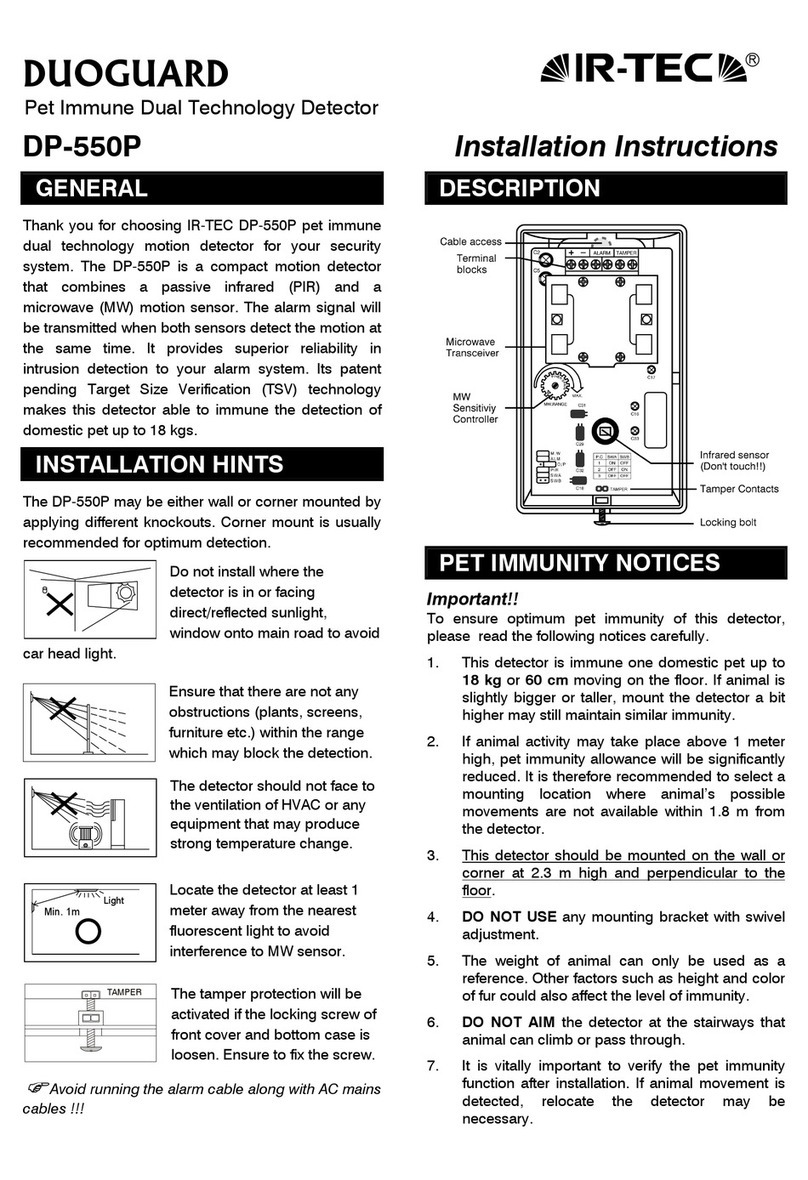
Thank you for choosing IR-TEC dual technology
motion detector for your security system. The DP-550
is a compact motion detector that combines a passive
infrared (PIR) and a microwave (MW) motion sensor.
The alarm signal will be transmitted when both
sensors detect the motion at the same time. It
provides superior reliability in intrusion detection to
your alarm system. A unique ceiling/wall mount
bracket is provided for easy adjustment of detection
coverage.
INSTALLATION HINTS
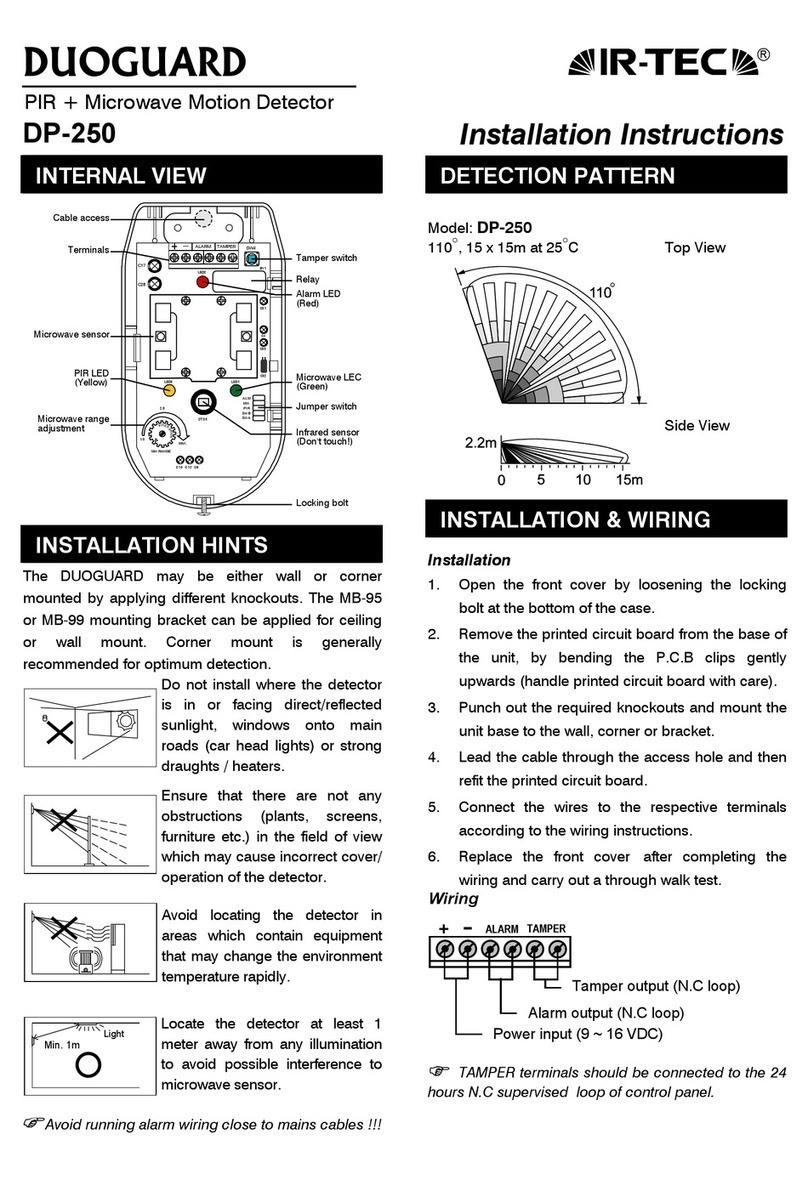
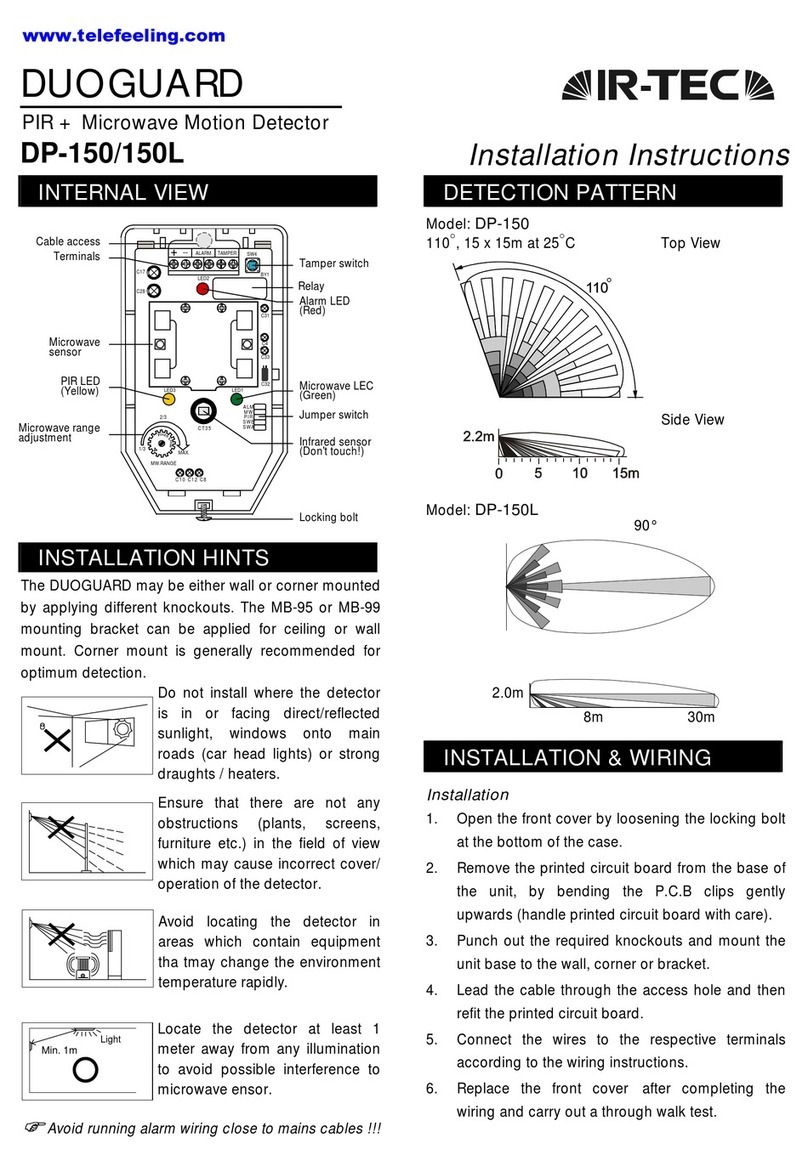
The DP-550 may be either wall or corner mounted by
applying different knockouts. The provided mounting
bracket can be applied for ceiling or wall mount.
Corner mount is recommended for optimum detection.
Do not install where the
detector is in or facing
direct/reflected sunlight,
window onto main road to avoid
car head light.
Ensure that there are not any
obstructions (plants, screens,
furniture etc.) in the field of view
which may block the detection.
The detector should not face to
the ventilation of HVAC or any
equipment that may produce
strong temperature change.
Locate the detector at least 1
meter away from the nearest
fluorescent light to avoid
interference to MW sensor.
The tamper protection will be
activated if the locking screw of
front cover and bottom case is
loosen. Ensure to fix the screw.

Avoid running the alarm cable along with AC mains
cables !!!
DESCRIPTION
MOUNTING OPTIONS
 Ceiling Mount
1
3
2
 Wall Mount
Min. 1m
Light
TAMPER
MOUNTING & WIRING
With mounting bracket
1. Mount the base of mounting bracket on the
selected position. Lead the cable through the
cable access tunnel of mounting bracket.
2. Open the front cover and carefully remove the
PCB from the bottom case. Lead the cable into
the case and assemble the mounting bracket with
it (as shown on previous page).
3. Connect the cable to the corresponding terminals
according to the following instructions. Replace
the PCB on the bottom case and fix it. Replace
the front cover and then walk test can be
conducted.
Without mounting bracket
1. Open the front cover and carefully remove the
PCB from the bottom case. Select the adequate
knockouts and mount the case on the position.
2. Connect the cable to the corresponding terminals
according to the following instructions. Replace
the PCB on the bottom case and fix it. Replace
the front cover and then walk test can be
conducted.
Wiring Diagram
+ALARM
TAMPER
-
Tamperoutput(NC)
A
larm output (NC/NO)
Power in
p
ut
(
9 ~ 16 VDC
)
 TAMPER: Connect to the tamper protection loop.
 ALARM: Alarm output (NC/NO)
 – : Ground of DC power input.
 +: Positive of DC power input.
WALK TEST
It is necessary to carry out a thorough walk test of the
detector to ensure that the correct coverage is being
achieved. Also to ensure that both PIR & microwave
are sensors working to the same detection area.
1. Apply the DC power supply and give about 60
seconds for sensor to warm up. After the warm up
time expires, walk across the detection zones at
normal speed. The red LED will lit when it detects
the motion.
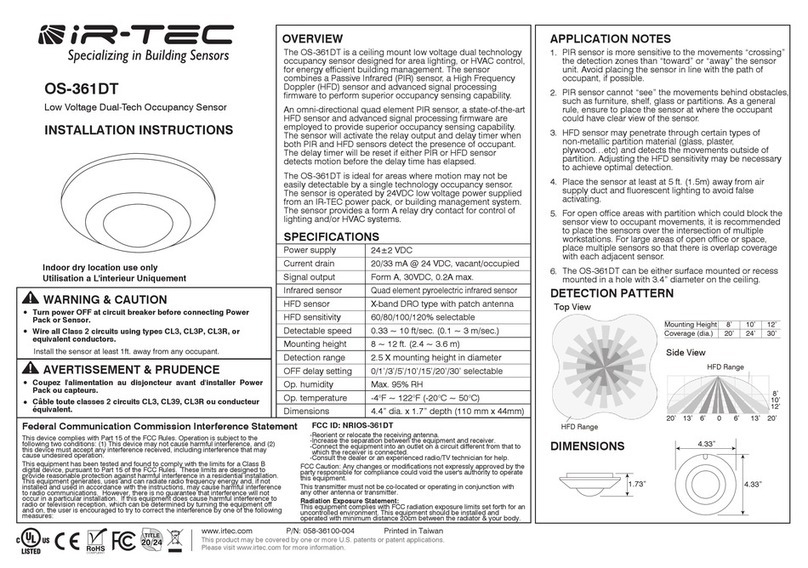
2. If microwave sensor is over sensitive (green LED
remains on), adjust of the thumb wheel of MW
sensitivity trimmer in counterclockwise until ideal
detection range is obtained.
JUMPER SWITCH SETTING
A 6x2-pin jumper switch is available for various
settings of the detector. Please refer the following
instructions for setting options.
Code Description Placed (ON) Removed (OFF)
MW MW sensor
detection
Enable MW LED
indication
Disable MW LED
indication
ALM Alarm relay
output
Enable alarm LED
indication
Disable alarm LED
indication
O/P Output format N.O. output N.C. output
PIR PIR sensor
detection
Enable PIR LED
indication
Disable PIR LED
indication
Pulse count selection
Code Pulse count 1 Pulse count 2 Pulse count 3
SWA ON OFF OFF
SWB OFF ON OFF
DETECTION PATTERN
Model: DP-550
110°, 15 x 15m at 25°C
Top View Side View
110°
2.2m
1m 2.5m 8m 15m
SPECIFICATIONS
Power supply ............9 ~ 16 VDC, 12 VDC typical
Current drain.............30 mA @ 12 VDC
Infrared sensor..........Dual element, pyroelectric
Microwave sensor.....DRO, patch antenna
MW Frequency .........10.525 GHz
MW output power .....6 mW E.I.R.P. peak
Alarm period .............1.5 ~ 2.5 seconds
Alarm output .............NC/NO, 30 VDC, 0.2A max.
Tamper protection ....NC, screw release activated
Mounting height........1.8 ~3.6 m
Mounting bracket......MB-99 included(DP-550-B)
Detectable speed......0.1~3.0 m/sec.
RFI immunity.............Av. 20 V/m (10~1,000 MHz)
Temperature .............-20°C~50°C (-4°F ~ 122°F)
Humidity....................95% RH max.
Dimensions ...............112 x 66 x 45 mm
Warning: Changes or modifications this nit not expressly
approved by the party responsible for compliance could void
the user’s authority to operate the eqipment.
This device complies with Part 15 of the FCC Rules.
Operation is subject to the following two conditions:
(1) This device may not cause harmful interference, and
(2) This device must accept any interference received,
Including interference that may cause undesired
operation.