• The additional terminal (SL) is available to enable the sensor to power on additional
luminaires. A max. 400W LED load can be controlled by the sensor
• Please see DIP switch layout to set up sensor
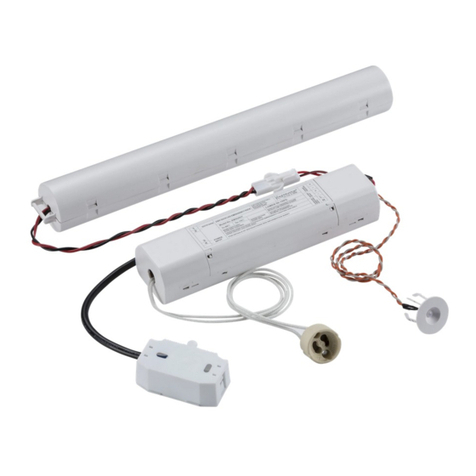
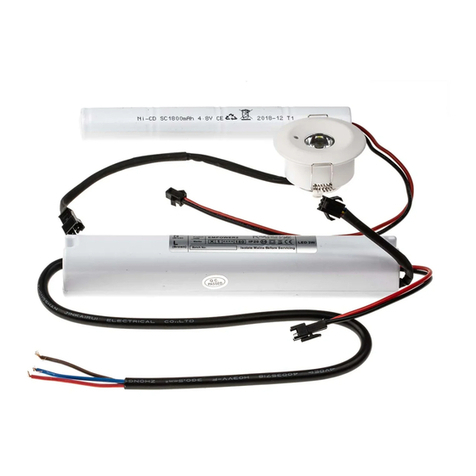
• Connect the battery to the emergency inverter
• Reconnect the LED driver lead to the socket marked DC on the LED plate, and the
emergency module lead to the socket marked YJD
• Refit the LED plate
• Reattach the diffuser by rotating clockwise
• Switch on and check for correct operation, ensuring the green LED is illuminated
• We recommend, on commissioning the installation, a minimum charge period of 24
hours before carrying out an emergency duration test
• If the batteries have been left in a discharged state for an extended period, we
recommend that one or more charge and discharge cycles are completed which should
help to restore the battery capacity
• Remove the LED plate and disconnect from the driver and the emergency inverter via the DC
plugs and sockets (see Fig. 3)
• Mark the location of the fixing holes, and drill the holes ensuring not to infringe with any
gas / water pipes or electrical cables
• Feed the cable via the rubber grommet to retain IP rating, and secure the baseplate to the
surface
• Connect the Live (brown), Live (K) and Neutral (blue) to the terminals on the terminal block
(see Fig. 4)
INSTALLATION AND MAINTENANCE MANUAL
BT9EMS / BT9DEMS / BT14EMS / BT14DEMS / BT20EMS / BT20DEMS
GENERAL INSTRUCTIONS
These instructions should be read carefully and retained after installation by the end user for future reference and
maintenance.
These instructions should be used to aid installation of the following products:
BT9EMS / BT9DEMS / BT14EMS / BT14DEMS / BT20EMS / BT20DEMS
SAFETY
•Installation of this luminaire should only be carried out by a qualified electrician or competent
person to the latest Building and current IEE Wiring Regulations (BS7671)
•Please isolate mains prior to installation/maintenance
•Check the total load on the circuit (including when this luminaire is fitted) does not exceed the rating of
the circuit cable, fuse or circuit breaker
•Please note the IP (Ingress Protection) rating of this luminaire when deciding the location for installation
•This product is Class II double insulated
•This product is IP44 rated
•This product is non-dimmable
INSTALLATION
•Provide power to the required point of installation. Suitable IP rated junction boxes should be used where
required
•Remove the diffuser by rotating bezel anti-clockwise (see Fig. 1)
Fig. 1
•Loosen the 3 LED plate screws (see Fig. 2)
Fig. 2 Fig. 3
Fig. 3
3
•Remove the LED plate and disconnect from driver and the emergency inverter via the DC plugs and sockets
(see Fig. 3)
•Mark the location of the fixing holes, and drill the holes ensuring not to infringe with any gas / water pipes or
electrical cables
•Feed the cable via the rubber grommet to retain IP rating, and secure the baseplate to the surface
•Connect the Live (brown), Live (K) and Neutral (blue) to the terminals on the terminal block (see Fig. 4)
Fig. 4
•The additional terminal (SL) is available to enable the sensor to power on additional luminaires. A max.
400W LED load can be controlled by the sensor
•Please see DIP switch layout to set up sensor
•Connect the battery to the emergency inverter
•Reconnect the LED driver lead to the socket marked DC on the LED plate, and the emergency module lead
to the socket marked YJD
•Refit the LED plate
•Reattach the diffuser by rotating clockwise
•Switch on and check for correct operation, ensuring the green LED is illuminated
•We recommend, on commissioning the installation, a minimum charge period of 24 hours before carrying out
an emergency duration test
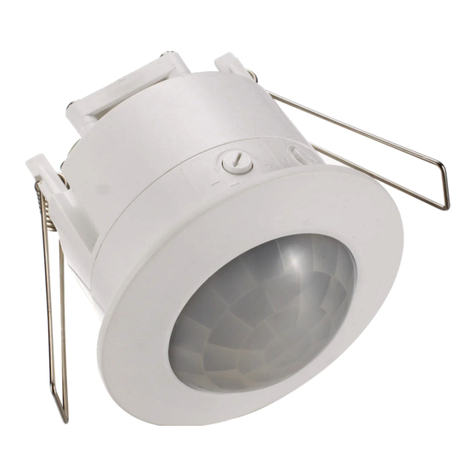
SENSOR LAYOUT
DIP SWITCH LAYOUT
Fig. 4