manuals.online logo
Brands
  1. Home
  2. •
  3. Brands
  4. •
  5. Koolatron
  6. •
  7. Accessories
  8. •
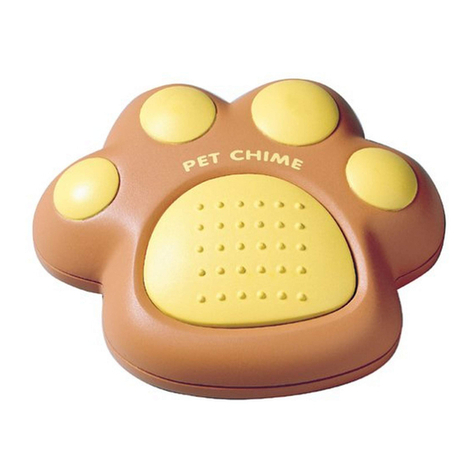
  9. Koolatron PET PAW PP-05 Manual

Koolatron PET PAW PP-05 Manual

Other Koolatron Accessories manuals

Koolatron PET CHIME Manual

Koolatron

Koolatron PET CHIME Manual

Koolatron D24 User manual

Koolatron

Koolatron D24 User manual

Koolatron Miller Lite User manual

Koolatron

Koolatron Miller Lite User manual

Koolatron Coca-Cola CC12-G User manual

Koolatron

Koolatron Coca-Cola CC12-G User manual

Koolatron Coca-Cola CCSB5-A User manual

Koolatron

Koolatron Coca-Cola CCSB5-A User manual

Koolatron CC10-JP User manual

Koolatron

Koolatron CC10-JP User manual

Koolatron LENTEK Sila IO-41 Manual

Koolatron

Koolatron LENTEK Sila IO-41 Manual

Koolatron Fun Kool P25 User manual

Koolatron

Koolatron Fun Kool P25 User manual

Koolatron Corona CRUISER User manual

Koolatron

Koolatron Corona CRUISER User manual

Koolatron KCH250 User manual

Koolatron

Koolatron KCH250 User manual

Koolatron LENTEK Pet Paw PP-05 Manual

Koolatron

Koolatron LENTEK Pet Paw PP-05 Manual

Koolatron Auto Guard Manual

Koolatron

Koolatron Auto Guard Manual

Koolatron Pet Dish PD06 Manual

Koolatron

Koolatron Pet Dish PD06 Manual

Koolatron W65 User manual

Koolatron

Koolatron W65 User manual

Koolatron Coca-Cola CC12-G User manual

Koolatron

Koolatron Coca-Cola CC12-G User manual

Koolatron C05 User manual

Koolatron

Koolatron C05 User manual

Koolatron SmartKool SK30 User manual

Koolatron

Koolatron SmartKool SK30 User manual

Koolatron CocaCola CC10-G User manual

Koolatron

Koolatron CocaCola CC10-G User manual

Koolatron Total Chef TCES03 User manual

Koolatron

Koolatron Total Chef TCES03 User manual

Koolatron Total Chef TCES03 User manual

Koolatron

Koolatron Total Chef TCES03 User manual

Popular Accessories manuals by other brands

Hillco 2810 Operator's manual

Hillco

Hillco 2810 Operator's manual

Siemens QSA2700D Basic documentation

Siemens

Siemens QSA2700D Basic documentation

Contours ZY024 manual

Contours

Contours ZY024 manual

Saivod VS621 manual

Saivod

Saivod VS621 manual

SCE ENVIRO-THERM SCE-TE170B24VSS user manual

SCE

SCE ENVIRO-THERM SCE-TE170B24VSS user manual

Z-Wave HSD-200Z user manual

Z-Wave

Z-Wave HSD-200Z user manual

turck FMX-IM-2UPLI63FX quick start guide

turck

turck FMX-IM-2UPLI63FX quick start guide

Decagon Devices 10HS manual

Decagon Devices

Decagon Devices 10HS manual

UPPAbaby Cup Holder user manual

UPPAbaby

UPPAbaby Cup Holder user manual

Elko SmartSensor Leakage Wireless manual

Elko

Elko SmartSensor Leakage Wireless manual

Grizzly H8371 instructions

Grizzly

Grizzly H8371 instructions

Panasonic HG-T Series user manual

Panasonic

Panasonic HG-T Series user manual

IFM Electronic Efector 250 Series Brief instructions

IFM Electronic

IFM Electronic Efector 250 Series Brief instructions

Virtuox VirtuCLEAN 2.0 user manual

Virtuox

Virtuox VirtuCLEAN 2.0 user manual

DigiDesign 888/24 I/O installation guide

DigiDesign

DigiDesign 888/24 I/O installation guide

PROZIS QUAY user manual

PROZIS

PROZIS QUAY user manual

patagonia PSI Vest user manual

patagonia

patagonia PSI Vest user manual

SFC Energy EFOY GO! manual

SFC Energy

SFC Energy EFOY GO! manual

manuals.online logo
manuals.online logoBrands
  • About & Mission
  • Contact us
  • Privacy Policy
  • Terms and Conditions

Copyright 2025 Manuals.Online. All Rights Reserved.

PORTABLE WIRELESS
ELECTRONIC PET DOORBELL
For Use With the Koolatron Pet Chime
instruction
guide
IMPORTANT NOTICE
Should another PET CHIME™PET PAW™nearby activate your chime,
you can set your own ringing code by disconnecting a wire in both the
remote control and the chime. The PET PAW™ has a RED and GREEN
wire in the battery case. Likewise, the chime has RED and GREEN wire
in selection recess. To set your own ringing code, simply cut either the
RED wires on both units or the GREEN wires on both units.
WARNING: If you cut one RED an one GREEN or all FOUR (4) wires,
you will isable the whole unit.
WARRANTY
This KOOLATRON product is warranted to the retail customer for 90 days from
date of retail purchase, against defects in material and workmanship.
WHAT IS COVERED
• Replacement parts and labour.
• Transportation charges to customer for the repaired product.
WHAT IS NOT COVERED
• Damage caused by abuse, accident, misuse, or neglect.
• Transportation of the unit or component from the customer to Koolatron.
IMPLIED WARRANTIES
Any implied warranties, including the implied warranty of merchantability are also
limited to the duration of 90 days from the date of retail purchase.
WARRANTY REGISTRATION
Register on-line at www.koolatron.com AND keep the original, dated, sales
receipt with this manual.
WARRANTY AND SERVICE PROCEDURE
If you have a problem with your unit, please telephone the following number for
assistance: North America 1-800-265-8456
Koolatron has Master Service Centres at these locations:
Koolatron U.S.A. Koolatron Canada
4330 Commerce Dr. 27 Catharine Ave.
Batavia, NY 14020-4102 Brantford, ON N3T 1X5
U.S.A. Canada
A Koolatron Master Service Centre must perform all warranty work.
PP-05
This device complies with part 15 of the FCC rules. Operation is subject to
the following two conditions: 1) This device may not cause harmful interfer-
ence and 2) This device must accept any interference received, including
interference that amy cause undesired operation.
Changes or modifications not expressly approved by the party responsible
for compliance could void the users authority to operate the equipment.
©2011 Koolatron. All rights reserved.
All specifications are subject to change without notice.
www.koolatron.com
1-800-265-8456
™

CONTENTS
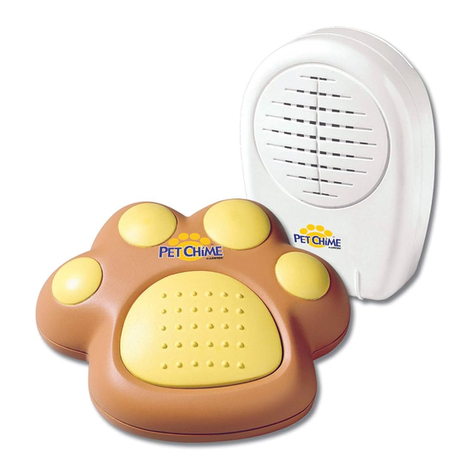
PET PAW™:
1. To remove battery compartment cover, pinch rear clasp to release.
2. Insert one 9-V battery. Reattach compartment cover.
Pet Paw™
• Easy battery replacement
• Operates on one 9V battery (not included)
The PET PAW™ consists of the following unit:
For use as an additional paw for your
Koolatron Pet Chime Wireless Electronic Pet Doorbell
INSTALLATION AND OPERATION INSTRUCTIONS
3. If your Pet Paw will not activate your Pet Chime, use a small screw-
driver to fine tune the sensitivity by turning within 1mm clockwise or
counter-clockwise while pressing the Paw repeatedly until you hear
that the Pet Chime is activated. (see diagram below).
insert screwdriver here