Contents
Safety information ..........v
General safety guidelines....... vii
Service ................ vii
Power cords and power adapters ....... vii
Extension cords and related devices ...... viii
Plugs and outlets ............ viii
Batteries ............... viii
Heat and product ventilation ........ix
CD and DVD drive safety..........ix
Registering your option........xi
Chapter 1. Product description .... 1-1
Packing checklist ............ 1-2
Projector features ............ 1-3
Chapter 2. Setting up the projector .. 2-1
Starting the projector ........... 2-1
Turning off the projector .......... 2-2
Positioning the projector .......... 2-3
Adjusting the projector level and height .... 2-5
Adjusting the image ........... 2-5
Adjusting the volume........... 2-6
Chapter 3. Using the wireless features 3-1
Installation .............. 3-1
Using the projector software ........ 3-1
Starting awireless projecting session..... 3-1
Wireless software configuration ....... 3-4
Selecting adapter ............ 3-5
Remote controller emulation ........ 3-6
Buttons of the remote emulation controller... 3-7
USB image display............ 3-7
Ending projection ............ 3-8
Wireless projector system tray icon ...... 3-8
Exit ................ 3-9
Uninstallation ............. 3-9
Chapter 4. Connecting devices to the
projector ............. 4-1
Connecting devices ........... 4-1
Remote mouse control using USB....... 4-1
Connecting to acomputer monitor ...... 4-2
Chapter 5. Maintenance ....... 5-1
Cleaning the projector .......... 5-1
Cleaning the lens ........... 5-1
Cleaning the case ........... 5-1
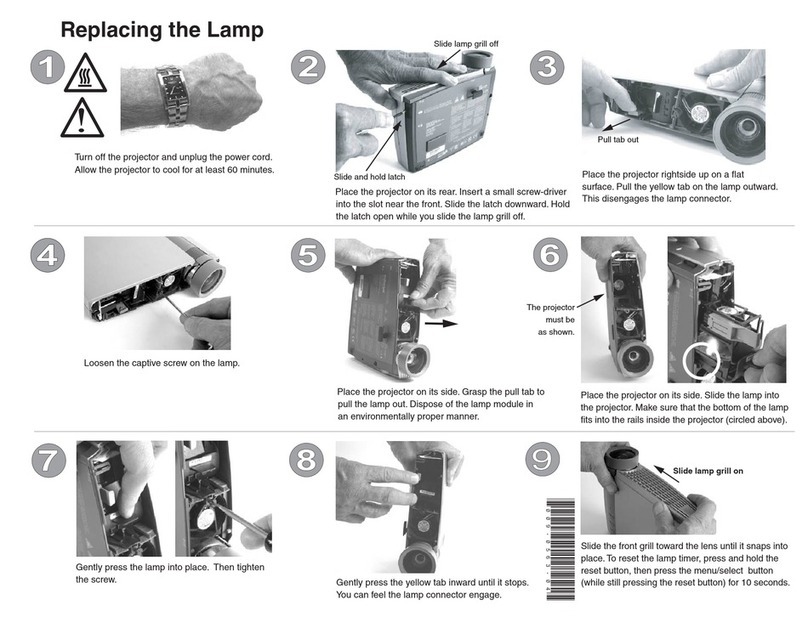
Replacing the projector lamp ........ 5-1
Resetting the lamp timer.......... 5-3
Using the security slot .......... 5-3
Chapter 6. Using the projector features 6-1
Before you begin ............ 6-1
Using the remote control.......... 6-2
Operating range ........... 6-3
Projector and remote control buttons..... 6-3
USB image display............ 6-3
Operation description.......... 6-3
Open ............... 6-3
Previous .............. 6-4
Next ............... 6-4
Auto Slide Show/Manual Slide Show .... 6-4
Optimal Size/Original Size ........ 6-4
Full Screen Mode ........... 6-4
Exit ................ 6-4
Chapter 7.
1
On-Screen Display menu
controls .............. 7-1
Navigating the OSD ........... 7-1
Language .............. 7-1
Quality menu ............ 7-1
Properties menu ........... 7-3
Options menu ............ 7-4
Setup menu ............. 7-5
Information settings menu ........ 7-7
Projector wireless configuration ....... 7-8
Appendix A. Troubleshooting .... A-1
Common problems and solutions ...... A-1
Tips for troubleshooting......... A-1
Troubleshooting information ........ A-1
Projector LEDs ............. A-3
Appendix B. Frequently asked
questions (FAQ’s) ......... B-1
Appendix C. Specifications ..... C-1
Appendix D. Service and Support... D-1
Online technical support ......... D-1
Telephone technical support ........ D-1
Appendix E. Lenovo Statement of
Limited Warranty LSOLW-00 05/2005 . E-1
Part 1-General Terms .......... E-1
Part 2-Country-unique Terms ....... E-4
Part 3-Warranty Information ....... E-15
Warranty Period ........... E-15
Types of Warranty Service ........ E-15
Worldwide telephone list ........ E-17
Guarantee supplement for Mexico ...... E-20
1.
©Lenovo 2005. Portions ©IBM Corp. 2004. iii