logo
Brands
  1. Home
  2. •
  3. Brands
  4. •
  5. LevelOne
  6. •
  7. Switch
  8. •
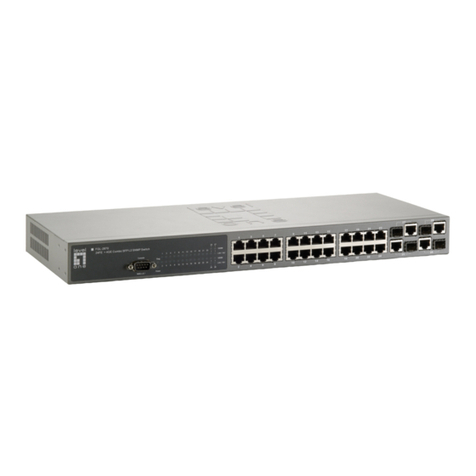
  9. LevelOne GSW-2473 User manual

LevelOne GSW-2473 User manual

Other manuals for GSW-2473

2

Other LevelOne Switch manuals
LevelOne GSW-5270 User manual

LevelOne

LevelOne GSW-5270 User manual

LevelOne ProCon GSW-2496 User manual

LevelOne

LevelOne ProCon GSW-2496 User manual

LevelOne GSW-1601TX User manual

LevelOne

LevelOne GSW-1601TX User manual

LevelOne FEP-0840 User manual

LevelOne

LevelOne FEP-0840 User manual

LevelOne FSW-1610TX User manual

LevelOne

LevelOne FSW-1610TX User manual

LevelOne GEU-0523 User manual

LevelOne

LevelOne GEU-0523 User manual

LevelOne GSW-0509 User manual

LevelOne

LevelOne GSW-0509 User manual

LevelOne GEU-1621 User manual

LevelOne

LevelOne GEU-1621 User manual

LevelOne MSL-3S79 User manual

LevelOne

LevelOne MSL-3S79 User manual

LevelOne GTL-2661 User manual

LevelOne

LevelOne GTL-2661 User manual

LevelOne GEL-2060 Quick guide

LevelOne

LevelOne GEL-2060 Quick guide

LevelOne GEL-5261 User manual

LevelOne

LevelOne GEL-5261 User manual

LevelOne GES-2105P Programming manual

LevelOne

LevelOne GES-2105P Programming manual

LevelOne FGP-2472 User manual

LevelOne

LevelOne FGP-2472 User manual

LevelOne KVM-0290 User manual

LevelOne

LevelOne KVM-0290 User manual

LevelOne 1650 User manual

LevelOne

LevelOne 1650 User manual

LevelOne GTP-5271 User manual

LevelOne

LevelOne GTP-5271 User manual

LevelOne IGP-1271 User manual

LevelOne

LevelOne IGP-1271 User manual

LevelOne PLI-4251 User manual

LevelOne

LevelOne PLI-4251 User manual

LevelOne GSW-1657 User manual

LevelOne

LevelOne GSW-1657 User manual
LevelOne GSW-0800TXM User manual

LevelOne

LevelOne GSW-0800TXM User manual

LevelOne GSW-2493 User manual

LevelOne

LevelOne GSW-2493 User manual

LevelOne Infinity IFS-0501 User manual

LevelOne

LevelOne Infinity IFS-0501 User manual

LevelOne GEP-0820 User manual

LevelOne

LevelOne GEP-0820 User manual

Popular Switch manuals by other brands

TRENDnet TK-401R null

TRENDnet

TRENDnet TK-401R null

TRENDnet TK-200K null

TRENDnet

TRENDnet TK-200K null

TRENDnet TE100-S8 null

TRENDnet

TRENDnet TE100-S8 null

URC Total Control MFS-8 installation manual

URC

URC Total Control MFS-8 installation manual

Azbil HPQ-D11 user manual

Azbil

Azbil HPQ-D11 user manual

Sony DFS-900M operating instructions

Sony

Sony DFS-900M operating instructions

SICK i17S operating instructions

SICK

SICK i17S operating instructions

F&F SZR-277 quick start guide

F&F

F&F SZR-277 quick start guide

Shure UAMS/BK user guide

Shure

Shure UAMS/BK user guide

Dräger X-zone Switch Off Instructions for use

Dräger

Dräger X-zone Switch Off Instructions for use

Asco Joucomatic 349 Series manual

Asco

Asco Joucomatic 349 Series manual

BT Mini Hub user guide

BT

BT Mini Hub user guide

D-Link DES-1226G manual

D-Link

D-Link DES-1226G manual

Johnson Controls FS80-C installation instructions

Johnson Controls

Johnson Controls FS80-C installation instructions

MicroNet SP1200A user manual

MicroNet

MicroNet SP1200A user manual

Ruijie RG-PF2920 Series Hardware  installation and reference guide

Ruijie

Ruijie RG-PF2920 Series Hardware installation and reference guide

Altinex DA1914SX user guide

Altinex

Altinex DA1914SX user guide

RJM MASTERMIND PBC/6X user manual

RJM

RJM MASTERMIND PBC/6X user manual

https://manuals.online logo
https://manuals.online logoBrands
  • About & Mission
  • Contact us
  • Privacy Policy
  • Terms and Conditions

Copyright 2026 Manuals.Online. All Rights Reserved.

How to set up two GSW-2473 with two VLANs and a Gateway?
Scenario:
A GSW-2473 with port 1 – 10 & B GSW-2473 with port 1 – 10 VLAN 1
A GSW-2473 with port 9 – 26 & B GSW-2473 with port 9 – 26 VLAN 2
A & B GSW-2473 port 9 for interconnecting together.
Port 10: Connect to Internet
VLAN 1 members will be able to communicate on both GSW-2473 A&B
VLAN 2 members will be able to communicate on both GSW-2473 A&B
VLAN 1 &2 will be able to get on internet
Test Environment :
Switch 1 IP: 192.168.0.73
Switch 2 IP: 192.168.0.173
Please refer to set up procedure below:
1. Switch A VLAN Member ÆPort 1~10 -> vlan 1
2. Switch A VLAN Member ÆPort 9~26 -> vlan 2
3. Switch A VLAN mode Æset up Port 9 to uplink.
4. Switch A VLAN PVID: Port 1~8 PVID 10 / Port 10 PVID 30 / Port 9 + 11~26 PVID 20.
4. Switch B VLAN Member ÆPort 1~10 -> vlan 1
6. Switch B VLAN Member ÆPort 9~26 -> vlan 2
7. Switch B VLAN mode Æset up Port 9 to uplink.
8. Switch B VLAN modeÆPort 1~8 PVID 10 / Port 9~16 PVID 20.