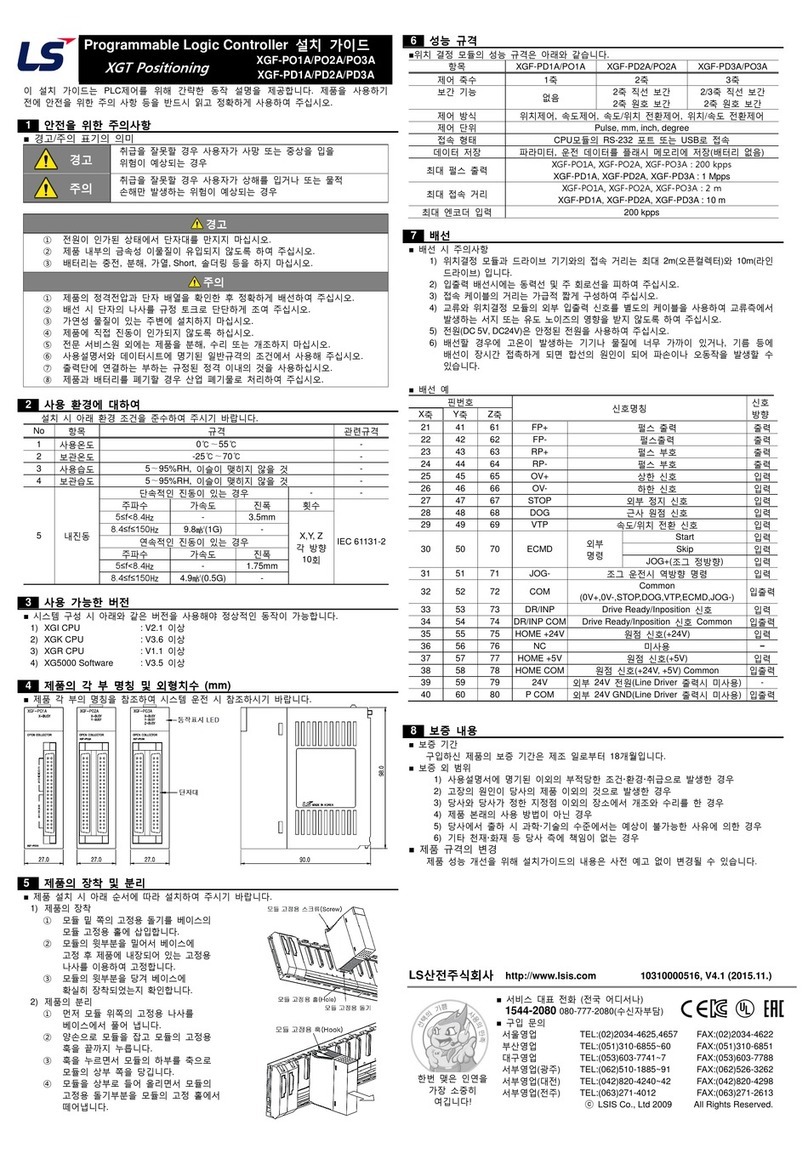
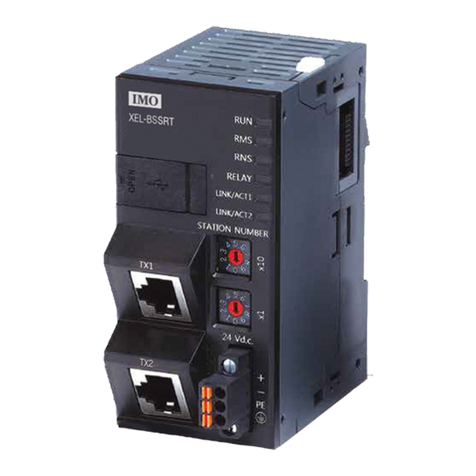
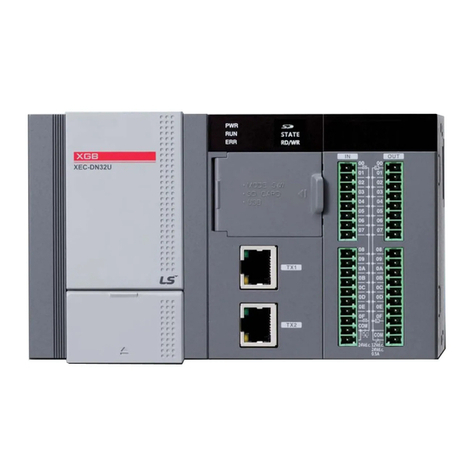
Programmable Logic Controller Installation Guide
XGF-PO1H/PO2H/PO3H/PO4H
XGF-PD1H/PD2H/PD3H/PD4H
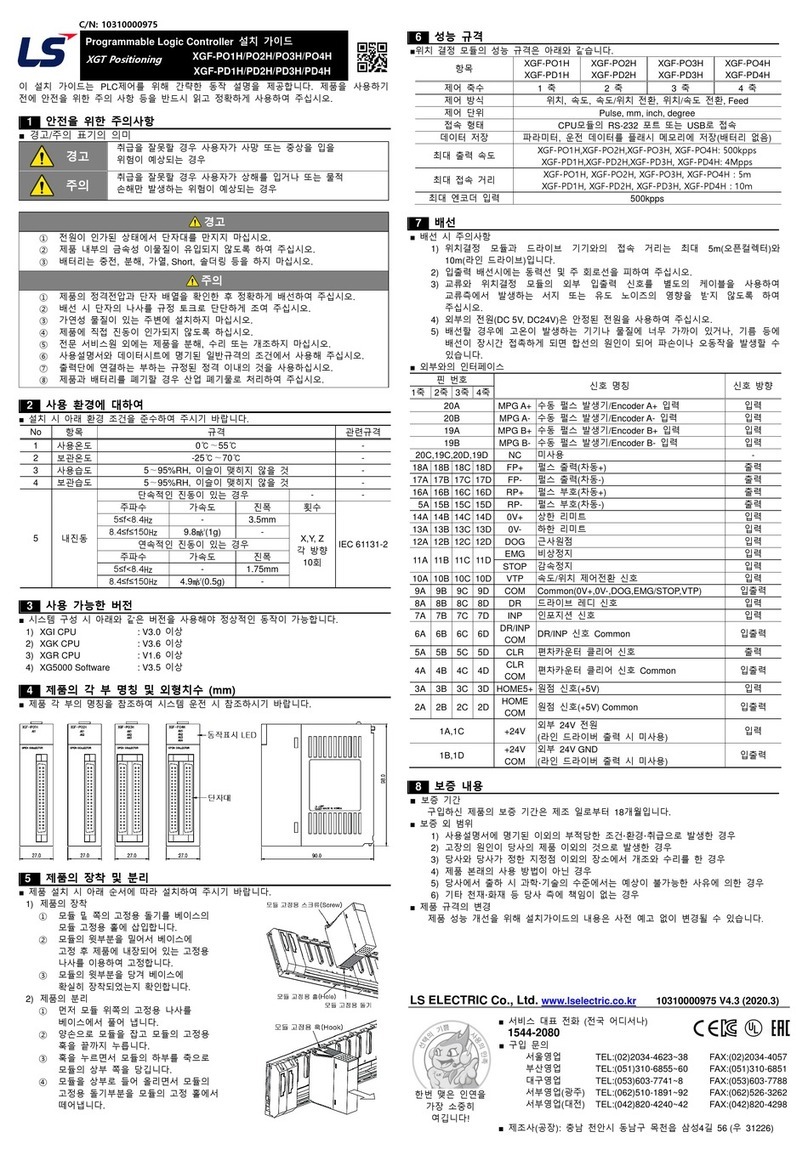
This installation guide provides simple function information of PLC control. Please read
carefully this data sheet and manuals before using products. Especially read safety
precautions and handle the products properly.
■ Meaning of warning and caution inscription
WARNING indicates a potentially hazardous situation which,
if not avoided, could result in death or serious injury.
CAUTION indicates a potentially hazardous situation which,
if no avoided, may result in minor or moderate injury.
It may also be used to alert against unsafe practices.
①Do not contact the terminals while the power is applied.
②Protect the product from being gone into by foreign metallic matter.
③Risk of fire, electric shock and malfunction.
①Be sure to check the rated voltage and terminal arrangement before wiring.
②Tighten the screw of terminal block with the specified torque rage.
③Do not install the flammable things on surroundings.
④Do not use the PLC in the environment of direct vibration.
⑤Except expert A/S staff, Do not disassemble or fix or modify the product.
⑥Use the PLC in an environment that meets the general specifications contained
in this datasheet.
⑦Be sure that external load does not exceed the rating of output module.
⑧When disposing of PLC and battery, treat it as industrial waste.
To install, observe the below conditions.
5 ~ 95%RH, non-condensing
5 ~ 95%RH, non-condensing
10 times in
each
direction
for
X, Y, Z
■ For system configuration, the following version is necessary.
1) XGI CPU : V3.0 or above
2) XGK CPU : V3.6 or above
3) XGR CPU : V1.6 or above
4) XG5000 Software : V3.5 or above
■This is front part of the CPU. Refer to each name when driving the system. For more
information, refer to user manual.
■ Here describes the method to attach each product to the base or remove it.
1) Attachment of product
①Slide the upper part of module to fix
to the base, and then fit it to the base
byusing the module fixed screw.
②Pull the upper part of module to check
if it is installed to the base completely.
2) Detachment of product
①Loosen the fixed screws of the upper
part of module from the base.
②Hold the module by both hands and press
the fixed hook of module thoroughly.
③Bypressing the hook, pull the upper
part of module from the axis of the lower
part of module.
④Bylifting the module upward, remove
the fixed projection of module from the fixing hole.
■Performance specifications are as follows.
Position control, Speed control, Speed/Position control,
Position/Speed control, Feed Control
Connected with RS-232C or USB Port of CPU module
Save the parameter, operation data in Flash ROM (No Battery)
XGF-PO1H, XGF-PO2H, XGF-PO3H, XGF-PO4H : 500 kpps
XGF-PD1H, XGF-PD2H, XGF-PD3H, XGF-PD4H : 4 Mpps
(PHASE : 1Mpps)
XGF-PO1H, XGF-PO2H, XGF-PO3H, XGF-PO4H : 5 m
XGF-PD1H, XGF-PD2H, XGF-PD3H, XGF-PD4H : 10 m
■ Installation of cable
1) The length of connecting cable between positioning module and drive machine shall
be up to 5m(Open collector) and 10m(Line Drive).
2) Don’t let AC power line near external signal line. With an enough distance kept away
between, it will be free from surge or inductive noise.
3) Don’t let the cable too close to hot device and material or in direct contact with oil for
long, which will cause damage or abnormal operation due to short-circuit.
4) For the power supplied from outside (DC 5V, DC24V), it is required to use the safe
and stable power.
5) Wiring with high-voltage line or power line may produce inductive hindrance causing
abnormal operation or defect.
■ I/O interface with external equipment
Manual pulse generator/
Encoder A+ input
Manual pulse generator/
Encoder A-input
Manual pulse generator/
Encoder B+ input
Manual pulse generator/
Encoder B- input
Pulse output(Differential+)
Pulse output(Differential-_
Pulse direction(Differential+)
Pulse direction(Differential-)
Common
(0V+,0V-,DOG,EMG/STOP,VTP)
Drive ready/In-position Common
Deviation count clear Common
■ Warranty period: 18 months after the production date.
■ Scope of Warranty: 18-month warranty is available except:
1) The troubles caused by improper condition, environment or treatment except the
instructions of LSIS.
2) The troubles caused by external devices
3) The troubles caused by remodeling or repairing based on the user’s own discretion.
4) The troubles caused by improper usage of the product
5) The troubles caused by the reason which exceeded the expectation from science
and technology level when LSIS manufactured the product
6) The troubles caused by natural disaster
■ Change in specifications
Product specifications are subject to change without notice due to continuous product
development and improvement.
LSIS Co., Ltd http://www.lsis.com 10310000975, V4.1 (2015.10)
HEAD OFFICE
LSIS USA Inc._Chicago, U.S.A. Tel: (1) 847-941-8240 Fax: (1) 847-941-8259
LSIS(ME) FZE_Dubai, U.A.E. Tel: (971) 4-886-5360 Fax: (971) 4-886-5361
LSIS_Shanghai, China Tel: (86) 21-5237-9977-8609 Fax: (86) 21-5237-7189
LS-VINA, Hanoi, Vietnam Tel: (84) 4-6275-8055 Fax: (84) 4-3882-0220
LSIS Europe B.V._Netherlands Tel: (31) 20-654-1420 Fax: (31) 20-654-1429
LSIS Tokyo, Japan Tel: (81) 3-6268-8241 Fax: (81) 3-6268-8240
ⓒLSIS Co., Ltd 2015 All Rights Reserved.
Parts name and Dimension (mm)
Performance specifications