C
H A R G E R
O
N E
4
Note: The discharging rate of Li-Ion batteries is very lo . These batteries can be stored for a
long period of time (up to 1 year) in a cool and dry place.
Display readings:
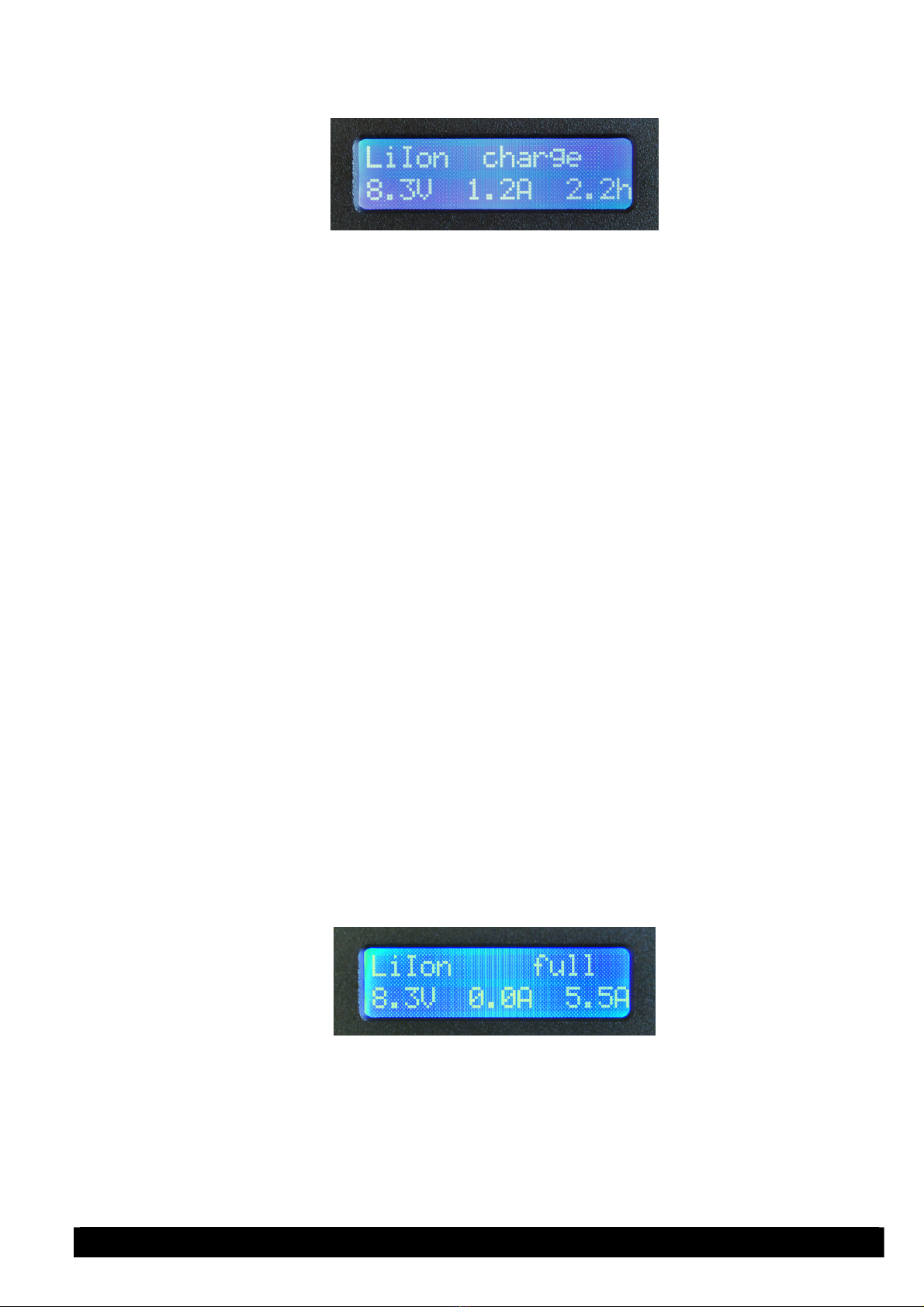
Charger ready: battery type ready for charge
During charging: battery type charge
When fully charged: battery type full
During a puls in preservation charging: battery type pulse
battery unplugged from charger during/after charging: battery type disconnect
failure in po er supply: battery type error
(unplug po er supply and ait for five seconds)
Pushing:
When a fully charged Ni-MH rechargeable battery is connected to the charger, it is possible to
top up the battery or "push" it by pressing the select button once. The Charger One tries to
charge the battery ith a current of 0.9A. The display flashes: "battery type push...battery
type full"
A bulit-in delay of 30 Minutes after the end of the charging process prevents your battery from
being over-charged. During this period, pressing the button ill not start the pushing function.
This feature is only available with Ni-MH rechargeable batteries.
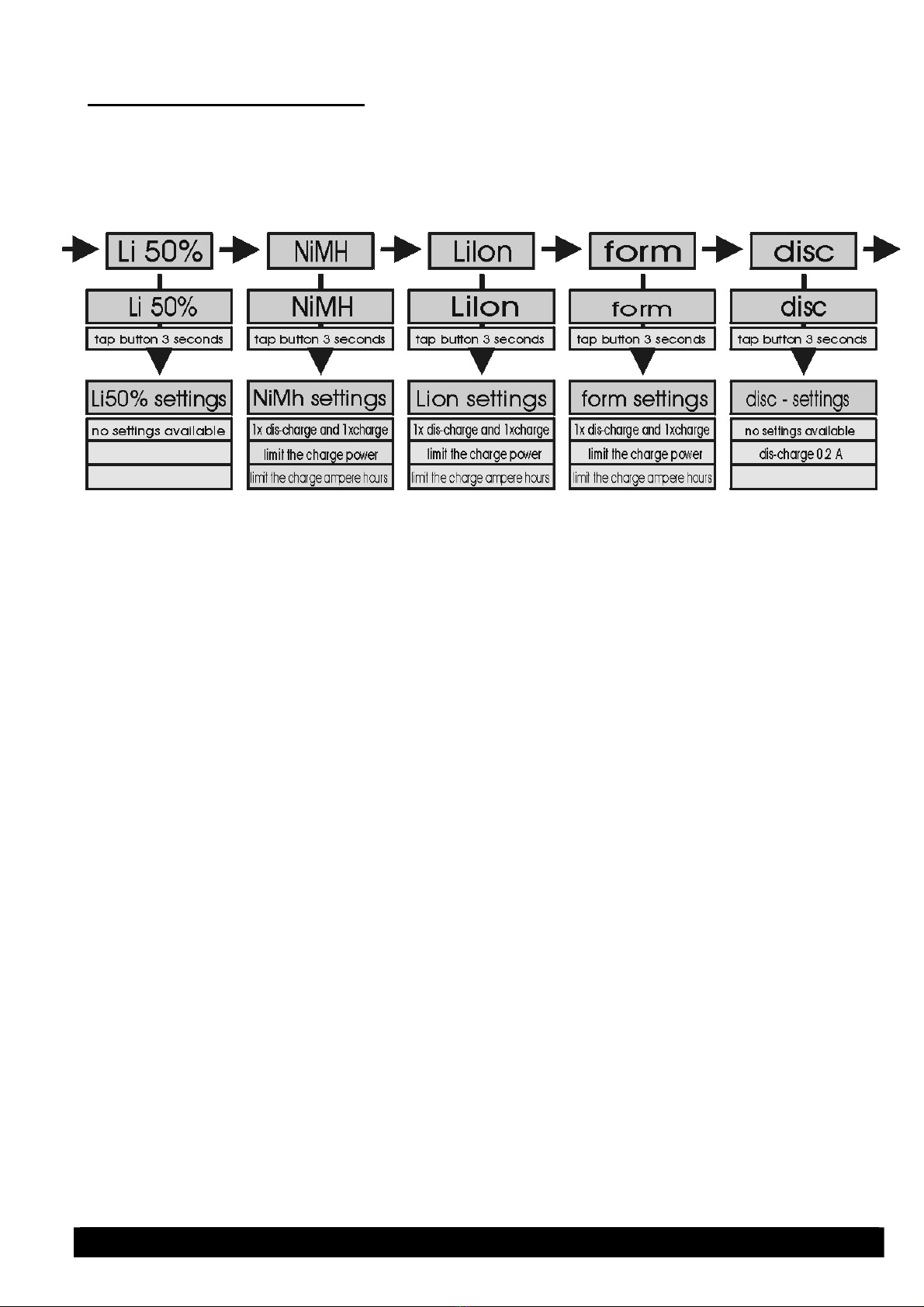
Changing the charging parameters:
It is not recommended to change any of the charging parameters if the battery is ne and
does not sho any drop in performance.
Ho ever, old batteries that no longer give maximum capacity can be improved by changing
the charging current and/or the maximum chargeable capacity. Older batteries often have an
increased internal resistance that even increases ith high charging currents. Reducing the
maximum charging current to a lo er level could result in a notably higher end capacity. Due
to the unreliabilty of old batteries at charging currents belo 0.8A, it is also necessary to
adjust the maximum chargeable capacity. This prevents the battery from being overcharged
by the charger hich cannot recognise a eak, old battery.
Example: NiMH rechargeable battery from 1996 (3.6 Ah). Charge using NiMH program ith
charging current set to 0.6A and max. chargeable capacity set to 5.0 Ah.
To calculate the max.chargeable capacity use this calculation: nominal capacity x 1.3.
All settings are stored by the Charger One hen disconnected from the po er supply so it is
not necessary to set the charging levels each time an old battery is charged.
Reset to factory defaults:
If you entered the programming mode by errror or ish to go back to the factory settings,
please carry out this procedure:
Unplug the Charger One from the AC/DC adaptor. Do not have the battery connected to the
Charger One! No plug the Charger One to the AC/DC adaptor hile holding do n the select
button. The Charger One display ill sho its name and version number. Release the button.
The Charger One has no been reset to the default setting.
Ensure the displays sho s "battery type ready for...charge". If it does not, toggle to the
correct battery mode by pressing the select button (repeatedly).