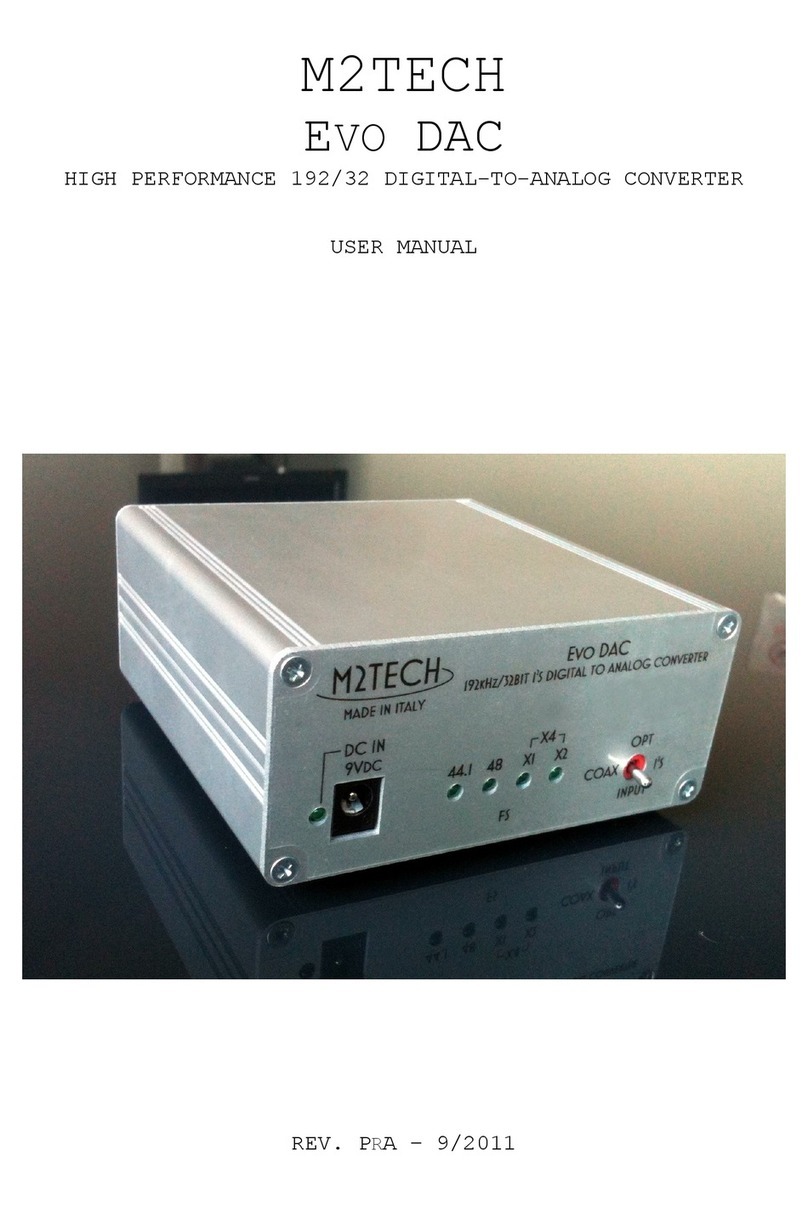
M2TECH JOPLIN User manual

M2TECH
JOPLIN
384
K
H
Z
/32BIT ANALOG-TO-DIGITAL CONVERTER
USER MANUAL
--- PRELIMINARY ---
REV. P
r
B 9/2012

JOPLIN
384
k
H
z
/32bit ANALOG-TO-DIGITAL CONVERTER
REVISION P
R
B SEPTEMBER 2012
Copyright © 2012, M2Tech Srl
2
M2Tech
www.m2tech.biz
Warning!
Changes or modifications not authorized by the manufacturer can invalidate the
compliance to CE regulations and cause the unit to be no more suitable to use. The
manufacturer refuses every responsibility regarding damages to people or things
due to the use of a unit which has been subject to unauthorized modifications or to
misuse or to malfunction of a unit which has been subject to unauthorized
modifications.
This unit is compliant with the following CE regulations when an USB ca le less than 3m is used: CEI EN
55022:2009 Class B (Radiated Emissions), CEI EN 55024:1999, CEI EN 55024:A2/2003, CEI EN
55024:IS1/2008 (Radio Frequency Electromagnetic Fields, 50Hz Magnetic Field Immunity Test and
Electrostatic Discharges – ESD).
For a proper operation of this unit, all connections to other equipment in the system must be done
when all equipment are off. Failing to comply to this advice may lead to damage to the unit.
Recycling
The la el a ove, printed on the product case, indicates that the product, when no more usa le, can’t e
treated as generic gar age, ut must e disposed of at a collection point for recycling of electrical and
electronic equipment, in compliance with the WEEE regulation (Waste of Electrical and Electronic
Equipment).
By making sure that this unit is correctly recycled, you will help preventing potential damages to environment
and human health, which could e caused y a wrong treatment of this product as generic gar age.
Materials recycling helps saving natural resources. For more in-depth information a out recycling this
product, please contact M2Tech Srl.
W RNING: the information contained in this manual are considered to be reliable and accurate.
M2Tech reserves the right to change or modify the information any time, without prior advice. It’s up
to the customer to ensure that the manual being consulted is the latest version.

JOPLIN
384
k
H
z
/32bit ANALOG-TO-DIGITAL CONVERTER
REVISION P
R
B SEPTEMBER 2012
Copyright © 2012, M2Tech Srl
3
M2Tech
www.m2tech.biz
Dear customer,
thank you for purchasing JOPLIN. What you have is a first-rate analog-to-digital converter
with many unique features conceived to o tain the est audio performance out of an
analog source.
Even if sending music to a PC or a Mac is nowadays quite simple, much harder is to
o tain the est sonic performance while doing it, due to intrinsic limits in digital audio
interfaces in computers. Please visit M2Tech we site (www.m2tech. iz) to find extensive
literature a out this topic.
JOPLIN overcomes all the limits of your computer’s audio card y implementing the latest
generation hi
F
ace
T
WO technology, which uses proprietary drivers and asynchronous
data transfer, along with a sophisticated electronic design.
JOPLIN features a comprehensive set of output connections which suit virtually all digital
equipment around.
JOPLIN is provided with a very complete set of equalization and filtering options to
accommodate all kind of analog signals.
We feel that your expectations will e fulfilled y JOPLIN: you’ll hear your analog sources
turned into music files or digital streams in a way like never efore, prepare for a whole
new experience!
Nadia Marino, CEO
Please annotate here your JOPLIN serial num er for future reference:
S/N: ____________________________________
Date of purchase: _________________________

JOPLIN
384
k
H
z
/32bit ANALOG-TO-DIGITAL CONVERTER
REVISION P
R
B SEPTEMBER 2012
Copyright © 2012, M2Tech Srl
4
M2Tech
www.m2tech.biz
INDEX
1. Unpacking and placing the unit........................................................................................6
2. Front Panel ......................................................................................................................7
3. Back Panel.......................................................................................................................8
4. Remote Control................................................................................................................9
5. Connecting and powering the unit .................................................................................10
6. Driver installation ...........................................................................................................11
6.1. O taining the driver.................................................................................................11
6.2. Installing the driver on a Windows- ased PC..........................................................11
6.3. USB Control Panel ..................................................................................................16
6.4. Uninstalling the driver..............................................................................................17
6.5. True plug’n’play operation with Mac........................................................................19
6.6. True plug’n’play operation with Linux ......................................................................19
7. Configuring the computer to use the Joplin...................................................................20
7.1. Configuring a PC with Windows XP ........................................................................20
7.1.1. Configuring for Direct Sound with Windows XP ................................................20
7.1.2. Configuring for ASIO with Windows XP ............................................................21
7.2. Configuring a PC with Windows Vista or Windows 7...............................................21
7.2.1. Configuring for Direct Sound with Windows Vista or Windows 7 ......................22
7.2.2. Configuring for Kernel Streaming with Windows Vista or Windows 7 ...............22
7.2.3. Configuring for ASIO with Windows Vista or Windows 7 ..................................23
7.2.4. Configuring for WASAPI with Windows Vista or Windows 7.............................23
7.3. Configuring a Mac ...................................................................................................23
8. Configuring the JOPLIN ...................................................................................................24
8.1. Navigating the menu y the front panel controls .....................................................24
8.2. Navigating the menu y the IR remote....................................................................24
8.3. Parameters meaning and choices...........................................................................25
8.3.1. Input gain..........................................................................................................25
8.3.2. Input choice ......................................................................................................25
8.3.3. Sampling frequency ..........................................................................................26
8.3.4. Resolution.........................................................................................................26
8.3.5. Equalization curve ............................................................................................27
8.3.6. Display dimming ...............................................................................................27
8.3.7. High pass (anti-rum le) filter.............................................................................27
8.3.8. Low pass (anti-hiss) filter ..................................................................................27
8.3.9. MPX filter ..........................................................................................................28
9. Notes on equalization ....................................................................................................30
9.1. Why equalization is needed for records? ................................................................30
9.2. List of phono equalization curves availa le on the Joplin and notes on their usage......33
9.2.1. RIAA .................................................................................................................33
9.2.2. AES ..................................................................................................................33
9.2.3. Angel (ANG) .....................................................................................................34
9.2.4. Audiophile (AUDP)............................................................................................34
9.2.5. Capitol (CAP)....................................................................................................34
9.2.6. Colum ia (COL)................................................................................................34
9.2.7. HMV..................................................................................................................34
9.2.8. Decca/London FFRR ........................................................................................34
9.2.9. MGM.................................................................................................................34

JOPLIN
384
k
H
z
/32bit ANALOG-TO-DIGITAL CONVERTER
REVISION P
R
B SEPTEMBER 2012
Copyright © 2012, M2Tech Srl
5
M2Tech
www.m2tech.biz
9.2.10. NAB ................................................................................................................35
9.2.11. Oiseau-Lyre (OYLR) .......................................................................................35
9.2.12. Pacific Jazz (PACJ) ........................................................................................35
9.2.13. Philips .............................................................................................................35
9.2.14. RCA (RCA1, RCA2 and RCAO) .....................................................................35
9.2.15. Brunswick .......................................................................................................35
9.2.16. Colum ia 1925, Colum ia 1938 and Colum ia England (CO25, CO38 and COLE)35
9.2.17. Decca FFRR 78rpm (DEC).............................................................................36
9.2.18. MGM 78rpm (MGM7)......................................................................................36
9.2.19. Victor 1938-47 and Victor 1947-52 (VIC3 and VIC4) ......................................36
9.3. Equalizing tapes: why and when .............................................................................36
9.3.1. CCIR/IEC for 9.5cm/s and 19cm/s (3¾ ips and 7½ ips) and CCIR/IEC for
38cm/s (15 ips) (IEC1 and IEC3)................................................................................37
9.3.2. NAB for 9.5cm/s (3¾ ips) and NAB for 19cm/s (7½ ips)...................................37
9.4. Acquiring with equalization......................................................................................37
9.5. Interfacing a cartridge or a tape head......................................................................37
9.6. Recording programs................................................................................................38
10. Using a power supply different from the standard one.................................................39
11. Cleaning the unit..........................................................................................................39
12. Technical Specifications ..............................................................................................40

JOPLIN
384
k
H
z
/32bit ANALOG-TO-DIGITAL CONVERTER
REVISION P
R
B SEPTEMBER 2012
Copyright © 2012, M2Tech Srl
6
M2Tech
www.m2tech.biz
1. Unpacking and placing the unit
Place the carton ox on a ta le and open it y removing or cutting the adhesive tape.
Extract the foam upper cover. You should find the following items:
• one Joplin ADC;
• one wall adapter;
• one A-B USB ca le;
• a remote control.
Should one or more items e missing, please contact your dealer or local distri utor.
Extract the Joplin from the foam container and place it on a sta le ase, far from heat
sources. Avoid the direct sunlight on the unit. Allow for enough room around the unit for
venting. The Joplin is a high efficiency design so little heat is produced during normal
operation; anyway, it’s etter allow for adequate venting. Avoid smoke, humidity, moisture
and water from reaching the unit.
Do not place the unit on thick carpets or inside a ox or piece of furniture, or in close
contact with curtains.

JOPLIN
384
k
H
z
/32bit ANALOG-TO-DIGITAL CONVERTER
REVISION P
R
B SEPTEMBER 2012
Copyright © 2012, M2Tech Srl
7
M2Tech
www.m2tech.biz
2. Front Panel
1
2
3
4
Figure 1
1) Standby/Exit button. This utton has two function. When in stand y, the unit is silent
and the display is off. Stand y ends when this utton is pressed. When the unit is
operative and the menu is not eing accessed, press this utton to put the unit in stand y.
When accessing the menu, press this utton to exit the menu without changing the
selected option.
2) Encoder knob and switch. Push the kno to access the menu. More pushes allow to
navigate the various menu items. When the desired item is accessed, rotate the kno to
choose the desired value for that item. Push the kno one last time to select the desired
value and exit the menu.
3) Display. Multifunction six digits led matrix display. During normal operation, it indicates
the sampling frequency. When accessing the menu, it indicates the menu item and current
value. When clipping is reached on the analog input, it indicates the status y displaying
“CLIP”. When in stand y, a single led is on at the center of the display area. Its intensity is
set y menu.
4) VU-meter. It indicates the peak value for oth channels. Left channel is top, right
channel is immediately elow left channel. Its intensity is set y menu.

JOPLIN
384
k
H
z
/32bit ANALOG-TO-DIGITAL CONVERTER
REVISION P
R
B SEPTEMBER 2012
Copyright © 2012, M2Tech Srl
8
M2Tech
www.m2tech.biz
3. Back Panel
4
M2TECH
JOPLIN
384 H 32BIT ANALOG-TO-DIGITAL CONVERTER
k Z
DC IN
15V
DC
TOSLINK OUT
USB 2.0
AES/EBU OUT
S/PDIF OUT S/PDIF IN
MADE IN ITALY
S/N:
LEFT INRIGHT IN
5
6
7
8
9
10
11
GND
12
Figure 2
4) Right channel analog input. Connect to right channel of the analog source output.
RCA female connector.
5) Left channel analog input. Connect to left channel of the analog source output. RCA
female connector.
6) ES/EBU digital output. Generate AES/EBU data streams in consumer format. XLR
male connector.
7) S/PDIF digital output. Generate S/PDIF data streams. RCA female connector.
8) S/PDIF digital input. Accept S/PDIF data streams. RCA female connector.
9) Toslink
TM
optical digital output. Optical output for Toslink
TM
ca les. Toslink
TM
connector.
10) USB 2.0 output. Connect to a PC with Windows or Linux or MacIntosh with an USB
2.0 compliant A-B ca le. USB 2.0 B female connector.
11) Power supply input. Connect the wall adaptor provided with the unit or any other
power supply capa le of 15V/500mA. 5.5mm/2.1mm supply jack (female, tip is positive).
12) Ground (chassis) post. When necessary, connect this post to the chassis wire from
the source, to reduce hum and noise pickup.

JOPLIN
384
k
H
z
/32bit ANALOG-TO-DIGITAL CONVERTER
REVISION P
R
B SEPTEMBER 2012
Copyright © 2012, M2Tech Srl
9
M2Tech
www.m2tech.biz
4. Remote Control
OK >
>
>
>
MENU/ESC
M2TECH
1
2
3
4
1) Standby. Push this utton to put the unit in stand y and to activate it.
4) Menu/Esc. Push this utton to access the menu and to exit the menu without changing
the current item.
4) Menu navigation arrows. When accessing the menu, push arrow up and arrow down
to scroll through the various menu items. Push arrow left and arrow right to choose the
value for the selected item.
4) OK. When accessing the menu, push this utton to update the current item with the
displayed value.

JOPLIN
384
k
H
z
/32bit ANALOG-TO-DIGITAL CONVERTER
REVISION P
R
B SEPTEMBER 2012
Copyright © 2012, M2Tech Srl
10
M2Tech
www.m2tech.biz
5. Connecting and powering the unit
DVICE: all connections to other equipment in the system must be done when all
equipment are off. Failing to comply to this advice may expose the Joplin
JoplinJoplin
Joplin to the risk
of damages.
DVICE: Windows users must install the driver prior to connecting the Joplin
JoplinJoplin
Joplin to the
PC (please refer to section 6).
Please refer to section 3, “Back Panel Description”.
Connect the “B” plug of a 2.0 USB A-B ca le to the USB connector (Figure 2, 10) of the
Joplin.
Connect the “A” plug of the ca le to a 2.0 USB port of your computer.
Connect two interconnects to the analog inputs of the Joplin (Figure 2, 4/5) and to the
outputs of your analog source ( e it a turnta le, a tuner, a tape recorder or even the tape
rec output of your amplifier).
Connect a digital ca le with suita le termination (RCA, XLR or optical Toslink™) from the
Joplin to your amplifier’s digital inputs or to a DAC (Figure 2, 6/7/9).
If you need to route the output of a digital source to your computer or to the amplifier, you
may connect the source to the Joplin using an RCA digital interconnect (Figure 2, 8).
Connect the wall adaptor provided with the Joplin or any other 15V/500mA power supply
to the supply connector (Figure 2, 11) of the Joplin.
Other manuals for JOPLIN
1
This manual suits for next models
1
Other M2TECH Media Converter manuals
M2TECH
M2TECH HiFace DAC User manual
M2TECH
M2TECH MANUNTA User manual
M2TECH
M2TECH JOPLIN MKIII User manual
M2TECH
M2TECH HIFACE EVO TWO User manual
M2TECH
M2TECH VAUGNAN User manual
M2TECH
M2TECH YOUNG 384KHZ/32BIT User manual
M2TECH
M2TECH YOUNG User manual
M2TECH
M2TECH JOPLIN MKII User manual
M2TECH
M2TECH JOPLIN User manual
M2TECH
M2TECH Vaughan User manual