MERLIN-MM1400
6
User’s Manual
Safety Precaution
Warning! To reduce the risk of re or electrical shock,
do not expose this appliance to dripping or spashing.
The lighting ash and arrowhead within the triangle is
a warning sign alerting you of “dangerous voltage” inside
the product.
Warning! To reduce the risk of electric shock, do not
remove cover (on back). No user serviceable parts inside.
Refer servicing to qualied service personnel.
The exclamation point within the triangle is a warning
sing alerting you of important instructions accompanying
the product.
To avoid shock hazard or damage to the unit, do not
attempt to remove the cover or the rear panel. All servi-
cing should be reffered to qualied service personnel
.
To avoid overheating, do not place the unit directly
under the sun, and stay away from any heat source.
Do not expose the unit to rain or moisture, avoid pla-
cing container with water on top of the system.
Please turn the power off and unplug the main plug
when the unit is not in use.
To disconnect the main plug, pull the power plug.
Do not pull the power cord.
Avoid any loosen item drop in to the subwoofer
through its ventilator.
Do not use hard abrasives or chemicals to clean the
unit, as it will damage the surface nish, use only a
soft and damp cloth.
Place the unit far enough from other equipments for
good heat dissipation.
Box Contents
Before Using
Please unwrap the packing carefully, and save the pac-
king materials for future usage.
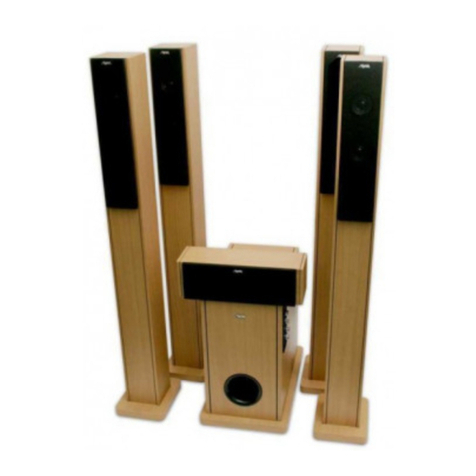
Subwoofer x 1
Satellite speakers x 2
Mini jack stereo/2 cinch cable x 1
User’s Manual
Getting started
1. Plug-in satellite speakers cinch connectors into the
bottom slots on the back side of subwoofer.
2. Plug-in two Audio Cable cinch connectors into the
upper slots on the back side of subwoofer. Plug-in
stereo Jack 3,5 mm into the headphones slot or au-
dio out slot of sound source. eq. PC sound card.
3.
Plug-in power cord to AC/DC slot. Remove the plug from
slot when speakers are unused for long period of time.
How to use
1. Press POWER button on back side of subwoofer to
power up the speakers. The front panel control po-
wer LED on.
2. Power up sound source.
3. Specify the volume with VOLUME control, and BASS
level (on rear panel of subwoofer).
4. For power off please change the power switch on
back panel in “OFF” position.
Specication
Power output:
Subwoofer: 15W
Satellites: 10W x 2
Impedance:
Subwoofer and Satellites: 4 Ohm
Frequency Response:
Subwoofer: 50Hz~200Hz
Satellites: 160Hz~18kHz
Power Supply: ~230V/50~60MHz
Dimensions:
Subwoofer: 225 x 180 x 198(mm)
Satellite: 90 x 100 x 285(mm)