15 16
4. Operation Instruction
4.1 Holding Readings
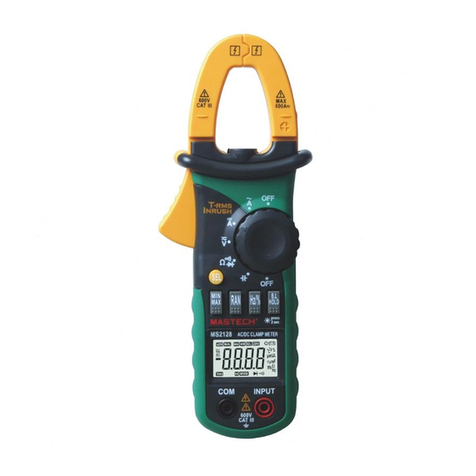
4.1.1 Press the “HOLD/B.L” button to hold the readings
while taking measurement and the value on the
display will be held.
4.1.2 Press the “HOLD/B.L” button again to release
the reading hold function.
4.2 Switching Rel
1) REL key is the relative value measurement
communication transmission key that acts with
trigger. Press this key will enter into the relative
value measurement mode. The system will save the
display value in the memory as the reference value.
When doing the measurement later, the display
value will be the difference value that the entry
value deducts the reference value.
2) Press REL key will enter into the Manual
Measurement Mode automatically.
3) In REL measurement status, press the key again,
the REL function will be relocked.
4) Press the key in HOLD status, HOLD function will be
cancelled. The system will save the display value in
the memory as the reference value. When doing the
measurement later, the display value is the
difference that the entry value deducts the
reference value.
5) Press SELECT Key or use Mode Switch will cancel
REL measurement mode, and go back to the
normal mode (REL will disappear in the LCD).
6) OL triggering: Under REL mode, OL shows when
input value larger than the allowed value of the
measurement mode. Press the key again, the
relative measurement function will be cancelled.
Disable to enter REL mode when OL shows.
7) No analog section bar function under REL mode.
4.3 Switching Frequency Or Duty
4.3.1 During working at the voltage or current ranges,
press the “Hz/%” button one time, frequency of
the voltage or current will be measured.Press the
“Hz/%” button twice, the meter will be changed
into the duty range for measuring the duty cycle
of the voltage or current. At the same time, the
meter is changed into manual mode.
4.3.2 Press the “Hz/%” button again, meter will be
back to the condition of the voltage or current
measuring.
Note:
During working at maximum or minimum value
measuring function, the meter can't be changed into
frequency or duty cycle measuring mode.
4.4 Switching Maximum Or Minimum Value
4.4.1 press the maxim/minimum button to enter into
the maximum mode, the maximum will always be
measured. and press this button again, it is the
same with the minimum.
4.4.2 After entering into maximum/minimum mode,
there is no more analog function and auto power
off function will also be canceled too.
4.4.3 After entering into maximum/minimum mode,
the maximum/minimum data will be recorded
automatically.
4.4.4 Press the max/min button for more than 2
seconds, it will be set into the normal mode.