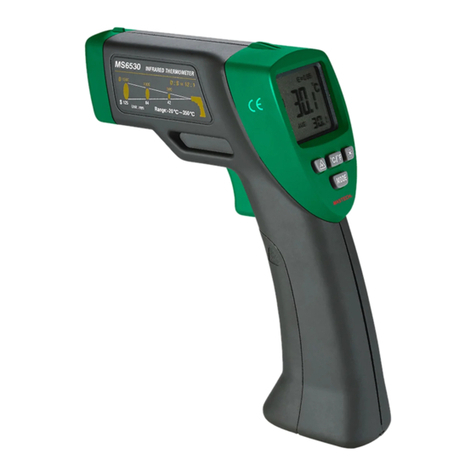
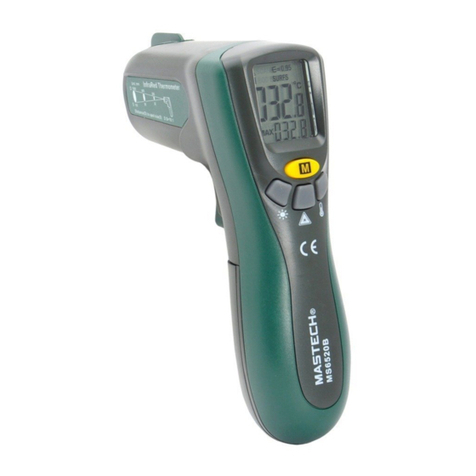
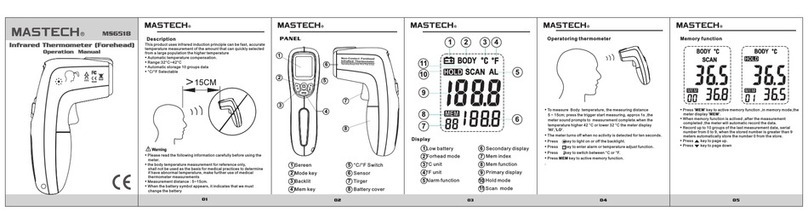
Mastech MS6520A User manual

Operation Manual
D:S
D:S
D:S
D:S ratio
ratio
ratio
ratio
laser
1
2
3
4
5
6
78
9
10
11
12
13
14
Noncontact Themometer detects the infrared ray that an
object emits, The instrument foculizes infrared energy
of the object onto a sensor through a lens, changes the
surface temperature into electric signal, a
microcomputer calculates and displays the
measurement temperature on the LCD.
• Single-spot Laser Sighting
• Backlit Display
• Current Temperature Plus MIN, MAX,
AVG
Temperature Displays
• Preset Emissivity 0.95
I
I
I
I nfrared
nfrared
nfrared
nfrared
Thermometer
Thermometer
Thermometer
Thermometer
Warning
Warning
Warning
Warning
• Please read the following information carefully
before using the meter.
• Do not clear the meter using solvents.
• Keep the instrument clean, and do not get dust
into detecting hole.
• Do not point laser directly at eye or indirectly
off reflective surfaces.
• L aser :class 2 <1mW/630-670nm
2
3
5
4
1
6
7
8
9
○
1 screen
○
2 mode key
○
3 backlight key
○
4 laser key
○
5
℃
/
℉
key
○
6 sensor
○
7
laser
○
8
trigger
○
9
battery cover
○
10 Average value
○
11 primary display
○
12
surface scan
○
13
hold status
Display
Display
Display
Display
Make sure that the target is larger than the meter
’
s
visual spot size. The smaller the target, the closer you
should be to it. The relationship between distance and
spot size is 10 :1
○
1 laser indicator
○
2 scan status
○
3
emissivity
○
4
low battery
○
5℉unit
○
6
℃unit
○
7
secondary
display
○
8
min value
○
9
max value
Description
Description
Description
Description
Panel
Panel
Panel
Panel

Operating
Operating
Operating
Operating Thermometer
Thermometer
Thermometer
Thermometer
Specifications
Specifications
Specifications
Specifications
Warranty
Warranty
Warranty
Warranty
T
emperature range -20 ℃~ 300 ℃or -4 ℉~ 572 ℉Certifications CE
Accuracy:Assumes ambient
operating temperature (23 ℃± 2 ℃)
-20 ℃~0 ℃( ± 3 ℃)
0℃~300 ℃± (1.5%rdg+2 ℃)
laser <1mW/630-670nm class2
Optical resolution 10:1 Spectral response 8-14 um
Repeatability 1 ℃Response time A pprox.1s
Resolution 0.1 ℃/0.2 ℉Emissivity 0.95
Ambient Operating Range 0~40 ℃Dimensions 142 ×92 ×47mm
Relative humidity 10%~90%
W
eight 135g
Standards C onforms to EN61326
/EN61010-1/EN60825
Power 9V 6F22
75 F
75 F
225 F
12
6
39
30Min22 C
72 F
0 C
32 F
• To measure temperature, pull and hold trigger. Release the
trigger to hold a temperature reading. The meter turns off
when no activity is detected for ten seconds.
• Press key to toggle between the MAX , MIN,
AVG
value
• P ress key to A ctive the laser.
• P ress key to light on or off the backlight
• Press key to switch between ℃or ℉
Note2
Note2
Note2
Note2 When ambient
temperature changes quickly,
must wait 30 minutes to balance
the temperature of the instrument
before use.
Note3
Note3
Note3
Note3 When the battery voltage is
lower, the battery symbol appears, it
indicates that we must change the
battery
N
N
N
N ote1
ote1
ote1
ote1 Make sure that the
target is larger than the
meter
’
s visual spot size
This produt will be free from defects in material and workmanship for eighteen months from the date of
purchase.this warranty does not cover disposable batteries or damage for accident,neglect,misuse alteration
conntamination,or abnormal conditions of operation ro handling.
Other Mastech Thermometer manuals

Mastech
Mastech MS6501 User manual
Mastech
Mastech MS6550A User manual
Mastech
Mastech MS6550B User manual
Mastech
Mastech EE-MS6501 Assembly instructions
Mastech
Mastech MS6522B User manual
Mastech
Mastech MS6540A User manual
Mastech
Mastech ms6520a User manual

Mastech
Mastech MS6530B User manual
Mastech
Mastech MS6511 SERIES User manual
Mastech
Mastech MS6500 User manual