manuals.online logo
Brands
  1. Home
  2. •
  3. Brands
  4. •
  5. Memmert
  6. •
  7. Oven
  8. •
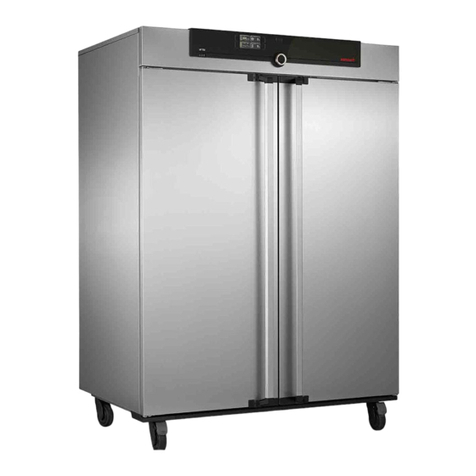
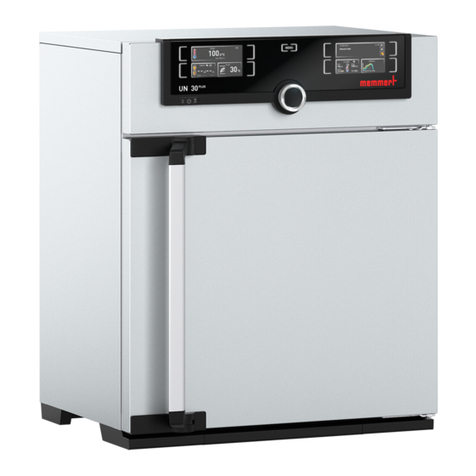
  9. Memmert UNE 200 User manual

Memmert UNE 200 User manual

This manual suits for next models

11

Other Memmert Oven manuals

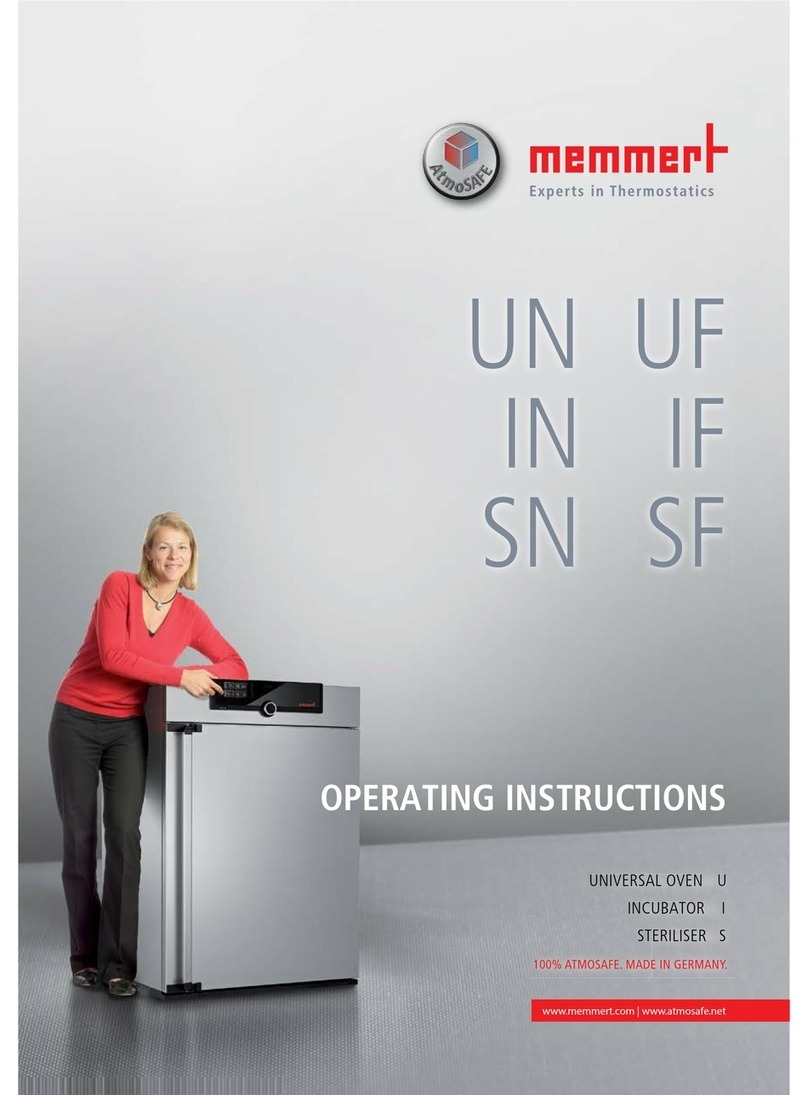
Memmert SF Series User manual

Memmert

Memmert SF Series User manual

Memmert UN PLUS User manual

Memmert

Memmert UN PLUS User manual

Memmert UN Series User manual

Memmert

Memmert UN Series User manual

Memmert UF450plus User manual

Memmert

Memmert UF450plus User manual

Memmert UN PLUS Series User manual

Memmert

Memmert UN PLUS Series User manual

Memmert UN User manual

Memmert

Memmert UN User manual

Memmert UFTS User manual

Memmert

Memmert UFTS User manual

Memmert UE 200 User manual

Memmert

Memmert UE 200 User manual

Memmert SN Series User manual

Memmert

Memmert SN Series User manual

Memmert UF160TS User manual

Memmert

Memmert UF160TS User manual

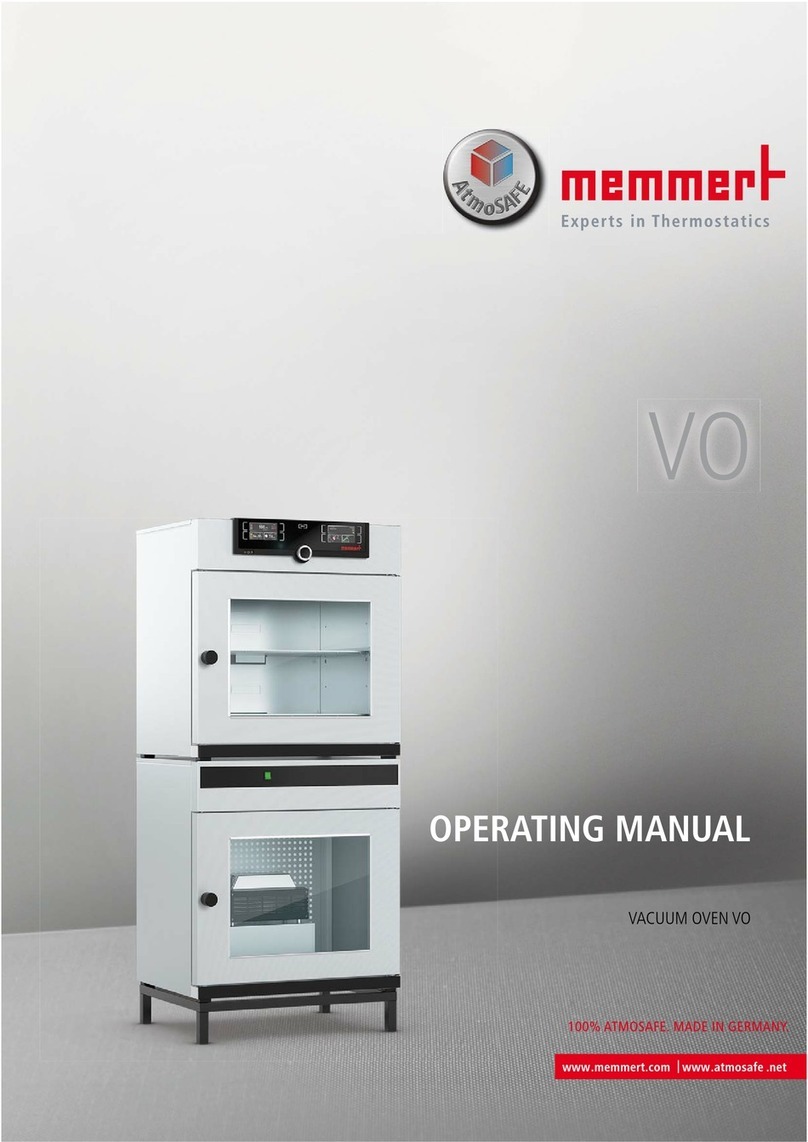
Memmert VO Series User manual

Memmert

Memmert VO Series User manual

Memmert BASIC Operating instructions

Memmert

Memmert BASIC Operating instructions

Memmert VO200 User manual

Memmert

Memmert VO200 User manual

Memmert UE 800 User manual

Memmert

Memmert UE 800 User manual

Memmert SE 200 User manual

Memmert

Memmert SE 200 User manual

Popular Oven manuals by other brands

Brandt FC 222 user manual

Brandt

Brandt FC 222 user manual

aumate TOA20M04N-1E instruction manual

aumate

aumate TOA20M04N-1E instruction manual

Maytag CWE4100AC - 24" Single Electric Wall Oven Dimension Guide

Maytag

Maytag CWE4100AC - 24" Single Electric Wall Oven Dimension Guide

Kernau KBO 1076 S PT B instruction manual

Kernau

Kernau KBO 1076 S PT B instruction manual

Bosch HB 37 N Series User manual and installation instructions

Bosch

Bosch HB 37 N Series User manual and installation instructions

Electrolux EOD5420AA user manual

Electrolux

Electrolux EOD5420AA user manual

Mx Onda MX-HC2183 instruction manual

Mx Onda

Mx Onda MX-HC2183 instruction manual

Daewoo F6EV19SM2 Service manual

Daewoo

Daewoo F6EV19SM2 Service manual

Blodgett MT3870 Specifications

Blodgett

Blodgett MT3870 Specifications

GE ZET2F owner's manual

GE

GE ZET2F owner's manual

GE JK3000DF3WW owner's manual

GE

GE JK3000DF3WW owner's manual

eka EKF 523 NT Operating and instruction manual

eka

eka EKF 523 NT Operating and instruction manual

AEG Electrolux E3191-5 user manual

AEG Electrolux

AEG Electrolux E3191-5 user manual

Pratica Rocket Express quick start guide

Pratica

Pratica Rocket Express quick start guide

Viking Professional VGSO260T user guide

Viking

Viking Professional VGSO260T user guide

FM RX203 instruction manual

FM

FM RX203 instruction manual

Bosch HBN331 9B Series instruction manual

Bosch

Bosch HBN331 9B Series instruction manual

NEFF B95M42N0MK Instructions for use

NEFF

NEFF B95M42N0MK Instructions for use

manuals.online logo
manuals.online logoBrands
  • About & Mission
  • Contact us
  • Privacy Policy
  • Terms and Conditions

Copyright 2025 Manuals.Online. All Rights Reserved.

EXCELLENT
Universal ovens
UNE 200 - 800
UFE 400 - 800
Sterilisers
SNE 200 - 400
SFE 400 - 800
Incubators
INE 200 - 800
IFE 400 - 800
OPERATING INSTRUCTIONS
EXCELLENT page 2
EXCELLENTpage 3
1. Contents
1 Contents...................................................................................................................................................................... 3
2 General notes and safety notes .................................................................................................................................... 4
2.1 Intended purpose when used as medical product............................................................................................... 4
2.2 Transport ........................................................................................................................................................... 4
3 Installation facilities (accessories)..................................................................................................................................5
3.1 Subframe (accessory) ......................................................................................................................................... 5
3.2 Wall bracket (accessory) ..................................................................................................................................... 5
3.3 Stackable version (accessory)..............................................................................................................................5
3.4 Initital start-up................................................................................................................................................... 6
3.5 Oven load.......................................................................................................................................................... 6
4 Technical data.............................................................................................................................................................. 7
4.1 Standard equipment of EXCELLENT ovens .......................................................................................................... 8
4.2 Material quality.................................................................................................................................................. 8
4.3 Electrical equipment .......................................................................................................................................... 9
4.4 External connection ........................................................................................................................................... 9
5 Oven construction and operation ............................................................................................................................... 10
5.1 Operating the door.......................................................................................................................................... 10
5.2 Controls and indications .................................................................................................................................. 11
5.3 Switching on ................................................................................................................................................... 11
5.4 Setting air changes .......................................................................................................................................... 11
5.5 Setting the temperature................................................................................................................................... 11
6 Selecting the operating mode .................................................................................................................................... 12
7 Setting the parameters...............................................................................................................................................12
Interior lighting (option)............................................................................................................................................. 12
8 Normal operation ........................................................................................................................................... 13
Setting example Normal operation.......................................................................................................................... 14
9 Weekly programmer ........................................................................................................................................ 15
Setting example Weekly programmer...................................................................................................................... 16
10 Ramp timer ...................................................................................................................................................... 17
Programming possibilities of ramp timer .................................................................................................................... 20
Programming example Ramp timer ......................................................................................................................... 20
11 Basic oven settings
SETUP
........................................................................................................................................ 23
11.1 Real-time clock ................................................................................................................................................ 23
12 Temperature monitor and protection devices.............................................................................................................. 24
12.1 Mechanical temperature monitor: temperature limiter (TB)............................................................................... 24
12.2 Electronic temperature monitor........................................................................................................................ 24
12.2.1 Adjustable temperature monitor (TWW) Protection Class 3.1 to DIN 12 880 ................................................... 25
12.2.2 Adjustable temperature limiter (TWB) Protection Class 2 to DIN 12 880 (option)............................................. 25
13 Calibration................................................................................................................................................................. 26
14 Communication interface RS232C for the PC .............................................................................................................. 28
15 Report memory.......................................................................................................................................................... 29
15.1 Reading the report memory into the PC via RS232C.......................................................................................... 29
16 Sterilisers ................................................................................................................................................................... 30
16.1 Purpose definition for MEMMERT hot air sterilisers........................................................................................... 30
16.2 Notes in accordance with Medical Products Guidelines..................................................................................... 30
16.3 Guidelines for sterilisation in MEMMERT hot air sterilisers................................................................................. 30
16.4 Steriliser cassettes ............................................................................................................................................ 34
17 Cleaning .................................................................................................................................................................... 35
18 Maintenance.............................................................................................................................................................. 35
19 Error messages........................................................................................................................................................... 36
20 Supply failure............................................................................................................................................................. 36
21 CE Conformity Declaration ......................................................................................................................................... 37
22 Address and customer service ....................................................................................................................................40
23 Index ......................................................................................................................................................................... 41

EXCELLENT
page 4
2 General notes and safety notes
You have purchased a technically fully proven product which has been produced in Germany with the use
of high-grade materials and the application of the latest manufacturing techniques; it has been factory
tested for many hours.
In addition we guarantee the supply of spare parts over 10 years.
This mark in the Operating Instructions means:
Watch out
Important Note!
This mark on the product means:
Note Operating Instructions
Warning  oven hot when operating!
Observation of the Operating Instructions is necessary for faultless
operation and for any possible claims under warranty. If these
Instructions are disregarded, all claims under warranty, guarantee and
indemnification are excluded!
The right to technical modifications is reserved.
Dimensional details are not binding.
2.1 Intended purpose when used as medical product
For ovens covered by the scope of the Directive 93/42/EWG (Directive of the Commission on the
harmonization of the legal regulations of the Member States on medical devices) the following intended
purpose applies:
For ovens series UFE/IFE:
The product is intended for heating non-sterile cloths, sheets and blankets.
For ovens series SNE/SFE:
The product is intended for the sterilisation of medical products with dry heat using hot air at atmospheric
pressure.
2.2 Transport
Always use gloves!
If the oven has to be carried, at least 2 persons are required to transport it.
Do not place the oven on a readily inflammable support surface!
It is important that the oven is set up accurately horizontally!
EXCELLENT
page 5
3 Installation facilities (accessories)
The oven can be placed on the floor or on a
bench (working surface). It is important that
the oven is set up accurately horizontally; the
door may have to be adjusted (see Section:
Maintenance)
The spacing from the back of the oven to the
wall should be at least 15 cm. The spacing to
the ceiling must not be less than 20 cm and
that at the side to the wall not less than 8 cm.
Generally it is essential to have adequate air
ventilation around the oven.
15 cm
min.
8 cm
min.
8 cm
min.
20 cm
min.
Model 800 is mounted on castors. The front castors pivot and can be locked. In order to ensure the stability
of the oven the front castors must always be set facing towards the front.
Information on accessories will be found in our leaflet or on our internet page www.memmert.com.
Please note the installation instructions for our accessories.
3.1 Subframe (accessory)
Oven models 500 to 700 can be mounted on a subframe
3.2 Wall bracket (accessory)
Oven models 200 to 700 can be wall-mounted using the wall bracket. The wall
bracket is factory-fitted with a fire-resistant plate. The size and length of the
screws used and of the corresponding dowel plugs depend on the total weight
(oven plus load) and vary with the condition of the wall.
3.3 Stackable version (accessory)
Two ovens of the same model size can be stacked on each other. Note that
the oven with the lower working temperature must always be placed at the
bottom.
Foot locators have to be fitted on the bottom oven. (Model 700 can only be
stacked using an intermediate frame.)
 Take off cover of bottom oven
 Place drill jig (supplied with foot locators) into the inverted cover at
the back
 Mark holes and drill 4.2 mm dia.
 Screw the foot locators to the top of the cover using the screws and
nuts supplied
 Re-fit the cover
EXCELLENT
page 6
3.4 Initital start-up
When the oven is started up for the first time, it should be supervised continuously until steady conditions
have been reached. Severe vibrations during transport may cause movement of the temperature probes
in their holder inside the chamber. Note therefore that before the first start-up the temperature probes
should be checked for their correct position and, if necessary, carefully aligned in their mounting (see ill).
3.5 Oven load
Full consideration must be given to the physical and chemical properties of your load (e.g. combustion
temperature etc.) in order to prevent serious damage to load, oven and surroundings.
Please note that the MEMMERT ovens described here are not explosionproof (they do not conform to the
Industrial Association Specification VBG 24) and are therefore not suitable for drying, evaporating and
burning-in of paints, enamels or similar materials whose solvents may produce an inflammable mixture
with air. There must be no possibility of the formation of inflammable gas/air mixtures either within the
oven chamber or in the immediate surroundings of the equipment.
Large amounts of dust or corrosive fumes inside the oven chamber or in the surroundings of the equipment
may produce deposits within the oven and lead to short-circuits or damage the electronics. It is therefore
important that adequate precautions are taken against excessive dust or corrosive fumes.
In order to ensure proper air circulation inside the chamber, there must be sufficient spacing of the load
inside the oven. Do not place any load on the floor, against the side walls or underneath the ceiling of the
chamber (heating ribs). In order to ensure optimum air circulation the shelves must be so inserted that the
air spacings between door, shelf and rear chamber wall are approximately equal.
The maximum number and the loading of the shelves can be found in the table in the Section Technical
Data. With unfavourable loading (too closely spaced) and completely opened ventilation it is possible that
the set temperature may be reached only after a longer period of time.
See stick-on label Correct Loading on the oven!
Ill: Chamber ceiling with Pt 100 metal temperature probes
EXCELLENT
page 7
4 Technical data
Model 200 300 400 500 550 600 700 800
Chamber width A [mm] 400 480 400 560 480 800 1040 1040
Chamber height B [mm] 320 320 400 480 640 640 800 1200
Chamber depth C [mm] 250 250 330 400 500 500 500 600
Oven width D [mm] 550 630 550 710 360 950 1190 1190
Oven height E [mm] 600 600 680 760 920 920 1080 1605
Oven depth F [mm] 400 400 480 550 650 650 650 750
Chamber volume [Liter] 32 39 53 108 153 256 416 749
Weight [kg] 28 30 35 50 82 87 121 170
Power, ovens UNE/UFE/SNE/SFE/IFE [W] 1100 1200 1400 2000 2200 2400 4000 4800
Power, ovens INE [W] 440 500 800 900 1100 1600 1800 2000
Max. number of shelves 3 3 4 5 7 7 9 14
Max. load per shelf [kg] 30 30 30 30 30 30 30 30
Total load per oven [kg] 30 30 90 60 80 80 100 160
Ambient conditions Ambient temperature 5°C to 40°C
rH 80% max., no condensation
Overvoltage category: II
Contamination level: 2
Setpoint temperature range 20°C to nominal temperature (details see label)
Setting accuracy: INE/IFE: 0.1°C
UNE/UFE/SNE/SFE: 0.5°C
Working temperature range From 5°C above ambient temperature up to nominal
temperature = maximum temperature (details see label)
With fan switched on (UFE/SFE) from 10°C above ambient
temperature up to nominal temperature = maximum
temperature (details see label)
supply plug
connection
RS232C
EXCELLENT page 8
4.1 Standard equipment of EXCELLENT ovens
 Electronic fuzzy-suported PID process controller with delayed programme start, programmable
heating and cooling ramp, setpoint-dependent waiting time and repeat function
loop
.
The controller has permanent power matching and an auto-diagnostic system for rapid fault
finding (see Section: Error messages)
 Internal report memory 1024kB for storing actual temperature, setpoint temperature and error
states with time stamp
 Fan with speed adjustment on recirculation ovens (adjustment in 10% steps)
 Manually adjustable air valve for recirculation or fresh air operation
 Integral weekly programmer with group function (e.g. all workdays)
 Recessing push/turn control for simple operation of oven
 Visual alarm indication
 Digital overtemperature monitor (TWW Class 3.1)
 Mechanical temperature limiter (TB Class 1)
 Monitor relay to switch off heating in case of fault
 Two separate PT100 temperature sensors Class A in 4-wire circuit for control and monitoring
 Convenient 3-point temperature calibration
 Temperature-dependent ventilation of control panel and door
 Serial RS232C interface for computer-supported temperature programmes and for reading
the internal report memory
 MEMMERT software Celsius for remote operation of oven via a PC
 Special equipment (to be ordered separately as accessories): adjustable temperature limiter (TWB),
subframe, wall bracket, wire shelf, sterilisation cassette, cable RS232C to DIN 12 900-1
4.2 Material quality
For external housing MEMMERT employs stainless steel (Mat.Ref. 1.4016). The chamber is made from
stainless steel (Mat.Ref. 1.4301) which exhibits high stability, optimum hgygienic properties and corrosion
resistance against many (not all) chemicals (warning against e.g. chlorine compounds).
The oven load has to be checked carefully for its chemical compatibility with the above materials.
A compatibility table covering all these materials can be requested from MEMMERT.
EXCELLENT
page 9
WARNING! Always pull out the supply plug
before opening the oven cover!
4.3 Electrical equipment
 Operating voltage see label 50/60 Hz
 Current rating see label
 Protection Class 1, i.e. operating isolation with ground connection to EN 61 010
 Protection IP20 to EN 60 529
 Interference suppression to EN55011 Class B
 Oven protected by a fuse 250V/15A fast blow
 Controller protected by a 100 mA fuse (200 mA on 115 V)
 When connecting a MEMMERT oven to the electrical supply you have to observe any local
regulations which apply (e.g. in Germany DIN VDE 0100 with FI protection circuit)
This product is intended to operate on a supply network with a system impedance Zmax at the
transfer point (building connection) of 0.292 Ohm max. The user has to ensure that the product is
only operated on an electrical supply network which meets these requirements. If necessary, details
of the system impedance can be obtained from the local electricity supply authority.
Note:
Any work involving opening up the oven must only be carried out by a suitably qualified
electrician!
4.4 External connection
Equipment connected to the external connections must have interfaces which meet the requirements for
safe low voltage (e.g. PC).
EXCELLENT
page 10
5 Oven construction and operation
Ovens Series UNE, INE and SNE have natural ventilation.
In Series UFE, SFE and IFE ovens, air circulation is provided by a fan on the back wall of the chamber.
The incoming air (1) is warmed in a preheat chamber (2) in both convection and fan-circulation ovens. The
preheated air enters the chamber (4) through ventilation slots (3) in the chamber side wall. The fan (5) on
the chamber back wall produces a larger air through put and a more intensive horizontal forced circulation
compared with natural convection. The air valve (6) on the back of the oven controls the rate of air intake
and discharge (air change) (7).
5.1 Operating the door
The door is opened by pulling on the door handle.
The door is closed by the door handle being pushed in. open
close
1
air supply
fresh air
4
chamber
3
ventilation slots
7
air discharge
5
fan
6
air valve
2
preheat chamber