manuals.online logo
Brands
  1. Home
  2. •
  3. Brands
  4. •
  5. Mindray
  6. •
  7. Medical Equipment
  8. •
  9. Mindray A Series User manual

Mindray A Series User manual

Other manuals for A Series

1

Other Mindray Medical Equipment manuals

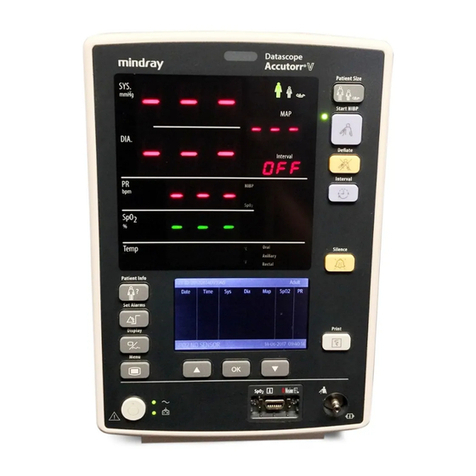
Mindray BeneHeart D3 User manual

Mindray

Mindray BeneHeart D3 User manual

Mindray Datascope AS 3000 User manual

Mindray

Mindray Datascope AS 3000 User manual

Mindray MR6401 User manual

Mindray

Mindray MR6401 User manual

Mindray Passport 5-Lead User manual

Mindray

Mindray Passport 5-Lead User manual

Mindray BeneHeart D30 User manual

Mindray

Mindray BeneHeart D30 User manual

Mindray VS-900c User manual

Mindray

Mindray VS-900c User manual

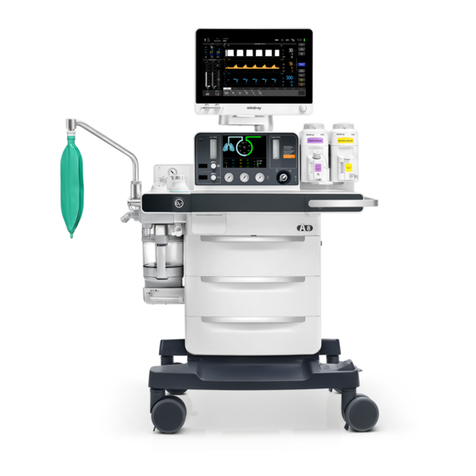
Mindray A7 User manual

Mindray

Mindray A7 User manual

Mindray BeneView T1 User manual

Mindray

Mindray BeneView T1 User manual

Mindray Passport V User manual

Mindray

Mindray Passport V User manual

Mindray dpm 3 User manual

Mindray

Mindray dpm 3 User manual

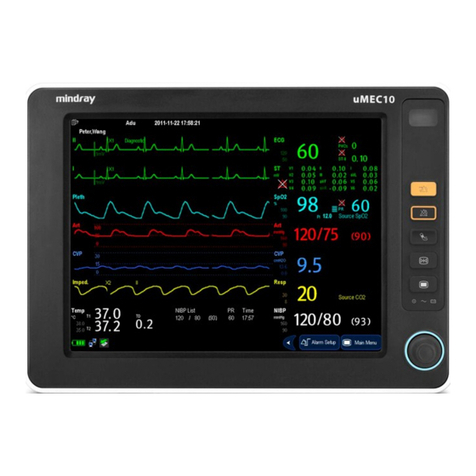
Mindray uMEC10 User manual

Mindray

Mindray uMEC10 User manual

Mindray Datascope AS 3000 User manual

Mindray

Mindray Datascope AS 3000 User manual

Mindray DC-T6 User manual

Mindray

Mindray DC-T6 User manual

Mindray BeneView T1 User manual

Mindray

Mindray BeneView T1 User manual

Mindray V Series User manual

Mindray

Mindray V Series User manual

Mindray SynoVent E5 User manual

Mindray

Mindray SynoVent E5 User manual

Mindray A5 User manual

Mindray

Mindray A5 User manual

Mindray DP-8500 User manual

Mindray

Mindray DP-8500 User manual

Mindray BP10 NIBP Module User manual

Mindray

Mindray BP10 NIBP Module User manual

Mindray BeneFusion mNP User manual

Mindray

Mindray BeneFusion mNP User manual

Mindray TM70 User manual

Mindray

Mindray TM70 User manual

Mindray P7-3T User manual

Mindray

Mindray P7-3T User manual

Mindray Passport 2LT User manual

Mindray

Mindray Passport 2LT User manual

Mindray cPM 12 User manual

Mindray

Mindray cPM 12 User manual

Popular Medical Equipment manuals by other brands

Itamar Medical WatchPAT Operation manual

Itamar Medical

Itamar Medical WatchPAT Operation manual

PROTEOR 1P650 KNEE Assembling and adjustment instructions

PROTEOR

PROTEOR 1P650 KNEE Assembling and adjustment instructions

Liberate Medical VentFree user manual

Liberate Medical

Liberate Medical VentFree user manual

Dicarre DA20 user guide

Dicarre

Dicarre DA20 user guide

Stryker Medical M Series Operation manual

Stryker Medical

Stryker Medical M Series Operation manual

Invacare ScanBed 750 user manual

Invacare

Invacare ScanBed 750 user manual

Getinge Arjohuntleigh Nimbus 3 Professional Instructions for use

Getinge

Getinge Arjohuntleigh Nimbus 3 Professional Instructions for use

Mettler Electronics Sonicator 730 Maintenance manual

Mettler Electronics

Mettler Electronics Sonicator 730 Maintenance manual

Pressalit Care R1100 Mounting instruction

Pressalit Care

Pressalit Care R1100 Mounting instruction

Denas MS DENAS-T operating manual

Denas MS

Denas MS DENAS-T operating manual

bort medical ActiveColor quick guide

bort medical

bort medical ActiveColor quick guide

AccuVein AV400 user manual

AccuVein

AccuVein AV400 user manual

agiliti NP Trio user manual

agiliti

agiliti NP Trio user manual

Rocket Medical Rocket Digital Oocyte Aspiration Pump Service manual

Rocket Medical

Rocket Medical Rocket Digital Oocyte Aspiration Pump Service manual

Monteris Medical Neuroblate Instructions for use

Monteris Medical

Monteris Medical Neuroblate Instructions for use

Otto Block 8E33 7 manual

Otto Block

Otto Block 8E33 7 manual

ADVANCED HOME CARE Helios Guide

ADVANCED HOME CARE

ADVANCED HOME CARE Helios Guide

NeuLog NUL-208 Guide

NeuLog

NeuLog NUL-208 Guide

manuals.online logo
manuals.online logoBrands
  • About & Mission
  • Contact us
  • Privacy Policy
  • Terms and Conditions

Copyright 2025 Manuals.Online. All Rights Reserved.

Mindray North America 800 MacArthur Blvd. Mahwah, NJ 07430 Tel: 201.995.8000 www.mindray.com 0002-08-1659 Rev. A
Page 1 of 19
March 30, 2020
Mindray A-Series Anesthesia Delivery System
Consideration for use as a Ventilator
Addendum – Procedures for Converting Drive Gas from Oxygen to Air
Dear Valued Customer:
This communication is an addendum to the document noted above and provided on March 23, 2020 regarding
the use of Mindray A-Series Anesthesia Delivery Systems for continuous ventilation. Specifically detailed is the
process for converting the systems drive gas from oxygen to air.
Note: Only individuals qualified to perform maintenance/repair on anesthesia systems should carry
out this conversion.
Systems having the drive gas modified should be prominently labeled as such and may not be
used for anesthesia delivery, until the drive gas is reverted to oxygen.
Guidance for converting the A7 system is provided under Attachment 1.
Guidance for converting the A5 system is provided under Attachment 2.
Guidance for converting the A3/A4 system is provided under Attachment 3.
The following are recommendations/considerations during use after a system’s drive gas has been converted
from oxygen to air:
1. It is strongly recommended to connect both the air and oxygen source before using the system to achieve
a gas source pressure between 280-600 kPa (41-80 psi).
2. If the pressure of air is lower than 140 kPa ±10% (20 psi ±10%), the system will display the alarm “Drive
Gas Pressure Low” and will not ventilate.
3. If the pressure of the oxygen gas source is lower than 220 kPa ±10% (32 psi ±10%) the system will display
the alarm ”O2 Supply Failure”. Under this condition, the system will continue to ventilate but the oxygen
fresh gas delivered may be lower than expected.
4. If the flow sensor requires calibration after the drive gas has been converted, the tidal volume accuracy may
be up to 5% over specification.
Mindray’s in-house supports team remain available 24/7. If assistance is needed, please contact Technical
Support at (800) 288-2121, option 2.
Sincerely,
Diane Arpino
Director, Quality Operations and Regulatory Affairs
Mindray DS USA, Inc.
US Agent for Shenzhen Mindray Biomedical Corp., Ltd.
[email protected]
Mindray North America 800 MacArthur Blvd. Mahwah, NJ 07430 Tel: 201.995.8000 www.mindray.com 0002-08-1659 Rev. A
Page 2 of 19
Attachment 1
Please follow the steps below to convert the drive gas of Mindray A7 Anesthesia delivery systems from
oxygen to air, the connection diagrams before and after the change are shown below:
Connection diagram before change:
Connection diagram after change:
Mindray North America 800 MacArthur Blvd. Mahwah, NJ 07430 Tel: 201.995.8000 www.mindray.com 0002-08-1659 Rev. A
Page 3 of 19
1. Open the service door: Turn the two screws on the service door counter-clockwise one half turn to open
the door. (If the AGSS assembly is connected to the machine, unplug the transfer tubes from AGSS
assembly).
2. Remove the rear cover panel: Unscrew the six screws on the lower rear panel assembly to remove it.
Mindray North America 800 MacArthur Blvd. Mahwah, NJ 07430 Tel: 201.995.8000 www.mindray.com 0002-08-1659 Rev. A
Page 4 of 19
3. Remove the yoke panel: Unscrew the four screws on the upper rear panel (yoke cover) ,and pull it out.
4. Remove the hose #36
(Orange) from the AIR cylinder yoke and the X-piece (connected to hoses #54, #37
and #125).
5. Disconnect the hose #60 (Green) from the oxygen cylinder yoke.
36
60
Mindray North America 800 MacArthur Blvd. Mahwah, NJ 07430 Tel: 201.995.8000 www.mindray.com 0002-08-1659 Rev. A
Page 5 of 19
6. Disconnect hose #61 (Green) from the Y-piece (connected to hoses #69 and #38)
7. Connect one end of the hose #36 (Orange) to the oxygen cylinder yoke, the other end to Y-piece (connected
to hoses #69 and #38).
8. Interchange the port of hose #61 (Green) and #63 (Green).
61
36
60 61
63
63
61
60
Mindray North America 800 MacArthur Blvd. Mahwah, NJ 07430 Tel: 201.995.8000 www.mindray.com 0002-08-1659 Rev. A
Page 6 of 19
9. Connect the tube #60 (Green) to the Air cylinder yoke. Connect the opposite end of hose #61 (Green) to
the X-piece (connected to hoses #54, #37 and #125).
10. Reinstall the yoke panel, the rear cover panel and service door according to the steps #3, #2, #1.
11. Perform the following Pneumatic Tests:
a) Remove the O2 and AIR cylinder from the anesthesia system.
b) Connect the O2 and AIR line pressure hoses to the line pressure inlet on the anesthesia system.
c) Pinch the O2 line pressure hose.
d) Remove the O2 line pressure hose from the line source while keeping the hose pinched. The
pressure measured on the line pressure gauge on the front of the unit should not fall more than 10
psi per 100 seconds (2 psi per 20 sec).
e) Release the O2 line pressure hose.
f) Pinch the AIR line pressure hose.
g) Remove the AIR line pressure hose from the line source while keeping the hose pinched. The
pressure measured on the line pressure gauge on the front of the unit should not fall more than 10
psi per 100 seconds (2 psi per 20 sec).
h) Release the AIR line pressure hose.
i) Reconnect the O2 and AIR line pressure hoses and remove the pinch in the hose.
12. Perform the following Internal Gas Connections Test:
a) Close and remove all gas cylinders from the anesthesia system.
b) Connect only the O2 line pressure hose to the anesthesia system from the wall supply. Leave all
other line pressure hoses disconnected.
c) Turn the unit on and set the A7 in BFCS mode, Rotate the O2 needle valve knob to ensure a
continuous flow increase throughout its full range. Set the O2 flow to 2L/min.
d) Fully rotate the AIR needle valve knob and verify that there is no increase of total flow. Close the AIR
valve.
e) Disconnect the O2 line pressure hose from the anesthesia system, and connect the AIR line pressure
hose from the wall supply.
f) Rotate the AIR needle valve knob to ensure a continuous flow increase throughout its full range.
g) Set the AIR flow to 2L/min.
h) Fully rotate the O2 needle valve knob and verify that there is no increase of total flow.
61
60

Mindray North America 800 MacArthur Blvd. Mahwah, NJ 07430 Tel: 201.995.8000 www.mindray.com 0002-08-1659 Rev. A
Page 7 of 19
i) Close the AIR and O2 valves.
j) Disable Backup Flow Control.
13. Perform the following VCV Adult Ventilation Mode Test:
a) Set the Fresh Gas Control to Direct Flow Mode.
b) Set the O2 flow to 2 L/min and set the N2O and AIR flow rates to minimum flow.
c) Set the mechanical Auto/Manual switch to AUTO.
d) Connect a Vent Tester to the breathing system. Unidirectional Vent Testers need to be connected to
the expiratory limb.
e) Set the ventilator controls to the following:
i. Ventilation Mode: VCV
ii. Vt: 600
iii. Rate: 8
iv. I:E: 1:2
v. Tpause: 10
vi. PEEP: Off
vii. Plimit: 50
f) Verify that the pressure waveform, Tidal Volume, Mean or Plateau Pressure, Resp. rate and minute
volume values appear on the screen.
g) Verify the Tidal Volume display on the Vent Tester is within 12% (±72 mL) of the set value within
approximately 1 minute from the start of ventilation.
h) Verify the Tidal Volume display is within 14% (±84 mL) of the set value within approximately 1 minute
from the start of ventilation.
14. Prominently label the unit that the drive gas has been modified and the system may be used.
Please follow the steps below to convert the drive gas of Mindray A7 Anesthesia delivery systems from air to
oxygen.
1. The systems should be converted back to using oxygen as the drive gas by performing the above steps in
reverse.
2. Perform the Pneumatic Leak Tests per chapter 3.9 of the service manual
3. Perform the Internal Gas Connections Test per chapter 3.10.2 of the service manual
4. Perform a flow calibration per chapter 4.3.3 (Flow Calibration (Service)) of the service manual
5. Perform the chapter 3.11 (Performance Verification) of the service manual
6. The label that was added to the unit that the drive gas was been modified should be removed and the
system may be used for anesthesia delivery.
Mindray North America 800 MacArthur Blvd. Mahwah, NJ 07430 Tel: 201.995.8000 www.mindray.com 0002-08-1659 Rev. A
Page 8 of 19
Attachment 2
Please follow the steps below to convert the drive gas of Mindray A5 Anesthesia delivery systems from
oxygen to air. The connection diagrams before and after change are shown below:
Connection diagram before change:
Connection diagram after change:
Mindray North America 800 MacArthur Blvd. Mahwah, NJ 07430 Tel: 201.995.8000 www.mindray.com 0002-08-1659 Rev. A
Page 9 of 19
1. Open the service door: Turn the two screws on the service door counter-clockwise one half turn to open
the door (If the AGSS assembly is connected to the machine, unplug the transfer tubes from AGSS
assembly).
2. Remove the rear cover panel: Unscrew the six screws on the lower rear panel assembly to remove it.
3. Remove the yoke panel: Unscrew the four screws on the upper rear panel (yoke cover) and pull it out.
Mindray North America 800 MacArthur Blvd. Mahwah, NJ 07430 Tel: 201.995.8000 www.mindray.com 0002-08-1659 Rev. A
Page 10 of 19
4. Disconnect hose #36 (Orange) from the Y-piece (connected to hoses #54 and #37).
5. Disconnect the hose #61(Green) from the Y-piece (connected to hoses #60 and #38).

Disconnect hose #69 (Green) from the Y-piece (connected to hoses #61 and #63).
6. Connect hose #69 (Green) to the Y-piece (connected to hoses #60 and #38).

36
61
69
69