8
English
3 Applications
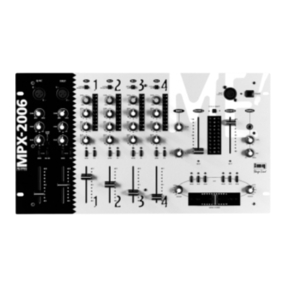
The MPX-52PA is suitable for general profes-
sional PA applications. This mixer for two PA
zones allows connection of up to four units
with line level (e.g. CD/MP3 player), two turn-
tables and five microphones. These can be
mixed via five independent input channels to
the two stereo output channels. The unit has
an automatic talkover function which atten-
uates the level of the music to an adjustable
extent when microphone announcements
are made.
The mixer is designed for installation into
a rack for units with a width of 482mm (19”).
For installation, 3 rack spaces = 133mm are
required. However, the mixer can also be set
up as desired.
4 Connection
Switch off the mixer prior to making or
changing any connections.
1) Connect the stereo audio sources to the
corresponding RCA input jacks of channels
CH1 to CH 4 (white jack L = left channel;
red jack R = right channel):
–
units with line level output (e.g.
CD/MP3 player, radio, mixer) to the
jacks LINE(29);
–
turntables with magnetic system to
the jacks PHONO (30). Set the selector
switch MIC/PHONO (31) of the corre-
sponding channel to position PHONO.
Connect the ground connections of
the turntables to the clamping screw
GND(25).
A stereo signal source with balanced out-
puts may also be connected to the XLR
jacks (33) of channel CH 1. The balanced
connection of a signal source offers a bet-
ter protection against interference which
may occur especially with long connection
cables.
2) Connect microphones which may also be
operated alternately with the stereo sig-
nal sources at the input channels CH1 to
CH4 to the combined XLR/6.3 mm jacks
(32). It is in general possible to connect
microphones with balanced or unbalanced
output. If a microphone is connected to
the channel CH3 or CH 4, set the selec-
tor switch MIC/PHONO (31) of the corre-
sponding channel to position MIC.
Connect a microphone for announce-
ments at the input channel MIC to the
combined XLR/6.3 mm jack (6) or as an al-
ternative to the jack (34) on the rear panel.
Note: The signal of the input channel MIC will not
be available at the recording outputs REC(28).
3)
For connecting power amplifiers, two
stereo outputs each are available for PA
zones ZONE 1 and ZONE 2: a balanced
XLR output (26) and an unbalanced RCA
output (27).
Instead of amplifiers, it is also possible
to connect other subsequent units with
line input level to the outputs, e.g. a sec-
ond mixer.
4)
For recordings, a stereo output [pair of
RCA jacks (28)] is available for each of
the two PA zones ZONE 1 and ZONE 2;
at this output, the mixed signal of the
corresponding zone is always available in
stereo and independent of the adjustment
of the output fader.
Instead of recorders, it is also possible to
connect other subsequent units with line
input level to the outputs, e.g. a second
mixer.
5) For prefader listening of the input chan-
nels CH1 –CH4 and for monitoring the
two output channels ahead of the faders
(22), stereo headphones (with a minimum
impedance of 32Ω) can be connected to
the 6.3mm jack PHONES (4).
6) For illuminating the console, a gooseneck
light (12V, max. 0.75W) may be connect-
ed to the BNC jack LAMP (1), e.g. the light
GNL-204. The light is switched on and off
with the mixer.
7)
Finally connect the plug of the mains
cable(23) to a socket (230V/50Hz).
5 Operation
Prior to switching on, set the faders of the
output channels (22) to minimum to prevent
switching noise. Switch on the mixer with the
POWER switch (2). The power LED above the
switch lights up.
CAUTION Never adjust the audio system
or the headphones to a very
high volume. Permanent high
volumes may damage your
hearing!
Your ear will get accustomed to high vol-
umes which do not seem to be that high
after some time. Therefore, do not further
increase a high volume after getting used
to it.
After operation, switch off the mixer with the
POWER switch.
5.1 Basic adjustment of the
inputchannels
First set all gain controls (9) to the left stop
and all equalizers (8) to mid-position.
If an input channel CH1 to CH 4 is not
used, set its fader (15) to minimum. If the
microphone channel MIC is not used, set the
switch (5) to position OFF to switch off the
microphone.
5.1.1 Level control of the input
channels CH1 to CH 4
For level control of an input channel:
1) Use the input selector switch (10) of the
channel to select the desired audio source.
2)
Feed an audio signal (e.g. music piece)
to the input; with connection of a micro-
phone, talk into the microphone.
3) Use a screwdriver to adjust the GAIN con-
trol (9) at the input channel in such a way
that the LED indicator PEAK/SIGNAL (11)
shows green at average volumes and only
occasionally shows red at level peaks. If
the LED shows red more frequently, the
channel is overloaded. In this case, slightly
turn back the GAIN control or reduce the
output level of the corresponding audio
source or increase the distance to the mi-
crophone.
5.1.2 Level control of the microphone
channel MIC
1)
To switch on the microphone, set the
switch (5) to position ON AIR.
2)
Speak into the microphone. Adjust the
GAIN control (9) of the microphone chan-
nel in such a way that the LED PEAK/SIG-
NAL (11) shows green at average speech
volumes and only occasionally shows red
at level peaks. If the LED shows red more
frequently, the channel is overloaded.
In this case, slightly turn back the GAIN
control or increase the distance to the mi-
crophone.
In case of acoustic feedback (loud howl-
ing), slide the fader (16) downward.
3) Use the 3-way equalizer (8) to adjust the
sound of the channel. To check the sound,
assign the microphone channel to an out-
put channel and advance the volume con-
trol (16) as described in chapter 5.2 so that
it is possible to hear sound changes via the
amplifier system or headphones (
☞
chap-
ter 5.4). The HIGH frequencies and LOW
frequencies can be boosted or attenuated
up to 15dB as a maximum, the MID fre-
quencies up to 12dB as a maximum. If
required, readjust the input amplification
with the gain control.
5.2 Adjustment of the
outputchannels
1)
Assign the input channels with the buttons
Z1 and Z 2 (14) respectively to the two
output channels as desired:
button Z1 pressed:
input channel switched to channel
ZONE 1
button Z2 pressed:
input channel switched to channel
ZONE 2
2)
Advance the fader of the desired input
channel. To mix multiple audio sources to
a single output channel, use the volume
controls (15, 16) of the corresponding
input channels to adjust the volume ratio
of the different audio sources.
3) To adjust the level of the output channels,
use the appropriate volume control (22)
and observe the respective level indicator
(19). Usually, the level is best when the
level indicator shows values in the 0dB
range. However, if the output level is too
high or too low for the subsequent unit,
the output level must be correspondingly
adjusted to a lower or higher value. When
the output is overloaded, the red LED indi-
cator “+9” will light up. In this case, slide
down the fader correspondingly. The sig-
nal at the recorder outputs REC (28) are
independent of the volume adjusted for
the output channels.