9
ENGLISH
de
en
fr
it
es
pt
nl
da
sv
no
fi
tr
pl
cs
sk
hr
hu
sl
ro
bg
ru
uk
et
lv
lt
el
ar
Operation
Preparation
Keep the packaging material for safe storage or trans-
port later.
fCheck that the contents are complete.
fCheck all the parts for possible transport damage.
Safety
Caution! Damage due to incorrect power supply.
fOnly operate the appliance with the voltage stated
on the nameplate.
Caution! Damage due to deep discharge of battery
fAlways switch the appliance off with the on/off
switch after use (Fig. 3
ⓑ
).
fAlways switch the appliance off with the on/off
switch when charging the battery (Fig. 3
ⓑ
).
Charging the battery
1. Switch off the appliance using the on/off switch (Fig.3
ⓑ
).
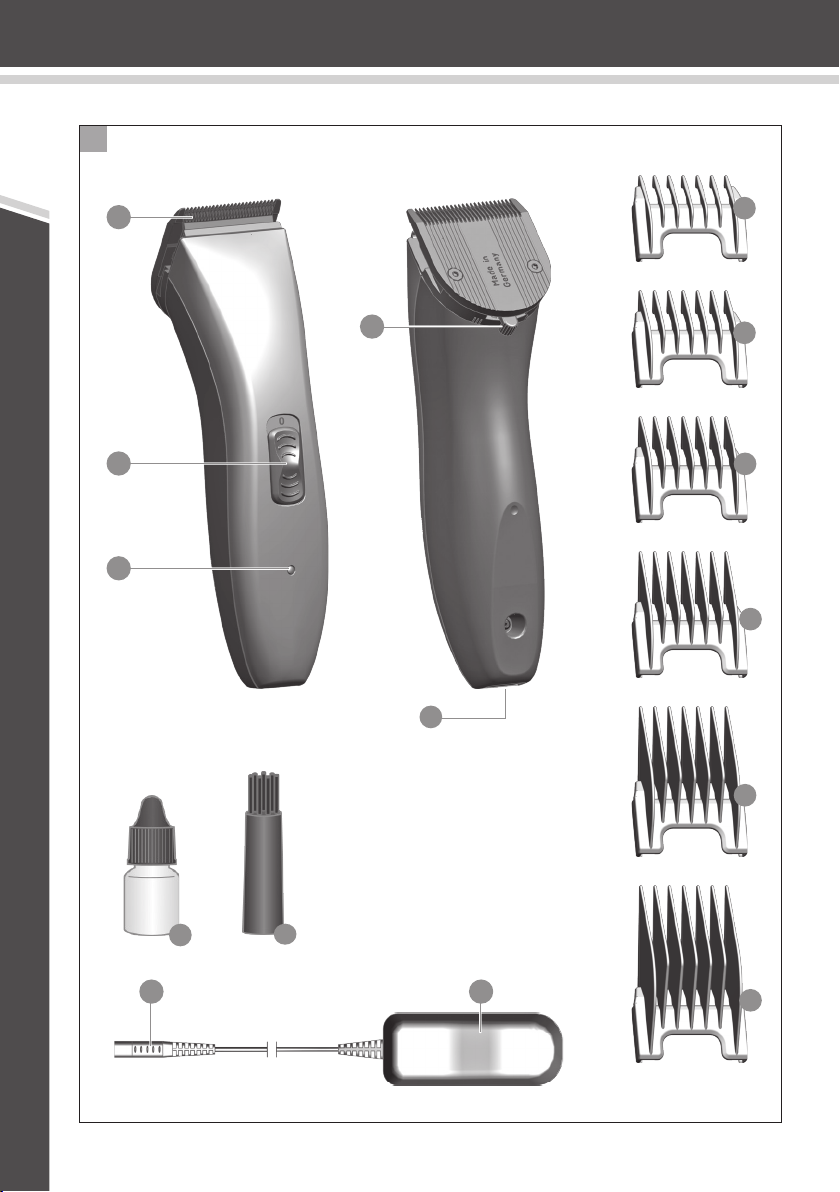
2. Connect the appliance plug on the plug-in transformer to the
appliance socket (Fig. 2
ⓐ
).
Battery overcharging is prevented thanks to intelligent
charge management.
3. Connect the plug-in transformer to the mains socket (Fig.2
ⓑ
).
During charging, the charging indicator flashes.
4. As soon as the battery is fully charged, the charging indicator
flashes at a different rate (10 on / 1 off).
Battery operation
1. Switch on the appliance using the on/off switch, and switch off
after use (Fig.3
ⓐ
/
ⓑ
).
In case of insufficient maintenance of the blade set, the
operating time can be reduced considerably.
Mains operation
Caution! Damage due to use of the appliance with
the plug-in transformer permanently plugged in
(mains operation)
The appliance is not designed to be used with the
plug-in transformer permanently plugged in (mains
operation). The plug-in transformer connecting cable
is not designed for mechanical stress in continuous
operation.
fMains operation is only recommended for short peri-
ods of use if the battery is empty.
1. Connect the appliance plug on the plug-in transformer to the
appliance socket (Fig. 2
ⓐ
).
2. Connect the plug-in transformer to the mains socket (Fig.2
ⓑ
).
3. Switch on the appliance using the on/off switch, and switch off
after use (Fig.3
ⓐ
/
ⓑ
).
Operation
Setting the cutting length
The cutting length can be adjusted to between 0.7mm and 3mm
(5possible positions) using the cutting-length adjustment inte-
grated into the blade set (Fig.4).
Cutting with the attachment comb
The appliance can also be operated with attachment combs.
fIn order to achieve the indicated cutting length, the cutting
length adjustment lever should be set to position 1 (Fig.4).
Depending on the model, the following attachment
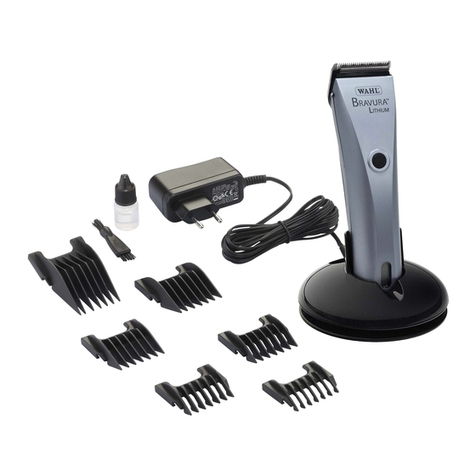
combs are included as standard:
3mm, 6mm, 9mm and 12mm cutting lengths.
Attaching/removing the attachment comb
1. Slide the attachment comb on to the blade set in the direction
of the arrow until it reaches the limit stop (Fig.5
ⓐ
).
2. The attachment comb can be removed by pushing it in the
direction of the arrow (Fig.5
ⓑ
).
Maintenance
Warning! Injuries and material damage due to incor-
rect handling.
fSwitch off the appliance before cleaning it or per-
forming any maintenance and disconnect it from
the mains.
Cleaning and care
Danger! Electric shock due to penetration of liquid.
fDo not immerse the appliance in water!
fDo not allow any liquid to get inside the appliance.
Caution! Danger from aggressive chemicals.
Aggressive chemicals could damage the appliance and
accessories.
fNever use solvents or scouring agents.
fOnly use cleaning agents and blade set oil recom-
mended by the manufacturer.
Accessories and spare parts are available from your
dealer or our service centre.
fRemove the attachment comb (Fig.5
ⓑ
) and lift the blade
set out of the housing (Fig. 6
ⓐ
). Use the cleaning brush to
remove any cut hairs from the housing opening and from the
blade set (Fig.7).
fOnly wipe the appliance with a soft, slightly damp cloth.
fOil the blade set with blade set oil (Fig.8).