manuals.online logo
Brands
  1. Home
  2. •
  3. Brands
  4. •
  5. Moxa Technologies
  6. •
  7. Industrial PC
  8. •
  9. Moxa Technologies EM-1240-LX User manual

Moxa Technologies EM-1240-LX User manual

Other manuals for EM-1240-LX

1

Other Moxa Technologies Industrial PC manuals

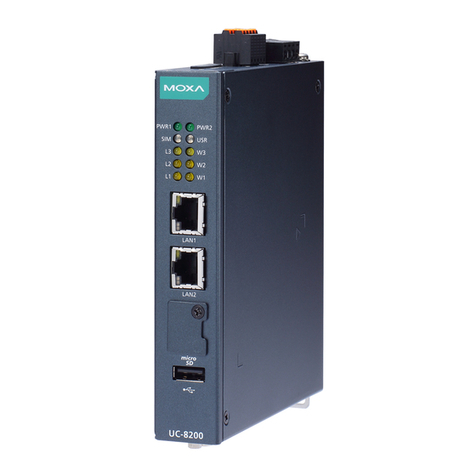
Moxa Technologies UC-8200 Series Instructions for use

Moxa Technologies

Moxa Technologies UC-8200 Series Instructions for use

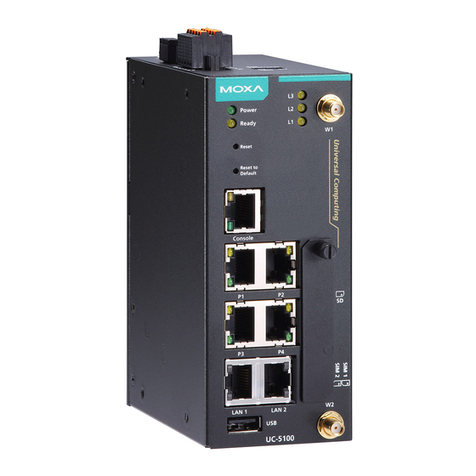
Moxa Technologies UC-5100 Series User manual

Moxa Technologies

Moxa Technologies UC-5100 Series User manual

Moxa Technologies DA-710 Series User manual

Moxa Technologies

Moxa Technologies DA-710 Series User manual

Moxa Technologies IA260 series User manual

Moxa Technologies

Moxa Technologies IA260 series User manual

Moxa Technologies DA-681-I-SP-CE User manual

Moxa Technologies

Moxa Technologies DA-681-I-SP-CE User manual

Moxa Technologies W406 WinCE User manual

Moxa Technologies

Moxa Technologies W406 WinCE User manual

Moxa Technologies UC-7400-LX Plus User manual

Moxa Technologies

Moxa Technologies UC-7400-LX Plus User manual

Moxa Technologies ThinkCore DA-660-8-CE User manual

Moxa Technologies

Moxa Technologies ThinkCore DA-660-8-CE User manual

Moxa Technologies UC-8200 Series Instructions for use

Moxa Technologies

Moxa Technologies UC-8200 Series Instructions for use

Moxa Technologies V481-XPE User manual

Moxa Technologies

Moxa Technologies V481-XPE User manual

Moxa Technologies DA-681A Series Instructions for use

Moxa Technologies

Moxa Technologies DA-681A Series Instructions for use

Moxa Technologies V2426A-C2 User manual

Moxa Technologies

Moxa Technologies V2426A-C2 User manual

Moxa Technologies TC-6110-W7E User manual

Moxa Technologies

Moxa Technologies TC-6110-W7E User manual

Moxa Technologies V460 Series User manual

Moxa Technologies

Moxa Technologies V460 Series User manual

Moxa Technologies DA-662A-8 Instructions for use

Moxa Technologies

Moxa Technologies DA-662A-8 Instructions for use

Moxa Technologies V481-XPE User manual

Moxa Technologies

Moxa Technologies V481-XPE User manual

Moxa Technologies IA260 series User manual

Moxa Technologies

Moxa Technologies IA260 series User manual

Moxa Technologies DA-660 Series User manual

Moxa Technologies

Moxa Technologies DA-660 Series User manual

Moxa Technologies UC-8112-LX STK User manual

Moxa Technologies

Moxa Technologies UC-8112-LX STK User manual

Moxa Technologies V2406 User manual

Moxa Technologies

Moxa Technologies V2406 User manual

Moxa Technologies IA241-LX User manual

Moxa Technologies

Moxa Technologies IA241-LX User manual

Moxa Technologies V481-XPE User manual

Moxa Technologies

Moxa Technologies V481-XPE User manual

Moxa Technologies CN2510 Series User manual

Moxa Technologies

Moxa Technologies CN2510 Series User manual

Moxa Technologies THINKCORE W345 User manual

Moxa Technologies

Moxa Technologies THINKCORE W345 User manual

Popular Industrial PC manuals by other brands

Aaeon PER-1603 Quick installation guide

Aaeon

Aaeon PER-1603 Quick installation guide

Siemens SIMATIC IPC627E Quick install guide

Siemens

Siemens SIMATIC IPC627E Quick install guide

Advantech UNO-2184G user manual

Advantech

Advantech UNO-2184G user manual

MSI MS-9A76 manual

MSI

MSI MS-9A76 manual

Stackrack THOR200 user manual

Stackrack

Stackrack THOR200 user manual

Nodka eBOX-3000-ETC user manual

Nodka

Nodka eBOX-3000-ETC user manual

MSI MS-9A89 user manual

MSI

MSI MS-9A89 user manual

Chipsee PPC-A72-101 manual

Chipsee

Chipsee PPC-A72-101 manual

Siemens SIMATIC Rack PC 840 V2 Getting started

Siemens

Siemens SIMATIC Rack PC 840 V2 Getting started

Advantech IPPC-6152A user manual

Advantech

Advantech IPPC-6152A user manual

Beckhoff CX9020 manual

Beckhoff

Beckhoff CX9020 manual

Dell Embedded Box PC 5000 Installation and operation manual

Dell

Dell Embedded Box PC 5000 Installation and operation manual

IBASE Technology ASB200-918 Series user manual

IBASE Technology

IBASE Technology ASB200-918 Series user manual

Lenovo ThinkCentre M90q Hardware Maintenance Manual

Lenovo

Lenovo ThinkCentre M90q Hardware Maintenance Manual

IXXAT Econ 100 Hardware manual

IXXAT

IXXAT Econ 100 Hardware manual

Kontron KBox A-151-TGL user guide

Kontron

Kontron KBox A-151-TGL user guide

AXIOMTEK ICO500-518 Series user manual

AXIOMTEK

AXIOMTEK ICO500-518 Series user manual

Beckhoff C6925 manual

Beckhoff

Beckhoff C6925 manual

manuals.online logo
manuals.online logoBrands
  • About & Mission
  • Contact us
  • Privacy Policy
  • Terms and Conditions

Copyright 2025 Manuals.Online. All Rights Reserved.

— 1 — — 2 — — 3 —
EM-1240-LX
Quick Installation Guide
Third Edition, June 2008
1. Overview
Thank you for purchasing the Moxa EM-1240 Embedded Module. The
product’s features include 4 software-selectable RS-232/422/485 serial
ports, two 10/100 Mbps Ethernet ports, and SD signals for external SD
socket connections, based on the Moxa ARM9 32-bit 192 MHz
communication processor. These features make the EM-1240 ideal for
use as the core module of an industrial embedded system.
In addition, Moxa provides an EM-1240 Development Kit, which is
designed for system and software program development at the system
evaluation stage. The kit includes the EM-1240 embedded computer,
and the EM-1240-DK carrier board, which is used to evaluate the
EM-1240. The EM-1240’s pre-installed, ready-to-run μClinux Kernel
2.6 makes it easy for users to develop programs for any application.
2. Package Checklist
Before installing the EM-1240 Development Kit, verify that the
package contains the following items:
y1 EM-1240 Embedded Module
y1 EM-1240-DK (the carrier board of the EM-1240 Development Kit)
yQuick Installation Guide
yDocument & Software CD
yCross-over Ethernet cable
yUniversal Power Adaptor
yProduct Warranty Statement
Please notify your sales representative if any of the above items are
missing or damaged.

3. Product Features

yMoxa ART ARM9 32-bit 192 MHz communication processor
y16 MB RAM, 8 MB Flash ROM on the board
y4 software-selectable RS-232/422/485 serial ports
yDual 10/100 Mbps Ethernet ports
yRS-232 console port (supports full signal and PPP)
yReady-to-Run μClinux Kernel 2.6.9 communication platform
ySD signals supported for external Secure Digital (SD) socket
connection
y10 GPIO reserved for system integration (NOTE: To enable GPIO,
SD must first be disabled)
4. Hardware Introduction
EM-1240 Embedded Module View
Top View Bottom View
EM-1240-DK View
5. Combining Embedded Module with EM-1240-DK
Insert the EM-1240 embedded module vertically onto the Development
Kit board. Note that the pin marked “JP4” on the embedded module
must be matched with the pin marked “JP6” on the Development Kit;
the pin marked “JP3” on the embedded module must be matched with
the pin marked “JP4” on the development kit. Use caution when
combining the boards, since improper handling could damage the
boards’ pins.
6. EM-1240-DK Introduction
LED Indicators
LED Name Color LED Function
Power Green Power is on.
Ready Green Power is on and system functions normally.
Green Serial port 1-4 is transmitting data.
P1-P4 (Tx) Off Serial port 1-4 is not transmitting data.
Yellow Serial port 1-4 is receiving data.
P1-P4 (Rx) Off Serial port 1-4 is not receiving data.
Serial Ports
The EM-1240 embedded module offers 4 software-selectable serial
ports. The software that comes with the product can be used to
configure these ports. Detailed information is provided in the Software
User’s Manual.
Male DB9 Port
54
321
9876
Pin Header
J1/J3/J4/J6
1
2
3
4
5
6
7
8
DCD
RxD
TxD
DTR
GND
DSR
RTS
CTS
Pin RS-232 RS-422 4-wire
RS-485 2-wire
RS-485
1 DCD TxDA(-) TxDA(-) ---
2 RxD TxDB(+) TxDB(+) ---
3 TxD RxDB(+) RxDB(+) DataB(+)
4 DTR RxDA(-) RxDA(-) DataA(-)
5 GND GND GND GND
6 DSR --- --- ---
7 RTS --- --- ---
8 CTS --- --- ---
Console Ports
The EM-1240 embedded module has 1 serial console port for onsite
configuration. However, it can also be used as an RS-232 serial port.
Detailed information is provided in the Software User’s Manual.
P/N: 1802012400012
— 4 — — 5 — — 6 —
Male DB9 Port J5 Console Port
54
32
1
9876
1
LAN Ports
The EM-1240 embedded module has 2 LAN ports that support 10/100
Mbps. The communication redundancy provided by the 2 LAN ports is
useful for avoiding network failure.
8-pin RJ45
18
spbM001 rota
c
idni
spbM01 rota
c
idn
i
Pin Signal
1 ETx+
2 ETx-
3 ERx+
4 ---
5 ---
6 ERx-
7 ---
8 ---
SD Socket
The EM-1240 Development Kit has an internal SD socket for storage
expansion. The SD socket allows users to plug in a Secure Digital (SD)
memory card that is compliant with the SD 1.0 standard to provide up
to 1 GB of additional memory space. When removing the SD card from
the socket, press in the SD card first to cause it to pop out. Detailed
information is provided in the Software User’s Manual.
GPIO
The EM-1240 Development Kit has 10 GPIOs. Digital input channels
and digital output channels can be configured by software. Note that
the GPIO function will not work if you enable the SD signals. Use the
GPIO pin header to connect to devices. The GPIO pinouts are shown in
the following figure.
01
11
2
1
31
4
1
C
CV
CCV
Connecting the Power
You may use either 5 VAC power or use the terminal block to provide
power. Use the power switch to turn on and turn off the Development
Kit.
Reset Button
Press the Reset button on the EM-1240-DK continuously for at least 5
seconds to load the factory default configuration. After the factory
default configuration has been loaded, the system will reboot
automatically. We recommend that you only use this function if the
software is not working properly and you want to load factory default
settings. To reset an embedded Linux system, always use the software
reboot command />reboot to protect the integrity of data being
transmitted or processed. The Reset button is not designed to hard
reboot the EM-1240 Development Kit.
7. Software Installation Procedure
STEP 1: Insert the EM-1240 CD-ROM into your Windows or Linux PC.
Use Acrobat Reader to view the EM-1240 User’s Manual.
STEP 2: Install the EM-1240 tool chain, which is on the CD-ROM. The
tool chain consists of the following components:
1. UC Finder: Broadcast search for the EM-1240 IP address on
your LAN. The EM-1240 supports the Linux platform.
2. Cross Compiler: Arm-elf-gcc is a C/C++ PC Cross
Compiler, which is a gcc compiler that runs on an x86 PC, but
creates an execution file for Arm-based platforms (such as the
EM-1240). For more information visit http://www.uclinux.org.
3. uClibc: uClibc is an abbreviation for “microcontroller C
library.” uClibc was created to support µClinux, a Linux port
for MMU-less microcontrollers, such as the ARM9 installed in
the EM-1240. For more information, visit
http://www.uclibc.org.
STEP 3: Edit source code on a Linux PC.
STEP 4:Use the Cross Compiler to compile the source code, and then
use FTP to download the program to the EM-1240.
STEP 5:Run your program.
8. EM-1240 Hardware Specifications
Model EM-1240 Embedded Module
CPU Moxa ART ARM9 32-bit 192 MHz processor
RAM 16 MB
Flash 8 MB
LAN Auto-sensing 10/100 Mbps × 2
Built-in 1.5 KV magnetic isolation
Serial Ports 4 serial ports that support RS-232/422/485
signals
RS-232: TxD, RxD, DTR, DSR, RTS, CTS, DCD,
GND
RS-422: TxD+, TxD-, RxD+, RxD-, GND
4-wire RS-485: TxD+, TxD-, RxD+, RxD-, GND
2-wire RS-485: Data+, Data-, GND
Serial Protection: 15 KV ESD for all signals
Data bits: 5, 6, 7, 8
Stop bits: 1, 1.5, 2
Parity: None, even, odd, space, mark
Flow Control: RTC/CTS, XON/XOFF
Speed: 50 bps to 921.6 Kbps, support any baudrate
Serial Console RS-232 × 1 (supports full signals and PPP)
Storage Expansion SD signals for external Secure Digital (SD)
socket connection
GPIO GPIO × 10 (to enable GPIO, SD must be
disabled)
Real-time Clock Yes
Watchdog Timer Yes
Buzzer Signals Buzzer signals reserved for external buzzer
connection
LED Signals System: Ready × 1
LAN: 10M/Link × 2, 100M/Link × 2
Serial: TxD × 4, RxD × 4
Reset Signal Reserve signal for external “Reset to Default”
button connection
Power Input Accept external 5 VDC through pin header
Dimensions (W × L) 90 × 80 mm
Operating Temperature -10 to 60◦C (14 to 141◦F), 5 to 95% RH
Storage Temperature -20 to 80◦C (-4 to 176◦F), 5 to 95% RH
Module Interface Two 2 × 28 pin-headers,
pitch: 1.27 × 1.27 (mm)
Click here for online support:
www.moxa.com/support
The Americas: +1-714-528-6777 (toll-free: 1-888-669-2872)
Europe: +49-89-3 70 03 99-0
Asia-Pacific: +886-2-8919-1230
China: +86-21-5258-9955 (toll-free: 800-820-5036)
©2008 Moxa Inc., all rights reserved.
Reproduction without permission is prohibited.