manuals.online logo
Brands
  1. Home
  2. •
  3. Brands
  4. •
  5. MUTOH
  6. •
  7. Printer
  8. •
  9. MUTOH Spitfire 100 Extreme User manual

MUTOH Spitfire 100 Extreme User manual

Other manuals for Spitfire 100 Extreme

2

This manual suits for next models

1

Other MUTOH Printer manuals

MUTOH Rockhopper 38 User manual

MUTOH

MUTOH Rockhopper 38 User manual

MUTOH VJ-1938TX User manual

MUTOH

MUTOH VJ-1938TX User manual

MUTOH Rockhopper II Series User manual

MUTOH

MUTOH Rockhopper II Series User manual

MUTOH VJ-628 ValueJet User manual

MUTOH

MUTOH VJ-628 ValueJet User manual

MUTOH Viper TX User manual

MUTOH

MUTOH Viper TX User manual

MUTOH DrafStation RJ-900X User manual

MUTOH

MUTOH DrafStation RJ-900X User manual

MUTOH VJ-628 ValueJet User guide

MUTOH

MUTOH VJ-628 ValueJet User guide

MUTOH VJ-2638 User manual

MUTOH

MUTOH VJ-2638 User manual

MUTOH Rockhopper II Series User manual

MUTOH

MUTOH Rockhopper II Series User manual

MUTOH Falcon II Outdoor User manual

MUTOH

MUTOH Falcon II Outdoor User manual

MUTOH Viper TX 100 User manual

MUTOH

MUTOH Viper TX 100 User manual

MUTOH 1682WR User manual

MUTOH

MUTOH 1682WR User manual

MUTOH ValueJet VJ-1624 User manual

MUTOH

MUTOH ValueJet VJ-1624 User manual

MUTOH Spitfire 100 Extreme User manual

MUTOH

MUTOH Spitfire 100 Extreme User manual

MUTOH Falcon RJ-4100 User manual

MUTOH

MUTOH Falcon RJ-4100 User manual

MUTOH UniFixer 65 User manual

MUTOH

MUTOH UniFixer 65 User manual

MUTOH VJ-1628TD User manual

MUTOH

MUTOH VJ-1628TD User manual

MUTOH VJ-426UF User guide

MUTOH

MUTOH VJ-426UF User guide

MUTOH ValueJet VJ-1624 User manual

MUTOH

MUTOH ValueJet VJ-1624 User manual

MUTOH Viper TX Softsign User manual

MUTOH

MUTOH Viper TX Softsign User manual

MUTOH RJ-900C series User manual

MUTOH

MUTOH RJ-900C series User manual

MUTOH ValueJet VJ-1204 User manual

MUTOH

MUTOH ValueJet VJ-1204 User manual

MUTOH VJ-1304 User manual

MUTOH

MUTOH VJ-1304 User manual

MUTOH ValueJet VJ-1628X User manual

MUTOH

MUTOH ValueJet VJ-1628X User manual

Popular Printer manuals by other brands

Evolis Elypso user guide

Evolis

Evolis Elypso user guide

Lexmark 522n - C Color Laser Printer Service manual

Lexmark

Lexmark 522n - C Color Laser Printer Service manual

Panduit COUGAR LS9Q Operator's manual

Panduit

Panduit COUGAR LS9Q Operator's manual

Olivetti PG L2140 Operation guide

Olivetti

Olivetti PG L2140 Operation guide

Samsung SL-M2820DW user manual

Samsung

Samsung SL-M2820DW user manual

Kyocera FS-9530DN specification

Kyocera

Kyocera FS-9530DN specification

Canon LASER SHOT LBP-1210 Specifications

Canon

Canon LASER SHOT LBP-1210 Specifications

Canon PIXMA PRO-1 Series Getting started

Canon

Canon PIXMA PRO-1 Series Getting started

Canon LBP113w Getting started

Canon

Canon LBP113w Getting started

Lexmark Infoprint 1332 user manual

Lexmark

Lexmark Infoprint 1332 user manual

Epson M1120 user guide

Epson

Epson M1120 user guide

TransAct POSJET 1500 Spare parts

TransAct

TransAct POSJET 1500 Spare parts

Telpar MTP-1500 user manual

Telpar

Telpar MTP-1500 user manual

Star DP8340 SERIES user manual

Star

Star DP8340 SERIES user manual

MGI JETVARNISH 3DS user manual

MGI

MGI JETVARNISH 3DS user manual

Kyocera TASKalfa PA4500ci Operation guide

Kyocera

Kyocera TASKalfa PA4500ci Operation guide

Emaar EP-360 user manual

Emaar

Emaar EP-360 user manual

Fujitsu DL7400 user manual

Fujitsu

Fujitsu DL7400 user manual

manuals.online logo
manuals.online logoBrands
  • About & Mission
  • Contact us
  • Privacy Policy
  • Terms and Conditions

Copyright 2025 Manuals.Online. All Rights Reserved.

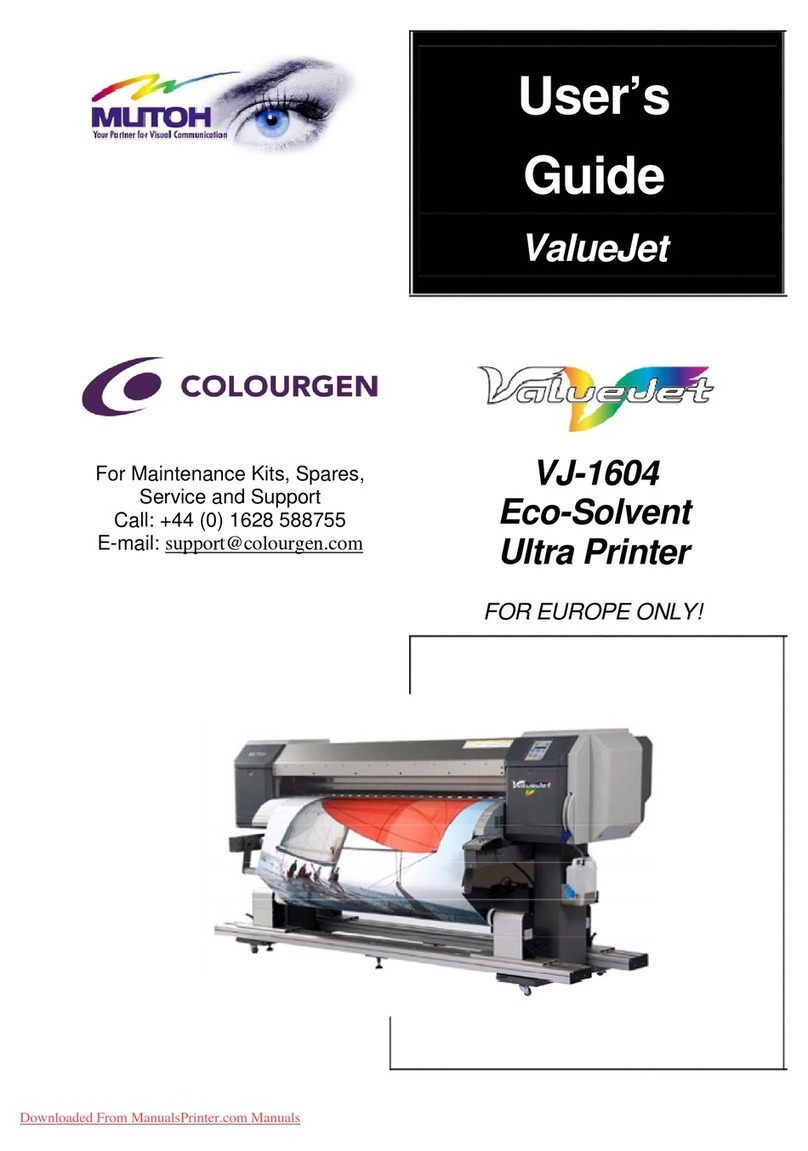
User’s Guide
Spitfire 100 Extreme
For Maintenance Kits, Spares,
Service and Support
Call: +44 (0) 1628 588755
E-mail: support@colourgen.com
Downloaded From ManualsPrinter.com Manuals
Spitfire 100 Extreme series printers  Users Guide
2 AP-75194 - Rev. 2.2
Downloaded From ManualsPrinter.com Manuals
Spitfire 100 Extreme series printers  Users Guide
3 AP-75194 - Rev. 2.2
COPYRIGHT NOTICE
COPYRIGHT ©2011 Mutoh Belgium nv. All rights reserved.
Mutoh reserves the right to modify the information contained in this manual at any time without prior notice.
This document may not be reproduced by any means, in whole or in part, without written permission of the
copyright owner.
This document is furnished to support the Mutoh Spitfire 100 Extreme series printers. In consideration of the
furnishing of the information contained in this document, the party to whom it is given, assumes its custody
and control and agrees to the following:
The information herein contained is given in confidence, and any part thereof shall not be copied or
reproduced without written consent of Mutoh Belgium nv.
This document or the contents herein under no circumstances shall be used in the manufacture or
reproduction of the article shown and the delivery of this document shall not constitute any right or license to
do so.
24 February 2011
Published: Mutoh Belgium nv, Archimedesstraat 13, B-8400 Oostende, BELGIUM
Downloaded From ManualsPrinter.com Manuals
Spitfire 100 Extreme series printers  Users Guide
4 AP-75194 - Rev. 2.2
Downloaded From ManualsPrinter.com Manuals
Spitfire 100 Extreme series printers  Users Guide
5 AP-75194 - Rev. 2.2
TABLE OF CONTENTS
1 Regularisation and safety information .................................................................................................7
1.1 Regulations ......................................................................................................................................8
1.2 MANAGING VOCs..........................................................................................................................9
1.3 HANDLING INKS + waste .............................................................................................................9
1.4 Warnings, Cautions and Notes ...................................................................................................10
1.5 SAFETY INSTRUCTIONS...........................................................................................................10
1.6 Warning labels...............................................................................................................................12
2 Product Overview..................................................................................................................................17
2.1 Part names and functions............................................................................................................18
2.2 Installation requirements..............................................................................................................24
3 Basics .....................................................................................................................................................27
3.1 Powering on...................................................................................................................................29
3.2 Powering OFF ...............................................................................................................................30
3.3 Switch ON-OFF the winding system..........................................................................................31
3.4 Media handling ..............................................................................................................................32
3.5 Ink cassettes..................................................................................................................................41
3.6 Replacing the cutting blade .........................................................................................................43
3.7 Replacing the waste bottle ..........................................................................................................44
3.8 Working with Mutohs SmartChip management System ........................................................45
3.9 Switch between ink configurations.............................................................................................49
3.10 Unattended printing or leave printer idle during night .............................................................50
3.11 LongStore.......................................................................................................................................52
3.12 Transferring the printer.................................................................................................................56
4 Periodical maintenance........................................................................................................................59
4.1 P eriodicalS ervicesdone by end user..............................................................................................60
4.2 Cleaning .........................................................................................................................................61
4.3 Cleaning the wipers ......................................................................................................................61
4.4 Flushing the caps..........................................................................................................................62
4.5 Cleaning the edges of the caps ..................................................................................................64
4.6 Clean around bottom of the head...............................................................................................65
4.7 Replace the spitting box sponge ................................................................................................66
4.8 Replacing the wipers ....................................................................................................................67
Downloaded From ManualsPrinter.com Manuals
Spitfire 100 Extreme series printers  Users Guide
6 AP-75194 - Rev. 2.2
4.9 Replacing the pump tubings........................................................................................................68
4.10 Replacing the absorbent behind the maintenance station. ....................................................69
4.11 Changing the absorbent under the waste bottle ......................................................................70
4.12 Changing the absorbent in the manual cleaning station.........................................................71
4.13 Head cleaning................................................................................................................................72
4.14 Service done by authorised Mutoh technician .........................................................................74
5 Prepartions before printing ..................................................................................................................75
5.1 Using media ...................................................................................................................................76
5.2 Testprinting ....................................................................................................................................79
5.3 Set the correct distance adjust (step) ........................................................................................85
5.4 Printing flow ...................................................................................................................................89
6 Printer menu ..........................................................................................................................................91
6.1 How to work in the menu .............................................................................................................95
6.2 Operation panel IN standby mode .............................................................................................97
6.3 Operating panel during printing ................................................................................................102
6.4 Operations after printing ............................................................................................................106
6.5 Menu overview (1/7  7/7).......................................................................................................108
7 Troubleshooting ..................................................................................................................................165
7.1 Introduction ..................................................................................................................................166
7.2 Failures and malfunctions of the printer ..................................................................................166
7.3 Error messages ...........................................................................................................................171
7.4 When media jams occur ............................................................................................................175
7.5 Emergency capping procedure.................................................................................................176
Downloaded From ManualsPrinter.com Manuals
Spitfire 100 Extreme series printers  Users Guide
7 AP-75194 - Rev. 2.2
1 REGULARISATION AND SAFETY
INFORMATION
1.1 Regulations ......................................................................................................................................8
1.2 MANAGING VOCs..........................................................................................................................9
1.3 HANDLING INKS + waste .............................................................................................................9
1.4 Warnings, Cautions and Notes ...................................................................................................10
1.5 SAFETY INSTRUCTIONS...........................................................................................................10
1.6 Warning labels...............................................................................................................................12
1.6.1 Handling the warning labels ................................................................................................12
1.6.2 Position of the warning labels .............................................................................................12
1.6.2.1 Front of the machine. ...................................................................................................12
1.6.2.2 Rear of the machine. ....................................................................................................13
1.6.2.3 Types of warning labels on the winding system.......................................................14
1.6.3 Labels in function of transportation ....................................................................................15
1.6.4 Ink related labels...................................................................................................................16
Downloaded From ManualsPrinter.com Manuals
Spitfire 100 Extreme series printers  Users Guide
8 AP-75194 - Rev. 2.2
1.1 REGULATIONS
The CE marking is a mandatory European marking for certain product groups to
indicate conformity with the essential health and safety requirements set out in
European Directives.
By affixing the CE marking, the manufacturer, his authorized representative, or the
person placing the product on the market or putting it into service ensures that the item
meets all the essential requirements of all applicable EU directives and that the
applicable conformity assessment procedures have been applied.
This product is tested and approved by the Canadian Standards Association (CSA), this
to provide increased assurance of quality and safety.
The product is tested according to IEC60950.
This standard tries to cover all safety aspects.
Mechanical, electrical
Choice of components
Choice of materials: flammability!
Connectors, cables 
Fire enclosure

This means the product is safe for users, service personnel and production personnel.
CSA International certification is not a legal commitment but it assures the quality and
safety of the machine.
Your product is designed and manufactured with high-quality materials and
components, which can be recycled and reused.
When this crossed-out wheeled bin symbol is attached to a product, it means the
product is covered by the European Directive 2002/96/EC  WEEE regulation.
Please inform yourself about the local separate collection system for electrical and
electronic products.
Please act according to local rules and do not dispose of your old products with your
normal household waste. The correct disposal of your old product will help prevent
potential negative consequences for the environment and human health.
FCC
This equipment has been tested and found to comply with the limits for a Class A digital
device, pursuant to Part 15 of the FCC Rules. These limits are designed to provide
reasonable protection against harmful interference when the equipment is operated in a
commercial environment. This equipment generates, uses, and can radiate radio
frequency energy and, if not installed and used in accordance with the instruction
manual, may cause harmful interference to radio communications. Operation of this
equipment in a residential area is likely to cause harmful interference in which case the
user will be required to correct the interference at his own expense.
ICES This Class A digital apparatus complies with Canadian ICES-003.
Downloaded From ManualsPrinter.com Manuals
Spitfire 100 Extreme series printers  Users Guide
9 AP-75194 - Rev. 2.2
1.2 MANAGING VOCS
When Mutoh printers with (low)-Solvent inks are used, volatile organic compounds (VOCs) will be
released.
In order to protect human health and the environment, VOCs must be managed. This means VOCs
need to be controlled and compliance with all local, state and federal environmental, occupational
health and safety regulations on VOCs in the atmosphere and in the workplace is needed.
The amount of released VOCs depends on multiple factors: room volume, unforced ventilation, print
mode, number of printers in the room, heaters settings, kind of media, use of extra dryers, print
production
Because of differences in local regulations and working conditions, it is recommended to consult a
local consultancy agency to determine the regulations involved. An acknowledged laboratory can
determine the total amount of released VOCs in the atmosphere and in the workplace. Consequently
they can determine if forced ventilation for occupational health and air pollution control devices are
needed. An engineering firm could be consulted on the installation of the ventilation system where
prints are produced, handled and stored.
1.3 HANDLING INKS + WASTE
Before handling inks / cleaning fluids and their waste, please read the Material Safety Data Sheets
(MSDS) and the labels for important health, safety and environmental information carefully. All safety
data sheets are periodically updated. These sheets and their translations can be found on
www.mutoh.eu/Products/Downloads/extra/msds .
Only use original manufacturers ink and appropriate cleaning liquid. Before installing an ink holder,
shake it gently. Doing so will preserve print quality.
When ink is moved from a cold place to a warm place, keep the ink for three hours or more in the new
printing environment before printing.
Do not disassemble ink holder. Otherwise, ink may get in your eyes or on your skin. A disassembled
ink holder cannot be used either.
When refilling ink, use original manufacturers ink. Our Mutoh printers are designed to use original ink. If
you use ink which are not produced by the original manufacturer :
±printing might become blurred and the end of the ink in the holder might not be detected
correctly
±Any problems caused by using an ink holder other than those recommended above will not be
covered by the warranty, and repair expenses will be paid by the customer.
For handling waste : see section 13 on the MSDS-sheet
Inks / Waste
±General advice: wear safety glasses and gloves especially when handling the
waste ink.
±After spill: remove contaminated clothing.
±After inhalation: if difficulties occur after vapour/aerosol has been inhaled,
remove to fresh air and seek medical attention.
±After skin contact: wash thoroughly with soap and water.
±After eye contact: wash affected eyes for at least 15 minutes under running water
while the eyelids are held open.
±After swallowing: rinse mouth and drink plenty of water. Never induce vomiting.
Downloaded From ManualsPrinter.com Manuals

Spitfire 100 Extreme series printers  Users Guide
10 AP-75194 - Rev. 2.2
1.4 WARNINGS, CAUTIONS AND NOTES
Safety terms in this manual and the contents of warning labels attached to the printer are categorized into

the following three types, depending on the degree of risk (or the scale of accident).
Read the following explanations carefully and follow the instructions in this manual.

S afety term s Details
Important Must be followed carefully to avoid death or serious bodily injury.
Caution Must be observed to avoid bodily injury (moderate or light) or damage to your equipment.
Notes Contains important information and useful tips on the operation of your printer.
1.5 SAFETY INSTRUCTIONS
Machines must be installed according to Mutohs Installation Guide also after moving machines to
another location; maintenance needs to be done according to the service manual.
To prevent fire or electrical shock, never use a power supply source other than the one rated for the
product in the country where you purchased the product.
Use only the provided power cable. To prevent fire or electrical shock, follow the instructions below
when handling the power cable:
±Do not cut or modify the cable.
±Do not put heavy objects on the cable.
±Do not bend, twist, knot or pull the cable.
±Do not wire the cable near equipment that generates heat.
±Do not use the cable with any other electrical device
±Do not handle the cable with wet hands
Be aware of all caution and warning labels to avoid potentially hazardous situations.
To prevent fire or electrical shock, machines must be connected to a properly grounded electrical power
outlet. Do not connect the power cable to a power strip or a power source shared by other electrical
devices.
±Make sure that no foreign substances such as dust etc. are stuck to the power plug.
±Make sure that the power plug is firmly inserted to the edge of the power socket.
Do not disable any safety precautions systems.
Do not operate the unit unless all parts are mounted.
Do not place the machine in the following areas. Doing so may result in the machine tipping or falling
over and causing injury.
±Unstable surfaces
±Sloping floors
±Areas subject to vibration by other equipment
Do not stand on or place heavy objects on your machine. Doing so may result in the machine tipping or
falling over and causing injury.
Do not place the machine in humid and dusty areas or in areas exposed to flammables. Doing so may
result in electrical shock or fire.
Do not cover the ventilation hole of your machine with cloth, such as a blanket or table cloth. Doing so
could obstruct ventilation and cause fire.
Downloaded From ManualsPrinter.com Manuals