manuals.online logo
Brands
  1. Home
  2. •
  3. Brands
  4. •
  5. NetComm
  6. •
  7. Wireless Access Point
  8. •
  9. NetComm NP726 Operational manual

NetComm NP726 Operational manual

This manual suits for next models

1

Other NetComm Wireless Access Point manuals

NetComm NP5400 User manual

NetComm

NetComm NP5400 User manual

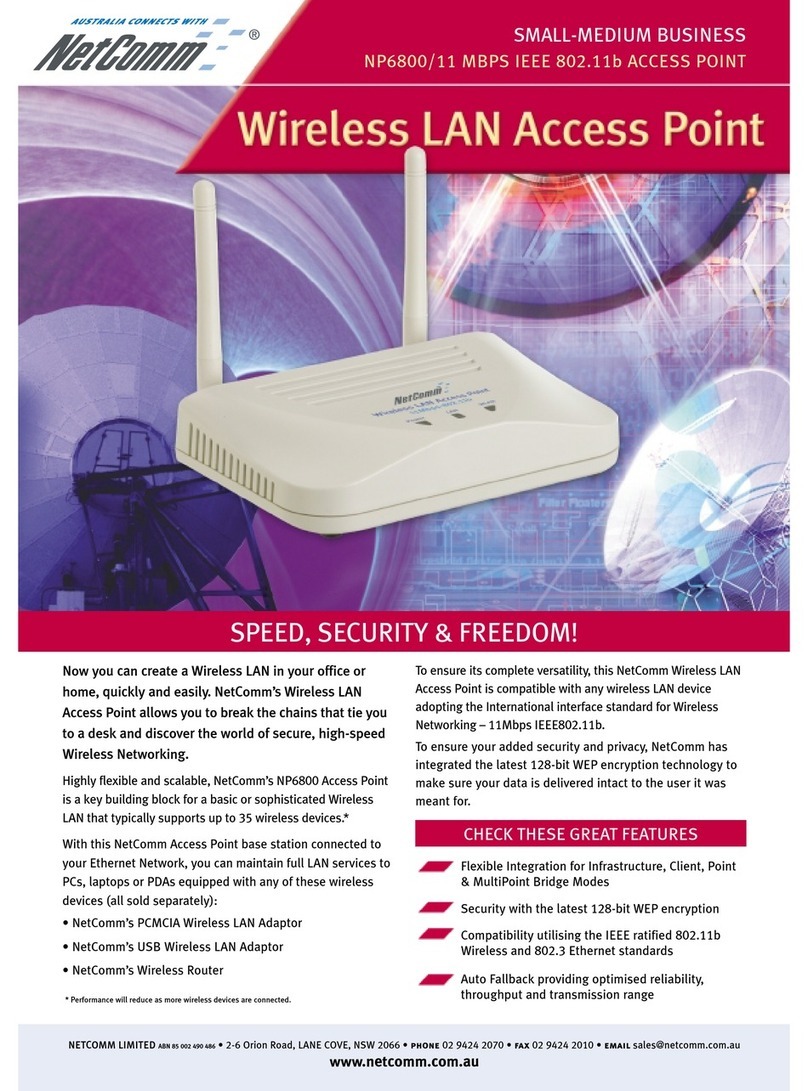
NetComm NP6800 User manual

NetComm

NetComm NP6800 User manual

NetComm NP730 User manual

NetComm

NetComm NP730 User manual

NetComm NP725 User manual

NetComm

NetComm NP725 User manual

NetComm NP720 User manual

NetComm

NetComm NP720 User manual

NetComm NP720 User manual

NetComm

NetComm NP720 User manual

NetComm AV SERIES User manual

NetComm

NetComm AV SERIES User manual

NetComm NP5400 User manual

NetComm

NetComm NP5400 User manual

NetComm NP730 User manual

NetComm

NetComm NP730 User manual

NetComm NP6800 User manual

NetComm

NetComm NP6800 User manual

NetComm CloudMesh NS-01 User manual

NetComm

NetComm CloudMesh NS-01 User manual

NetComm NS-02 User manual

NetComm

NetComm NS-02 User manual

NetComm NP731 User manual

NetComm

NetComm NP731 User manual

NetComm CloudMesh NS-01 Quick start guide

NetComm

NetComm CloudMesh NS-01 Quick start guide

NetComm INFRASTRUCTURE SERIES User manual

NetComm

NetComm INFRASTRUCTURE SERIES User manual

NetComm NP720 User manual

NetComm

NetComm NP720 User manual

Popular Wireless Access Point manuals by other brands

TRENDnet TPL-410AP user guide

TRENDnet

TRENDnet TPL-410AP user guide

EnGenius EWS377-FIT quick start guide

EnGenius

EnGenius EWS377-FIT quick start guide

D-Link DWL-6700AP Quick installation guide

D-Link

D-Link DWL-6700AP Quick installation guide

Aerohive Networks Aerohive AP121 Hardware reference guide

Aerohive Networks

Aerohive Networks Aerohive AP121 Hardware reference guide

Vonets VAP11G Step-by-step guide

Vonets

Vonets VAP11G Step-by-step guide

Ubiquiti UniFi AP AC Outdoor quick start guide

Ubiquiti

Ubiquiti UniFi AP AC Outdoor quick start guide

Monoprice MW301A user guide

Monoprice

Monoprice MW301A user guide

D-Link DWL-2700AP - AirPremier Outdoor Wireless Access... user manual

D-Link

D-Link DWL-2700AP - AirPremier Outdoor Wireless Access... user manual

D-Link DWL-2100AP - AirPlus Xtreme G Quick installation guide

D-Link

D-Link DWL-2100AP - AirPlus Xtreme G Quick installation guide

TP-Link Auranet EAP225 Quick installation guide

TP-Link

TP-Link Auranet EAP225 Quick installation guide

D-Link DWL-2100AP - AirPlus Xtreme G Quick installation guide

D-Link

D-Link DWL-2100AP - AirPlus Xtreme G Quick installation guide

Ubiquiti NanoStation NSM2 quick start guide

Ubiquiti

Ubiquiti NanoStation NSM2 quick start guide

Aruba IAP-335 user guide

Aruba

Aruba IAP-335 user guide

Advantek Networks AWN-AP-54MR user manual

Advantek Networks

Advantek Networks AWN-AP-54MR user manual

IP-COM AP355 user guide

IP-COM

IP-COM AP355 user guide

Buffalo AirStation WLA-L11G user manual

Buffalo

Buffalo AirStation WLA-L11G user manual

EnGenius EnStationACv2 user manual

EnGenius

EnGenius EnStationACv2 user manual

D-Link DAP-3662 Quick installation guide

D-Link

D-Link DAP-3662 Quick installation guide

manuals.online logo
manuals.online logoBrands
  • About & Mission
  • Contact us
  • Privacy Policy
  • Terms and Conditions

Copyright 2025 Manuals.Online. All Rights Reserved.

How to configure the IAC4500 Internet Access Controller for Billing
by Volume Application with NCT4 0 IP DSLAM using port location
mapping
Introduction
The following paper provides instructions on how to configure NetComm’s IAC4500
Internet Access Controller with NetComm NCT480 IP SLAM for ‘billing by volume’
application. It specifically focuses on the IAC4500’s new feature ‘billing by volume’
under deployment scenarios A: Port Location Mapping for 802.1Q VLAN Tagging.
This document is being created at a time when the following versions of firmware were
in production:
• IAC4500: Firmware V1.02.05
• NCT480: Firmware R2.32
(Note: IAC4500 with firmware V1.02.05 or later supports billing by volume)
The test PCs that used in this white paper were running WinXP with Internet browser
IE7.0. (The web interface of the devices under test in this white paper are best
viewed with Microsoft Internet Explorer 6.0 and above at 800 x 600 resolution)
It is recommended that the readers of this document has read and understood the
IAC4500 & NCT480 user manual.
How to configure NetComm IAC4500 for billing by volume application with NCT480 IP SLAM using
port location mapping
Nov2008
CL Page 1
IAC4500 VLAN Management
The IAC4500 offers two methods of connection. User can either be issued a unique
user name and password which is required on log in, or using VLAN tagging, the Port
Location Mapping Feature in the IAC. Rooms can then be recognized via its room
number. Both options in the IAC4500 offer zero configurations for subscribers/hotel
room guests. Guests simply plug the Ethernet cable into their laptop, enter a
username and password or simply accepts the terms and conditions and they are
connected without changing any settings at all.
VLAN Management
A VLAN allows a physical network to be divided into several logical networks. A device
can belong to more than one VLAN group. evices that are not in the same VLAN
groups can not talk to each other. VLAN can provide isolation and security to users
and increase performance by limiting broadcast domain. VLAN tag can be added to
the MAC header to identify the VLAN membership of a frame across bridges. A
tagged frame is four bytes longer than an untagged frame. Each port of NCT480 is
capable of passing tagged or untagged frames.
Each port has its own Ingress rule. If Ingress rule accept tagged frames only, the
switch port will drop all incoming non-tagged frames. If Ingress rule accept all frame
type, the switch port simultaneously allow the incoming tagged and untagged frames.
An untagged frame doesn’t carry any VI to which it belongs. When an untagged
frame is received, Ingress Process insert a tag contained the PVI into the untagged
frame. Each physical port has a default VI called PVI (Port VI ). PVI is assigned
to untagged frames or priority tagged frames (frames with null (0) VI ) received on
this port. Figure 2 illustrates the VLAN Tagging relationship between the NCT480 and
the IAC4500.
Figure 2: 802.1Q VLAN Tagging relationship between NCT480 and IAC4500
How to configure NetComm IAC4500 for billing by volume application with NCT480 IP SLAM using
port location mapping
Nov2008
CL Page 2

The IAC4500 uses Port-Location Mapping (PLM) for Scenario A authentication only.
Scenarios B and C are not covered in this paper. PLM insists that the network into
which the IAC4500 is installed supports IEEE 802.1Q VLAN tagging for packets
traveling between the IAC4500 and the network.
As the name suggests, PLM assigns a unique VLAN I (VI ) to each room or location
in order to bill the room using a Property Management System (PMS, e.g. Micros
Fidelio) installed at the premises.
The IAC4500’s PLM feature will accept 802.1Q VLAN tagged packets and send back
untagged packets to the device connected to a particular port. It is therefore important
to confirm with the manufacturer of the 802.1Q VLAN device used on the network that
it supports the ability to tag packets being sent to the IAC4500 and accept untagged
packets being sent from the IAC4500 to the device.
Figure 1 illustrates the logical network diagram for NCT480 IP SLAM working with an
IAC4500.
Logical Network Diagram
Figure 1: NCT480 with IAC4500 Internet Access Controller
How to configure NetComm IAC4500 for billing by volume application with NCT480 IP SLAM using
port location mapping
Nov2008
CL Page 3
NCT4 0 VLAN Management
There are 3 types of management interfaces available for NCT480 IP SLAM system
management. The web management interface, the CLI interface and the Telnet
interface.
It is recommended to use the inbuilt web management interface for NCT480 system
configuration. This white paper is written in the basis of using the web management
interface of the NCT480 IP SLAM.
The characteristic nature of IAC4500’s 802.1Q VLAN tagging feature is that the IAC
will accept VLAN tagged packets from its LAN network and only respond to its LAN
network with untagged packets. ue to this VLAN tagging behaviour of the IAC4500,
NCT480 will be configured to the following way in this test scenario.
1. All traffics from the 48 A SL ports (data upstream direction) will leave the
NCT480 with a VLAN tagged number (room number).
2. All the traffic coming from the IAC4500 to the NCT480 (data downstream
direction) are with untagged default VLAN number 1.
The NCT480 running firmware R2.32 requires configuration make via its web interface
to perform the above configuration. Please refer to screens shots shown in following
section.
Step 1
Login to NCT480 web management interface.
efault IP address for Eth-3 (system management port): 192.168.1.1/24
efault User Name: admin
efault Password: admin
To check system firmware version, please navigate to
Menu> System > Information
How to configure NetComm IAC4500 for billing by volume application with NCT480 IP SLAM using
port location mapping
Nov2008
CL Page 4
NCT480 R2.32 System efault Information
Navigate to:
Menu > eployment > PVC Setting > Select “All Port” from the dropdown list and hit
“ elete” to delete the default PVC. Then Click on “Bulk A ” to recreate PVC for
VLAN I 101 ~ 148.
How to configure NetComm IAC4500 for billing by volume application with NCT480 IP SLAM using
port location mapping
Nov2008
CL Page 5
Once “Bulk Add” completed.
The port will have a PVI of 101 ~ 148 instead of the default VLAN 1.
Step 2
Navigate to:
How to configure NetComm IAC4500 for billing by volume application with NCT480 IP SLAM using
port location mapping
Nov2008
CL Page 6
Menu > Protocol > VLAN port > Ensure that the default VLAN I is 1.
This means that all the downstream traffic from IAC4500 (untagged traffics) will be
accepted and they will go via default VLAN group 1 in the Eth-1 to all the 48 A SL
ports of the NCT480.
Step 3
Navigate to:
Menu > Protocol > Trunk VLAN Setting > A
This means Eth-1 will assign the data packets from VLAN group 101 ~ 148 with their
corresponding VLAN tag number when it leave the port to the IAC4500.
How to configure NetComm IAC4500 for billing by volume application with NCT480 IP SLAM using
port location mapping
Nov2008
CL Page 7
-
-
-
How to configure NetComm IAC4500 for billing by volume application with NCT480 IP SLAM using
port location mapping
Nov2008
CL Page 8
Step 4
Navigate to: Menu > Commit & Reboot > Commit then Reboot system
How to configure NetComm IAC4500 for billing by volume application with NCT480 IP SLAM using
port location mapping
Nov2008
CL Page 9
How to configure NetComm IAC4500 for billing by volume application with NCT480 IP SLAM using
port location mapping
Nov2008
CL Page 10