manuals.online logo
Brands
  1. Home
  2. •
  3. Brands
  4. •
  5. NSK
  6. •
  7. Cleaning Equipment
  8. •
  9. NSK iCare User guide

NSK iCare User guide

Other manuals for iCare

2

Popular Cleaning Equipment manuals by other brands

Skov Farm AirClean Technical user guide

Skov

Skov Farm AirClean Technical user guide

Nilfisk-Advance CA 240 operating instructions

Nilfisk-Advance

Nilfisk-Advance CA 240 operating instructions

ORBOT LiO operating manual

ORBOT

ORBOT LiO operating manual

unGer OmniClean Assembly instructions

unGer

unGer OmniClean Assembly instructions

CENTREGO Toucan Eco Bio Carry user manual

CENTREGO

CENTREGO Toucan Eco Bio Carry user manual

BANDELIN SONOREX TECHNIK RM 110 UH Instructions for use

BANDELIN

BANDELIN SONOREX TECHNIK RM 110 UH Instructions for use

Sealey VMA913 instructions

Sealey

Sealey VMA913 instructions

Aztec 520-00 owner's manual

Aztec

Aztec 520-00 owner's manual

BÖWE P25 installation instructions

BÖWE

BÖWE P25 installation instructions

Tunap MF 929 Service information

Tunap

Tunap MF 929 Service information

RIDGID K-45AF-7 manual

RIDGID

RIDGID K-45AF-7 manual

Aircraft POWERGLIDE manual

Aircraft

Aircraft POWERGLIDE manual

Suevia 130.5011 EASYCLEANER Mounting instructions

Suevia

Suevia 130.5011 EASYCLEANER Mounting instructions

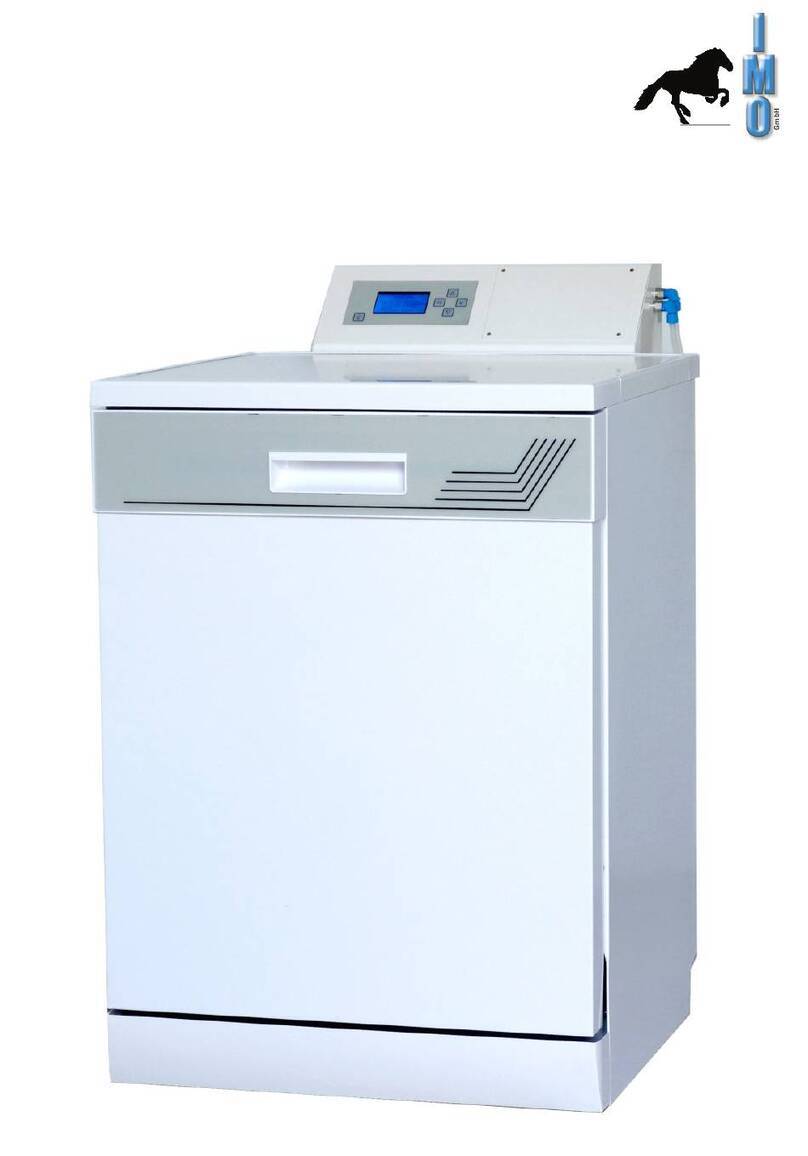
i-MO Öko 2000 user guide

i-MO

i-MO Öko 2000 user guide

unGer Hydro Power Ultra UNP01 operating instructions

unGer

unGer Hydro Power Ultra UNP01 operating instructions

Black & Decker BHPC130 Original instructions

Black & Decker

Black & Decker BHPC130 Original instructions

Uni-ram UG5000E operating manual

Uni-ram

Uni-ram UG5000E operating manual

Axi MTC HC-300 Installation, operating and maintenance manual

Axi

Axi MTC HC-300 Installation, operating and maintenance manual

manuals.online logo
manuals.online logoBrands
  • About & Mission
  • Contact us
  • Privacy Policy
  • Terms and Conditions

Copyright 2025 Manuals.Online. All Rights Reserved.

iCare Quick Operation Guide
Be sure to prime iCare with the Maintenance Oil when using the product for the first time.
Attaching Handpiece
w182x h257 表
Be sure to prime iCare with the Maintenance Oil when using the product for the first time or after draining the oil from
the oil tank in accordance with Operation Manual "6. Oil priming". Lack of oil priming may reduce the performance of the product.
For Contra Angle and Air Turbine Handpieces point the Bur
Insertion Hole towards the door and close the door (Fig.4).
Mist Filters absorb the oil coming out of the handpiece.
When connecting Air Turbine
①Remove the bur from the handpiece.
②Open the iCare Door, insert the adaptor (option) to the shape of the air turbine joint,
 and tighten the nut securely.
③Insert the air turbine into the adaptor (Fig.1).
④Push and pull the handpiece to be sure that it is securely attached.
⑤Point the bur insertion hole toward the door and close the door securely.
*When connecting a Midwest 4 Hole air turbine, insert the air turbine to the shape
of the air turbine joint, and tighten the nut securely.
*When connecting Straight Handpiece, insert the supplied Test Bur into the handpiece
and lock the chuck by turning the Bur Lock Ring (Fig.2).
①Remove the bur from the handpiece.
②Open the iCare door and attach the handpiece to the E-Type handpiece joint until
 it locks (Fig.3).
③Push and pull the handpiece to be sure that it is securely attached.
④Point the bur insertion hole toward the door and close the door securely.
Air Turbine
Fig.1 Fig.2 Fig.3
Air Turbine Joint
Tighten Nut
Adaptor
When connecting Contra Angle Handpiece
E Type handpiece
Bur Lock Ring Test bur
E-Type
handpiece Joint
Fig.4
•
Do not fill Maintenance Oil in a room where there is a risk of explosion or fire.
•
Do not overfill Maintenance Oil in order to avoid accidental oil leaks. Pour slowly.
Cleaning the iCare
NOTICE
Filling with Maintenance Oil
2014.03.20
OM-E0693E
①Open the Cover.
②Remove the Oil Fill Cap by turning it counter clockwise.
③Remove the cap for Maintenance Oil and install the Oil Filling Nozzle.
④Fill with Maintenance Oil slowly (Fig. 7).
⑤When filling is complete, securely attach the Oil Fill Cap by turning it clockwise.
•See Operation manual
"
9-3〜9-8
"
about the replacing of Mist Filter, Oil Absorber Sheet, O-ring, or changing Fuses.
•Remove oil in the oil tank following Operation Manual
"
9-6Oil removal from the oil tank
"
, before relocating or requesting product service.
•Never use solvent such as benzine or thinner for cleaning.
•Do not leave an alcohol-immersed cloth in contact with the Unit for a long period.
Bleaching, deformation or failure of the Unit may occur.
•The door can easily be detached when necessary and be cleaned with tap water
(See Operation Manual "9-2 Detaching and reattaching the Door").
Drain the Air Compressor and Air Filter at least once a week as required. Moisture from
the tank could mix with the Maintenance Oil.
Maintenance of iCare
①Turn OFF (O side) the Power Switch.
②Remove the AC power cord from Unit.
③Wipe the surface using a cloth moistened with water, warm water or soapy water
 (neutral detergent), then again wipe using another cloth moistened with disinfectant
 alcohol.
Draining the Air Filter
①When water accumulates in the Air Filter case,
 press the Drain Button at the bottom of the case
 to drain the Air Filter (Fig. 8).
②In addition to the Air Filter, drain the air supply
 attached to this device (Air Compressor) at least
 once a week.
Fig.7
Fig.8
Drain Button

Turn on (I side) the Power Switch.
w182x h257 裏
Joint LED
Lubrication and internal cleaning
5
Joint Select Button
Error LED
Power LED
Air Select Button
Air LED(S/M/L)
Check/Remedy
Close the door before or during
maintenance operation.
Open the door before Chuck
cleaning.
Confirm whether the supplied
air pressure is correct.
Contact your Authorized NSK
Dealer for repair.

Cause of error
The door is OPEN before or during
maintenance operation.
The door is CLOSED before Chuck
cleaning.
The supplied air pressure is out of the
allowable range of the product specification.
Failure of parts
Error LED
Error LED (Door)
illuminates
Contact your Authorized NSK
Dealer for repair.
Failure of partsError LED (Door) blinks
Contact your Authorized NSK
Dealer for repair.
Failure of parts
All of Error LED (Oil), Error
LED (Door) and Error LED
(Air Pressure) blink
〈Control Panel〉
〈Operation〉
1
2
Check whether Error LED illuminates or not (Chart 1).
3
Press the Joint Select Button to select the joint to which
handpiece is attached. The relevant LED light will
illuminate.
Start Button
Chuck Cleaning LED
Chuck Cleaning Button
When lubrication is completed, a beep sounds and the
Joint LED turns off.
6
Press the Air Select Button to select an air purge mode
among S, M and L (Chart 2).
When the Start Button is pressed lubrication starts. The
Joint LED blinks during lubrication.
4
Chart1
Mode Handpiece
Handpieces from which oil cannot be drained
sufficiently in M mode (The oil drainage time is
longer than that in M mode).
Air Turbine (M4/B2 type only)
Contra Angle Handpieces,
Straight Handpieces
Contra Angle Handpieces, Straight Handpieces
(The oil drainage time is shorter than that in
M mode)
Air Turbine (Other than M4/B2 type)
Joint
Chart 2
Error LED (Oil) blinks
Chuck Cleaning
Fig.6
Fig.5
①Insert the chuck cleaning nozzle into the Joint "4" until it locks (Fig. 5).
②Press the Chuck Cleaning Button to illuminate the Chuck Cleaning LED.
③Holding the handpiece securely by hand, insert the chuck cleaning nozzle into the
 bur insertion hole of the handpiece (Fig. 6).
④Press the Start Button and chuck cleaning will start. The Chuck Cleaning LED will
 blink during cleaning.
⑤When cleaning is completed, a beep sounds and the Chuck Cleaning LED will  
 turn off.
⑥
Lubricate the handpiece following Operation Manual in "8-1 Attaching Handpiece"
 and "8-2 Lubrication and internal cleaning".
This product can clean the Chuck of Air Turbine and
Contra Angle handpieces.
Do not clean the chuck of NSK Straight Handpieces as this
may cause handpiece malfunction.
If debris is contained in the oil expelling from a handpiece
even after lubrication, lubricate the handpiece again.
Refill oil. (However, the device
can be used for a while after
the LED lights up.)
There is a small remaining amount
of oil (Remaining amount is 150ml
or less).
Error LED (Oil) illuminates
Error LED (Air Pressure)
illuminates
Chuck Cleaning Nozzle
S mode
(Short)
M mode
(Medium)
L mode
(Long)
Air Turbine Joint
E-type Handpiece Joint
Air Turbine Joint
Air Turbine Joint
iCare Quick Operation Guide
Be sure to prime iCare with the Maintenance Oil when using the product for the first time.
Attaching Handpiece
w182x h257 表
Be sure to prime iCare with the Maintenance Oil when using the product for the first time or after draining the oil from
the oil tank in accordance with Operation Manual "6. Oil priming". Lack of oil priming may reduce the performance of the product.
For Contra Angle and Air Turbine Handpieces point the Bur
Insertion Hole towards the door and close the door (Fig.4).
Mist Filters absorb the oil coming out of the handpiece.
When connecting Air Turbine
①Remove the bur from the handpiece.
②Open the iCare Door, insert the adaptor (option) to the shape of the air turbine joint,
 and tighten the nut securely.
③Insert the air turbine into the adaptor (Fig.1).
④Push and pull the handpiece to be sure that it is securely attached.
⑤Point the bur insertion hole toward the door and close the door securely.
*When connecting a Midwest 4 Hole air turbine, insert the air turbine to the shape
of the air turbine joint, and tighten the nut securely.
*When connecting Straight Handpiece, insert the supplied Test Bur into the handpiece
and lock the chuck by turning the Bur Lock Ring (Fig.2).
①Remove the bur from the handpiece.
②Open the iCare door and attach the handpiece to the E-Type handpiece joint until
 it locks (Fig.3).
③Push and pull the handpiece to be sure that it is securely attached.
④Point the bur insertion hole toward the door and close the door securely.
Air Turbine
Fig.1 Fig.2 Fig.3
Air Turbine Joint
Tighten Nut
Adaptor
When connecting Contra Angle Handpiece
E Type handpiece
Bur Lock Ring Test bur
E-Type
handpiece Joint
Fig.4
•
Do not fill Maintenance Oil in a room where there is a risk of explosion or fire.
•
Do not overfill Maintenance Oil in order to avoid accidental oil leaks. Pour slowly.
Cleaning the iCare
NOTICE
Filling with Maintenance Oil
2014.03.20
OM-E0693E
①Open the Cover.
②Remove the Oil Fill Cap by turning it counter clockwise.
③Remove the cap for Maintenance Oil and install the Oil Filling Nozzle.
④Fill with Maintenance Oil slowly (Fig. 7).
⑤When filling is complete, securely attach the Oil Fill Cap by turning it clockwise.
•See Operation manual
"
9-3〜9-8
"
about the replacing of Mist Filter, Oil Absorber Sheet, O-ring, or changing Fuses.
•Remove oil in the oil tank following Operation Manual
"
9-6Oil removal from the oil tank
"
, before relocating or requesting product service.
•Never use solvent such as benzine or thinner for cleaning.
•Do not leave an alcohol-immersed cloth in contact with the Unit for a long period.
Bleaching, deformation or failure of the Unit may occur.
•The door can easily be detached when necessary and be cleaned with tap water
(See Operation Manual "9-2 Detaching and reattaching the Door").
Drain the Air Compressor and Air Filter at least once a week as required. Moisture from
the tank could mix with the Maintenance Oil.
Maintenance of iCare
①Turn OFF (O side) the Power Switch.
②Remove the AC power cord from Unit.
③Wipe the surface using a cloth moistened with water, warm water or soapy water
 (neutral detergent), then again wipe using another cloth moistened with disinfectant
 alcohol.
Draining the Air Filter
①When water accumulates in the Air Filter case,
 press the Drain Button at the bottom of the case
 to drain the Air Filter (Fig. 8).
②In addition to the Air Filter, drain the air supply
 attached to this device (Air Compressor) at least
 once a week.
Fig.7
Fig.8
Drain Button