SETTING UP AND USING YOUR PHONE
General methods of navigation:
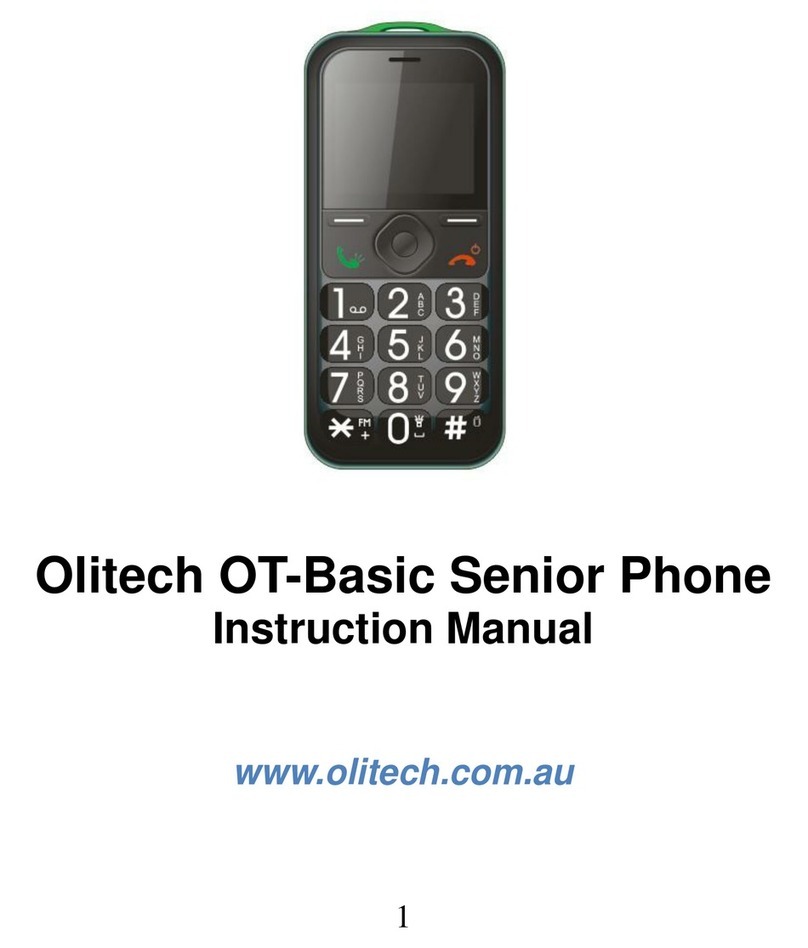
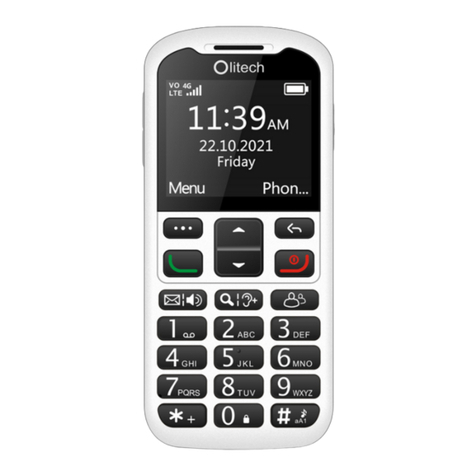
To access the menu, unlock the phone using the slide key on the side of the
phone and press the button under “Menu”. This will open up the menu. To
scroll through the menu use the up and down arrow keys. To enter into a
specific menu (eg “Settings”) press the key above the green key—”Okay” will
be displayed above this key on the screen. This button will be referred to as
”Okay” in this manual. To return to the previous screen press the button
above the red key—”Back” will be displayed on the screen above this button.
Adding new contacts to Phonebook
To add a new contact, key in/type the phone number you wish to save. Once
the phone number is keyed in, press ”Okay”. Several options will be dis-
played on the screen. Scroll to the appropriate option (Save Number/Add to
Contacts) and press ”Okay”. You will then be prompted to add details against
the phone number such as the persons name.
Calls:
To view dialled numbers, received calls and missed calls, scroll to “Call Cen-
tre” and press ”Okay”, then scroll to “Call History” and press ”Okay”. Use the
arrow keys to locate the desired information.
Messages:
To read Inbox messages, write new messages or view your Outbox/sent
messages, scroll to "Messages", press ”Okay” and select desired action.
Speed dial:
To program a phone number to speed dial press the number key you wish to
use as your speed dial key (2-9). When pressing the number key, "Set num-
ber" option will be displayed on the screen. Press ”Okay” to enter into this
option and select the phone number you wish to have on speed dial from
your "Phonebook". Please note, the phone number being saved to speed
dial must already be saved in the phones "Phonebook". You can save up to
eight phone numbers on speed dial against the keys 2-9.
To edit/delete phone numbers from the speed dial, using the arrow keys
scroll to "Settings" and select using the green button, then progress through
the "Call Setup" and "Speed Dial" icons. When in the "Speed dial" setting
speed dial numbers can be edited.