manuals.online logo
Brands
  1. Home
  2. •
  3. Brands
  4. •
  5. Panasonic
  6. •
  7. Intercom System
  8. •
  9. Panasonic VL-SV71 User manual

Panasonic VL-SV71 User manual

Other manuals for VL-SV71

3

This manual suits for next models

1

Other Panasonic Intercom System manuals

Panasonic KX-NS User manual

Panasonic

Panasonic KX-NS User manual

Panasonic VL-SWD701KL User manual

Panasonic

Panasonic VL-SWD701KL User manual

Panasonic VL-SV70 User manual

Panasonic

Panasonic VL-SV70 User manual

Panasonic VL-SWD275 User manual

Panasonic

Panasonic VL-SWD275 User manual

Panasonic VL-GM201A Operating instructions

Panasonic

Panasonic VL-GM201A Operating instructions

Panasonic VL-SW250BX User manual

Panasonic

Panasonic VL-SW250BX User manual

Panasonic VL-V900 User manual

Panasonic

Panasonic VL-V900 User manual

Panasonic VG-M186D User manual

Panasonic

Panasonic VG-M186D User manual

Panasonic VL-SVN511EX User manual

Panasonic

Panasonic VL-SVN511EX User manual

Panasonic WX-CC411 User manual

Panasonic

Panasonic WX-CC411 User manual

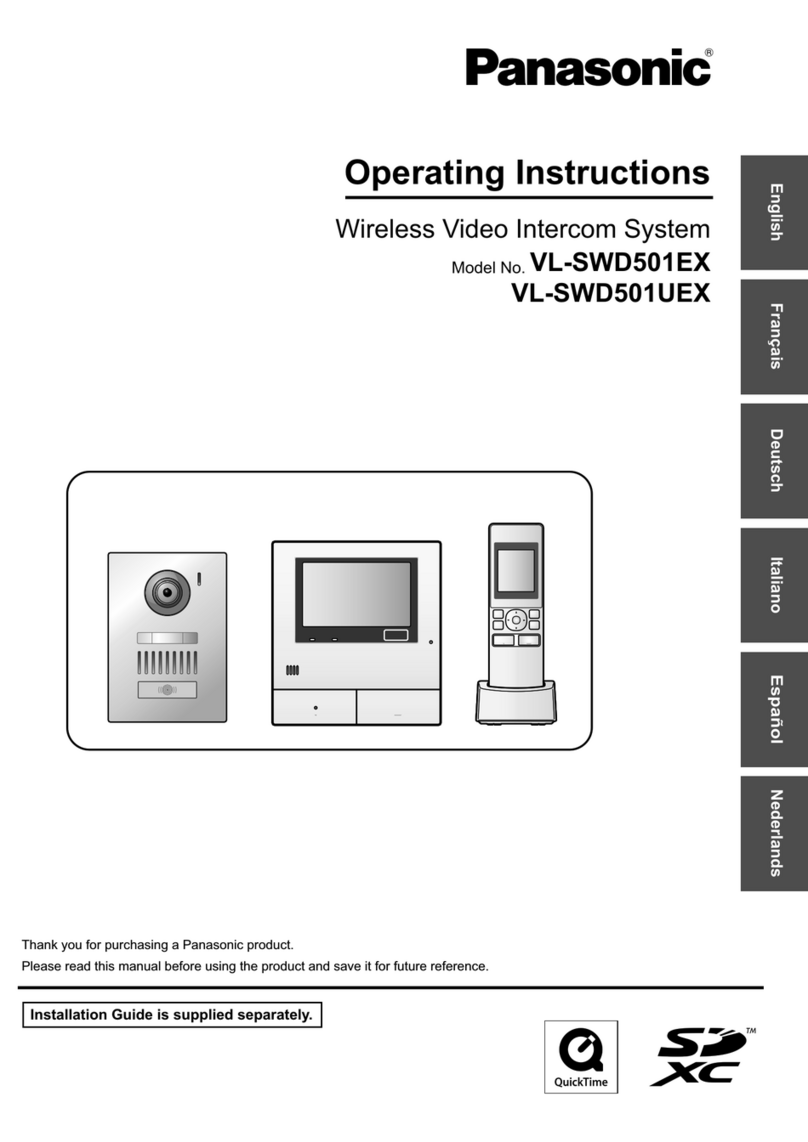
Panasonic VL-SWD501EX User manual

Panasonic

Panasonic VL-SWD501EX User manual

Panasonic VL-GC002A Operating instructions

Panasonic

Panasonic VL-GC002A Operating instructions

Panasonic KX-T206JT User manual

Panasonic

Panasonic KX-T206JT User manual

Panasonic VL-SW250BX User manual

Panasonic

Panasonic VL-SW250BX User manual

Panasonic VL-MVN511 User manual

Panasonic

Panasonic VL-MVN511 User manual

Panasonic VL-SWD501AZ User manual

Panasonic

Panasonic VL-SWD501AZ User manual

Panasonic Windea VGDT18143W User manual

Panasonic

Panasonic Windea VGDT18143W User manual

Panasonic VL-VN1500 User manual

Panasonic

Panasonic VL-VN1500 User manual

Panasonic VF540-V User manual

Panasonic

Panasonic VF540-V User manual

Panasonic VL-SWD501BX User manual

Panasonic

Panasonic VL-SWD501BX User manual

Panasonic VL-SV72 User manual

Panasonic

Panasonic VL-SV72 User manual

Panasonic VL-SWD272BX User manual

Panasonic

Panasonic VL-SWD272BX User manual

Panasonic VL-VN1800 User manual

Panasonic

Panasonic VL-VN1800 User manual

Panasonic VL-MW250BX User manual

Panasonic

Panasonic VL-MW250BX User manual

Popular Intercom System manuals by other brands

Videx VRDK1 (25H) Technical manual

Videx

Videx VRDK1 (25H) Technical manual

Auta COMPACT VISUALTECH manual

Auta

Auta COMPACT VISUALTECH manual

Aiphone LC-10S instructions

Aiphone

Aiphone LC-10S instructions

Aiphone PD-1 instructions

Aiphone

Aiphone PD-1 instructions

Aiphone JF-DVF-HID-I instructions

Aiphone

Aiphone JF-DVF-HID-I instructions

Comelit 4893M Technical manual

Comelit

Comelit 4893M Technical manual

MGL Avionics V16 manual

MGL Avionics

MGL Avionics V16 manual

SSS Siedle BVI 750-0 Installation & programming

SSS Siedle

SSS Siedle BVI 750-0 Installation & programming

urmet domus AIKO 1716/1 quick start guide

urmet domus

urmet domus AIKO 1716/1 quick start guide

urmet domus IPerVoice 1039 Installation

urmet domus

urmet domus IPerVoice 1039 Installation

Alpha Communications STR QwikBus TT33-2 Installation, programming, and  user's manual

Alpha Communications

Alpha Communications STR QwikBus TT33-2 Installation, programming, and user's manual

Monacor ICM-20H instruction manual

Monacor

Monacor ICM-20H instruction manual

Logenex A202CR Installation & programming

Logenex

Logenex A202CR Installation & programming

Quantum QR5 Installation and programming manual

Quantum

Quantum QR5 Installation and programming manual

EVGA XR1 quick guide

EVGA

EVGA XR1 quick guide

CyberData 011211 series Installation quick reference

CyberData

CyberData 011211 series Installation quick reference

Vidos duo M1021 user manual

Vidos

Vidos duo M1021 user manual

Savant DOR-SMS-00 Deployment guide

Savant

Savant DOR-SMS-00 Deployment guide

manuals.online logo
manuals.online logoBrands
  • About & Mission
  • Contact us
  • Privacy Policy
  • Terms and Conditions

Copyright 2025 Manuals.Online. All Rights Reserved.

Key Features
•Highly Expandable: Up to 3 7-inch wide monitors can be connected to the main monitor. In addition, PBX connectivity is also supported.
•7-inch Screen: The main monitor and extension monitor have a 7-inch wide screen that offers easy viewing of wide vertical and horizontal views.
•Voice Change Function: This function makes woman’s voice (higher keys) sounds like a man’s (lower keys).
•Electric Lock Release Support for Gate:
The gate or door lock can be easily and quickly released using monitors.
•Picture Recording Function:
The main monitor and extension monitor can record doorphone images from up to 50 doorphone calls or monitoring sessions. (up to 8 still images per visitor/
session)
•Night Vision with LED lights (illumination lamp):
Door station is equipped with LED lights (illumination lamp). It enables the colour display of visitors at a distance of about 50 cm at night.
Wiring Schematic Diagram
Optional Accessories
Wire type and length
Wiring run Wire type*5
Diameter Length (Max.)
Doorphone –
Main monitor –
Extension monitor*6
φ0.65 mm 22 AWG 100 m
φ1.0 mm 18 AWG 130 m
φ0.5 mm CAT 5 50 m
Main monitor –
Power supply unit
φ0.65 mm 22 AWG 10 m
φ1.0 mm 18 AWG 20 m
Main monitor – Electric lock*7 φ0.5 mm - φ1.2 mm
(24 AWG - 17 AWG)
According to the specication
of connected device.
Main monitor – Connection device
for option input (A contact)*7
φ0.5 mm - φ1.2 mm
(24 AWG - 17 AWG)
According to the specication
of connected device.
Main monitor – PBX φ0.65 mm CAT 3 or 22 AWG 100 m
*1 When you use an additional doorphone, the maximum number of the electric locks that can be connected to the
doorphone depends on the type of doorphone. Consult your dealer for further information.
For VL-V554 users:
- Make sure to only connect electric door locks to the S1/S2 terminals of the doorphones.
*2 Connection devices for option input (A contact) can be used when a VL-V900 and VL-V700 series Video Intercom System
for Apartment Complexes is used.
- Make sure to connect emergency terminals to the IN1/IN2 terminals.
- Make sure to connect doorbells to the IN3/IN4 terminals. A doorbell and doorphone 2 cannot be used together.
*3 Connectable PBX Model Numbers: KX-TDA30/100/100D/200/600 series, KX-TDE100/200/600 series, KX-
NS300/500/700/1000 series
Please consult your dealer when connecting with a PBX.
*4 VL-SV72/VL-MV72 only
*5 Type: Single-pair cable with outer sheath (jacket)
Conductor: Copper solid
• A certied power supply wiring has to be used with this equipment. The relevant national installation and/or
equipment regulations shall be considered. A certied power supply wiring not lighter than ordinary polyvinyl
chloride exible wiring according to IEC 60227 shall be used.
*6 When an extension monitor is used, make sure that the total wiring length from the doorphone to the main
monitor and then to the extension monitor, is within about 100 m.
*7 When using an electric lock or a connection device for option input (A contact), select a device that meets the
following guidelines:
• Electric lock connection terminal (S1/S2, S3/S4):
- N/O dry closure contact
- 30 V AC (1 A)/24 V DC (1 A) or lower
• Connection device for option input (A contact) terminal (IN1/IN2/IN3/IN4):
- Input method: No-voltage contact
- Open-circuit voltage between terminals: DC 7 V or less
- Detection denite time: 0.1 seconds or more
- Short-circuit between terminals: 5 mA or less
- Resistance value: make: 500 Ω or less, break: 15 KΩ or more
Lobby Station
Up to 20 main
monitors can
be connected.
(Power source)
VL-MV71: 220-240 V AC, 50/60 Hz
VL-MV72: 24 V DC Power supply unit (supplied)
Door Station (Doorphone)
VL-V522L (Surface mount)
D1
D2
D3
D4
Ml-1
Ml-2
MO-1
MO-2
MO-3
MO-4
MO-5
MO-6
IN1
IN2
IN3
IN4
P1
P2
1
2
3
4
19
20
21
22
5
6
7
8
9
10
11
12
13
14
15
16
17
18
S1
S2
S3
S4
Ml-1
Ml-2
5
6
Ml-1
Ml-2
5
6
Ml-1
Ml-2
5
6
24 V DC
NP
MAIN MONITOR
EXTENSION
MONITOR 1
EXTENSION
MONITOR 2
EXTENSION
MONITOR 3
Connection device for
option input
(A contact)*2
DOORPHONE 1 *1
POWER SUPPLY
UNIT
*4
DOORPHONE 2 *1
(Optional lobby station or Video
Intercom System for Apartment
Complexes can be connected.)
Terminal box
(4-conductor wiring)
PBX*3
NP: Non-polarised
Electric lock
Power
supply
Power
supply
Electric lock
NP
NP
NP
NP
NP
NP
NP
NP
NP
NP
Door Station (Doorphone)
CMOS 0.3 M pixels
VL-V555 (Surface mount)
CMOS 1.0 M pixels
VL-V554 (Surface mount)
VL-V554U (Flash mount)
Extension Monitor
VL-MV71
VL-MV72
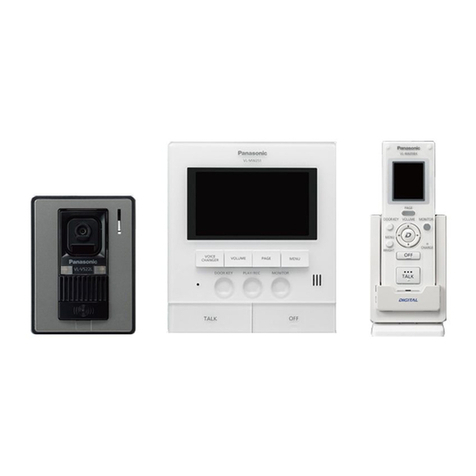
VL-SV71
VL-SV72
Video Intercom System

Specications
Model Composition
Model number and name
VL-MV71
VL-MV72 VL-PS241 (VL-MV72 only) VL-V522L
Main Monitor Station (Main monitor)
Extension Monitor Power supply unit Door Station (Doorphone)
Dimensions
(mm)
Up to 3
(not including the main monitor)
Up to 2
99
131
36.5
Power source
VL-MV71: 220-240 V AC, 50/60 Hz
VL-MV72: Power supply unit (VL-PS241)
24 V DC, 0.4 A
Input: 220-240 V AC, 0.2 A, 50/60 Hz
Output: 24 V DC, 0.6 A Power supplied by the main monitor
Power consumption
VL-MV71: Standby: Approx. 2.0 W
During operation: Approx. 10.5 W
VL-MV72: Standby: Approx. 1.6 W
During operation: Approx. 9.8 W
- -
Dimensions (H x W x D)
(Excluding protruding sections) 158 x 243 x 29.5 mm 104 x 100 x 54 mm 131 x 99 x 36.5 mm

Weight VL-MV71: 835g
VL-MV72: 710g 215 g 200 g
Operating environment Ambient temperature: Approx. 0 °C to +40 °C
Relative humidity (non-condensing): up to 90 %
Ambient temperature: Approx. 0 °C to +50 °C
Relative humidity (non-condensing): up to 90 %
Ambient temperature: Approx. -15 °C to +55 °C
Relative humidity (non-condensing): up to 90 %
(tested up to -20 °C)
Display 7-inch wide colour / WVGA (800 x 480 pixels) - -
Display language English, Arabic - -
Talking method Hands-free - -
Viewing angle - - Horizontally: Approx. 87˚
Vertically: Approx. 66˚
Installation method Wall mount
(mounting bracket supplied) Wall mount or attach to DIN rail Surface mount (mounting base supplied)
Minimum illuminance required - - 1 lx
(within approx. 50 cm from the camera lens)
Lighting method - - Warm white coloured LED lights, Infrared LEDs
Transmitting range - - -
IP rating / IK rating - - IPX3*
External material Flame retardant PC+ABS resin,
Flame retardant ABS resin Flame retardant PC+ABS resin Flame retardant ABS resin
243
158
29.5
VL-SV71 VL-MV71 x 1, VL-V522L x 1
VL-SV72 VL-MV72 x 1, VL-V522L x 1, VL-PS241 x 1
Installing the Main Monitor/Extension Monitor
Installing the Doorphone
Important
– Safety Precaution: carefully read the operating instructions and installation manual before using this product.
• The actual product may vary slightly from photograph.
• Weights and dimensions are approximate.
• Design and Specifications are subject to change without notice.
• These products may be subject to export control regulations.
* Water resistance is only assured if the doorphone is installed correctly according to the instructions in the Installation Guide, and appropriate water protection measures are taken.
Vertical, at wall
Screws
Hole in wall
83.5 mm
60 mm
7 mm
50 mm
Mounting bracket
Wood screws Mounting base
Wire
(User supplied)
Screwdriver
83.5 mm
Wall
Side View Top View
131 mm
99 mm
Mounting
base
24 mm
83.5 mm
Image range
Centre of
doorphone
1450 mm
650 mm
1810 mm
1160 mm
500 mm
66°
87°
500 mm
960 mm
•Installation Position
DISTRIBUTED BY :
MG-DHPL021EN 1705TD/ZZZ-AU1
158 mm
243 mm
Mounting
bracket
Main
Monitor
58 mm
83.5 mm
Installing the Power Supply Unit
AC cable
DC cable
Remove the screw
on the cable cover.
Top View
AC IN connector
100
104
54
Front View
DC OUT
terminal
DC cable
binder hole
Bottom View 25 mm
7 mm
DC Cable