DHC-400
PEAKTRONICS U.S. Patent 7,466,100 applies to this product 5
OVERRIDE MODE
The OVERRIDE mode is not selected by the
MODE button and can be enabled at anytime by connect-
ing a resistance greater than 250 ohms to the Override In-
put (J7 pin 1 and pin 2). While the OVERRIDE mode is
enabled, the MODE button and adjust buttons are dis-
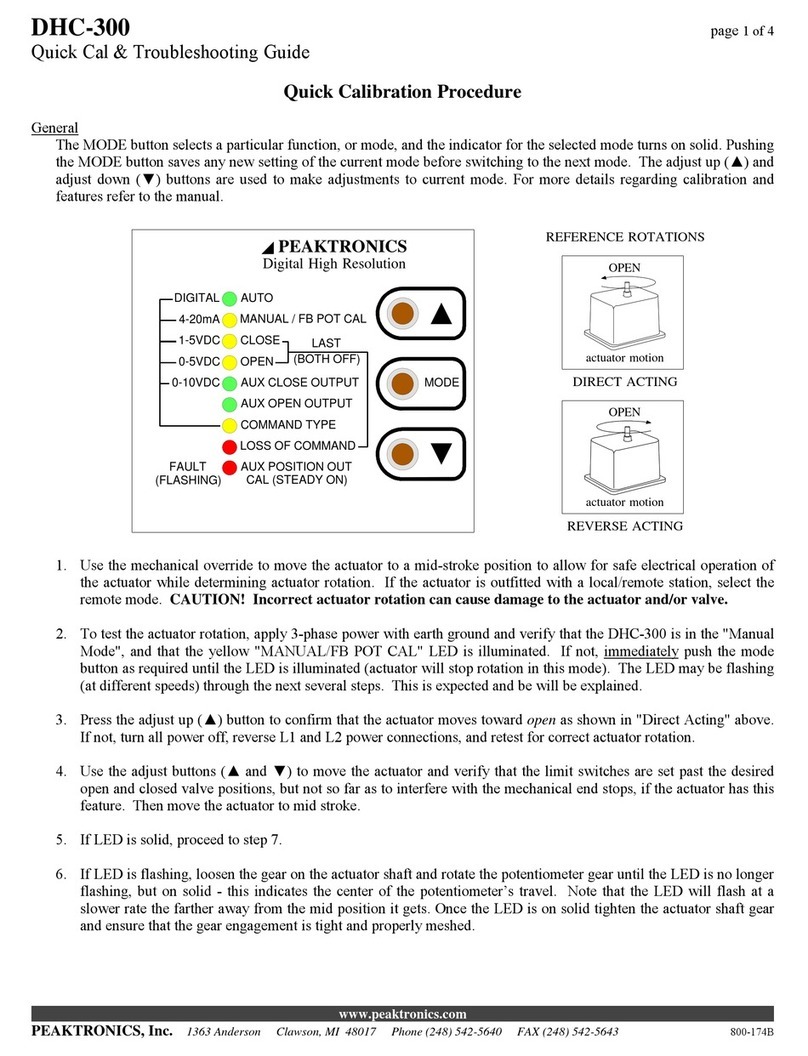
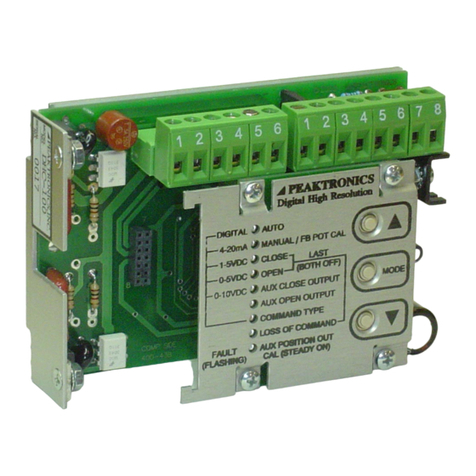
abled, and the Manual/Pot Cal indicator will turn on
steady to indicate that the unit is being controlled by the
Override Input. Shorting J7 pin 1 to pin 2 returns the unit
to normal operation and the previously selected mode.
Controlling the DHC-400 from the Override Input
is accomplished by connecting a specific resistance to se-
lect a specific operation. The table below defines the op-
erations and their associated resistance. See Special Ap-
plications for details on using the Override Input for an
Auto/Manual Station.
RESISTANCE OPERATION
> 4.3K ohms OFF
3.3K ohms ±5% LATCH
2K ohms ±5% OPEN
1.2K ohms ±5% CLOSE
510 ohms ±5% STOP
The OPEN function will operate the motor in the
open direction as set by the OPEN mode, while the
CLOSE function operates the motor in the closed direction
as set by the CLOSE mode. The LATCH function will
maintain the previously selected function; this allows
momentary switches to be used for the OPEN and CLOSE
functions. The OFF and STOP functions turn the motor
off, which also unlatches the OPEN or CLOSE functions.
Note that the OPEN and CLOSE functions may
work in reverse until the open and closed positions are set
by the OPEN and CLOSE modes. The DHC-400 will au-
tomatically turn the motor off when the open or closed
positions are reached. However, if a feedback fault occurs
(see FAULT INDICATOR), the motor will be turned on
for a period of 15 minutes in the selected direction. For
this reason, limit switches should be used when using the
OVERRIDE mode, and should be set to a position accept-
able for the application. The 15 minute period can also be
terminated using the OFF or STOP function.
The motor is also automatically turned off if the
DHC-400 detects a stall (see STALL DETECTION). An
OPEN or CLOSE operation can be attempted again after
switching to the OFF, LATCH, or STOP functions first.
The motor is also turned off if a motor current trip
is detected (see TRIP SETTING). If the trip occurred dur-
ing an OPEN operation, the OPEN operation is disabled
until the trip condition is corrected. The CLOSE opera-
tion may be used to attempt to clear the trip condition (by
causing a certain amount of motion in the closed direc-
tion). Likewise, if a trip occurs during a CLOSE opera-
tion, the OPEN operation can be used for clearing the trip.
If a trip occurs in both directions (i.e., before the first trip
can be cleared), the trip can only be cleared by a mechani-
cal override mechanism, or by using the MANUAL mode
from the DHC-400 front panel, or by powering the DHC-
400 down and back up.
AUTO
The AUTO function is the normal mode of opera-
tion for the DHC-400; all the other functions are used to
set up the unit. While in AUTO, the unit can be controlled
by various external signals, some of which can be selected
by the COMMAND INPUT function. When the unit is
not in the AUTO mode, all external control signals de-
scribed below will be disabled.
Once the open and closed positions have been set,
the AUTO mode will control the position of the actuator
according to the command input signal. For an input sig-
nal of 0V (for 0-5V or 0-10V input), 1V (for 1-5V input),
2V (for 2-10V input), 4.0 mA (for 4-20mA input), or 0%
(for a digital input), the DHC-400 will position the actua-
tor to the closed position as set by the user. Conversely,
an input of 5V, 10V, 20mA, or 100% will position the
actuator to the defined open position.
When the DHC-400 is configured to use a 0-5V,
0-10V, 1-5V, 2-10V, or 4-20mA command, the command
signal should be connected to the appropriate pins on J2.
When the DHC-400 is configured for a Digital command
type, an appropriate communications option module must
be installed. A communications module may be installed
when using one of the analog command types and can be
used to override the analog command. The AUTO indica-
tor will flash whenever the unit is being controlled by the
communications module.
MANUAL/FB POT CAL
The MANUAL/FB POT CAL function allows
manual operation of the actuator by using the adjust but-
tons (▲and ▼) without affecting any other settings with-
in the DHC-400. When the ▲button is pressed, the MO-
TOR 1 (J1-4) output is connected to BAT POS (J2-1), and
the MOTOR 2 (J1-5) output is connected to BAT NEG
(J2-2). The ▼button connects MOTOR 1 to BAT NEG
and MOTOR 2 to BAT POS. Whether the actuator moves
toward the open or closed position depends on which mo-
tor wire is connected to J1-4 and J1-5.
The POT CAL feature provides an indication of
the feedback potentiometer's setting. When the MANU-
AL/POT CAL function is selected, the Manual/Pot Cal
indicator will turn on - it may flash or be on steady, de-