manuals.online logo
Brands
  1. Home
  2. •
  3. Brands
  4. •
  5. Philips
  6. •
  7. Car Stereo System
  8. •
  9. Philips CE120/55 User manual

Philips CE120/55 User manual

Other manuals for CE120/55

3

This manual suits for next models

1

Other Philips Car Stereo System manuals

Philips CED750/51 User manual

Philips

Philips CED750/51 User manual

Philips CarStudio CMD305A User manual

Philips

Philips CarStudio CMD305A User manual

Philips CID2780/00 User manual

Philips

Philips CID2780/00 User manual

Philips CEM3000/00 User manual

Philips

Philips CEM3000/00 User manual

Philips CE152 User manual

Philips

Philips CE152 User manual

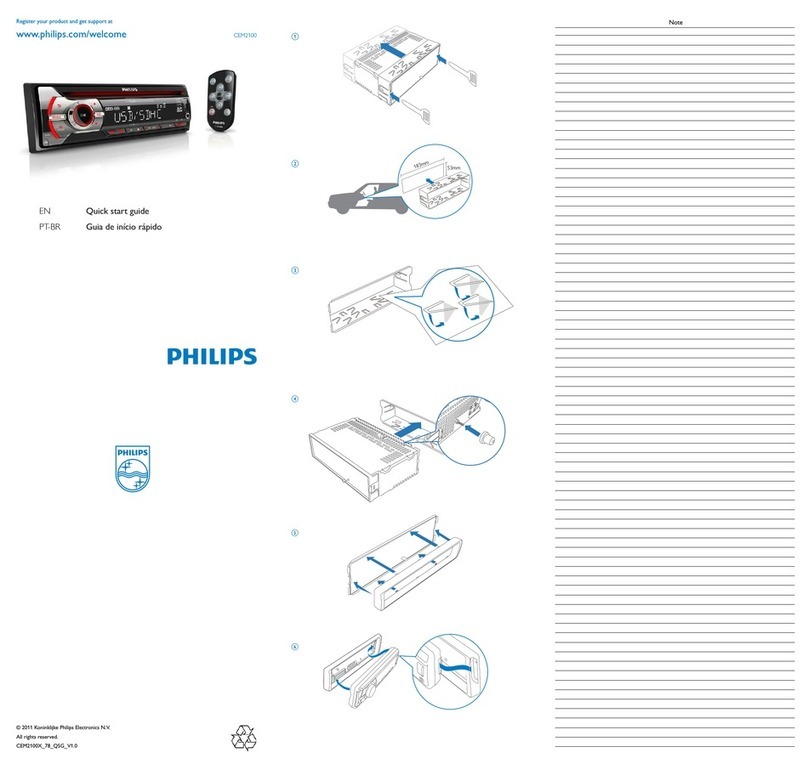
Philips CEM2100 User manual

Philips

Philips CEM2100 User manual

Philips CarStudio CEM5100 User manual

Philips

Philips CarStudio CEM5100 User manual

Philips CID3280/93 User manual

Philips

Philips CID3280/93 User manual

Philips CID3680/93 User manual

Philips

Philips CID3680/93 User manual

Philips CEM210/56 User manual

Philips

Philips CEM210/56 User manual

Philips CID3285/93 User manual

Philips

Philips CID3285/93 User manual

Philips CID3711/00 User manual

Philips

Philips CID3711/00 User manual

Philips CID3610/00 User manual

Philips

Philips CID3610/00 User manual

Philips CE120/55 Guide

Philips

Philips CE120/55 Guide

Philips CED750/98 User manual

Philips

Philips CED750/98 User manual

Philips CID3288/93 User manual

Philips

Philips CID3288/93 User manual

Philips CE151/00 User manual

Philips

Philips CE151/00 User manual

Philips CMB1100/55 User manual

Philips

Philips CMB1100/55 User manual

Philips CED229/98 User manual

Philips

Philips CED229/98 User manual

Philips CEM250/51 User manual

Philips

Philips CEM250/51 User manual

Philips CE150 User manual

Philips

Philips CE150 User manual

Philips CED780/98 User manual

Philips

Philips CED780/98 User manual

Philips CMB2100/55 User manual

Philips

Philips CMB2100/55 User manual

Philips CED320/98 User manual

Philips

Philips CED320/98 User manual

Popular Car Stereo System manuals by other brands

Sony CDXM60UI - Marine CD Receiver MP3/WMA/AAC... Features

Sony

Sony CDXM60UI - Marine CD Receiver MP3/WMA/AAC... Features

Becker Online Pro 7800 installation guide

Becker

Becker Online Pro 7800 installation guide

JVC KD-LH810 instructions

JVC

JVC KD-LH810 instructions

Clarion PU-9836A Service manual

Clarion

Clarion PU-9836A Service manual

Sony RM-X7BT reference guide

Sony

Sony RM-X7BT reference guide

Mitsubishi Electric AR0M manual

Mitsubishi Electric

Mitsubishi Electric AR0M manual

Insignia NS-HD5113 user guide

Insignia

Insignia NS-HD5113 user guide

Clarion BTD3341 user manual

Clarion

Clarion BTD3341 user manual

USA SPECS PA11-VW6 owner's manual

USA SPECS

USA SPECS PA11-VW6 owner's manual

Sony MEX-N4380BT operating instructions

Sony

Sony MEX-N4380BT operating instructions

Kenwood KCD-BT6544U/UY Service manual

Kenwood

Kenwood KCD-BT6544U/UY Service manual

JVC KD-DB912BT instruction manual

JVC

JVC KD-DB912BT instruction manual

Alpine TDM-7544 Specifications

Alpine

Alpine TDM-7544 Specifications

JL Audio Stealthbox SB-CAN-G2MVX3D/10TW3 installation guide

JL Audio

JL Audio Stealthbox SB-CAN-G2MVX3D/10TW3 installation guide

Denso TEN FT0108A user manual

Denso TEN

Denso TEN FT0108A user manual

Pyle PLD57MU owner's manual

Pyle

Pyle PLD57MU owner's manual

Harman Chrysler Radio Navigation System RB4 user manual

Harman

Harman Chrysler Radio Navigation System RB4 user manual

Sony MEX-BT5750U operating instructions

Sony

Sony MEX-BT5750U operating instructions

manuals.online logo
manuals.online logoBrands
  • About & Mission
  • Contact us
  • Privacy Policy
  • Terms and Conditions

Copyright 2025 Manuals.Online. All Rights Reserved.

English
Overview of parts
These are the supplied parts needed to connect
and install this unit.
aCarry case with front panel stored inside
b Trim plate
c Standard connector
d Disassembly tool x 2 pcs
e Rubber cushion
f Screw x 4 pcs
g Mounting bolt
Connect wires: ISO connectors
1Pull out the ISO connectors from car
dashboard and connect them to the bigger
end of the supplied standard connector.
2Connect the other end of the supplied
standard connector to the unit.
3Do the other connections, if applicable.
1Antenna To antenna
2Rear line out
(right)
To amplifier line in (right)
3Rear line out
(left)
To amplifier line in (left)
Connect wires: without ISO
connectors
1Cut off the bigger end of the supplied
standard connector.
2Check the car’s wiring carefully and connect
them to the supplied standard connector.
1Black To a metal surface of the car
First connect the black ground
(earth) lead, then connect the
yellow and red power supply
leads.
2Blue To the electric antenna control
lead or power supply lead of the
antenna booster
If there is no electric antenna or
antenna booster, or it is manually
operated telescopic antenna, it
is not necessary to connect this
lead.
3Yellow To the +12V car battery which
is energized at all times.
4Pink To telephone mute terminal (if
any).
5Red To the +12V power terminal
which is energized in the ac-
cessory (ACC) position of the
ignition switch
If there is no accessory position,
connect to the +12V car battery
terminal that is always live. Be
sure to connect the black ground
(earth) lead to a metal surface of
the car first.
6Green/
black
strip
Left speaker (Rear)
7White/
black
strip
Left speaker (Front)
8Gray/
black
strip
Right speaker (Front)
9Purple/
black
strip
Right speaker (Rear)
3Connect the supplied standard connector to
the unit.
4Do the other connections, if applicable.
1Antenna To antenna
2Rear line out
(right)
To amplifier line
in (right)
3Rear line out
(left)
To amplifier line
in (left)
Attach the front panel
1 Attach the trim plate.
2Insert the left side of the panel in the chassis
until it is correctly engaged.
3 Press the right side of the panel until it is
locked into place.
Mount into the dashboard
Note
Check wire connection before you mount the
unit into a car.
If preset radio stations are lost when the
ignition key is turned OFF and then back ON,
reconnect the red leads crosswise to the
yellow ones.
•
•
1Ensure that car dashboard opening is within
these measurements:
If the car dashboard is bigger, the sup-
plied mounting sleeve is not suitable for
the car. Remove the mounting sleeve
with the removal keys and consult a
professional for advice.
2 If the car does not have an on-board drive
or navigation computer, disconnect the nega-
tive terminal of the car attery.
If you disconnect the car battery in
a car that has an on-board drive or
navigation computer, the computer may
lost its memory.
If the car battery is not disconnected,
to avoid short-circuit, ensure that bare
wires do not touch each other.
•
•
•
3 Connect the supplied mounting bolt to the
unit.
4Place the supplied rubber cushion over the
end of the mounting bolt.
5Slide the unit into the dashboard until you
hear a click sound.=
6Reconnect the negative terminal of the car
battery.
Detach the front panel
You can detach the front panel to deter theft.
1 Press
to release the panel.
2Pull the panel towards you to detach it from
the chassis.
3Store the panel in the supplied carry case to
protect it from dirt or damage.
Turn on
1Press to turn on the unit.
To turn off the unit, press for 3
seconds.
Set clock
1 Press MENU/DISP for 3 seconds.
2 Press DBB or SEARCH repeatedly until
the currently clock is displayed.
3 Tu r n in clockwise direction to set hour.
Tu r n in anti-clockwise direction to set
minute.
4 Press to confirm.
View clock
1 Press MENU/DISP repeatedly until the clock
is displayed.
Tune to a radio station
1 Press SOURCE to select Tuner.
•
2 Press DBB or SEARCH to select band:
[FM1], [FM2], [FM3], [AM1], or [AM 2].
3 Press LOC/DX to select tuner sensitivity:
[LOCAL] (local): Only station with strong
signal can be broadcast.
[DX] (distance): Stations with strong and
weak signals can be broadcast.
4 Press or to tune to a radio station
manually.
The radio station is broadcast.
To search for radio station automatically,
press or for 3 seconds.
Insert USB device
1Open the cover marked on the front
panel.
2 Insert the USB device into the USB socket.
The unit starts playing from the USB
device automatically.
Insert SD/MMC card
1 Open the cover marked on the front
panel.
2 Insert the SD or MMC card into the card
slot.
The unit starts playing from the SD/MMC
card automatically.
Control play
To select a folder, press DBB or SEARCH
.
To skip to a track, press or .
To search within a track, press or for
3 seconds.
To pause, press 1, .To resume, press 1,
again.
»
•
»
»
•
•
•
•
Register your product and get support at CE120
© 2008 Koninklijke Philips Electronics N.V.
All rights reserved.
ENG Quick Start Guide
a
c
f
g
d
e
b
12a
2b
123
1
3
2
4
5
6
7
8
9
CE120 QSG_Eng.indd 1CE120 QSG_Eng.indd 1 2008-11-5 17:42:552008-11-5 17:42:55

35
4
183 mm
52mm
4.75-5.56 mm
183 mm
52mm
5 mm
6
7
English
Overview of parts
These are the supplied parts needed to connect
and install this unit.
aCarry case with front panel stored inside
b Trim plate
c Standard connector
d Disassembly tool x 2 pcs
e Rubber cushion
f Screw x 4 pcs
g Mounting bolt
Connect wires: ISO connectors
1Pull out the ISO connectors from car
dashboard and connect them to the bigger
end of the supplied standard connector.
2Connect the other end of the supplied
standard connector to the unit.
3Do the other connections, if applicable.
1Antenna To antenna
2Rear line out
(right)
To amplifier line in (right)
3Rear line out
(left)
To amplifier line in (left)
Connect wires: without ISO
connectors
1Cut off the bigger end of the supplied
standard connector.
2Check the car’s wiring carefully and connect
them to the supplied standard connector.
1Black To a metal surface of the car
First connect the black ground
(earth) lead, then connect the
yellow and red power supply
leads.
2Blue To the electric antenna control
lead or power supply lead of the
antenna booster
If there is no electric antenna or
antenna booster, or it is manually
operated telescopic antenna, it
is not necessary to connect this
lead.
3Yellow To the +12V car battery which
is energized at all times.
4Pink To telephone mute terminal (if
any).
5Red To the +12V power terminal
which is energized in the ac-
cessory (ACC) position of the
ignition switch
If there is no accessory position,
connect to the +12V car battery
terminal that is always live. Be
sure to connect the black ground
(earth) lead to a metal surface of
the car first.
6Green/
black
strip
Left speaker (Rear)
7White/
black
strip
Left speaker (Front)
8Gray/
black
strip
Right speaker (Front)
9Purple/
black
strip
Right speaker (Rear)
3Connect the supplied standard connector to
the unit.
4Do the other connections, if applicable.
1Antenna To antenna
2Rear line out
(right)
To amplifier line
in (right)
3Rear line out
(left)
To amplifier line
in (left)
Attach the front panel
1 Attach the trim plate.
2Insert the left side of the panel in the chassis
until it is correctly engaged.
3 Press the right side of the panel until it is
locked into place.
Mount into the dashboard
Note
Check wire connection before you mount the
unit into a car.
If preset radio stations are lost when the
ignition key is turned OFF and then back ON,
reconnect the red leads crosswise to the
yellow ones.
•
•
1Ensure that car dashboard opening is within
these measurements:
If the car dashboard is bigger, the sup-
plied mounting sleeve is not suitable for
the car. Remove the mounting sleeve
with the removal keys and consult a
professional for advice.
2 If the car does not have an on-board drive
or navigation computer, disconnect the nega-
tive terminal of the car attery.
If you disconnect the car battery in
a car that has an on-board drive or
navigation computer, the computer may
lost its memory.
If the car battery is not disconnected,
to avoid short-circuit, ensure that bare
wires do not touch each other.
•
•
•
3 Connect the supplied mounting bolt to the
unit.
4Place the supplied rubber cushion over the
end of the mounting bolt.
5Slide the unit into the dashboard until you
hear a click sound.=
6Reconnect the negative terminal of the car
battery.
Detach the front panel
You can detach the front panel to deter theft.
1 Press
to release the panel.
2Pull the panel towards you to detach it from
the chassis.
3Store the panel in the supplied carry case to
protect it from dirt or damage.
Turn on
1Press to turn on the unit.
To turn off the unit, press for 3
seconds.
Set clock
1 Press MENU/DISP for 3 seconds.
2 Press DBB or SEARCH repeatedly until
the currently clock is displayed.
3 Tu r n in clockwise direction to set hour.
Tu r n in anti-clockwise direction to set
minute.
4 Press to confirm.
View clock
1 Press MENU/DISP repeatedly until the clock
is displayed.
Tune to a radio station
1 Press SOURCE to select Tuner.
•
2 Press DBB or SEARCH to select band:
[FM1], [FM2], [FM3], [AM1], or [AM 2].
3 Press LOC/DX to select tuner sensitivity:
[LOCAL] (local): Only station with strong
signal can be broadcast.
[DX] (distance): Stations with strong and
weak signals can be broadcast.
4 Press or to tune to a radio station
manually.
The radio station is broadcast.
To search for radio station automatically,
press or for 3 seconds.
Insert USB device
1Open the cover marked on the front
panel.
2 Insert the USB device into the USB socket.
The unit starts playing from the USB
device automatically.
Insert SD/MMC card
1 Open the cover marked on the front
panel.
2 Insert the SD or MMC card into the card
slot.
The unit starts playing from the SD/MMC
card automatically.
Control play
To select a folder, press DBB or SEARCH
.
To skip to a track, press or .
To search within a track, press or for
3 seconds.
To pause, press 1, .To resume, press 1,
again.
»
•
»
»
•
•
•
•
CE120 QSG_Eng.indd 2CE120 QSG_Eng.indd 2 2008-11-5 17:43:062008-11-5 17:43:06