manuals.online logo
Brands
  1. Home
  2. •
  3. Brands
  4. •
  5. Pioneer
  6. •
  7. Car Video System
  8. •
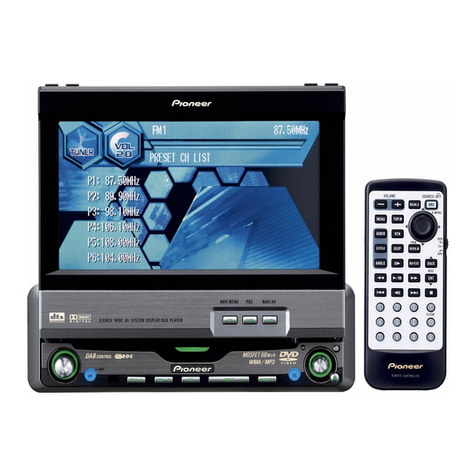
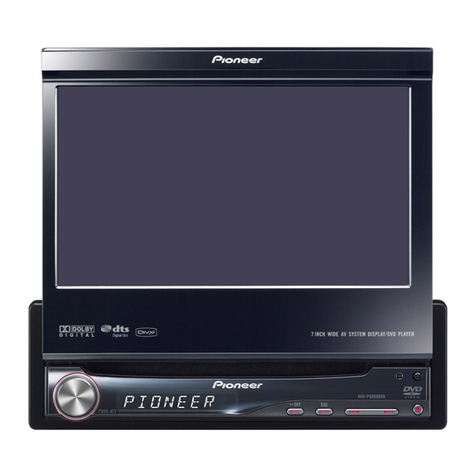
  9. Pioneer Super Tuner III D AVH-P6550DVD User manual

Pioneer Super Tuner III D AVH-P6550DVD User manual

Other manuals for Super Tuner III D AVH-P6550DVD

1

Other Pioneer Car Video System manuals

Pioneer AVH-P5950DVD User manual

Pioneer

Pioneer AVH-P5950DVD User manual

Pioneer GEX-P10XMT - Satellite Radio Tuner User manual

Pioneer

Pioneer GEX-P10XMT - Satellite Radio Tuner User manual

Pioneer AVR-W6100 UC User manual

Pioneer

Pioneer AVR-W6100 UC User manual

Pioneer AVX-P7700WES User manual

Pioneer

Pioneer AVX-P7700WES User manual

Pioneer AVH-P5900DVD User manual

Pioneer

Pioneer AVH-P5900DVD User manual

Pioneer AVIC-Z1000D33-CHU User manual

Pioneer

Pioneer AVIC-Z1000D33-CHU User manual

Pioneer avh-4200nex Use and care manual

Pioneer

Pioneer avh-4200nex Use and care manual

Pioneer Super Tuner IIID AVH-P5000DVD User manual

Pioneer

Pioneer Super Tuner IIID AVH-P5000DVD User manual

Pioneer Super Tuner IIID AVH-P3100DVD User manual

Pioneer

Pioneer Super Tuner IIID AVH-P3100DVD User manual

Pioneer Super Tuner IIID AVH-P5200BT User manual

Pioneer

Pioneer Super Tuner IIID AVH-P5200BT User manual

Pioneer Super Tuner IIID AVH-P4000DVD User manual

Pioneer

Pioneer Super Tuner IIID AVH-P4000DVD User manual

Pioneer AVIC-X3/XU/EW5 User manual

Pioneer

Pioneer AVIC-X3/XU/EW5 User manual

Pioneer AVD-505 User manual

Pioneer

Pioneer AVD-505 User manual

Pioneer AVH-P6600DVD User manual

Pioneer

Pioneer AVH-P6600DVD User manual

Pioneer Super Tuner IIID AVH-P6000DVD User manual

Pioneer

Pioneer Super Tuner IIID AVH-P6000DVD User manual

Pioneer AVH-P6800DVD - DVD Changer With LCD Monitor User manual

Pioneer

Pioneer AVH-P6800DVD - DVD Changer With LCD Monitor User manual

Pioneer AVH-P5900D User manual

Pioneer

Pioneer AVH-P5900D User manual

Pioneer AVH-A7100BT/XNEU5 Use and care manual

Pioneer

Pioneer AVH-A7100BT/XNEU5 Use and care manual

Pioneer AVH-P5950DVD User manual

Pioneer

Pioneer AVH-P5950DVD User manual

Pioneer AVH-X490DAB User manual

Pioneer

Pioneer AVH-X490DAB User manual

Pioneer AVH-X3500BHS User manual

Pioneer

Pioneer AVH-X3500BHS User manual

Pioneer AVH-P7850DVD User manual

Pioneer

Pioneer AVH-P7850DVD User manual

Pioneer AVX-7300 User manual

Pioneer

Pioneer AVX-7300 User manual

Pioneer AVH-X1500DVD User manual

Pioneer

Pioneer AVH-X1500DVD User manual

Popular Car Video System manuals by other brands

Farenheit MD-1510CM instruction manual

Farenheit

Farenheit MD-1510CM instruction manual

Mazda Connect manual

Mazda

Mazda Connect manual

RCA DRC97983 Manual de usuario

RCA

RCA DRC97983 Manual de usuario

Panasonic CY-VHD9401U Service manual

Panasonic

Panasonic CY-VHD9401U Service manual

Stinger HEIGH10 RB10RAM13B installation manual

Stinger

Stinger HEIGH10 RB10RAM13B installation manual

Alpine IVA-W203 - 6.5" Touch Screen 2-DIN DVD In-Dash... owner's manual

Alpine

Alpine IVA-W203 - 6.5" Touch Screen 2-DIN DVD In-Dash... owner's manual

Eonon E1057 instructions

Eonon

Eonon E1057 instructions

Milion D2223 user manual

Milion

Milion D2223 user manual

Metra Electronics 99-8153 installation instructions

Metra Electronics

Metra Electronics 99-8153 installation instructions

Voxx Electronics HR8MA1 owner's manual

Voxx Electronics

Voxx Electronics HR8MA1 owner's manual

Axxera AV604Bi quick start guide

Axxera

Axxera AV604Bi quick start guide

Clarion NX706E owner's manual

Clarion

Clarion NX706E owner's manual

Pyle view PLDN74BTi owner's manual

Pyle view

Pyle view PLDN74BTi owner's manual

Clarion NX602 quick start guide

Clarion

Clarion NX602 quick start guide

RCA DRC6296 - Twin 9" Mobile DVD System Manual Del Usuario

RCA

RCA DRC6296 - Twin 9" Mobile DVD System Manual Del Usuario

Fiat Uconnect 5.0 manual

Fiat

Fiat Uconnect 5.0 manual

Lanzar SVDVD5 owner's manual

Lanzar

Lanzar SVDVD5 owner's manual

Eonon E1060 instructions

Eonon

Eonon E1060 instructions

manuals.online logo
manuals.online logoBrands
  • About & Mission
  • Contact us
  • Privacy Policy
  • Terms and Conditions

Copyright 2025 Manuals.Online. All Rights Reserved.

Operation Manual
AV Receiver/DVD Player with 6.5 inch Wide Display
AVH-P6550DVD
English
Thank you for buying this Pioneer product.
Please read through these operating instructions so you will know how to operate
your model properly. After you have finished reading the instructions, put them away
in a safe place for future reference.
Be sure to read this
!Playable discs 6
!DVD video disc region numbers 6
!When an operation is prohibited 8
Precautions
IMPORTANT SAFE UARDS 5
To ensure safe driving 5
To avoid battery exhaustion 5
Before You Start
About this unit 6
About this manual 6
Precautions 6
Features 7
To protect the LCD screen 8
For viewing LCD comfortably 8
Condition memory 8
What the marks on DVDs indicate 8
Resetting the microprocessor 8
Use and care of the remote control 9
Whats What
Head unit 11
Remote control 13
Basic Operations
Turning the unit on and selecting a
source 16
Loading a disc 16
Adjusting the volume 17
Turning the unit off 17
Using the rear display 17
Touch panel key basic operation 18
Opening and closing the LCD panel 19
Changing the wide screen mode 20
Adjusting the picture adjustment 21
Protecting your unit from theft 22
Tuner
Listening to the radio 23
Introduction of advanced tuner
operation 24
Storing and recalling broadcast
frequencies 24
Tuning in strong signals 24
Storing the strongest broadcast
frequencies 25
P aying DVD video discs
Watching a DVD video 26
Operating the DVD menu 27
Skipping back or forward to another title 27
Stopping playback 27
Introduction of advanced DVD video
operation 28
Repeating play 28
Pausing DVD video playback 28
Frame-by-frame playback 28
Slow motion playback 29
Searching for a desired scene, starting
playback from a specified time 29
Changing audio language during playback
(Multi-audio) 30
Changing the subtitle language during
playback (Multi-subtitle) 30
Changing the viewing angle during playback
(Multi-angle) 31
P aying Video CDs
Watching a Video CD 32
Stopping playback 33
Introduction of advanced Video CD
operation 33
Repeating play 33
Pausing Video CD playback 34
Contents
En
2
Frame-by-frame playback 34
Slow motion playback 34
Searching for a desired scene, starting
playback from a specified time 35
Selecting audio output 35
P aying CDs
Listening a CD 36
Stopping playback 36
Introduction of advanced CD operation 37
Repeating play 37
Playing tracks in a random order 37
Scanning tracks of a CD 37
Pausing CD playback 38
Searching for a desired track 38
Entering disc titles 38
Using CD TEXT functions 39
P aying MP3
Listening MP3 40
Stopping playback 41
Introduction of advanced MP3 operation 41
Repeating play 41
Playing tracks in a random order 42
Scanning folders and tracks 42
Pausing MP3 playback 42
Searching for a desired track in the current
folder 43
Displaying text information on MP3 disc 43
Scrolling text information in the display 43
Selecting folders from the folder name
list 43
Mu ti-CD P ayer
Listening a CD 44
50-disc multi-CD player 44
Introduction of advanced multi-CD player
operation 45
Repeating play 45
Playing tracks in a random order 45
Scanning CDs and tracks 46
Pausing CD playback 46
Using ITS playlists 46
Using disc title functions 47
Using CD TEXT functions 48
Using compression and bass emphasis 49
TV tuner
Watching the TV tuner 50
Introduction of advanced TV tuner
operation 51
Storing and recalling broadcast stations 51
Storing the strongest broadcast stations
sequentially 51
Selecting the country group 52
DVD P ayer
Playing a disc 53
Turning the DVD player on or off 53
Selecting a disc 54
Introduction of advanced DVD player
operation 54
Repeating play 54
Pausing disc playback 55
Playing tracks in a random order 55
Scanning tracks of a CD 55
Using ITS playlists 55
Audio Adjustments
Introduction of audio adjustments 56
Using balance adjustment 56
Using the equalizer 57
Adjusting bass and treble 58
Adjusting loudness 58
Using subwoofer output 59
Using non fading output 59
Using the high pass filter 59
Adjusting source levels 60
En 3
Contents
Compensating for equalizer curves (EQ-
EX) 60
Setting the sound focus equalizer
(SFEQ) 61
Digita Signa Processor
Introduction of DSP adjustments 62
Using the sound field control 62
Using the position selector 63
Using balance adjustment 63
Adjusting source levels 64
Using the dynamic range control 64
Using the dual mono mode 64
Using the direct control 65
Using the Dolby Pro Logic 65
Setting the speaker setting 65
Selecting a cut-off frequency 66
Adjusting the speaker output levels 67
Adjusting the speaker output levels using a
test tone 67
Adjusting the time alignment 68
Using the equalizer 68
Setting up the DVD p ayer
Introduction of DVD setup adjustments 70
Setting the subtitle language 70
Setting the audio language 71
Setting the menu language 71
Setting assist subtitles on or off 71
Setting angle icon display 72
Setting the aspect ratio 72
Setting the parental lock 72
Setting remote control code type 73
Initia Settings
Adjusting initial settings 74
Setting the FM tuning step 74
Setting the AM tuning step 74
Switching the warning tone 75
Switching the auxiliary setting 75
Setting the rear output and subwoofer
controller 75
Correcting distorted sound 76
Switching the sound muting/attenuation 76
Switching the automatic disc playback 76
Switching the dimmer setting for sub-
display 77
Other Functions
Introduction of setup adjustments 78
Setting the video input 78
Setting for back-up camera 78
Setting the automatic open function 79
Setting the clock 79
Using the AUX source 80
Switching the background display 80
Using the P M button 81
Additiona Information
Troubleshooting 82
Error messages 84
DVD player and care 85
DVD discs 85
CD-R/CD-RW discs 85
MP3 files 86
Using the display correctly 87
Language code chart for DVD 89
Terms 90
Specifications 93
Contents
En
4
IMPORTANT SAFEGUARDS
Please read all of these instructions regarding
your display and retain them for future refer-
ence.
1Read this manual fully and carefully before
operating your display.
2Keep this manual handy for future refer-
ence.
3Pay close attention to all warnings in this
manual and follow the instructions care-
fully.
4Do not allow other persons to use this sys-
tem until they have read and understood
the operating instructions.
5Do not install the display where it may (i)
obstruct the drivers vision, (ii) impair the
performance of any of the vehicles operat-
ing systems or safety features, including
air bags, or (iii) impair the drivers ability to
safely operate the vehicle.
6As with any accessory in your vehiclesin-
terior, the display should not divert your
attention from the safe operation of your
vehicle. f you experience difficulty in oper-
ating the system or reading the display,
please park safely before making adjust-
ments.
7Do not attempt to install or service your
display by yourself. nstallation or servi-
cing of the display by persons without
training and experience in electronic
equipment and automotive accessories
may be dangerous and could expose you
to the risk of electric shock or other ha-
zards.
8Please remember to wear your seat belt at
all times while operating your vehicle. f
you are ever in an accident, your injuries
can be considerably more severe if your
seat belt is not properly buckled.
To ensure safe driving
WARNING
!To avoid the risk of accident and the potential
violation of applicable laws, this unit is not for
use with a video screen that is visible to the
driver.
!In some countries or states the viewing of
images on a display inside a vehicle even by
persons other than the driver may be illegal.
Where such regulations apply, they must be
obeyed.
This unit detects whther your cars parking
brake is engaged or not, and prevents you
from watching a DVD or TV on this display
while driving. When you attempt to watch a
DVD or TV, the warning V DEO V EW NG S
NOT AVA LABLE WH LE DR V NG will appear
on the screen.
To watch a DVD or TV on this display, park
your car in a safe place and apply the parking
brake.
When using a disp ay connected
to REAR MON TOR OUT
This unitsREAR MON TOR OUT is for con-
nection of a display to enable passengers in
the rear seats to watch the DVD or TV.
WARNING
NEVER install the display in a location that en-
ables the driver to watch the DVD or TV while
driving.
To avoid battery exhaustion
Be sure to run the vehicle engine while using
this unit. Using this unit without running the
engine can result in battery drainage.
WARNING
Do not use with vehicles that do not feature an
ACC position.
Precautions
En 5
Section
01
Precautions

About this unit
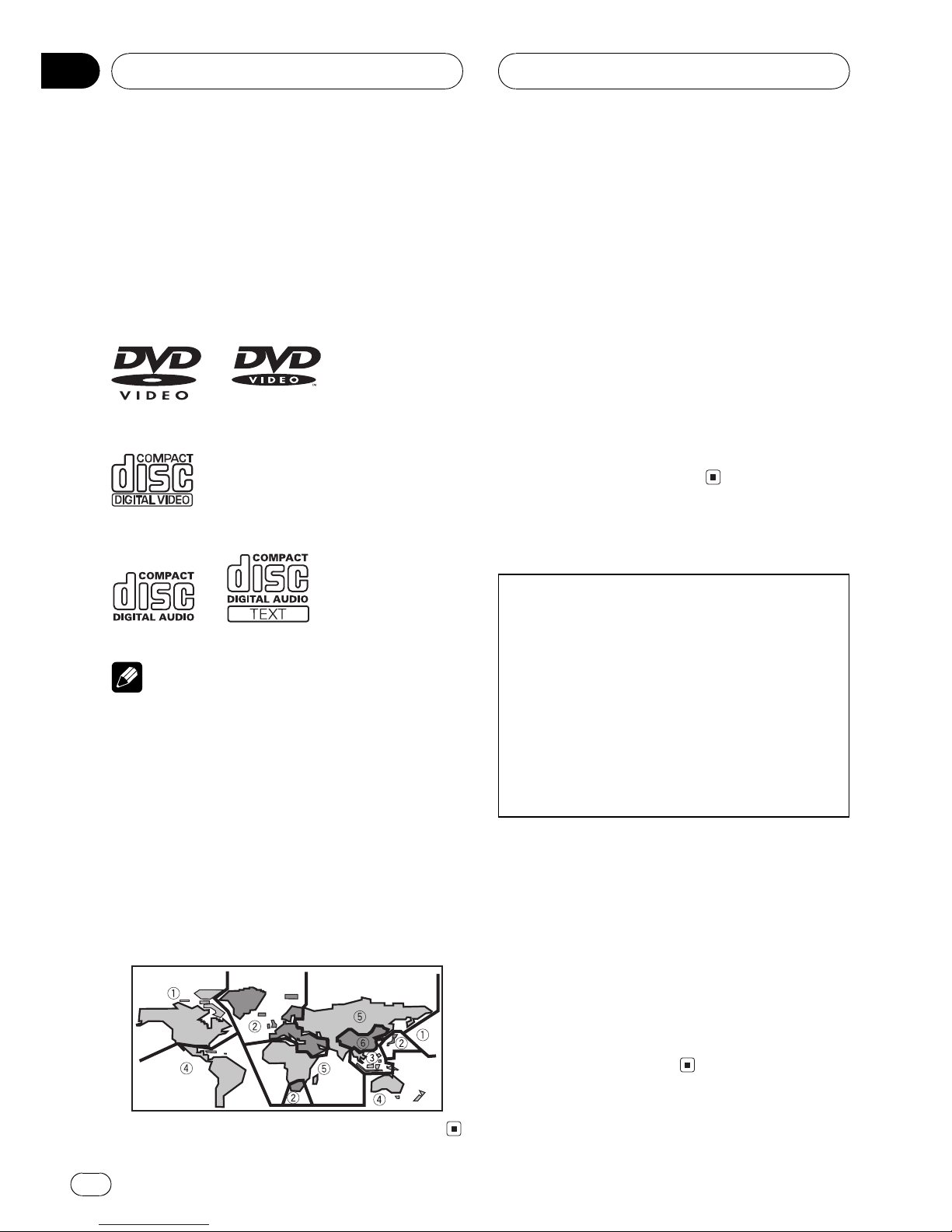
P ayab e discs
DVD, Video CD and CD discs that display the
logos shown below can be played back on this
player.
DVD video
Video CD
CD
Note
It is not possible to play back DVD audio disc.
This player can only playback discs bearing the
marks shown above.
DVD video disc region numbers
DVD video discs that have incompatible region
numbers cannot be played on this player. The
region number of the player can be found on
the bottom of this unit.
The illustration below shows the regions and
corresponding region numbers.
About this manua
This unit features a number of sophisticated
functions ensuring superior reception and op-
eration. All the functions have been designed
for the easiest possible use, but many are not
self-explanatory. This operation manual will
help you benefit fully from this units potential
and to maximize your listening enjoyment.
We recommend that you familiarize yourself
with the functions and their operation by read-
ing through the manual before you begin
using this unit. It is especially important that
you read and observe precautions on this
page and in other sections.
Precautions

CAUTION:
USE OF CONT OL O ADJUSTMENT O
PE FO MANCE OF P OCEDU ES
OTHE THAN THOSE SPECIFIED HE EIN
MAY ESULT IN HAZA DOUS ADIATION
EXPOSU E.
CAUTION:
THE USE OF OPTICAL INST UMENTS
WITH THIS P ODUCT WILL INC EASE
EYE HAZA D.
!Keep this manual handy as a reference for
operating procedures and precautions.
!Always keep the volume low enough so you
can hear sounds outside of the car.
!Protect this product from moisture.
!If the battery is disconnected or dis-
charged, the preset memory will be erased
and must be reprogrammed.
!If this unit does not operate properly, con-
tact your dealer or nearest authorized Pio-
neer Service Station.
Before You Start
En
6
Section
02
Features
Touch pane key operation
It is possible to operate this unit by using
touch panel key.
DVD video p ayback
It is possible to play back DVD video, DVD-R
(video mode) and DVD-RW (video mode).
Video CDs featuring PBC compatibi ity
It is possible to play back Video CDs featuring
PBC (playback control).
CD p ayback
Music CD/CD-R/CD-RW playback is possible.
MP3 fi e p ayback
It is possible to play back MP3 files recorded
on CD-ROM/CD-R/CD-RW (ISO9660 Level 1/
Level 2 standard recordings).
!Supply of this product only conveys a li-
cense for private, non-commercial use and
does not convey a license nor imply any
right to use this product in any commercial
(i.e. revenue-generating) real time broad-
casting (terrestrial, satellite, cable and/or
any other media), broadcasting/streaming
via internet, intranets and/or other net-
works or in other electronic content distri-
bution systems, such as pay-audio or
audio-on-demand applications. An inde-
pendent license for such use is required.
For details, please visit
http://www.mp3licensing.com.
NTSC/PAL compatibi ity
This unit is NTSC/PAL system compatible.
When connecting other components to this
unit, be sure components are compatible with
the same video system or else images will not
be correctly reproduced.
Do by Digita /DTS compatibi ity
When using this unit with a Pioneer multi-
channel processor, you can enjoy the atmo-
sphere and excitement provided by DVD movie
and music software featuring 5.1channel re-
cordings.
!Manufactured under license from Dolby La-
boratories. Dolbyand the double-D sym-
bol are trademarks of Dolby Laboratories.
!DTSis a registered trademark of Digital
Theater Systems, Inc.
Mu ti-aspect
Switching between wide screen, letter box and
panscan display is possible.
Mu ti-audio
You can switch between multiple audio sys-
tems recorded on a DVD as desired.
Mu ti-subtit e
You can switch between multiple subtitle lan-
guages recorded on a DVD as desired.
Mu ti-ang e
You can switch between multiple viewing an-
gles of a scene recorded on a DVD as desired.
Note
This product incorporates copyright protection
technology that is protected by method claims of
certain U.S. patents and other intellectual prop-
erty rights owned by Macrovision Corporation
and other rights owners. Use of this copyright
protection technology must be authorized by
Macrovision Corporation, and is intended for
home and other limited viewing uses only unless
otherwise authorized by Macrovision Corporation.
Reverse engineering or disassembly is
prohibited.
Before You Start
En 7
Section
02
Before You Start
To protect the LCD screen
!Do not allow direct sunlight to fall on the
display when this unit is not being used.
Extended exposure to direct sunlight can
result in LCD screen malfunction due to
the resulting high temperatures.
!When using a portable phone, keep the an-
tenna of the portable phone away from the
display to prevent disruption of the video by
the appearance of spots, colored stripes,
etc.
For viewing LCD comfortab y
Due to its construction, the view angle of the
LCD screen is limited. The viewing angle (verti-
cal and horizontal) can be increased, however,
by using BR GHT to adjust the black density of
the video. When using for the first time, adjust
the black density in accordance with the view-
ing angle (vertical and horizontal) to adjust for
clear viewing. D MMER can also be used to
adjust the brightness of the LCD screen itself
to suit your personal preference.
Condition memory
This function memorizes audio language, sub-
title language, angle number and aspect ratio
made during disc playback for up to 30 discs.
Without any special operations, the final set-
ting details during playback of a disc are mem-
orized. The next time a disc is played, the
previous settings are automatically applied.
!With some discs, audio language and sub-
title language are automatically specified,
in which case condition memory does not
function.
!When the number of discs exceeds 30, set-
tings for the latest disc replace those for
the least recent disc.
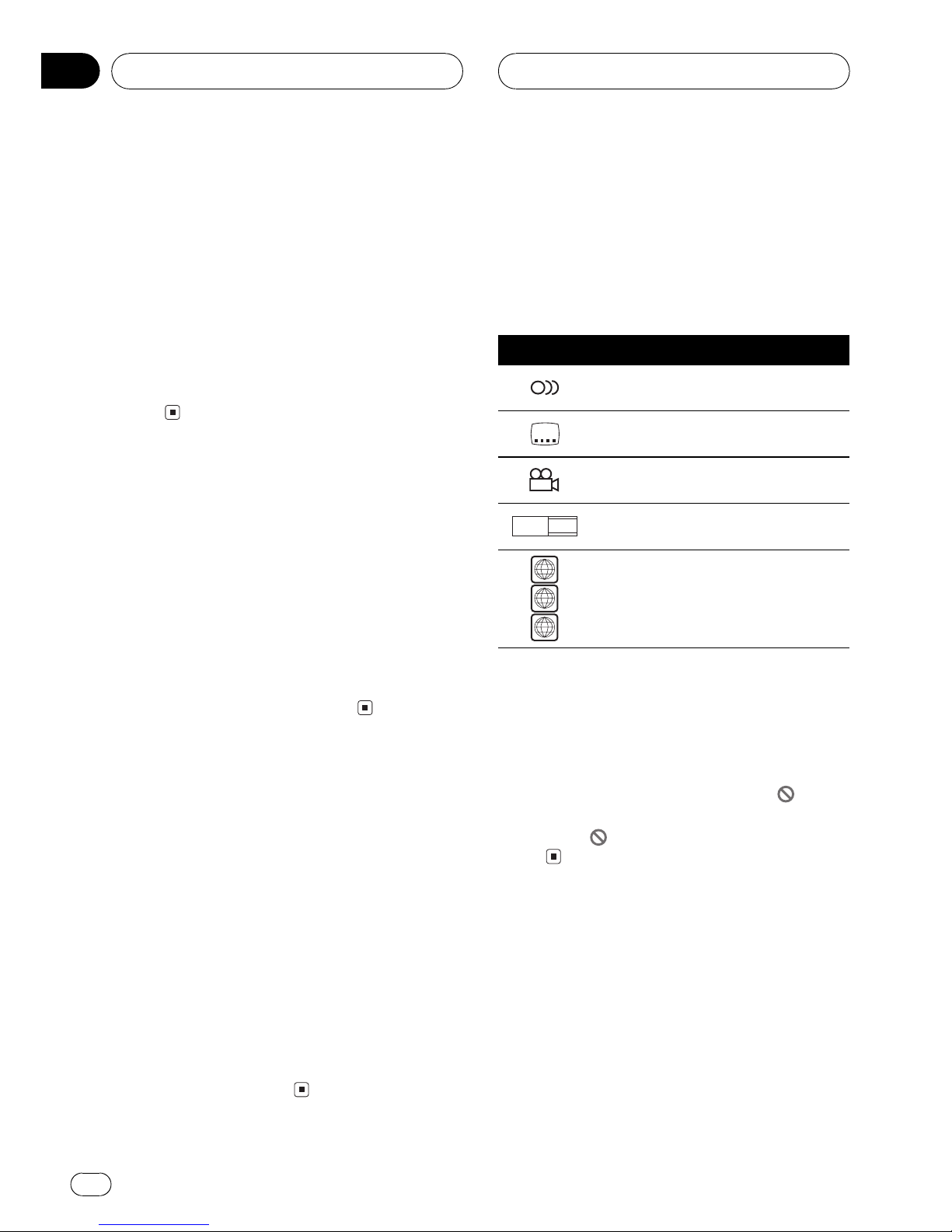
What the marks on DVDs
indicate
The marks below may be found on DVD disc
labels and packages. They indicate the type of
images and audio recorded on the disc, and
the functions you can use.

Mark Meaning
2Indicates the number of audio sys-
tems.
2Indicates the number of subtitle lan-
guages.
3Indicates the number of viewing an-
gles.
16 : 9 LB Indicates the picture size (aspect ratio:
screen width-to-height ratio) type.
3
4
ALL
Indicates the number of the region
where playback is possible.
When an operation is prohibited
When you are watching a DVD and attempt to
perform an operation, it may not be performed
by the programming on the disc. When this
happens, this unit indicates the icon on the
screen.
!The icon may not appear in certain dis-
cs.
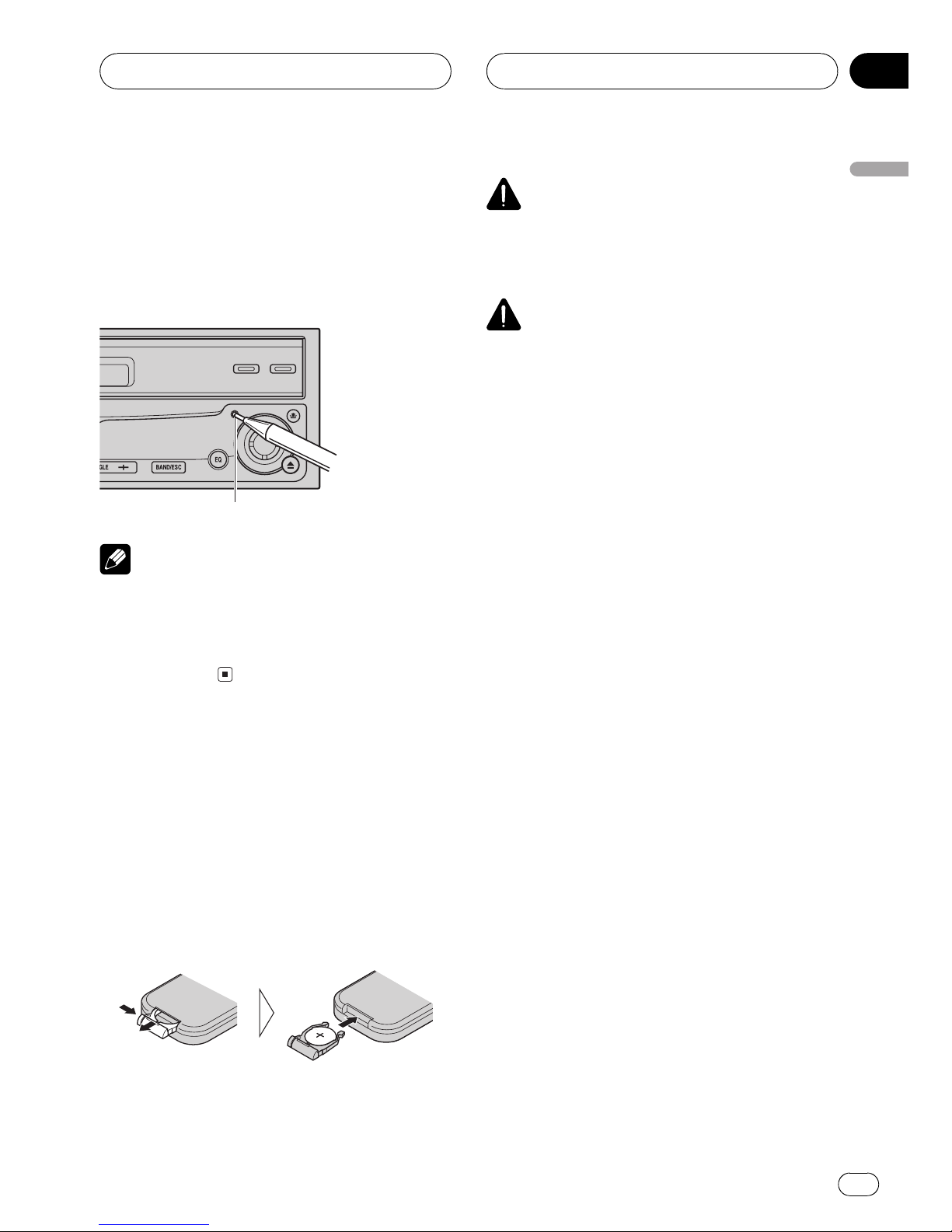
Resetting the microprocessor
Pressing RESET lets you reset the micropro-
cessor to its initial settings without changing
the condition memory.
The microprocessor must be reset under the
following conditions:
!Prior to using this unit for the first time
after installation
!If the unit fails to operate properly
Before You Start
En
8
Section
02
!When strange or incorrect messages ap-
pear on the display
1 Turn the ignition switch OFF.
2 Press RESET with a pen tip or other
pointed instrument.
RESET button
Note
After completing connections or when you want
to erase all memorized settings or return the unit
to its initial (factory) settings, switch your engine
ON or set the ignition switch to ACC ON before
pressing RESET.
Use and care of the remote
contro
Insta ing the battery
Slide the tray out on the back of the remote
control and insert the battery with the plus (+)
and minus () poles pointing in the proper di-
rection.
!When using for the first time, pull out the
film protruding from the tray.
WARNING
Keep the battery out of the reach of children.
Should the battery be swallowed, immediately
consult a doctor.
CAUTION
!Use only one CR2025 (3 V) lithium battery.
!Remove the battery if the remote control is not
used for a month or longer.
!Do not recharge, disassemble, heat or dispose
of the battery in fire.
!Do not handle the battery with metallic tools.
!Do not store the battery with metallic materi-
als.
!In the event of battery leakage, wipe the re-
mote control completely clean and install a
new battery.
!When disposing of used batteries, please
comply with governmental regulations or en-

vironmental public institutions rules that

apply in your country/area.
Before You Start
En 9
Section
02
Before You Start
Using the remote contro
Point the remote control in the direction of the
front panel to operate.
!The remote control may not function prop-
erly in direct sunlight.
Important
!Do not store the remote control in high tem-
peratures or direct sunlight.
!Do not let the remote control fall onto the
floor, where it may become jammed under the
brake or accelerator pedal.
Before You Start
En
10
Section
02