logo
Brands
  1. Home
  2. •
  3. Brands
  4. •
  5. Plantronics
  6. •
  7. Telephone Accessories
  8. •
  9. Plantronics DA50 User manual

Plantronics DA50 User manual

Other Plantronics Telephone Accessories manuals

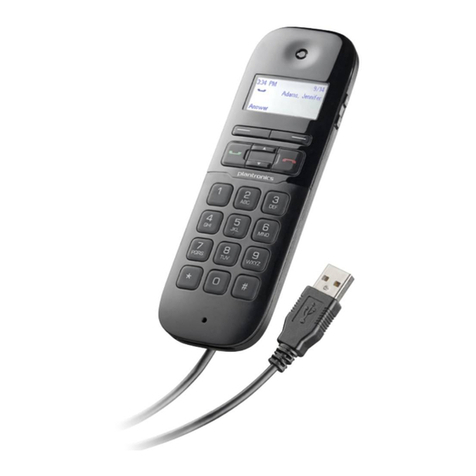
Plantronics Calisto P240-M User manual

Plantronics

Plantronics Calisto P240-M User manual

Plantronics VOYAGER CS60 User manual

Plantronics

Plantronics VOYAGER CS60 User manual

Plantronics APV-60 (AVAYA) User manual

Plantronics

Plantronics APV-60 (AVAYA) User manual

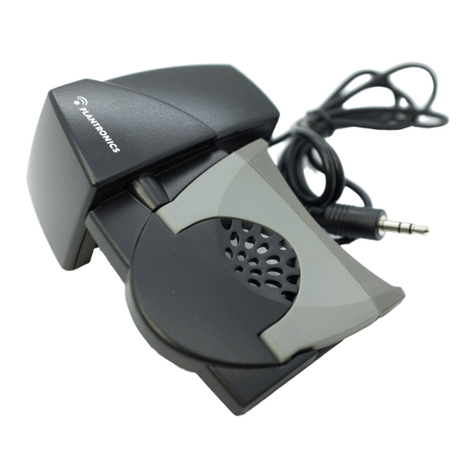
Plantronics HL 10 User manual

Plantronics

Plantronics HL 10 User manual

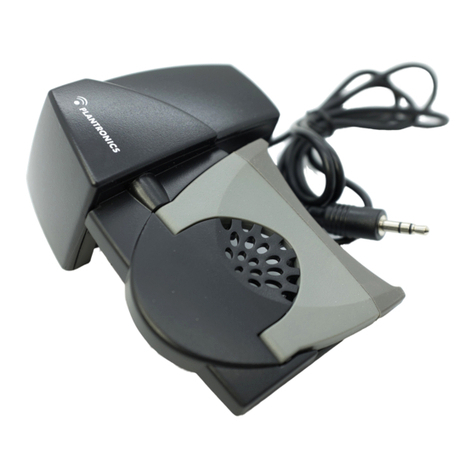
Plantronics HL 10 User manual

Plantronics

Plantronics HL 10 User manual

Plantronics HL 10 User manual

Plantronics

Plantronics HL 10 User manual

Plantronics Calisto P240 User manual

Plantronics

Plantronics Calisto P240 User manual

Plantronics HL 10 Setup guide

Plantronics

Plantronics HL 10 Setup guide

Plantronics BLUETOOTH HEADSET 220 SERIES User manual

Plantronics

Plantronics BLUETOOTH HEADSET 220 SERIES User manual

Plantronics VOYAGER 510 Reference guide

Plantronics

Plantronics VOYAGER 510 Reference guide

Plantronics CLARITY ESR-200 Reference guide

Plantronics

Plantronics CLARITY ESR-200 Reference guide

Plantronics C65 PROGRAMMER Reference guide

Plantronics

Plantronics C65 PROGRAMMER Reference guide

Plantronics CS55 User manual

Plantronics

Plantronics CS55 User manual

Plantronics CS55 User manual

Plantronics

Plantronics CS55 User manual

Plantronics Calisto P240-M User manual

Plantronics

Plantronics Calisto P240-M User manual

Plantronics HL 10 User manual

Plantronics

Plantronics HL 10 User manual

Plantronics HL2 User manual

Plantronics

Plantronics HL2 User manual

Plantronics Encore H101N User manual

Plantronics

Plantronics Encore H101N User manual

Plantronics Savor M1100 Specification sheet

Plantronics

Plantronics Savor M1100 Specification sheet

Plantronics CALISTO P210-M Owner's manual

Plantronics

Plantronics CALISTO P210-M Owner's manual

Plantronics CS55 User manual

Plantronics

Plantronics CS55 User manual

Plantronics A20 User manual

Plantronics

Plantronics A20 User manual

Plantronics Voyager Legend CS User manual

Plantronics

Plantronics Voyager Legend CS User manual

Plantronics HL 10 User manual

Plantronics

Plantronics HL 10 User manual

Popular Telephone Accessories manuals by other brands

BT DIVERSE 5400 user guide

BT

BT DIVERSE 5400 user guide

Tadiran Telecom EMERALD ICE installation manual

Tadiran Telecom

Tadiran Telecom EMERALD ICE installation manual

Musicam FieldFone II user guide

Musicam

Musicam FieldFone II user guide

Polycom KIRK KIRK 4040 Features guide

Polycom

Polycom KIRK KIRK 4040 Features guide

TIPTEL DECT Set 50 user manual

TIPTEL

TIPTEL DECT Set 50 user manual

Panasonic KX-UDS124 installation guide

Panasonic

Panasonic KX-UDS124 installation guide

BT BT7600 Quick setup and user guide

BT

BT BT7600 Quick setup and user guide

View VP-PC installation guide

View

View VP-PC installation guide

Baldwin Boxall BT8 operating instructions

Baldwin Boxall

Baldwin Boxall BT8 operating instructions

SMC Networks SMCDPCR-AP specification

SMC Networks

SMC Networks SMCDPCR-AP specification

SkyLink SD-001 user manual

SkyLink

SkyLink SD-001 user manual

Nera ISDN user guide

Nera

Nera ISDN user guide

MCheeta CT-CID803 Plus user manual

MCheeta

MCheeta CT-CID803 Plus user manual

YASKAWA YRC1000 instructions

YASKAWA

YASKAWA YRC1000 instructions

Intellitouch MOH-500E Specifications

Intellitouch

Intellitouch MOH-500E Specifications

Viking SQRG-12 Technical practice

Viking

Viking SQRG-12 Technical practice

Clarity CE225 brochure

Clarity

Clarity CE225 brochure

Bang & Olufsen beocom 1401 user manual

Bang & Olufsen

Bang & Olufsen beocom 1401 user manual

https://manuals.online logo
https://manuals.online logoBrands
  • About & Mission
  • Contact us
  • Privacy Policy
  • Terms and Conditions

Copyright 2025 Manuals.Online. All Rights Reserved.

2
4
1
QD
USB
65
USB
QD
+Software 3
DA50 DIGITAL ADAPTER
QUICK START GUIDE
345 Encinal Street
Santa Cruz, California 95060
1.831.458.7700
www.plantronics.com
© 2001 Plantronics Inc. All rights reserved. Plantronics, the logo design, and the Plantronics and logo design combined are
registered trademarks and Quick Disconnect is a trademark of Plantronics Inc. in the United States and various other countries.
Printed in USA. 61334- 01 (8-01)
DA50
DIGITAL ADAPTER
QUICK START
SAFETY INSTRUCTION
For your comfort, health, and
safety please do not exceed
moderate listening levels
SAVE THIS INSTRUCTION
Minimum System Requirements:
Windows 98 Second Edition/
Windows 2000
Pentium II 166MHz or equivalent.
10 MB free disk space; 16 MB
RAM/32 for Windows 2000 SVGA
Monitor; CD ROM and a USB Port
For Technical Support:
CD: See help files
Web: www.plantronics.com
(See Customer Support ->FAQ’s)
E-mail: [email protected]
Voice:
US: 1.800.544.4660
Canada: 1.800.544.4660x5538
UK: 0800 410014
+ 44.1793.842200
Europe: 00.800.5444.6600
Germany: + 49.22.33.3990
France: + 33.1.41.67.4141
Holland: + 31 23 5648025 (NL)
Italy: 800.950934
Spain: + 34.91.640.4744
Elsewhere: 1.831.458.7700 x5538
Fax: 1.831.425.8654
ADAPTATEUR
NUMÉRIQUE DA50
QUICK START
CONSIGNES DE SÉCURITÉ
Pour votre confort, santé et sécurité,
ne dépassez pas les niveaux d'écoute
modérés
CONSERVEZ CES INSTRUCTIONS.
Configuration minimum nécessaire :
Windows 98 Seconde édition/
Windows 2000
Pentium II 166MHz ou équivalent.
10 MB d'espace disque disponible ;
16 MB RAM/32 pour Windows 2000
Moniteur SVGA ; CD ROM et un Port USB
Support technique :
CD : Voir fichiers d'aide
Web : www.plantronics.com
(Voir Service client ->FAQ)
E-mail : [email protected]
Vocal :
France : 0825 0825 99
+ 33 1 41 67 4141
États-Unis : 1.831.458.7700 x5538
Canada : 1.514.956.8363
Europe : 00.800.5444.6600
R.U : + 44 1793 842200
Allemagne : + 49 22 33 3990
Pays-Bas : + 31 23 5648025 (NL)
(BE/LUX) 00800 75268766
Italie : + 39 02951 1900
Espagne : + 34 91 640 47 44
Partout ailleurs :
1.831.458.7700 x5538
Fax : 1.831.425.8654
DA50 Card1 8/17/01 12:32 PM Page 1
DA50
DIGITALADAPTER
SCHNELLSTART
SICHERHEITSANLEITUNGEN
Für Ihren Komfort, Ihre Gesundheit
und Sicherheit sollten die mittleren
Höreinstellungen nicht überstiegen
werden
BEWAHREN SIE DIESE
ANLEITUNGEN AUF.
Mindest Systemanforderungen:
Windows 98 Second Edition/
Windows 2000
Pentium II 166MHz oder Equivalent.
10 MB freie Festplatte; 16 MB RAM/
32 für Windows 2000 SVGA Monitor;
CD ROM und ein USB Port
Für technische Unterstützung:
CD: Siehe Hilfsdateien
Internet: www.plantronics.com (Siehe
Kundendienst-Hilfe ->FAQ's [Fragen])
E-mail: [email protected]
Telefon:
Deutschland: 0800 9323400
+ 49 22 33 3990
USA: 1.831.458.7700 x5538
Kanada: 1.514.956.8363
Europa: 00.800.5444.6600
Grossbritannien:+ 44 1793 842200
Frankreich: + 33 1 41 67 4141
Holland: + 31 23 5648025 (NL)
(BE/LUX) 00800 75268766
Italien: + 39 02951 1900
Spanien: + 34 91 640 47 44
Andere Länder: 1.831.458.7700 x5538
Fax: 1.831.425.8654
DA50 DIGITALE
ADAPTER–
SNELSTART
INSTRUCTIE VOOR UW
VEILIGHEID
Voor uw comfort, gezondheid
en veiligheid wordt aangeraden op
een matig in gematigd te luisteren
BEWAAR DEZE INSTRUCTIE.
Minimale systeemvereisten:
Windows 98 Second Edition/
Windows 2000
Pentium II 166 MHz of gelijkwaardig.
10 MB vrije ruimte op harde schijf;
16 MB RAM/32 voor
Windows 2000 SVGA monitor;
CD ROM en een USB-poort
Voor technische ondersteuning:
CD: Zie helpbestanden
Web: www.plantronics.com (zie
Klant Support -> Veelgestelde vragen)
E-mail: [email protected]
Spraak in telefoon:
Nederland: 0800 7526876
+ 31 23 5648025 (NL)
(BE/LUX) 00800 75268766
VS: 1.831.458.7700 x5538
Canada: 1.514.956.8363
Europa: 00.800.5444.6600
VK: + 44 1793 842200
Duitsland: + 49 22 33 3990
Frankrijk: + 33 1 41 67 4141
Italië: +39 02951 1900
Spanje: + 34 91 640 47 44
Elders: 1.831.458.7700 x5538
Fax: 1.831.425.8654
INICIO RÁPIDO PARA
EL ADAPTADOR
DIGITAL DA50
INSTRUCCIÓN DE SEGURIDAD
Para su comodidad, salud y seguridad,
por favor no exceda los niveles mod-
erados de audición.
GUARDE ESTA INSTRUCCIÓN
Requisitos Mínimos del Sistema:
Windows 98 Segunda Edición/
Windows 2000
Pentium II 166MHz o equivalente.
10 MB de espacio en el disco; 16 MB
RAM/32 para el Monitor SVGA
Windows 2000; CD ROM y Conexión
USB
Para recibir asistencia técnica:
CD: Ver los archivos de ayuda
Red: www.plantronics.com (Ver la
Asistencia al Cliente ->FAQ's)
E-mail: auriculares@plantronics.com
Voz:
España: 902 41 51 91
+ 34 91 640 47 44
E.U.A.: 1.831.458.7700 x5538
Canadá: 1.514.956.8363
Europa: 00.800.5444.6600
Reino Unido: + 44 1793 842200
Alemania: + 49 22 33 3990
Francia: + 33 1 41 67 4141
Holanda: + 31 23 5648025 (NL)
(BE/LUX) 00800 75268766
Italia: + 39 02951 1900
Otros lugares: 1.831.458.7700 x5538
Fax: 1.831.425.8654
PER INIZIARE SUBITO
AD UTILIZZARE L’A-
DATTATORE DIGITALE
DA50
STRUZIONI PER LA SICUREZZA
Per il proprio comfort, salute e sicurez-
za si prega di non superare livelli di
ascolto moderati
CONSERVARE QUESTE
ISTRUZIONI.
Requisiti minimi di sistema:
Windows 98 Second Edition/
Windows 2000
Pentium II a 166MHz o equivalente.
10 MB di spazio libero sul disco fisso
16 MB di RAM/32 per Windows 2000
con monitor SVGA; CD ROM e una
porta USB
Per assistenza tecnica:
CD: Vedere i file di guida
Web: www.plantronics.com (vedere
Servizio clienti ->FAQ)
E-mail: [email protected]
Telefono:
Italia: 800 950934
+ 39 02951 1900
US: 1.831.458.7700 x5538
Canada: 1.514.956.8363
Europa: 00.800.5444.6600
Regno Unito: + 44 1793 842200
Germania: + 49 22 33 3990
Francia: + 33 1 41 67 4141
Olanda: + 31 23 5648025 (NL)
(BE/LUX) 00800 75268766
Spagna: + 34 91 640 47 44
Altri Paesi: 1.831.458.7700 x5538
Fax: 1.831.425.8654

DA50 Card1 8/17/01 12:32 PM Page 2