1
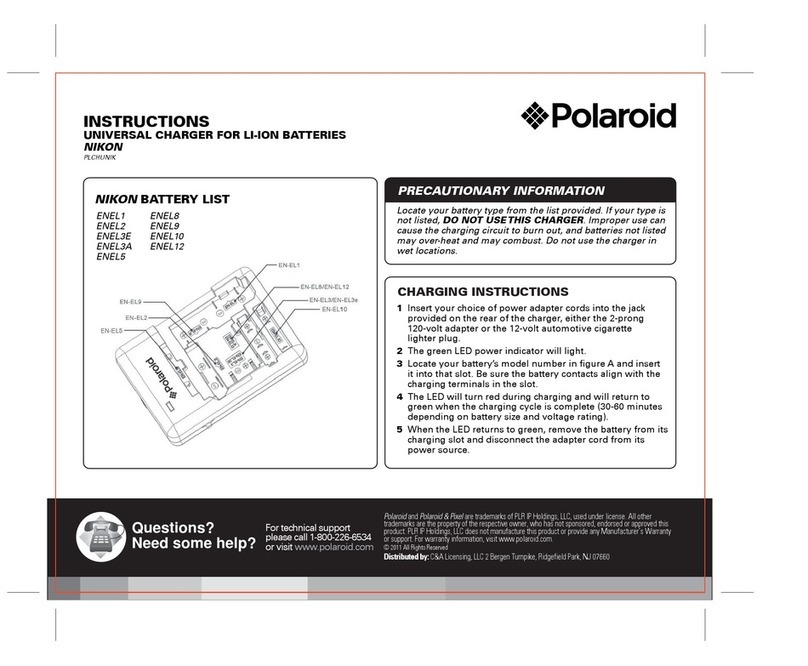
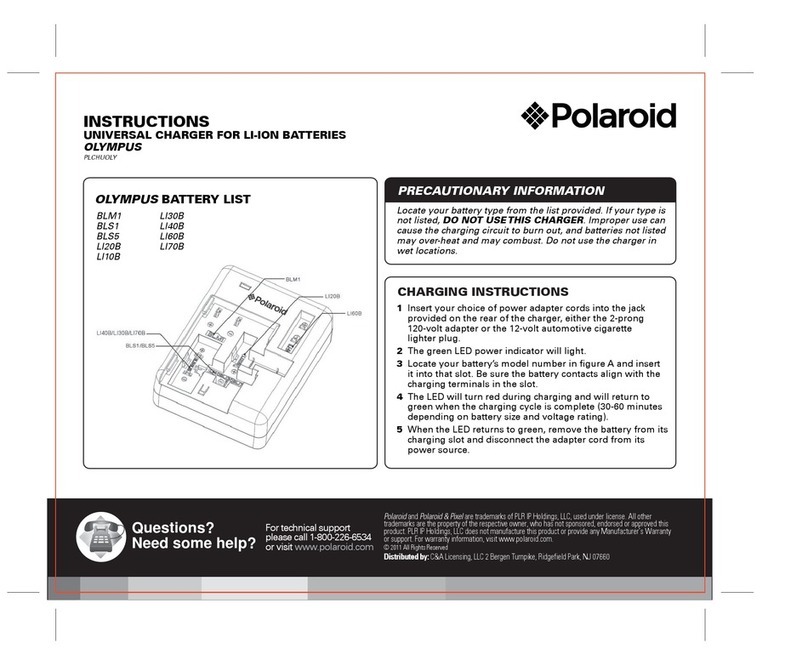
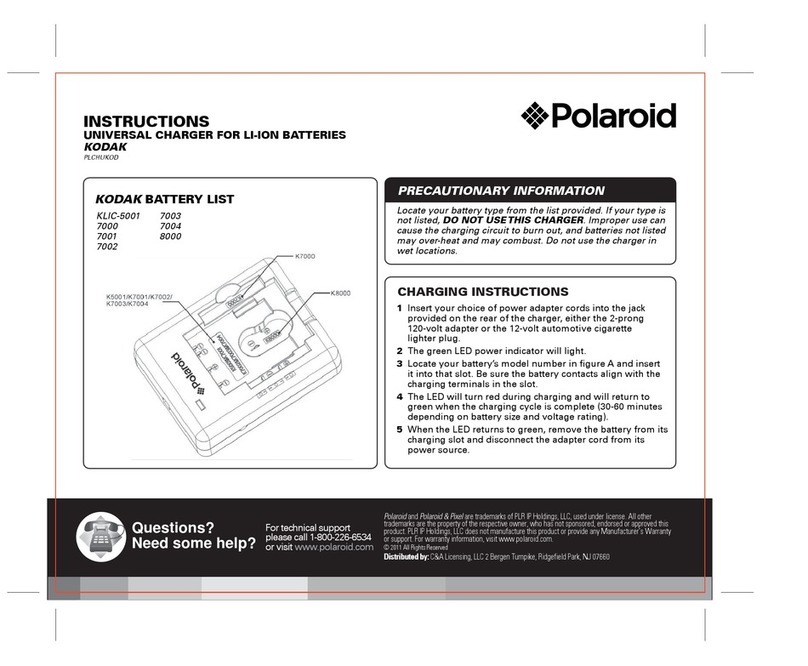
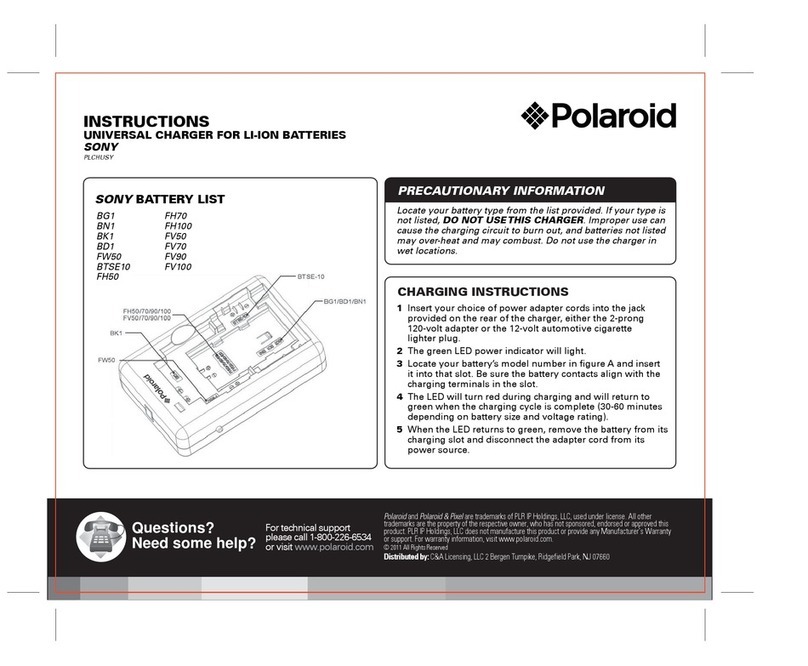
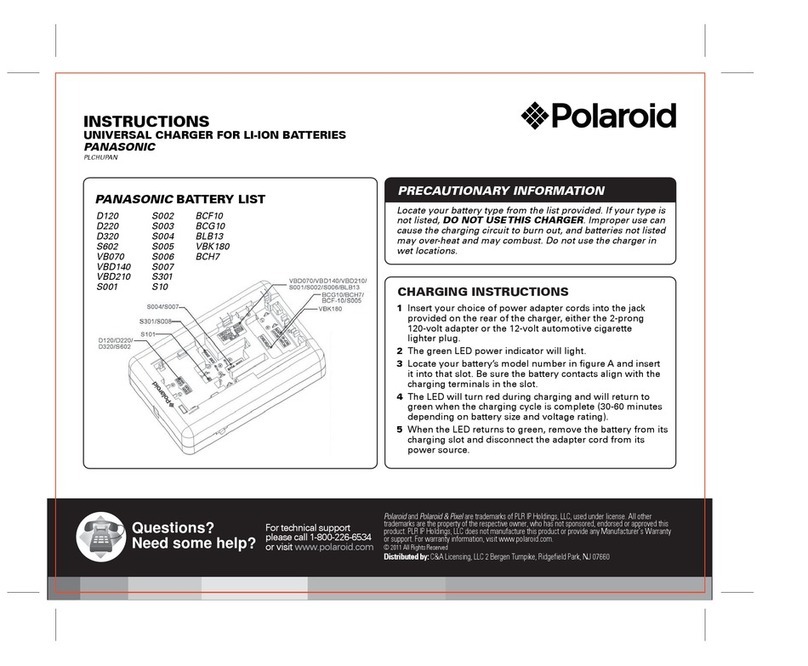
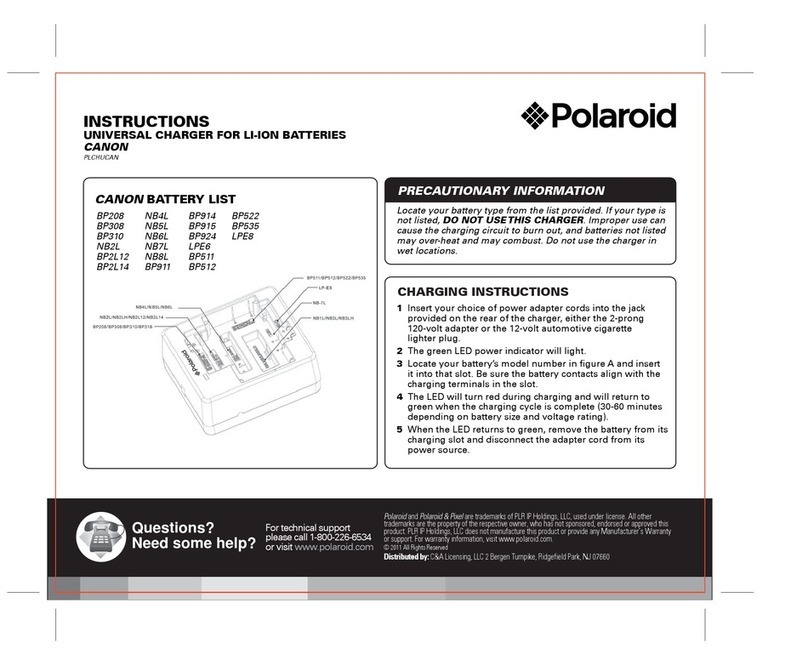
Connect charger using 12V automobile plug or
120V wall adapter cord.The LED lamp will light
green for 5 seconds then turn off.
2
Charger automatically detects
“+” or “-” polarity.
WARNING: Contact pins must only connect
“+” and “-” contacts on battery.
3
Red light indicates charging.
5
Once the battery is charged, press and
pull back the blue button and remove
the battery.
4
Green light indicates FULL CHARGE.
Distributed by: C&A Licensing LLC, 2 Bergen Turnpike, Ridgefield Park, NJ 07660
Warranty Card
LimitedWarranty: C&A Licensing LLC (”C&A”) warrants this product to the original consumer
only and is not transferable. This warranty covers products that fail to function properly UNDER
NORMAL USAGE, due to defects in material or workmanship. Your product will be repaired or
replaced at no charge for parts or labor for a period as outlined below (the “Warranty Period”) from
your date of purchase. You will be responsible for shipping the product to C&A or its authorized
servicer for warranty support.
Warranty Period
1 year limited warranty: NON-CARBON FIBER TRIPODS, CARD READERS, CASES, CLEANING
ACCESSORIES, TRIGGER REMOTES, CORDS, FLASH UNITS, LED LIGHTS, BATTERYGRIPS,
REPLACEMENT BATTERIES,BATTERY CHARGERS
5 year limited warranty: CARBON FIBER TRIPODS, ALL TERRAIN TRIPOD, LENS CAP, WHITE
BALANCE CAPS, CAMERA FILTERSAND LENSES
What is Not Covered by Warranty
All other situations, including but not limited to damages or malfunctions not resulting from defects
in material or workmanship and damages or malfunctions from other than normal use, including but
not limited to, repair by unauthorized parties, tampering, modification or accident.
WhatTo DoWhen Service Is Required
When returning your defective product (postage pre-paid) for service, your package should include:
1. Copy of original bill of sale
2. A detailed written description of the problem
3. Your return address and telephone number (Daytime)
4. The defective product
5. Mail to: C&A Licensing LLC, 2 Bergen Turnpike,Ridgefield Park, NJ 07660
-You may also visit www.polaroid.comfor further assistance if necessary or call our technical
support department toll free at 1-800-226-6534
THERE ARE NO EXPRESS WARRANTIES OTHER THAN THOSE EXPRESSLYDESCRIBED ABOVE,
AND NO WARRANTIES WHETHER EXPRESS OR IMPLIED, INCLUDING, BUT NOT LIMITED TO,
ANY IMPLIED WARRANTIES OF MERCHANTABILITYOR FITNESS FOR A PARTICULAR PURPOSE,
SHALL APPLY AFTER THE EXPRESS WARRANTYPERIOD STATED ABOVE, AND NO OTHER
EXPRESS WARRANTY OR GUARANTY GIVEN BY ANY PERSON, FIRM OR ENTITY WITH RESPECT
TO THE PRODUCT SHALL BE BINDING ON C&A. THIS WARRANTYIS THE EXCLUSIVE
WARRANTY WITH RESPECT TO THE PRODUCT AND C&A IS THE EXCLUSIVE WARRANTY
PROVIDER FOR THE PRODUCT. REPAIR OR REPLACEMENT IS THE EXCLUSIVE REMEDY OF THE
CONSUMER. IN NO EVENT WILL C&A, ITS MANUFACTURERS,DISTRIBUTORS OR PLR IP
HOLDINGS, LLC BE LIABLE FOR ANY INCIDENTAL, DIRECT, INDIRECT,SPECIAL, PUNITIVE OR
CONSEQUENTIAL DAMAGES (SUCH AS, BUT NOT LIMITED TO, DAMAGES FOR LOSS OF
PROFITS, BUSINESS, SAVINGS, DATA OR RECORDS) RELATEDTO THIS PRODUCT. EXCEPT AS
STATED HEREIN, NO OTHER WARRANTIES SHALL APPLY. NOTWITHSTANDING THE FOREGOING,
CONSUMER’S RECOVERY AGAINST C&A SHALL NOT EXCEED THE PURCHASE PRICE OF THE
PRODUCT SOLD BY C&A. THIS WARRANTYSHALL NOT EXTEND TO ANYONE OTHER THAN THE
ORIGINAL CONSUMER WHO PURCHASED THE PRODUCT AND IS NOT TRANSFERABLE.
Some states do not allow the exclusion or limitation of incidental or consequential damages, or
allow limitations on warranties, so the above limitations or exclusions may not apply to you. This
Warranty gives you specific rights, and you may have other rights, which vary from state to state.
Universal Single
Battery Charger
User Guide
PLCHUALL
Polaroidand Polaroid & Pixel are trademarks of PLR IP Holdings, LLC, used under license. All other
trademarksare the property of the respective owner, who has not sponsored, endorsed or approved
thisproduct. PLRIP Holdings, LLC does not manufacture this product or provide any Manufacturer’s
Warrantyor support.
For warranty information and technical support please call
1-800-226-6534 or visit www.polaroid.com
Questions?
Need some help?
These instructions will help
you enjoy your newproduct
If you still have questions
call our support line:
1-800-226-6534
or visit us at
www.polaroid.com
Distributedby:
C&ALicensing LLC
2Bergen Turnpike
RidgefieldPark, NJ 07660
©2011 All Rights Reserved
MADEIN CHINA
Productfeatures, specifications and appearances
aresubject to change without notice.
Warning
• Only use the charger to charge batteries.
• Do not allow charger to get wet or get exposed
to moisture.
• Keep the charger out of reach of children
• Once charging is complete, unplug the charger from
power source.
• Only use the original adapter 12V DC or car lead.
• Never apply excessive force when connecting or
disconnecting battery to contacts.
• Keep all contacts clean.
• Do not force down any of the contacts.
• Do not short-circuit the contacts.
• Never store the battery connected to the charger for an
extensive period of time.
• Do not expose to excessive heat or naked flame.
• Do not dismantle or carry out any alteration to
the product.
Attention
• Li-ion batteries with info/data systems or any other
electronic data exchange system must be handled
with caution.
• Align contacts of charger with +/- contact of the
battery only.
• Damage may be caused to data system or battery if
charger contact is aligned with info/data contacts.
• When using the USB output, all the battery charging
functions are not available.
• For NI-MH battery only.