- 10 -
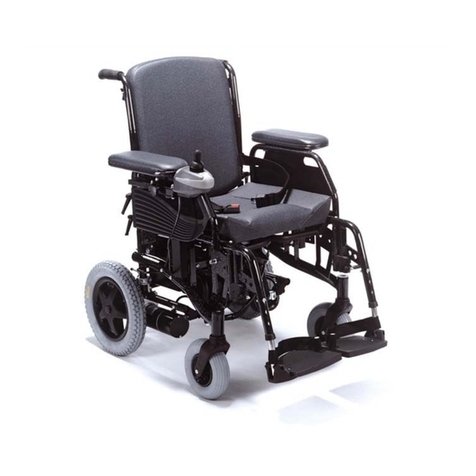
Your Powerchair is fitted with the latest up to date electronic controls. The
control box is normally fitted to the right side of the chair.
Switch on your power chair with the ON/OFF Button. When the chair is turned
on the batterylevel indicator lamp lights up. This also can be used as a fault find-
ing guide.
The Powerchair is ready for use if the green or orange battery level indicator bars
are illuminated. The range of the chair is relative to the number of bars lit, as they
show how much charge is left in the batteries. A true reading will only be taken
when the power chair is stationary. When only the red bars are illuminated, do
not use the Powerchair and charge the batteries.
The joystick controls the speed and direction of the Powerchair. The further the
joystick is moved from its central location the faster the Powerchair will move in
the direction the joystick is pushed.To slow down, guidethe joystick towards its
central position.
For your first drive choose an area with plenty of space to drive your Powerchair
and select the low speed setting until you are familiar with the controls. In a short
time you will be in total control and can then increase thespeed.
Move the joystick gently forward. The more you push the joystick forward the
faster you will travel, but you will not exceed the speed limit imposed by the
speed control knob, regardless of the joystick position.
To reverse, pull the joy-stick to the rear, beyond its centre (neutral) position. The
joystick is also your steering lever. Move it to the left and you will turn left.
Move it to the right and you will turn right.
When you want to stop or have to make an emergencybrake application, simply
release the joy- stick. It will automatically return to the centre (neutral) position.
At this moment the brakes ofthe electric motors will cut in and bring the Power-
chair smoothly to a standstill.
Once the Powerchair is at a standstill, it is automatically locked in its parking
position by the electromagnetic safety brake system. If you intend to remain
parked for any length of time, or you are leaving the Powerchair switch off the
controller to avoid accidentally moving the joystick, which would release the
braking system.
- 17 -
We recommend that you do not sit on your Powerchair when in a vehicle, but
transfer to a vehicle seat. A Powerchair secured in a vehicle will not provide the
equivalent safetylevel and security as the vehicle’s seating systems.
However, when transfer is not practical or impossible, ensure the following:
1) Check that the vehicle is suitably designed, insured and equipped to transport
a passenger seated in a Wheelchair
2) Remove any part of the Wheelchair (accessories, etc.) that can beeasily detached
and store it in the vehicle’s luggagehold
3) Makesure theWheelchair istransported in a forward facing direction. Rearward
facing isonlyacceptable if the passenger’s head and back can be supported by a
suitable bulkhead
4) Use the buckle seat belt (if fitted) with your chair as additional restraint
We recommend that the powerchair is secured within the vehicle using the 4-
point webbing tie-down system with Karibiner, model no WWR/ATF/K/R
(available from Unwin Safety Systems based in Yeovil, U.K.)
Note: Although safety during transportation largely depends upon the diligence
of the person securing the tie-downs and passenger restraints it is the user’s re-
sponsibility to ensure that the powerchair hasbeen safely secured.
User Manual
Pride Mobility R4 Power Chair