3
33
3
CD File Contents
CD File Contents CD File Contents
CD File Contents ( only for RCOM PRO20 (USB) Model)
( only for RCOM PRO20 (USB) Model)( only for RCOM PRO20 (USB) Model)
( only for RCOM PRO20 (USB) Model)
1
2
3
5
1This program is for installing Font on your PC program.
It will be installing with double click..
Refer to the page 7 for how to install.
Click x 2
2This program is for update the program which is
controlling all incubation operation.
You don’t need to install otherwise you want to
update incubator function.
Refer to the page 32 for how to install.
Update Program
Firmware HEX Program
3It is PC controlling management program. It controls
incubator temperature, humidity, egg-turning and
egg-turning interval. It also manages egg temperature,
humidity changes with database. Hatching success
ratio can be improved with this program because it
applies egg density loss and weight loss for incubation.
.
Click x 2
Installation will be operate with double click.
Refer to the user’s manual page 8 for how to install.
CD Contents
There is PC program user’s manual.
You can find it with double click.
Click x 2
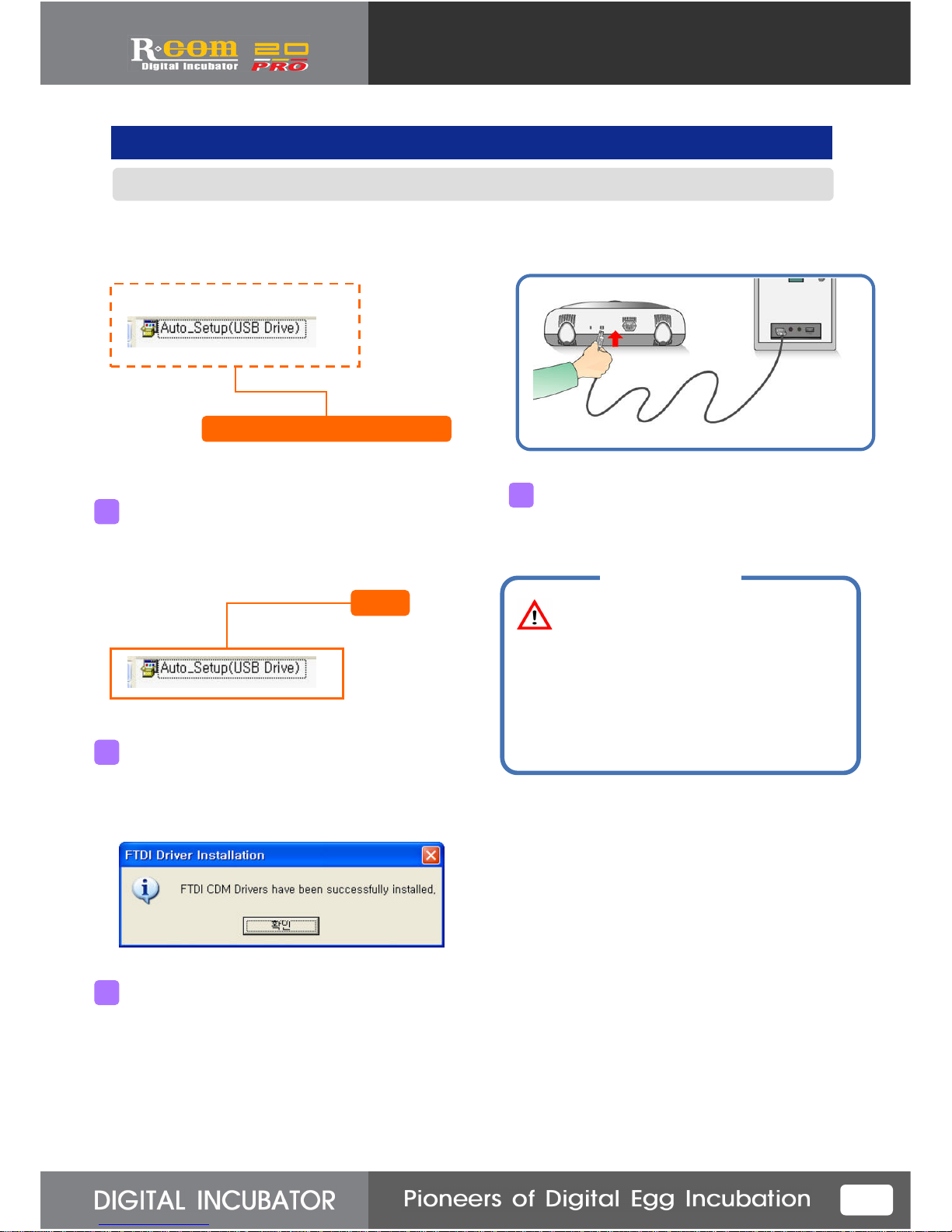
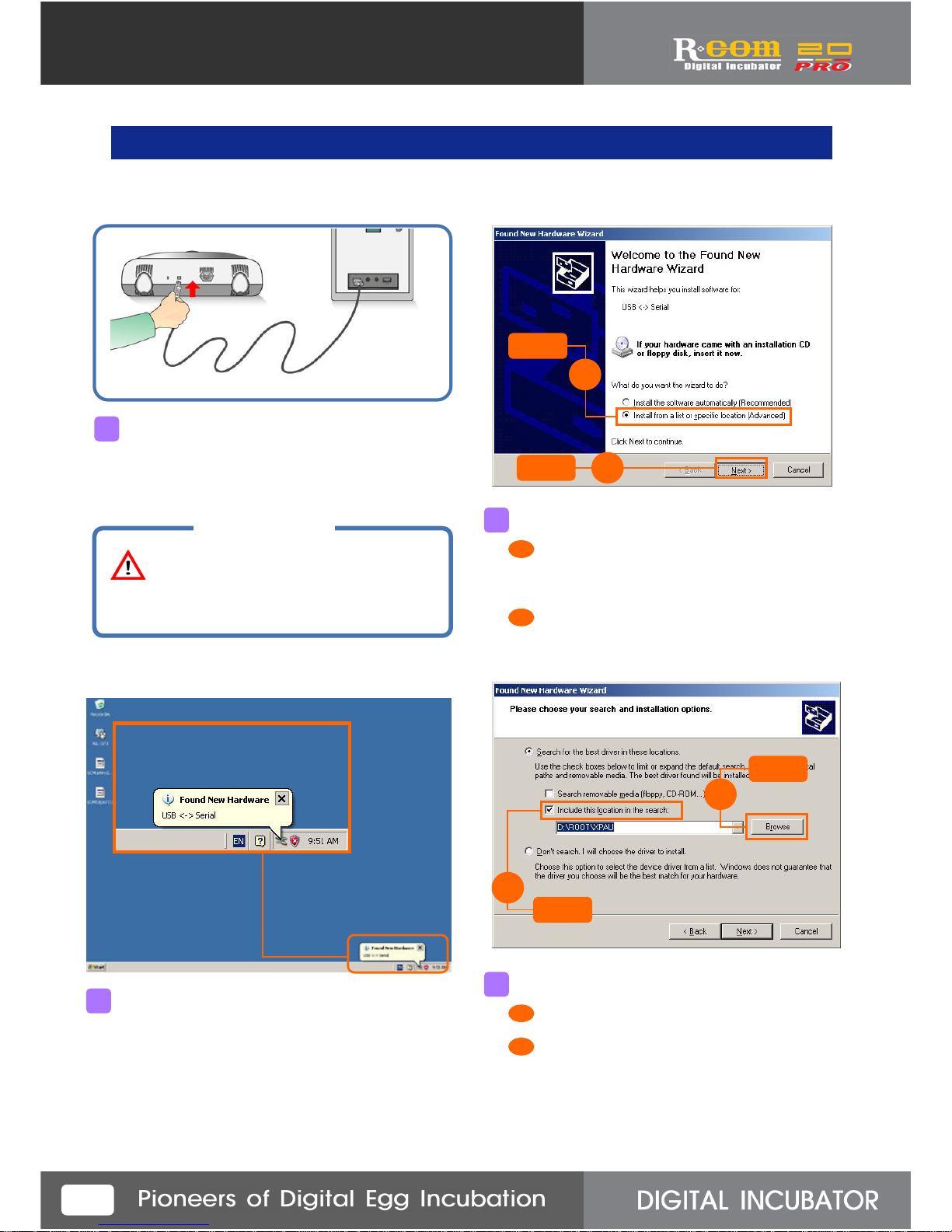
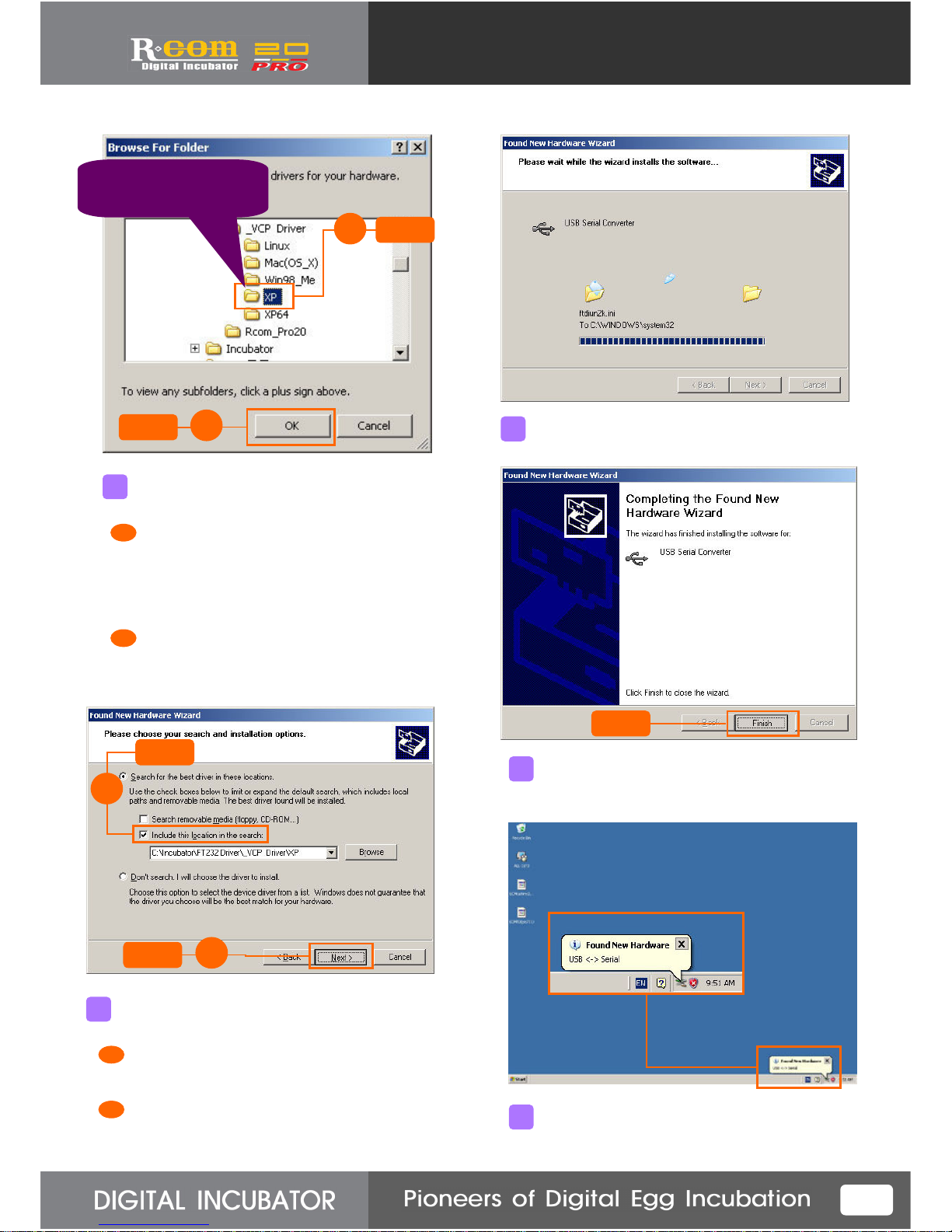
There is a file for installing USB driver.
Select XP folder. Refer to the user’s manual
Page 4 for how to install.
5
Click
Program Installation Order
1. Install USB Driver.
2. Install Font program.
3. Install PC program.
4. When you want to update
the incubator or the incubator
has any problem, refer to the
user’s manual for installing.
For how to install the program above,
refer to the user’s manual.
T I P!