manuals.online logo
Brands
  1. Home
  2. •
  3. Brands
  4. •
  5. Reliance Controls
  6. •
  7. Security System
  8. •
  9. Reliance Controls Phone Alert Programming manual

Reliance Controls Phone Alert Programming manual

Other Reliance Controls Security System manuals

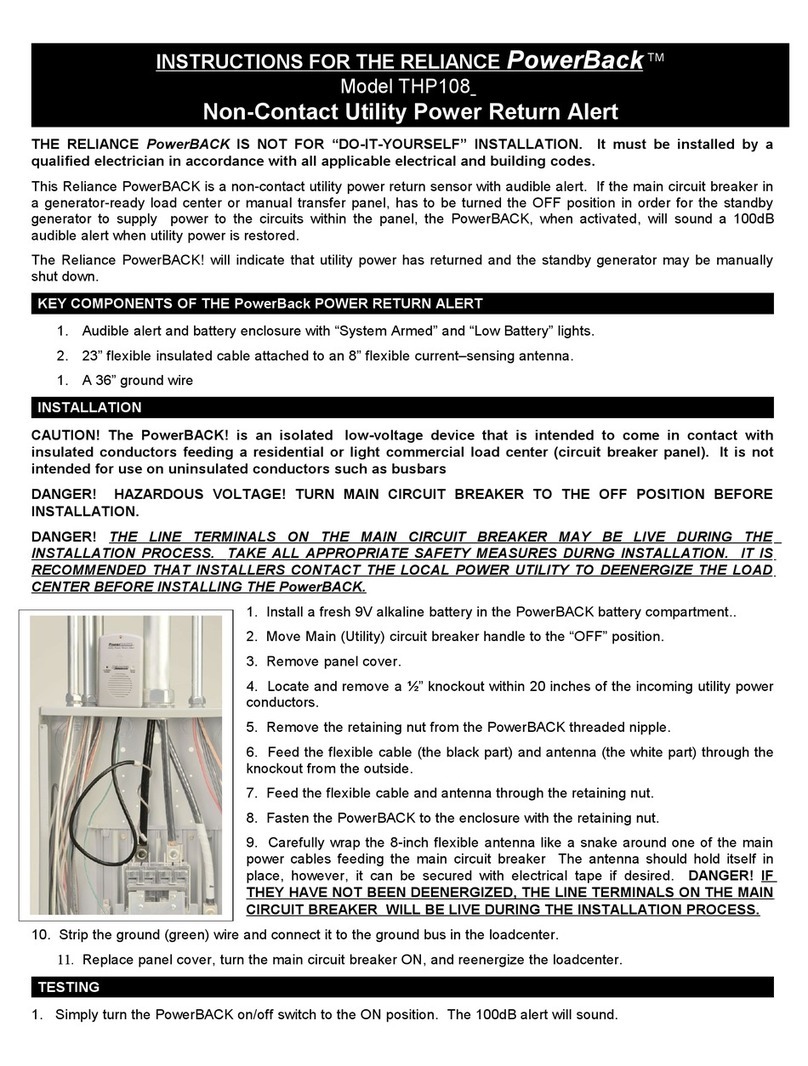
Reliance Controls THP217 User manual

Reliance Controls

Reliance Controls THP217 User manual

Reliance Controls The Home Protectors 11034 User manual
Reliance Controls

Reliance Controls The Home Protectors 11034 User manual

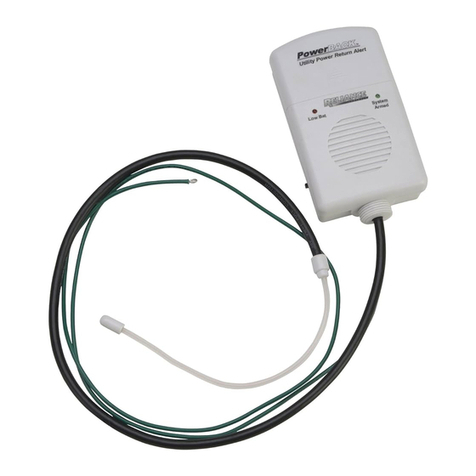
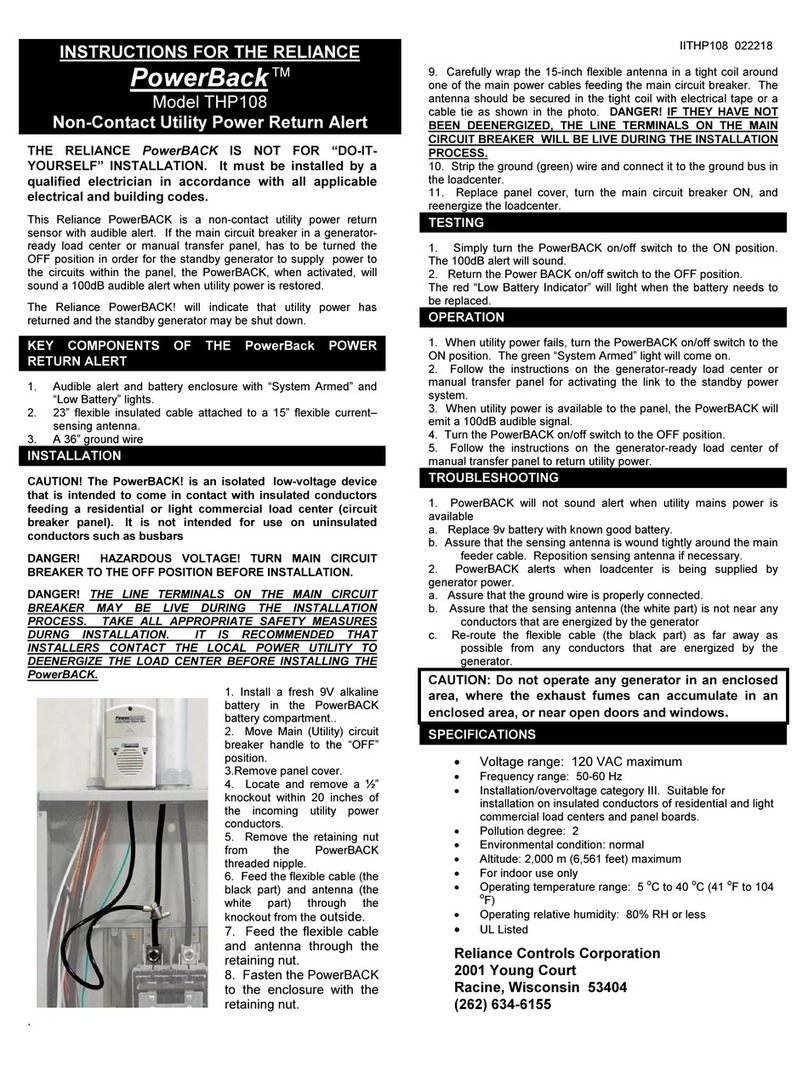
Reliance Controls PowerBack THP108 User manual
Reliance Controls

Reliance Controls PowerBack THP108 User manual
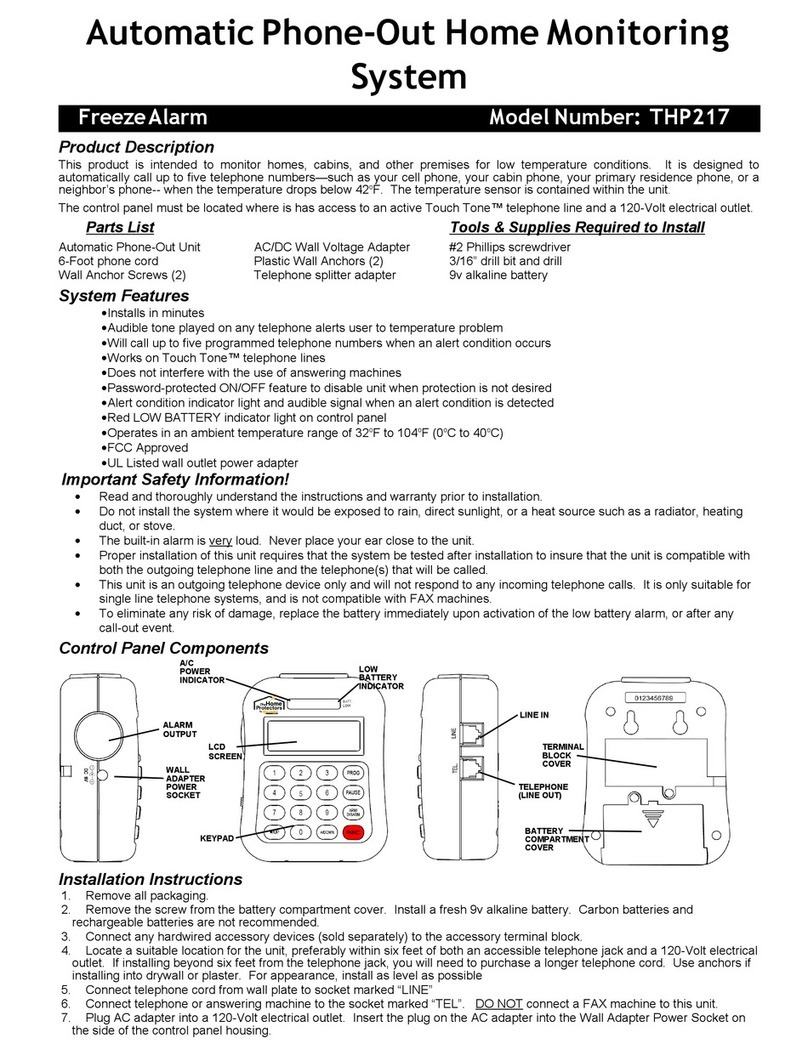
Reliance Controls PowerBACK User manual

Reliance Controls

Reliance Controls PowerBACK User manual

Reliance Controls PowerBack THP108 User manual

Reliance Controls

Reliance Controls PowerBack THP108 User manual

Popular Security System manuals by other brands

Polon-Alfa 4000 Installation and maintenance manual

Polon-Alfa

Polon-Alfa 4000 Installation and maintenance manual

Nexcom NViS 14162 Series user manual

Nexcom

Nexcom NViS 14162 Series user manual

Eminent EM8670 Quick install

Eminent

Eminent EM8670 Quick install

urmet domus alpha 1060 INSTALLATION AND USE BOOKLET

urmet domus

urmet domus alpha 1060 INSTALLATION AND USE BOOKLET

SmartPool YardGuard YG03 manual

SmartPool

SmartPool YardGuard YG03 manual

DSC PC5964 Mounting instructions

DSC

DSC PC5964 Mounting instructions

Secure USAB-1 operating instructions

Secure

Secure USAB-1 operating instructions

B&B 480 SERIES Operation & maintenance manual

B&B

B&B 480 SERIES Operation & maintenance manual

ADEMCO VISTA-20P Series Installation and setup guide

ADEMCO

ADEMCO VISTA-20P Series Installation and setup guide

Inner Range Concept 2000 user manual

Inner Range

Inner Range Concept 2000 user manual

Johnson Controls PENN Connected PC10 Install and Commissioning Guide

Johnson Controls

Johnson Controls PENN Connected PC10 Install and Commissioning Guide

Aeotec Siren Gen5 quick start guide

Aeotec

Aeotec Siren Gen5 quick start guide

Swann SW-P-MC2 Specifications

Swann

Swann SW-P-MC2 Specifications

Ecolink Siren+Chime user manual

Ecolink

Ecolink Siren+Chime user manual

EDM Solution 6+6 Wireless-AE installation manual

EDM

EDM Solution 6+6 Wireless-AE installation manual

Siren LED GSM operating manual

Siren

Siren LED GSM operating manual

Detection Systems 7090i Installation and programming manual

Detection Systems

Detection Systems 7090i Installation and programming manual

FRIEDLAND MA10 Installation and operating instructions

FRIEDLAND

FRIEDLAND MA10 Installation and operating instructions

manuals.online logo
manuals.online logoBrands
  • About & Mission
  • Contact us
  • Privacy Policy
  • Terms and Conditions

Copyright 2025 Manuals.Online. All Rights Reserved.

ELIANEE
TINNENNE=0
,
Phone
AlertTM
HOME
WARNING
SYSTEM
QUICK
START
INSTRUCTIONS
1.
Remove
front
cover
screw
securing
housing
from
front
of
alarm
with
a
#1
Phillips
screwdriver
2.
Remove
front
cover
by
pressing
button
on
bottom
to
release.
Install
9V
alkaline
battery
supplied
with
unit
3.
The
freeze
alarm
is
pre-set
to
ON.
To
disable
this
alarm,
move
the
small
switch
located
just
above
the
battery
to
the
OFF
position.
Replace
housing
cover
and
retighten
front
cover
screw
C
.
ALI,
A•
LUN
NM
Ui
111
/
I
llgI
JIM
4.
Set
the
PULSE/TONE
switch
to
match
your
phone.
Set
the
call
delay
switch
to
either
5
or
30
minutes
from
the
time
a
condition
is
detected
to
the
time
the
alarm
makes
the
first
call.
5.
Connect
phone
cord
supplied
and
cord
from
your
existing
phone
into
connection
jacks
on
unit
bottom.
Note
that
unit
can
also
be
connected
directly
to
wall
jack
on
its
own.
6.
Plug
AC
adapter
into
jack
on
unit
bottom
and
other
end
into
120
Volt
household
AC
power
outlet.
7.
Attached
supplied
Velcro
TM
tabs
to
back
of
unit
for
wall
mounting.
If
mounting
with
supplied
anchor
screws
see
instructions
8.
Mount
the
alarm
close
to
an
AC
power
outlet
and
wall
phone
jack
(and
existing
phone
if
desired),
so
that
all
cords
can
be
easily
connected.
9.
If
applicable,
plug
the
water
sensor
into
the
side
of
the
unit.
If
the
existing
water
sensor
cord
length
is
net
long
enough,
use
the
supplied
cord
coupler
to
add
additional
phone
cord
to
reach
target
area.
100
max.
10.
To
enter
the
phone
numbers
to
be
called
in
an
alarm
situation,
follow
the
instructions
on
the
pull-out
tab
on
the
side
of
the
alarm
housing.
11.
Before
leaving
for
a
trip,
always
install
a
fresh
alkaline
battery
in
the
alarm.
Reprogram
call
numbers
each
time
a
new
battery
is
installed.
12.
Give
the
supplied
"What
to
do
if
the
alarm
calls
you"
cards
to
each
person
whose
number
you
program.
13.
For
a
list
of
frequently
asked
questions,
go
to
www.home-protectors.com.
2/4/10
freeze