920i, 820i and 720i WLAN Option Installation
© Rice Lake Weighing Systems ● All Rights Reserved 9
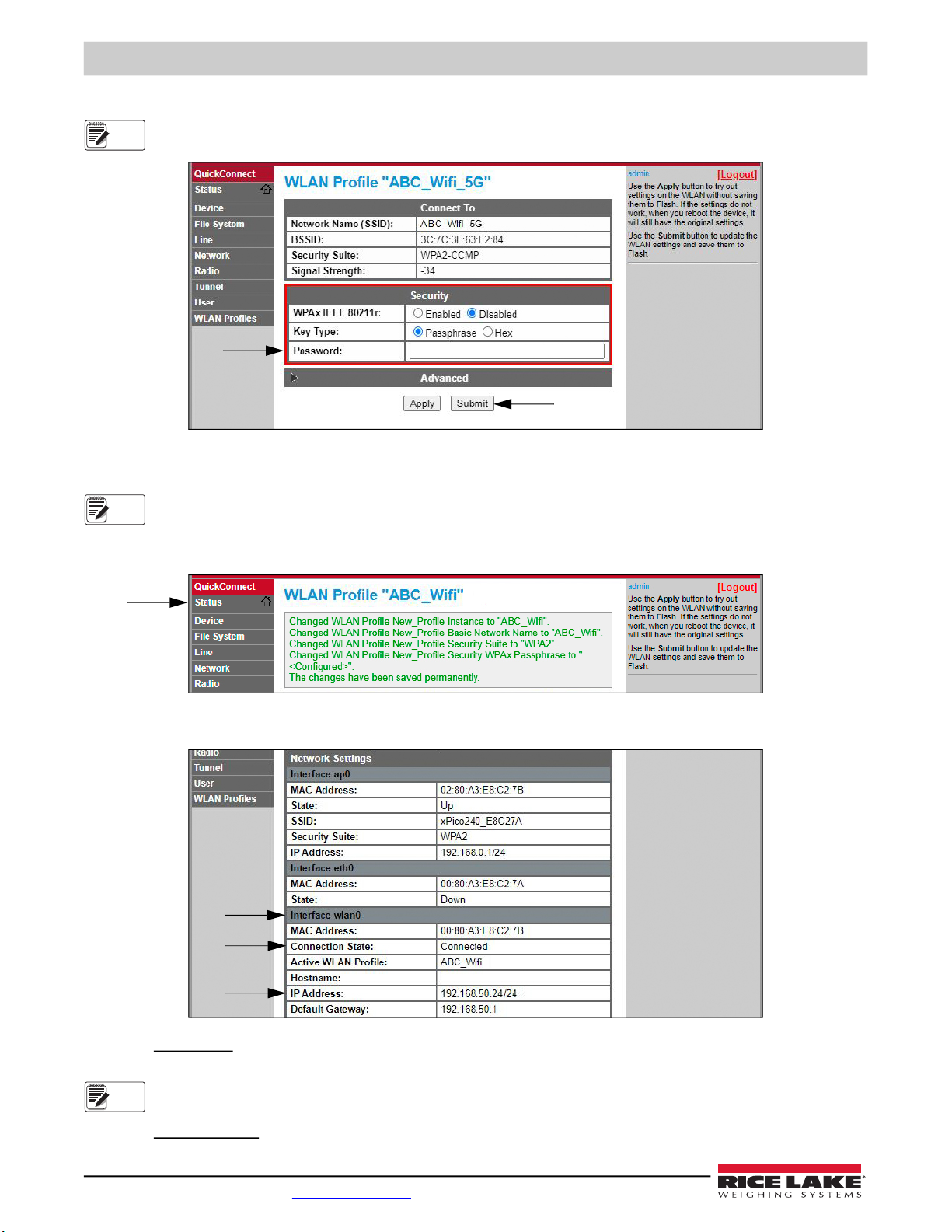
12. Connecting to the WiFi module’ server with a remote client is now possible.
By default, the WiFi module is configured as an RS232 to WLAN tunnel for serial communication.
In the indicator configuration, the port's Baud, Bits, and Parity settings must remain at their default settings of
9600 (Baud), 8 (Bits), and None (Parity) in order for the indicator to work with the WiFi module. Other settings, such
as the port's Function, Echo, and Response can be changed as needed.
13. Using a Terminal Emulation program, such as Putty, as a remote client connection to the WiFi module’s server over
Telnet is possible using the IP Address that was noted in Step 11 on page 8 and the Local Port number, which by
default is 10001.
Figure 7. Putty Example
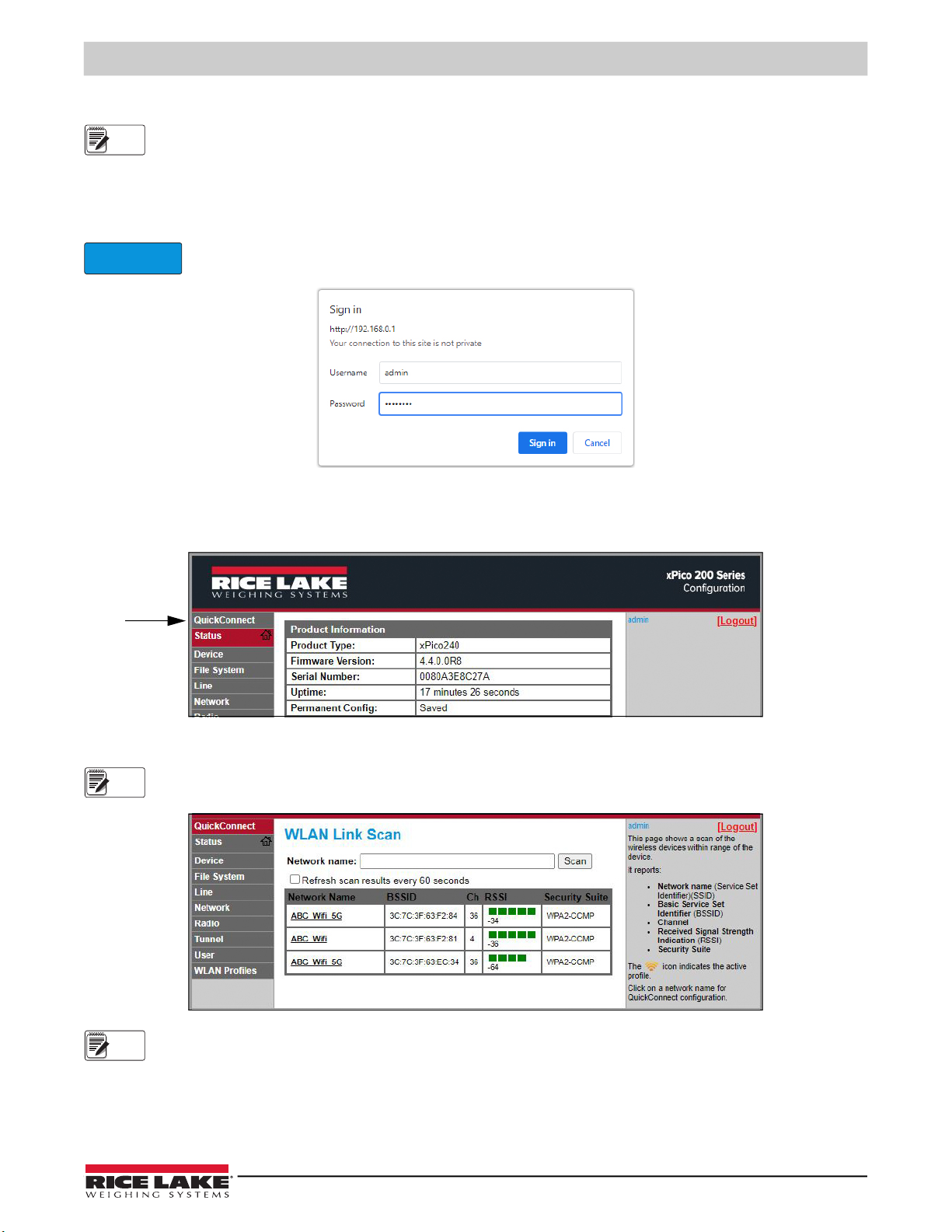
If the card's IP address changed and there is no longer access to the card through the location’s wireless network,
connect to the Soft AP and use the Web Manager to learn the new IP Address.
If the Web Manager cannot be reached through the location’s wireless network or the Soft AP, the card needs to be
defaulted. See WiFi Module Default Procedure on page 4.
For more information on all the features of this card, visit www.lantronix.com to view the xPico 200 Series User Guide.
11 : WiFi Module Specifications
The WLAN Option features a Lantronix® xPico 240 WiFi module. Visit www.lantronix.com to view the latest list of technical
specifications on the WiFi module.
Wireless Specifications
• IEEE 802.11 a/b/g up to 54 Mbps; 802.11 n (1×1) up to 150 Mbps
• 20 and 40 MHz channel width with optional SGI
• Dual Band 2.4 GHz and 5 GHz, Channels 1-13, UNII-1, 2a, 2e and 3
• Supports IEEE 802.11 d/h/i
• 802.11r fast roaming
Data Communication
• TruPort® Serial Technology— TCP and UDP Server Mode, TCP and UDP Client Mode, Multi-host Connect; TLS Client and Server
• TruPort® Socket— Multi-host Client and Server Modes, HTTP(S), Sockets, TLS
• Authenticated SMTP Support— Send email directly from device
Security and Authentication
• TruPort® Security Software
◦ Secure Boot, Secure Firmware-Over-the-Air (FOTA) Updates
◦ Secure Key Storage, Encrypted Configuration
◦ Secure Connections with SSL/TLS, HTTPS
◦ Software Controlled Network Service Ports Enable/Disable
◦ Role Based Access Control
• AES/CCMP and TKIP encryption, WPA/WPA2 Personal
• WPA2 Enterprise (EAP-TLS, EAP-TTLS, EAP-PEAP, EAP-FAST)
• SSLv3/TLS 1.2 with PKI and X.509 Certificates (up to 4096-bit Keys)
• AES Algorithm, 256-bit, 192-bit, 128-bit