EnglishDeutsch
 logo
Brands
  1. Home
  2. •
  3. Brands
  4. •
  5. Rocom
  6. •
  7. Intercom System
  8. •
  9. Rocom MD PBX KEY CW MD User manual

Rocom MD PBX KEY CW MD User manual

This manual suits for next models

3

Other Rocom Intercom System manuals

Rocom DOORTELLO LCD User manual

Rocom

Rocom DOORTELLO LCD User manual

Rocom ECII User manual

Rocom

Rocom ECII User manual

Rocom Doortello Business FW T2.05W2.04 User manual

Rocom

Rocom Doortello Business FW T2.05W2.04 User manual

Rocom Doortello Smart SIP BG User manual

Rocom

Rocom Doortello Smart SIP BG User manual

Rocom Helpyair KEY User manual

Rocom

Rocom Helpyair KEY User manual

Rocom Doortello Home User manual

Rocom

Rocom Doortello Home User manual

Rocom Agora IP S User manual

Rocom

Rocom Agora IP S User manual

Rocom ZHeroIP Series How to use

Rocom

Rocom ZHeroIP Series How to use

Rocom Doortello Home User manual

Rocom

Rocom Doortello Home User manual

Rocom Helpyair ALBU User manual

Rocom

Rocom Helpyair ALBU User manual

Rocom Doortel 4 User manual

Rocom

Rocom Doortel 4 User manual

Rocom Agora IP User manual

Rocom

Rocom Agora IP User manual

Rocom Doortello Smart DB User manual

Rocom

Rocom Doortello Smart DB User manual

Rocom Doortello Business DB 10 User manual

Rocom

Rocom Doortello Business DB 10 User manual

Rocom DOORTEL 4 MD User manual

Rocom

Rocom DOORTEL 4 MD User manual

Popular Intercom System manuals by other brands

Bticino LINEA 3000 Installation

Bticino

Bticino LINEA 3000 Installation

MSI MSI-140 owner's manual

MSI

MSI MSI-140 owner's manual

golmar Stadio Plus instruction manual

golmar

golmar Stadio Plus instruction manual

CyberData 011211 series Installation quick reference

CyberData

CyberData 011211 series Installation quick reference

Vidos duo M1021 user manual

Vidos

Vidos duo M1021 user manual

Vimar ELVOX 7539/E Installation and operation manual

Vimar

Vimar ELVOX 7539/E Installation and operation manual

SSS Siedle BTSV 850-03 operating instructions

SSS Siedle

SSS Siedle BTSV 850-03 operating instructions

Dahua VTO Series quick start guide

Dahua

Dahua VTO Series quick start guide

Elvox 5651 Wiring instructions

Elvox

Elvox 5651 Wiring instructions

Videx VIDEOKIT Series owner's manual

Videx

Videx VIDEOKIT Series owner's manual

Safeguard Supply LRA-EX1000 user manual

Safeguard Supply

Safeguard Supply LRA-EX1000 user manual

SSS Siedle BFCV 850 Series operating instructions

SSS Siedle

SSS Siedle BFCV 850 Series operating instructions

GRD MAX V2 user manual

GRD

GRD MAX V2 user manual

Alecto ADI-250 user manual

Alecto

Alecto ADI-250 user manual

Aiphone IE-8MD Installation & operation manual

Aiphone

Aiphone IE-8MD Installation & operation manual

Perel EDB4 user manual

Perel

Perel EDB4 user manual

Bticino Classe 300 installation manual

Bticino

Bticino Classe 300 installation manual

LG L5142 Guide

LG

LG L5142 Guide

https://manuals.online logo
https://manuals.online logoBrands
  • About & Mission
  • Contact us
  • Privacy Policy
  • Terms and Conditions

Copyright 2026 Manuals.Online. All Rights Reserved.

User guide MD PBX KEY CW Issue 1.00
Page 1
User guide
MD PBX KEY CW MD
MD PBX KEY CW AV
MD PBX KEY CW ES
MD PBX KEY CW BG
Doorstation with telephone line
interface for the connection
to telephone systems.
Version with up to 99 speed
dial calls
User guide MD PBX KEY CW Issue 1.00
Page 2
Contents
Description...................................................................................................... 3
Features .......................................................................................................... 4
Connection diagram .......................................................................................5
View of the MD PBX KEY electronic board......................................................6
View of the MD PBX KEY 2K electronic board (option) ...................................7
Installation ...................................................................................................... 7
How to programm a speed dial number.........................................................9
How to delete a speed dial number ............................................................... 9
How to programm the dial mode ................................................................. 10
How to programm the number of calls without answer .............................. 10
How to programm the max. time without speech........................................ 11
How to programm the max. connection time (software timer ..................... 11
How to programm the access codes for contact one ................................... 12
How to delete the access codes for contact one .......................................... 12
How to programm the access codes for contact two ................................... 13
How to delete the access codes for contact two.......................................... 13
How to programm the max. time for an access code input......................... 14
How to programm the activation time for contact one ............................... 14
How to programm the activation time for contact two ............................... 15
How to use ................................................................................................... 16
Technical data ............................................................................................... 20
Programmation overview .............................................................................. 21
User guide MD PBX KEY CW Issue 1.00
Page 3
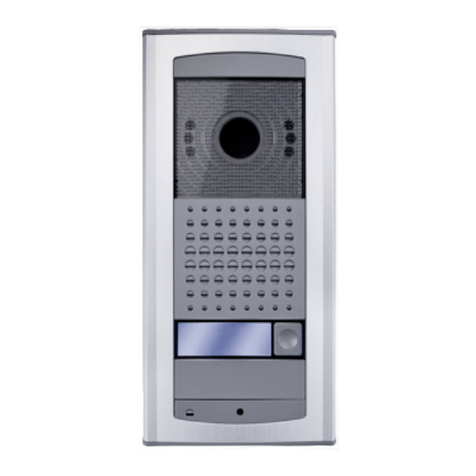
The MD PBX KEY CW doorstation can be connected to any standard analogue telephone
line, in normal cases to an extension line of a PABX. The unit is delivered in four different
versions: the BG version for installation behind existing panels, the MD version with a
designer aluminium case, the AV version with a vandal proofed aluminum panel and the
ES version with a stainless steel casing.
The connection of the doorstation to the telephone switch is done using two wires.
Further a 12 Vac power supply is needed for the door opener and the illumination lamp
in the doorstation. For this another two wires are necessary. We suggest in any case to
provide an illumination of the doorstation as the lamps heat will ensure that the
condensing water formation and a too low operating temperature can be prevented.
Please take care that in some extrem enviroment situations the unit might need an
optional heating element. The device is deliverd with microphone and loudspeaker. The
volume of the loudspeaker and the microphone can be regulated.
The unit can call different telephone numbers using to keypad and the input of a speed
dial code. The stored numbers can have up to 16 digits lenght, including dial pauses if
needed. The speed dial code input is activated using the "Speed dial code" button. After
this a two digits long code has to be dialed using the keypad. The unit will then dial the
stored number on the telephone line. The dial can be made using rotary dial pulses or
DTMF tones. The telephone numer is programmed using a DTMF dial procedure. The
digits 0 to 9 can be programmed as part of the telephone number. The digit # is used
as a dial pause. The same DTMF dial procedur is also used for all other programmations.
Only the setting for the hardware timer and the programming enable are done using
jumpers on the board.
If needed the unit can also be called. After the auto answer the unit will send a
acknowledge tone. If the programming enable jumper is set on on a programming
session can be started dialing a DTMF tone within 6 seconds after the call answer. If no
digit is dialed the unit will switch to speech modality after a second acknowledge tone.
After dialing a telephone number and the call answer from the called party a normal
conversation is possible with the doorstation using the handsfree device. At the end of
the conversation the called party can activate one or two (optional) different contacts,
i.e. to open a door.
The MD PBX KEY CW will automatically terminate the call if one of the following events
will happen:
- after dialing a speed dial code with no programmed telephone number;
- if the pause between the input of the digitis is longer then 7 seconds with incomplete
dial;
- after a programmable number of calls (1 to 99) with no answer;
- if the called party will send during the conversation the DTMF digit 3;
- after activating one of the two door opener contacts;
- with reconizing a busy tone (called party is busy or has hang up);
- after a programmable timeout (0 to 99 seconds) with no speech on the line;
- after a programmable timeout (0 to 999 seconds);
- after the timeout of a hardware timer (settable for 2, 4 or 4 minutes)
Further the unit can also activate one or two (optional) contacts using the dial of a
special access code on the keypad. This function is activated using the button "Acccess
Description

User guide MD PBX KEY CW Issue 1.00
Page 4
code". Up to ten different codes, for each contact, can be programmed with lenghts
between 3 and 6 digits. The activation time of a contact can be programmed (from 0 to
99 seconds). The second contact (optional) can also be programmed for an automatic
activation. In this case the contact will be activated for the programmed time with every
line seizure (i.e. to activated lights or videocameras). Also the function with an ON/OFF
mode is programmable for the second contact. In this case every time a code is inserted
for this contact it will switch between ON and OFF (i.e. to activated special appliances,
lights or alarm systems). After the input of a wrong code the unit will drop and size the
line again. The time between the possible input of a code will also increase from 5 to 45
seconds. To reset the unit the input of a right code is required.
Features
- Up to 99 speed dial calls programmable (01 to 99)
- Programmation using DTMF tones
- Programmable contact activation time
- Auto answer function
- High quality handsfree speech controlled unit
- Digital tone detection
- Volume regulation for loudspeaker and microphone
- With DTMF dial controlled door opener contact
- Optional external second relais for the comand of videocameras or a similar devices
- Line disconnect with DTMF dial
- Automatic line disconnect after door opening
- Connection to any PABX T/R analogue extension line
- Programmable DTMF or rotary dial
- Programmable time out timer
- Setable hardware timer
- Data storing on EEPROM
- Access code for activation of both door opener contacts (second contact is optional)
- Up to 10 differnet code for each contact programmable
- 3 to 6 digits long code programmable
- Programmable automatic activation of the second contact (optional) with line seizure
- Programmable ON/OF mode for the second contact (optional)
- Increasing line seizure time between codes input with wrong code entry
User guide MD PBX KEY CW Issue 1.00
Page 5
Connection diagram
Access co de
Speeddialcode
User guide MD PBX KEY CW Issue 1.00
Page 6
View of the MD PBX KEY electronic board
TELEPHONE LINE
HARDWARE TIMER
SETTINGS
CONTACT 1
CONNECTOR FOR
FUNCTION
BUTTONS
CONNECTOR
FOR KEYPAD
CONNECTOR
FOR EXPANSIONS
TONE DETECTION LEVEL
REGULATION
(Under the daughter board,
DO NOT TOUCHT!)
LOUDSPEAKER VOLUME
(Under the daughter board)
CONNECTOR FOR 2K
EXPANSION BOARD (Contact 2)
MICROPHONE
MICROPHONE
VOLUME
LOUDSPEAKER
LED
JUMPER WITH NO
FUNCTION ON CW
VERSION
(Leave on S)
PROGRAMMING
ENABLE ON/OFF
(Left off/right on )
2 MINUTE
4 MINUTE
8 MINUTE
EEPROM
Black (Row 2)
Brown (Row 3)
Purple (Column 3)
Orange (Row 4)
Ye llow (Column 1)
White (Row 1)
Red (Column 2)
Black (NC)
Brown (NC)
Purple (NC)
Green (NC)
Orange (NC)
Yellow (A ccess code)
W hit e (S p eed di a l)
Red (Common)
Connection cable to the keypad
Connection cable to the function buttons
J2
J3
User guide MD PBX KEY CW Issue 1.00
Page 7
Installation
View of the MD PBX KEY 2K electronic board (option)
CONTACT 2
POWER SUPPLY IN
12 VAC/DC
OPTIONAL CONNECTOR
FOR EXTERNAL LED
Please note!
The MD PBX KEY 2K optional board enables the use of the second contact. This board has
to be powered with a 12 Vac/dc voltage even if the main MD PBX KEY board doesn't
need a power supply. This is required as the device needs a voltage to let the ON/OFF
mode of the contact working (status memory).
The provided connection cable to the main board has to be connected on the
indicated connector (connector J6). Please take care that the yellow cable is on the
left side (close to the telephone line connector) and the brown cable on the right
side. Other wise the mother board could be damaged.
Depending on the delivered version install the MD PBX KEY CW doorstation as required.
With flush mounting versions the front plate and the installed electronic board should
be take off during the installation operations of the box. For the MD Version also for the
wall mounting version the front plate and the installed electronic board should be
dismounted for the installing operations. With the AV and ES version you can separate
the complete unit with front panel, back box and electronic board from the wall mounting
case. In this case you don't need to dismount the electronic board. With the AV version
with flush mounting installation do not forget to apply the delivered fitting strip to the
front panel.
With the BG version for installation behind existing panels, install the electronic board in
his case or letter box. Please take care that a too large distance between board and
microphone can reduce the voice quality of the unit. The function buttons contacts are
to be connected powerless. With the installation of the loadspeaker and the microphone
please take care that enough acoustic separation between the two items is granted.
Especially the backward generated sound waves from the loadspeaker should not get
outside the case or reach the microphone. If the delivered installation holders for
microphone and loadspeaker are used, this should not be a problem.
If possible use different cables to connect the telephone line and the AC power supply
for the lamp, door opener and optional 2K expansion board. This will reduce the
User guide MD PBX KEY CW Issue 1.00
Page 8
possibility to have "humming" noises on the connection. After the installation and cabling
using the in this documentation provided connection diagram, the numbers to be dialled
are to be programmed. Before starting with the programming procedure the
programming enable jumper SW4 has to be set on ON. Now call the unit using a
telephone with an DTMF dial pad. After the answer and the acknowledge tone from the
device you have 6 seconds time to start the programming procedure. If no DTMF tone is
dialed in this time, the unit will switch to speech mode. Follow the programming
procedure as described in the next pages. This items can be programmed on the
device:
- Program and delete the dial number for each speed dial code;
- Rotary or DTMF dial mode;
- Number of call with no answer;
- Max. time without speech on line;
- Max. connection time (software timer);
- Programm and delete the access codes for contact 1 and 2 (optional);
- Operating mode for contact 2 (optional) as door opener, automatic function, ON/OFF
mode;
- Max. line seizure time for access code input;
- Activation time for the contact 1 and 2 (optional);
After the programmation, the hardware timer (jumper J1, default 2 minutes) should be
set as required. The unit is now ready to work. You should set up a connection with the
door unit. A regulation of the sending and receiving volume may be necessary. To do this
you should use the regulators placed on the MD PBX KEY CW doorstation. Please take
care to regulate VERY carefully. If this is done by two people it might be helpful. If the
loudspeaker will send only "broken" tones, or it has a too low volume, changing the
volume of the microphone on the MD PBX KEY CW may help.
With a very loud external enviroment the unit may be have difficulties detecting the
busy tone. This may happen also with tone which are not within the values as indicated
in the technical specification at the end of this document. In this case you should use
always the dial of the digit "3" to terminate the connection.
Please take care that if you need the external power supply the used transformer should
have an open circuit voltage of no more then 15 Vpp. We suggest the use of our
transformer PRS 210.
Please note that only one door opener with 40 Vpp and 2 A can be connected to the
build in relais of the unit. If you need to drive more door openers or if you need an higher
voltage or current you should use an external relais. We suggest the use of our relais
1471 or 1471E.
Furthermore please consider this for the installation:
- If you are using digital sets or featurephones on your PABX please take care that these
are enabled to send DTMF tones also after an incoming call. You need this to open the
door.
User guide MD PBX KEY CW Issue 1.00
Page 9
How to programm a speed
dial number
1) Using a telephone with a DTMF dial pad
call the doorstation using the internal
telephone number of the extension line
where the MD PBX KEV CW is connected to
2) The MD PBX KEY CW doortstation will
answer the call automatically. After the
answer you will hear a long acknowledge
tone
3) Within 6 seconds dial now the
programming code * # 1
4) You will hear a short acknowledge tone
5) Dial now * [telephone number max. 16
digits long ( 1 to 0, # for pause)] * [speed
dial code (01 to 99)]
6) You will hear a short acknowledge tone
7) Repeat the step 5 until all numbers are
programmed
8) Dial now * *
9) You will hear a long acknowledge tone
10) Dial now the code #, you will hear a long
acknowledge tone and then the MD PBX
KEX CW will hang up
or
11) Dial the programming code for another
programming function
Please note:
- Each speed dial call number can be single
changed or programmed
How to delete a speed dial
number
1) Using a telephone with a DTMF dial pad
call the doorstation using the internal
telephone number of the extension line
where the MD PBX KEV CW is connected to
2) The MD PBX KEY CW doortstation will
answer the call automatically. After the
answer you will hear a long acknowledge
tone
3) Within 6 seconds dial now the
programming code * # 1
4) You will hear a short acknowledge tone
5) Dial now #* [speed dial code (01 to 99)]
6) You will hear a short acknowledge tone
7) Repeat the step 5 more numbers are to
deleted
8) Dial now * *
9) You will hear a long acknowledge tone
10) Dial now the code #, you will hear a long
acknowledge tone and then the MD PBX
KEX CW will hang up
or
11) Dial the programming code for another
programming function
User guide MD PBX KEY CW Issue 1.00
Page 10
How to programm the dial
mode
1) Using a telephone with a DTMF dial pad
call the doorstation using the internal
telephone number of the extension line
where the MD PBX KEV CW is connected to
2) The MD PBX KEY CW doortstation will
answer the call automatically. After the
answer you will hear a long acknowledge
tone
3) Within 6 seconds dial now the
programming code * # 1
4) You will hear a short acknowledge tone
5) Dial now #1 for rotary dial,
or
5) Dial now #2 for DTMF dial
6) You will hear a short acknowledge tone
7) Dial now * *
8) You will hear a long acknowledge tone
9) Dial now the code #, you will hear a long
acknowledge tone and then the MD PBX
KEX CW will hang up
or
10) Dial the programming code for another
programming function
How to programm the number
of calls without answer
1) Using a telephone with a DTMF dial pad
call the doorstation using the internal
telephone number of the extension line
where the MD PBX KEV CW is connected to
2) The MD PBX KEY CW doortstation will
answer the call automatically. After the
answer you will hear a long acknowledge
tone
3) Within 6 seconds dial now the
programming code * # 2
4) You will hear a short acknowledge tone
5) Dial now* [number of calls without answer
(01 to 99)]*
6) You will hear a short acknowledge tone
7) Dial now * *
8) You will hear a long acknowledge tone
9) Dial now the code #, you will hear a long
acknowledge tone and then the MD PBX
KEX CW will hang up
or
10) Dial the programming code for another
programming function
Please note:
- After counting the programmed number of
calls withput answer the unit will hung up
- The default value is "05" for 5 calls