manuals.online logo
Brands
  1. Home
  2. •
  3. Brands
  4. •
  5. Sanyo
  6. •
  7. Cassette Player
  8. •
  9. Sanyo M7770K User manual

Sanyo M7770K User manual

Other Sanyo Cassette Player manuals
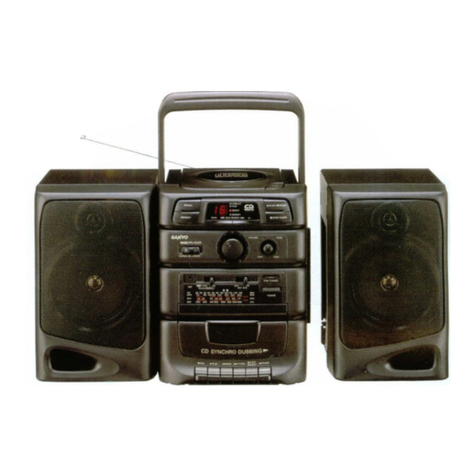
Sanyo MCD-ZX680M/XE User manual

Sanyo

Sanyo MCD-ZX680M/XE User manual

Sanyo MGP17 User manual

Sanyo

Sanyo MGP17 User manual

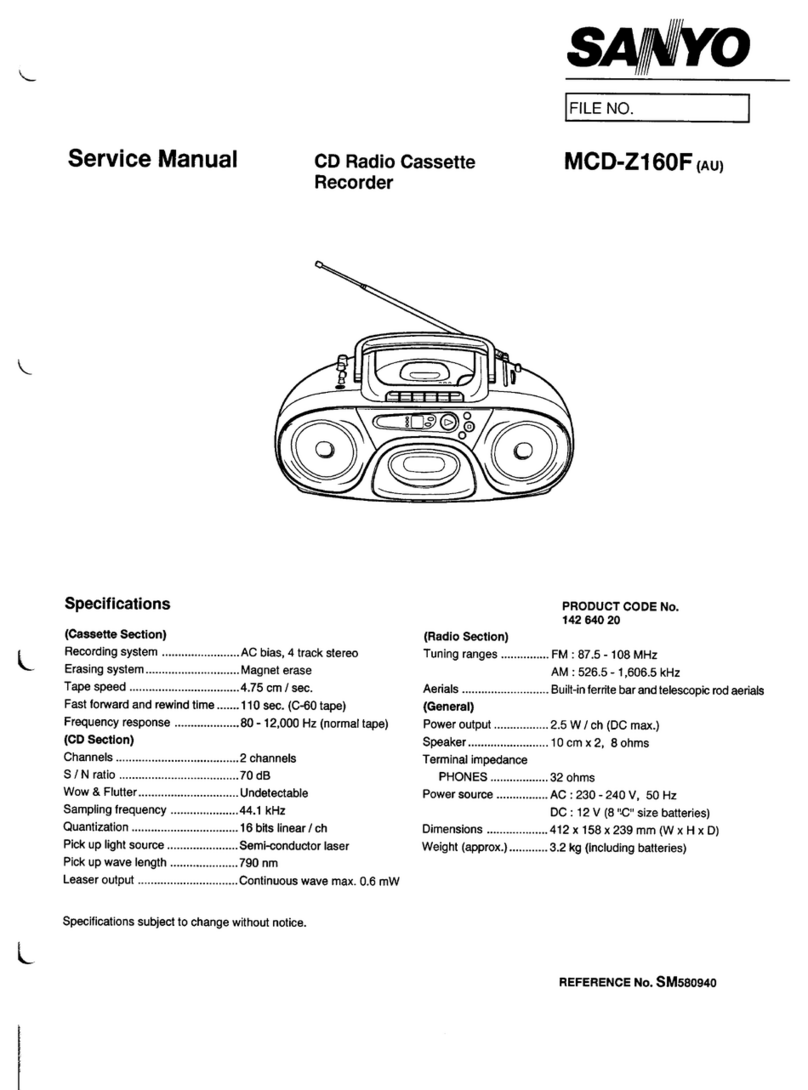
Sanyo MCD-Z250F User manual

Sanyo

Sanyo MCD-Z250F User manual

Sanyo MCD-Z165F User manual

Sanyo

Sanyo MCD-Z165F User manual

Sanyo MCD-Z120 User manual

Sanyo

Sanyo MCD-Z120 User manual

Sanyo MCD-S730F User manual

Sanyo

Sanyo MCD-S730F User manual

Sanyo MCD-S665F User manual

Sanyo

Sanyo MCD-S665F User manual

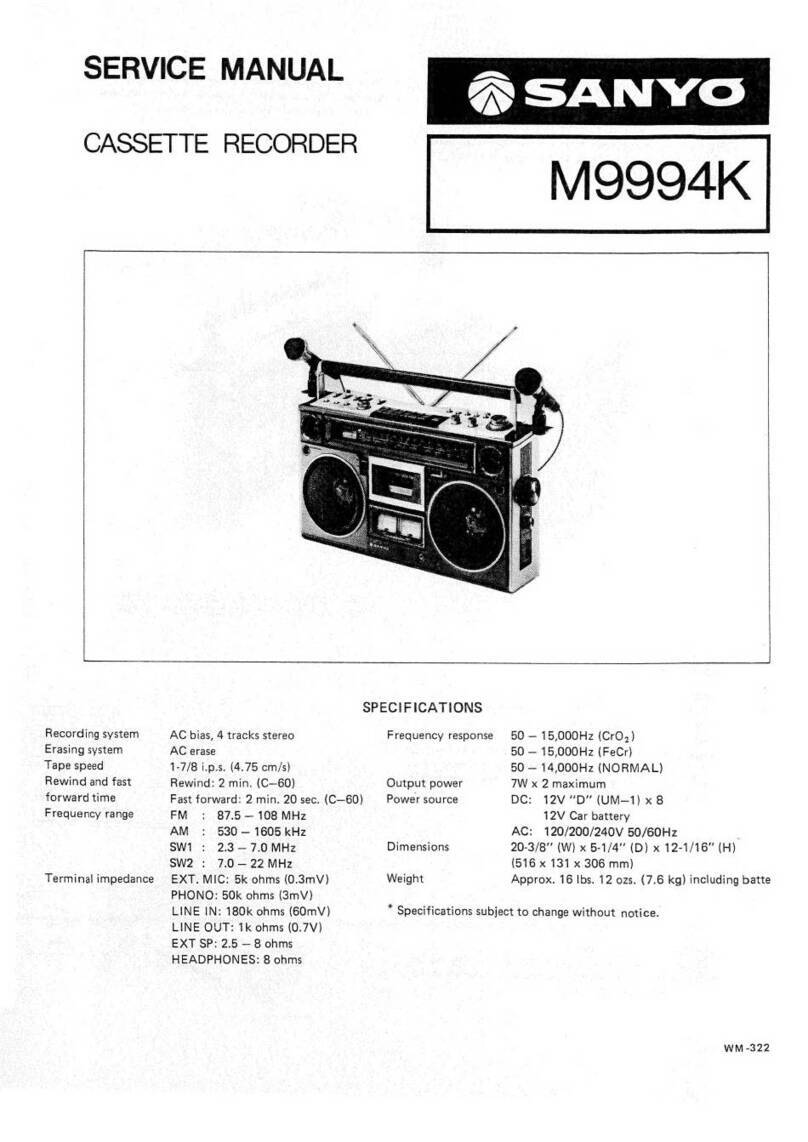
Sanyo M9994K User manual

Sanyo

Sanyo M9994K User manual
Sanyo MCD-Z95F User manual

Sanyo

Sanyo MCD-Z95F User manual

Sanyo ES-P7 User manual

Sanyo

Sanyo ES-P7 User manual

Sanyo FXR-303GB User manual

Sanyo

Sanyo FXR-303GB User manual

Sanyo MCD-ZX570M User manual

Sanyo

Sanyo MCD-ZX570M User manual

Sanyo MCD-s900F User manual

Sanyo

Sanyo MCD-s900F User manual

Sanyo MCD-Z38F (AU) User manual

Sanyo

Sanyo MCD-Z38F (AU) User manual

Sanyo TRC 8000 User manual

Sanyo

Sanyo TRC 8000 User manual

Sanyo VHR-610 User manual

Sanyo

Sanyo VHR-610 User manual

Sanyo M9998LU User manual

Sanyo

Sanyo M9998LU User manual

Sanyo MCD-Z90F User manual

Sanyo

Sanyo MCD-Z90F User manual

Sanyo M7790K User manual

Sanyo

Sanyo M7790K User manual

Sanyo TRC-2050C User manual

Sanyo

Sanyo TRC-2050C User manual

Sanyo M7700L User manual

Sanyo

Sanyo M7700L User manual

Sanyo MCD-Z110F User manual

Sanyo

Sanyo MCD-Z110F User manual
Sanyo MCD-Z16F User manual

Sanyo

Sanyo MCD-Z16F User manual

Sanyo MCD-Z250F User manual

Sanyo

Sanyo MCD-Z250F User manual

Popular Cassette Player manuals by other brands
Ahuja CPA-360 Operation manual

Ahuja

Ahuja CPA-360 Operation manual

Sony Pressman TCS-60DV Specifications

Sony

Sony Pressman TCS-60DV Specifications

Philips AQ6485/14 Product information

Philips

Philips AQ6485/14 Product information

Sony TCM-200DV - Cassette Recorder operating instructions
Sony

Sony TCM-200DV - Cassette Recorder operating instructions

Nakamichi BX-300 Service manual

Nakamichi

Nakamichi BX-300 Service manual

Panasonic RQ-E25V operating instructions

Panasonic

Panasonic RQ-E25V operating instructions

Aiwa TP-VS535 operating instructions

Aiwa

Aiwa TP-VS535 operating instructions

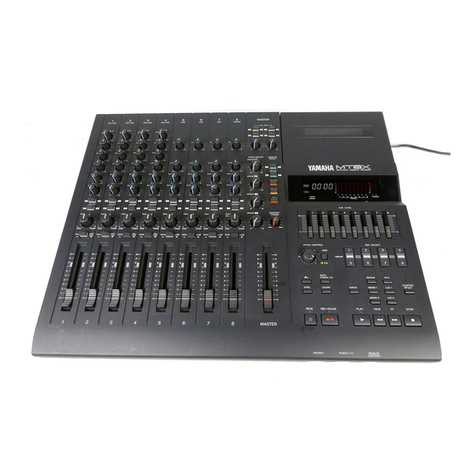
Yamaha MT8X Operation manual

Yamaha

Yamaha MT8X Operation manual

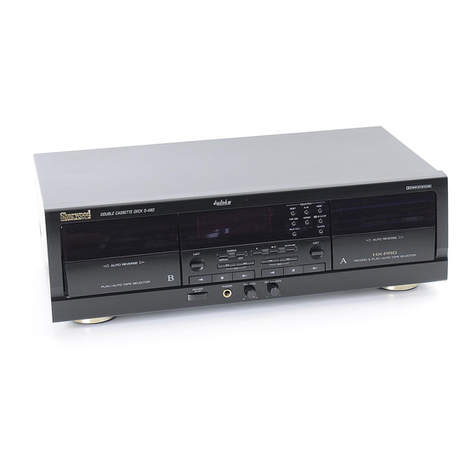
Sherwood Newcastle D-480 operating instructions

Sherwood

Sherwood Newcastle D-480 operating instructions

Manta MA408 user manual

Manta

Manta MA408 user manual

GPO W0162B user guide

GPO

GPO W0162B user guide

Marantz CP230 Service manual

Marantz

Marantz CP230 Service manual

Sony HST-471 Service manual

Sony

Sony HST-471 Service manual

Sharp JC-AV1 Operation manual

Sharp

Sharp JC-AV1 Operation manual

Pioneer CT-W103 Service manual

Pioneer

Pioneer CT-W103 Service manual

Sony CFS-B15 - Am/fm Stereo Cassette Recorder operating instructions

Sony

Sony CFS-B15 - Am/fm Stereo Cassette Recorder operating instructions

Sony WMFS220 - Portable Sports AM/FM Cassette... operating instructions

Sony

Sony WMFS220 - Portable Sports AM/FM Cassette... operating instructions
Aiwa HS-TA21 operating instructions

Aiwa

Aiwa HS-TA21 operating instructions
manuals.online logo
manuals.online logoBrands
  • About & Mission
  • Contact us
  • Privacy Policy
  • Terms and Conditions

Copyright 2025 Manuals.Online. All Rights Reserved.

MINI
STEREO
CASSETTE
RECORDER
ee
eae
SoAN
YO
Power
Source
Ee
ee
a
as
9
({UM-2:
HP11,
¢
Cell,
Babyzelle,
R14)
x
6
Output:
Power
2
2
oe
eee:
3.5W
x
2
(Max.)
Power
GonsumplOn
vee
eee
es
OW
Current
Consumption
(at
Vol.
Min.)
Record
mode...
oe
eee.
265mA
Playback
mod6
..
oye
ee
175mA
Fast
Forward
mode.
2
vec
155mA
Rewind
mode
csc.
sk
e.
165mA
Recording
System.
se
AG
Blas
Erasing
SYStOM
oc
lise
eh
ee
ge
AC
Erasing
ape
Sheed
2
ee
1-7/8
10s.
£3%
Wow
&
Flotiere
ie
eee
0.15%
WRMS
Fast:
Forward
Time:
22
eee.
110sec.
(with
C-60)
Rewtnd:
Pime:oisoee
ieee
ie
110sec.
(with
C-60)
Frequency
Response
(Overall)
PO2
O39
solo
ee
AQHz
~
13,000
Hz
CHO2
ee.
40Hz
~
14,000
Hz
Metab:
oe
es
AOHz
~
16,000
Hz
Erase
Ratio
(Overall,
with
Fe203).
.
Crosstalk
(with
Fe203)
TACK
AO
VEC
este
hee
aoe
:
Hume&:Notse
(at
Volo
Mins)
oc
oe.
Input
Sensitivity
and
Impedance
MIC,
Ee
ec
Se
NN
eee
Output
Level
and
|mpedance
PEN
UE
ee
a
EXT
SDeaker
1)
ou
en
Headphone
eve
ee
ik
ee
;
Frequency
Range
MW
a
Ser
i
ae
Se
a, Se
ce
ed
ee
a
a
a
ch
i
se ee
J
a
ee
a
a,
Se
ee
ce
eo
—Specifications
subject
to
change
without
notice.—
142
340
24
|
.
60dB
Signal
to
Noise
Ratio
(with
Fe203)
..
48dB
50dB
—60dBs
0.3mV/3.3ki2
100mV/100k22
300
mV/2.2
kad
2~
3202
32
82
525
~
1
,605kHz
2.3~7.3MHzZ
AS
~
2ZBMAZ
88
~
108MHz
WM-3000
DISASSEMBLY
INSTRUCTIONS
GENERAL
REMARKS
Before
disassemblying
the
unit,
spread
a
soft
cloth
or
a
rubber
mat
on
the
work
bench
to
avoid
scratches
and
grease
stains.
Do
not
spread
anything
which
is
likely
to
cause
static
electricity
because
transistors
and
|Cs
are
easily
broken
by
it.
Correctly
reassemble
the
unit,
noting
the
kinds
of
fastening
screws
and
the
lead
arrangement.
Please
refer
to
‘’Schematic
Diagrams”
and
‘‘Exploded Views”.
CABINET
BOTTOM
ASSEMBLY
REMOVAL
1.
Take
out
the
cassette
tape
from
the
compartment
by
pressing
the
STOP/EJECT
button.
Remove
the
battery
compartment
lid
and
take
out
the
six
batteries
from
the
compartment.
Then,
remove
the
seven
screws
(1
—
7)
fastening
the
Cabinet
Bottom.
Pull
out
the
connector
of
the
antenna
from
the
Radio
Tuner
P.C.Board.
Then,
remove
the
Cabinet
Bottom
by
lifting
it
in
the
direction
of
the
arrow.
Cabinet
Bottom
4.
Reassemble
in
reverse
order.
RADIO
CHASSIS
ASSEMBLY
REMOVAL
1.
After
removing
the
Cabinet
Bottom,
pull
out
the
volume
control,
tone
control,
balance
control,
and
tuning
knobs
from
the
unit.
Balance
Control
Knob
Volume
Control
Knob
Tuning
Knob
8
Tone
Control
Knob
Connector
(TP6)
Connector
(CN5)
2.
Pull
out
Connector
CN5
from
the
Amplifier
P.C.Board
and
then,
Connector
TP6
from
the
Radio
Tuner
P.C.Board.
3.
Remove
the
screw
(8)
fastening
the
Radio
Chassis.
4.
Remove
the
Radio
Chassis
by
lifting
it
in
the
direction
of
the
arrow.
Radio
Chassis
5.
Reassemble
in
reverse
order.
a
ae
DISASSEMBLY
INSTRUCTIONS
(Continued)
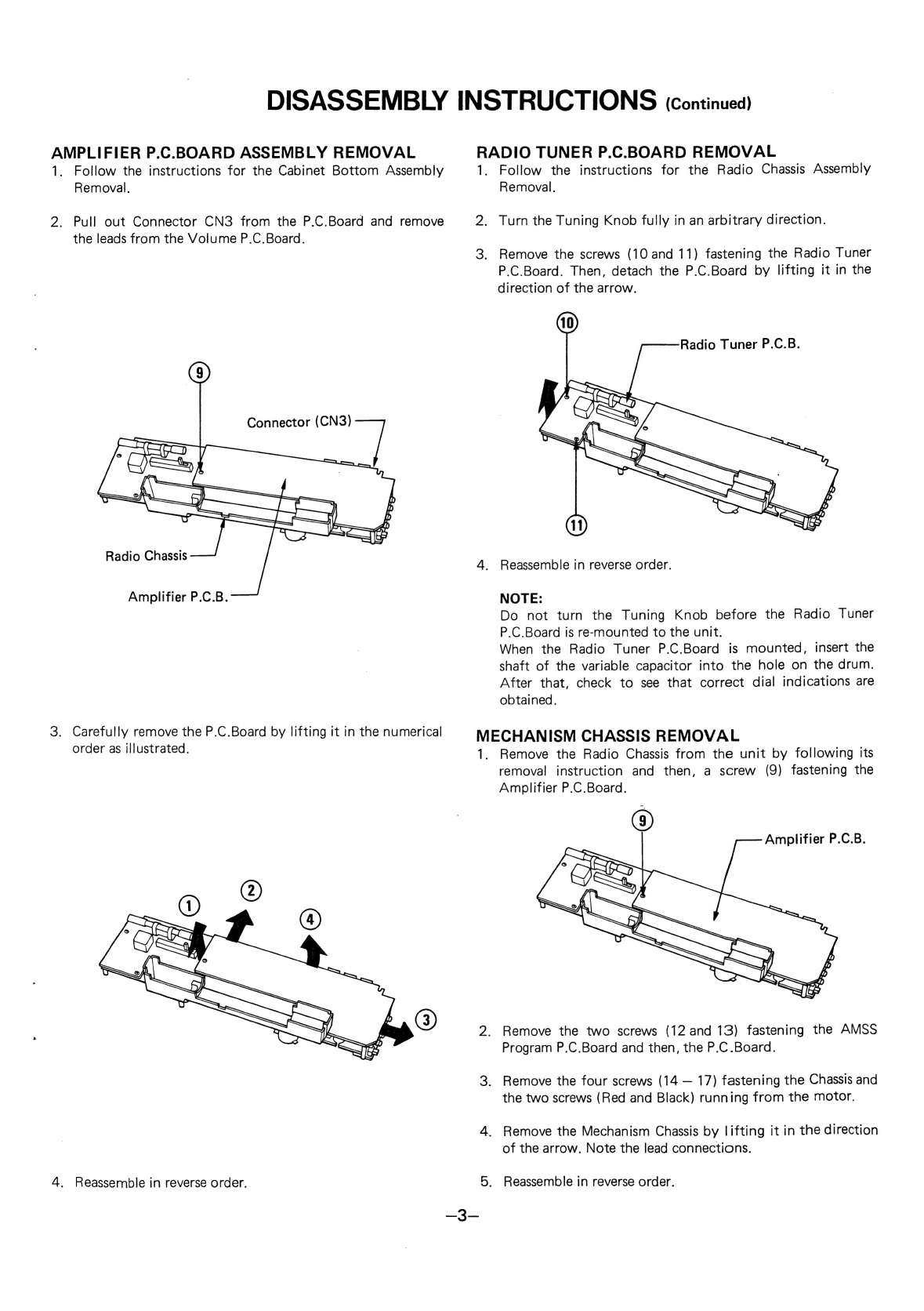
AMPLIFIER
P.C.BOARD
ASSEMBLY
REMOVAL
RADIO
TUNER
P.C.BOARD
REMOVAL
1.
Follow
the
instructions
for
the
Cabinet
Bottom
Assembly
1.
Follow
the
instructions
for
the
Radio
Chassis
Assembly
Removal.
Removal.
2.
Pull
out
Connector
CN3
from
the
P.C.Board
and
remove
2.
Turn
the
Tuning
Knob
fully
in
an
arbitrary
direction.
the
leads
from
the
Volume
P.C.Board.
3.
Remove
the
screws
(10
and
11)
fastening
the
Radio
Tuner
P.C.Board.
Then,
detach
the
P.C.Board
by
lifting
it
in
the
direction
of
the
arrow.
Radio
Tuner
P.C.B.
Radio
Chassis
.
4.
Reassemble
in
reverse
order.
Amplifier
P.C.B.
NOTE:
Do
not
turn
the
Tuning
Knob
before
the
Radio
Tuner
P.C.Board
is
re-mounted
to
the
unit.
When
the
Radio
Tuner
P.C.Board
is
mounted,
insert
the
shaft
of
the
variable
capacitor
into
the
hole
on
the
drum.
After
that,
check
to
see
that
correct
dial
indications
are
obtained.
3.
Carefully
remove
the
P.C.Board
by
lifting
it
in
the
numerical
MECHANISM
CHASSIS
REMOVAL
order
as
illustrated.
1.
Remove
the
Radio
Chassis
from
the
unit
by
following
its
removal
instruction
and
then,
a
screw
(9)
fastening
the
Amplifier
P.C.Board.
Amplifier
P.C.B.
2.
Remove
the
two
screws
(12
and
13)
fastening
the
AMSS
Program
P.C.Board
and
then,
the
P.C.Board.
3.
Remove
the
four
screws
(14
—
17)
fastening
the
Chassis
and
the
two
screws
(Red
and
Black)
running
from
the
motor.
4.
Remove
the
Mechanism
Chassis
by
lifting
it
in
the
direction
of
the
arrow.
Note
the
lead
connections.
4.
Reassemble
in
reverse
order.
5.
Reassemble
in
reverse
order.
DISASSEMBLY
INSTRUCTIONS
(continuea)
CASSETTE
COMPARTMENT
LID
REMOVAL
sem
C
:
-
1,
Open
the
cassette
compartment
lid
by
pressing
the
Mechanism
Chassis
STOP/EJECT
button.
2.
Unlock
the
compartment
latches
from
the
Cabinet
Top
by
pushing
the
both
sides
of
the
compartment
lid
strong.
Then,
the
lid
will
be
easily
removed
from
the
unit.
Leads
(Red
and
Black)
Mechanism
Chassis
Cassette
Compartment
Lid
3.
Reassemble
in
reverse
order.
NOTICE
ON
REASSEMBLY
1.
Refer
to
‘Wiring
Diagram”’
for
re-wiring.
2.
Refer
to
‘Exploded
Views”’
for
lead
arrangement.
3.
Check
to
see
that
the
lead
wires
or
electrical
components
do
not
touch
the
driving
mechanism.
ADJUSTMENTS
GENERAL
REMARKS
@
Before
adjustment,
wipe
the
tape
contacting
surfaces
clean
as
well
as
the
contacting
surfaces
of
the
driving
parts
with
a
soft
cloth
soaked
in
alcohol.
Trouble
may
occur
because
of
oil
and
grease
stains.
@
Carefully
handle
the
belt
because
grease
easily
attaches
to
it.
@
Check
the
rubber-used
parts.
If
the
rubber
has
quality
deterioration
or
scratch
marks,
replace
the
part
with
a
new
one,
Unless
especially
specified,
set
the
unit
and
measuring
instruments
as
follows:
@
Tape
Select
Switch............
0202
eae
NORMAL
@
Function
SWItth
«
664.454.0404
555.456.549.484
4
TAPE
@:
Mode:
SWitthwes
se
eS
oe
ee
lw
ee
Ree
STEREO
@
Beat
Cancel
Switch
.........
0.0
eee
ee ee
ee
3
@
Balance
Control..............
Center
(click
position)
©.
“Tone
CoOntrGl:
«405-3
4.2.2.6
hw
ee
ee
we
a
High
©:
Nolime
Control’
<s-004
Ss
yee
ke
ee
Ne
eee
ows
Arbitrary
@®
DC
Constant-Voltage
Regulator
Output
.......
9.0V
DC
NOTE:
1.
Perform
each
adjustment
in
the
described
order.
2.
Obtain
the
output
from
the
line
output
terminal.
3.
Supply
9.0V
DC
from
the
constant-voltage
regulator
to
the
unit.
EQUIPMENT
REQUIRED
@
VTVM
(2
sets)
Frequency
Counter
Dummy
Load
(47
k-ohm)
Dualtrace
Synchroscope
Test
Tapes
*
3kHz
Test
Tape
(Example:
TEAC
MTT-111)
for
Tape
Speed
Adjustment
*
8kHz
Test
Tape
(Example:
TEAC
MTT-113C)
for
Head
Azimuth
Adjustment
@
DC
Constant-Voltage
Regulator
@
Alignment
Tool
AMSS
SOLENOID
ADJUSTMENT
AMSS
(Automatic
Music
Select
System)
detects
a
silent
space
(unrecorded
portion)
between
each
music
on
a
music
tape
and
automatically
plays
back
a
desired
music
from
the
start.
NOTE:
Unrecorded
portion
should
last
more
than
approximately
four
seconds.
It
may
not
operate
correctly
in
the
following
cases:
*
When
the
recorded
sound
is
often
interrupted
as
in
a
speech
tape.
When
the
silent
space
does
not
last
long
enough
(less
than
four
seconds).
When
there
is
an
appreciable
noise
in
the
silent
space
between
two
adjacent
programs.
When
the
unit
is
placed
on
a
television
set,
AMSS
may
not
Operate
correctly
due
to
adverse
effect
of
the
TV
signal.
In
this
case,
put
the
unit
away
from
the
television
set.
*
If
AMSS
Solenoid
is
not
correctly
positioned,
AMSS
mechanism
does
not
function
correctly,
F.FWD
or
Rewind
button
is
released
while
Automatic
Music
Select
System
is
working,
or
a
button
may
not
be
locked.
In
this
case,
perform
the
adjustment
as
follows:
1.
Remove
the
Chassis
from
the
unit
by
following
its
removal
instructions.
2.
Loosen
the
two
screws
fastening
the
Spacer
of
the
Solenoid.
Then,
adjust
the
Spacer
by
moving
it
in
the
direction
of
the
arrow,
so
that
the
Lock
Plate
is
tightly
attached
to
the
two
absorption
surfaces
as
illustrated.
Spacer
Screw
(ime
wae
seme
ee)
ae
No
Clearance
3.
After
the
adjustment,
tighten
the
screws
fastening
the
Spacer.
Set
the
unit
in
the
playback
mode
and
check
that
AMSS
mechanism
functions
correctly
as
follows:
*
Check
if
F.FWD
button
can
be
locked
by
pressing
it.
*
Check
if
Rewind
button
can
be
locked
by
pressing
it.
4.
Readjust
the
spacer
position
if
either
F.FWD
or
Rewind
button
cannot
be
locked
or
is
soon
released.
5.
After
the
confirmation,
secure
the
screws
fastening
the
Spacer
with
paint
or
glue.
—
ADJUSTMENTS
(Continued)
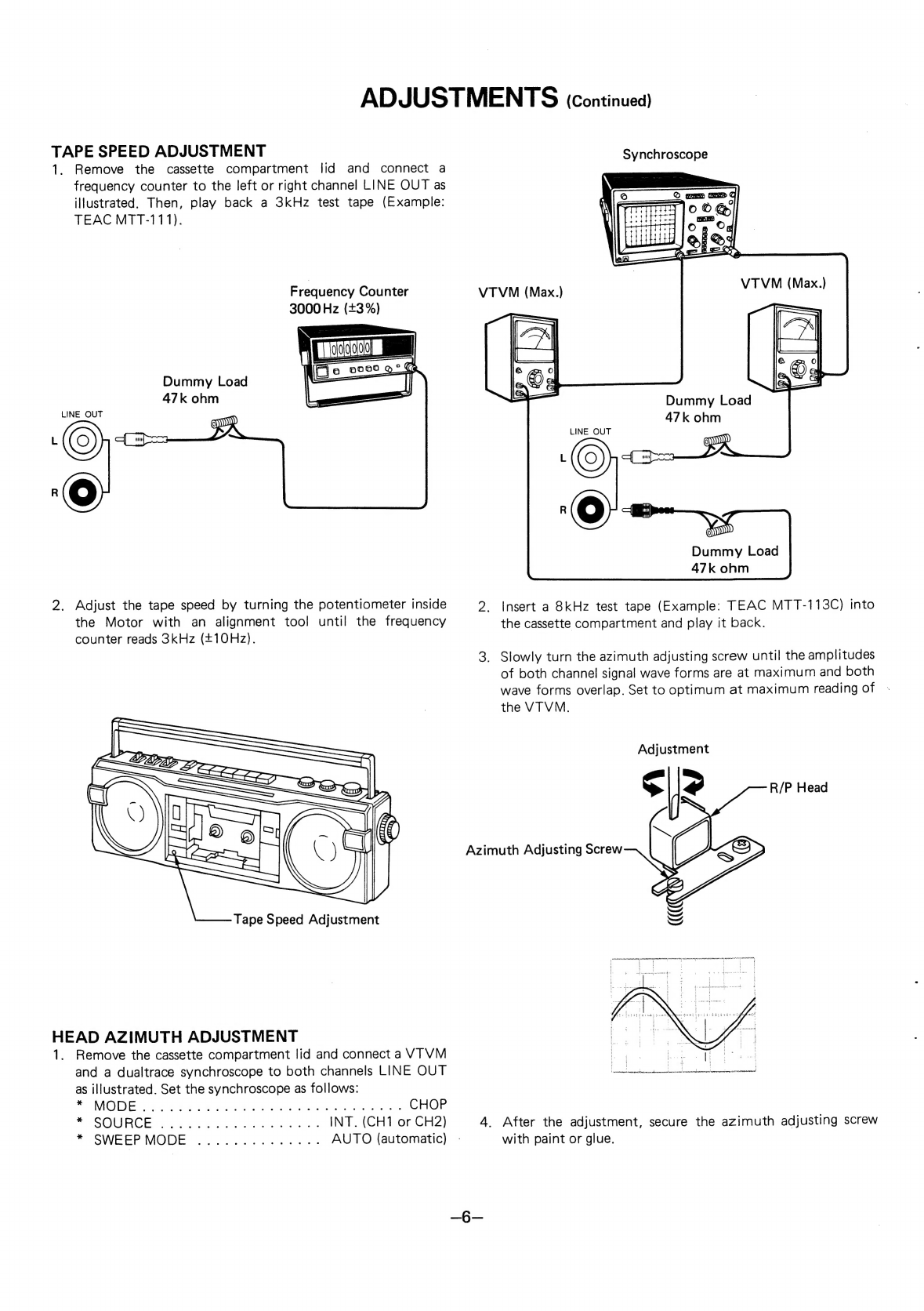
TAPE
SPEED
ADJUSTMENT
1.
Remove
the
cassette
compartment
lid
and
connect
a
frequency
counter
to
the
left
or
right
channel
LINE
OUT
as
illustrated.
Then,
play
back
a
3kHz
test
tape
(Example:
TEAC
MTT-111).
Frequency
Counter
3000
Hz
(+3
%)
Dummy
Load
47k
ohm
LINE
OUT
2.
Adjust
the
tape
speed
by
turning
the
potentiometer
inside
the
Motor
with
an
alignment
tool
until
the
frequency
counter
reads
3kHz
(+10Hz).
Tape
Speed
Adjustment
HEAD
AZIMUTH
ADJUSTMENT
1.
Remove
the
cassette
compartment
lid
and
connect
a
VIVM
and
a
dualtrace
synchroscope
to
both
channels
LINE
OUT
as
illustrated.
Set
the
synchroscope
as
follows:
PV
OES
tis
og:
i
astas
Oy
Se
ae
ene
SO
te
eee
oe
CHOP
PP
«OIA
ACESS
1k
Fak
he
tlhe
Sata
See
hho
in
INT.
(CH1
or
CH2)
7
SVWVGER
MODE.
fgscicewtee
dot
eras
AUTO
(automatic)
-
Azimuth
Adjusting
Screw
Synchroscope
Dummy
Load
47k
ohm
LINE
OUT
©
©
Oy
Dummy
Load
47k
ohm
Insert
a
8kHz
test
tape
(Example:
TEAC
MTT-113C)
into
the
cassette
compartment
and
play
it
back.
_
Slowly
turn
the
azimuth
adjusting
screw
until
the
amplitudes
of
both
channel
signal
wave
forms
are
at
maximum
and
both
wave
forms
overlap.
Set
to
optimum
at
maximum
reading
of
the
VIVM.
Adjustment
R/P
Head
|
yumeanannees
ateaeaneanillAninnan
ne
AIRMAN
SAAN
PANELED
SIR
AE
POORER
CHAO
LE
SOAPS
SEAL
SIAL
4.
After
the
adjustment,
secure
the
azimuth
adjusting
screw
with
paint
or
glue.
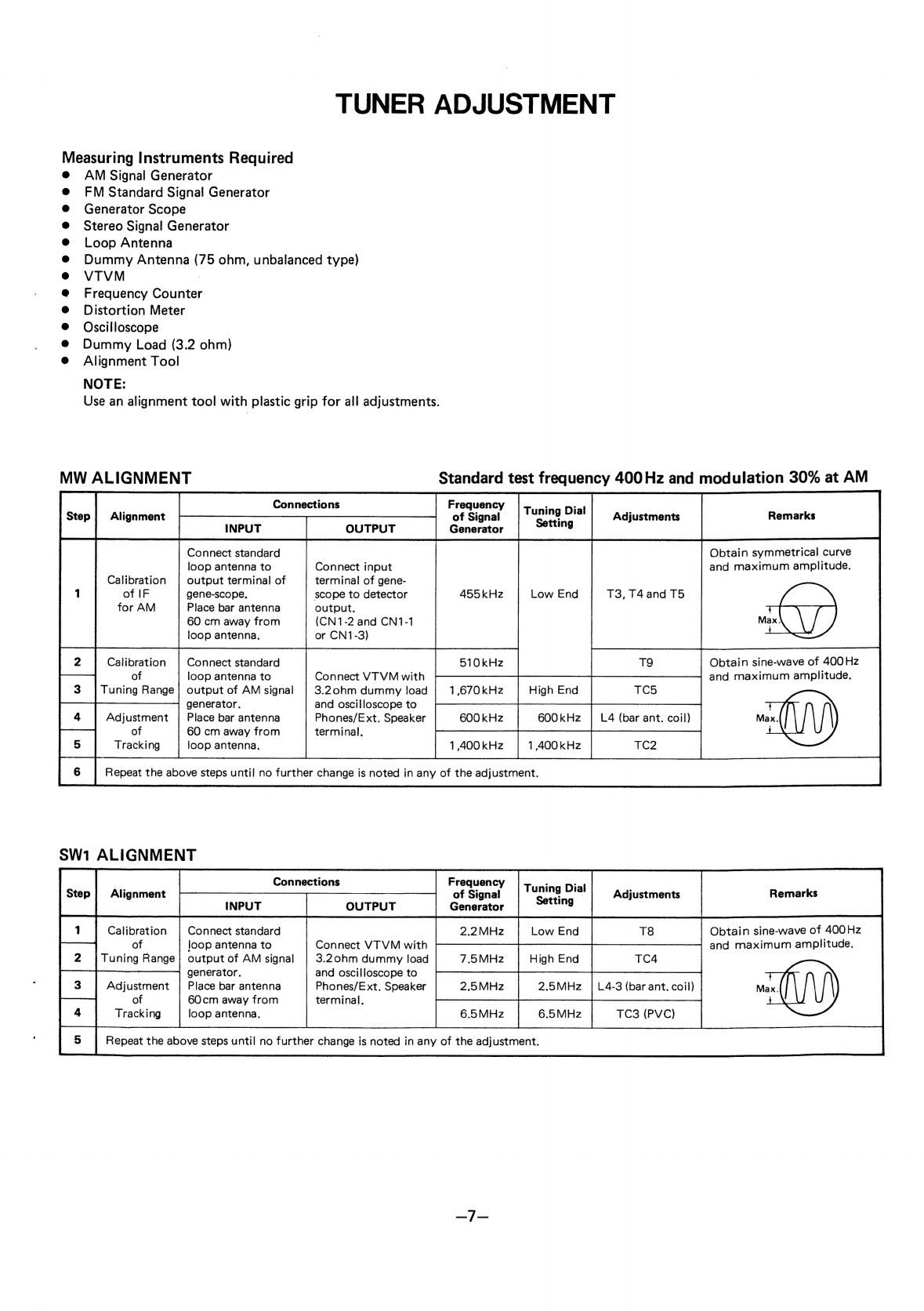
TUNER
ADJUSTMENT
Measuring
Instruments
Required
AM
Signal
Generator
FM
Standard
Signal
Generator
Generator
Scope
Stereo
Signal
Generator
Loop
Antenna
Dummy
Antenna
(75
ohm,
unbalanced
type)
VTVM
:
Frequency
Counter
Distortion
Meter
Oscilloscope
Dummy
Load
(3.2
ohm)
Alignment
Tool
NOTE:
Use
an
alignment
tool
with
plastic
grip
for
all
adjustments.
MW
ALIGNMENT
Standard
test
frequency
400
Hz
and
modulation
30%
at
AM
Alignment
of
Signal
INPUT
OUTPUT
Generator
455kHz
Low
End
T3,
T4
and
T5
Tuning
Dial
Setting
Adjustments
Remarks
Obtain
symmetrical
curve
and
maximum
amplitude.
Connect
standard
loop
antenna
to
output
terminal
of
gene-scope.,
Connect
input
terminal
of
gene-
scope
to
detector
Calibration
of
IF
for
AM
Place
bar
antenna
output.
60
cm
away
from
(CN1-2
and
CN1-1
loop
antenna.
or
CN1-3)
Obtain
sine-wave
of
400Hz
and
maximum
amplitude.
Connect
standard
loop
antenna
to
output
of
AM
signal
generator.
Calibration
of
Tuning
Range
Connect
VT
VM
with
3.20hm
dummy
load
and
oscilloscope
to
Adjustment
Place
bar
antenna
Phones/Ext.
Speaker
600
kHz
600kHz
|
L4
(bar
ant.
coil)
of
60
cm
away
from
terminal.
Tracking
loop
antenna.
1,400
kHz
1
400
kHz
Repeat
the
above
steps
until
no
further
change
is
noted
in
any
of
the
adjustment.
SW1
ALIGNMENT
Obtain
sine-wave
of
400Hz
and
maximum
amplitude.
Connect
standard
Joop
antenna
to
output
of
AM
signal
Calibration
of
Tuning
Range
Alignment
:
of
Signal
Tuning
Dial
INPUT
OUTPUT
Generator
7.5MHz
High
End
TC4
Connect
VT
VM
with
3.20hm
dummy
load
generator.
and
oscilloscope
to
Adjustment
|
Place
bar
antenna
Phones/Ext.
Speaker
2.5MHz
2.5MHz
|
L4-3
(bar
ant.
coil)
of
60cm
away
from
terminal.
Tracking
6.5MHz
6.5MHz
TC3
(PVC)
Repeat
the
above
steps
until
no
further
change
is
noted
in
any
of
the
adjustment.
loop
antenna.
Frequency
TUNER
ADJUSTMENT
(Continued)
SW2
ALIGNMENT
Alignment
Adjustments
Remarks
INPUT
OUTPUT
Generator
Calibration
|
Connect
AM
signal
oo
Ed
Obtain
sine-wave
of
400
Hz
of
generator
to
antenna
|
Connect
VTVM
with
and
maximum
amplitude.
a
ae
Range
|
terminals
(TP1
or
3.20hm
dummy
load
TP2)
and
oscilloscope
to
Adjustment
|
through
dummy
Phones/Ext.
Speaker
es
[
ane
[oe
of
antenna
terminal.
Tracking
(300hm/10
pF).
Repeat
the
above
steps
until
no
further
change
is
noted
in
any
of
the
adjustment.
Tuning
Dial
Setting
FM
ALIGNMENT
Standard
test
frequency
400Hz
and
deviation
22.5kHz
Tuning
Dial
;
Obtain
symmetrical
curve
and
maximum
amplitude.
Turn
T2
(blue
core)
Connect
output
Connect
input
fully
counter-
terminal
of
gene-
terminal
of
gene-
clockwise.
scope
to
pin
3
of
scope
to
detector
T1
Nd
Calibration
1C1
through
output.
;
capacitor
(10
pF)
(CN1-2
and
CN1-1
10.7
MHz
Low
End
or
CN1-3)
Obtain
S
curve
and
maximum
amplitude.
T2
(blue core)
Alignment
of
Signal
INPUT
OUTPUT
Generator
Calibration
Connect
FM
signal
|
87.2MHz
2MHz
a
a
Obtain
sine-curve
and
of
generator
toantenna
|
Connect
VT
VM
with
maximum
amplitude.
Tuning
Range}
terminals
(TP1
and
3.20hm
dummy
load
TP2)
through
and
oscilloscope
to
Adjustment
|
dummy
antenna.
Phones/Ext.
Speaker
of
(750hm,
unbalanced
|
terminal.
Repeat
the
above
steps
until
no
further
change
is
noted
in
any
of
the
adjustment.
FM
MULTIPLEX
ADJUSTMENT
|
38kHz
(V.C.0.)
ADJUSTMENT
1.
Connect
the
frequency
counter
to
the
sixteenth
pin
(TP7)
in
Prior
to
the
adjustment,
set
the
unit
as
follows:
|C3
and
a
resistor
(330
k-ohm)
as
illustrated.
@
Function
Switch
...............
0005
RADIO
(ON)
@
Band
Select
Switch
...........
0.00.
FM
2.
Adjust
the
potentiometer
(P1)
until
the
oscillation
frequency
@
Mode
Switch.............00
0c
eee
eee
STEREO
of
IC3
becomes
38kHz
(+20Hz).
@
Balance
Control..............
Center
(click
position)
©
TOne
CON:
6a45no
sn
Gee
ea
Maximum
@
Volume
Control
.........
0...
cee
ee
eee
ns
Center
DIAL
CORD
STRINGING
1.
Mount
the
Radio
Tuner
P.C.Board
on
the
Radio
Chassis
and
4.
Hook
the
dial
cord
to
the
spring
and
tie
the
cord
where
the
then,
the
Drum
to
the
shaft
of
the
variable
capacitor.
spring
tip
extends
until
the
spring length
becomes
approximately
31mm.
2.
Tie
the
dial
cord
of
length
1,070mm
(effective
length:
950mm)
and
diameter
$5
to
the
spring
and
hook
the
spring
5.
Secure
the
place
where
the
spring
is
hooked
to
the
drum
and
to
the
illustrated
position
of
the
drum.
the
knot
in
the
dial
cord
with
paint
or
glue.
3.
Engage
the
dial
cord
as
illustrated
in
the
following
order.
6.
Turn
the
Tuning
Shaft
counterclockwise
until
it
stops
and
Drum
==
Pulley
A
==
Pulley
B
==>
Pulley
C
==>
Tuning
set
the
left
edge
of
the
pointer
to
the
mark
on
the
Radio
Shaft
(3
turns)
==>
Pulley
D
=>
Drum
==>
Spring
Chassis
as
illustrated.
Then,
fix
the
pointer
there.
7.
Apply
white
lacquer
to
the
pointer
to
secure.
S
Pointer
init
‘
\
Dial
Cord
Roller
B
Soc
SS
ee
Tuning
Shaft
3
Turns
Radio
Chassis
Pointer
Scratch
Mark
about
31mm
Ref.
No.
CN3
CNS
CA1-
CAI
CA2
CA3
CA4
CAS
CA5
CA6
CA7
CA8
CA9
CA10
CA11
CA12
CA13
CA14
CA15
CA16
CA17
CA18
CA18
CA19
CA20
CA21
CA21
CA22
CA22
CA23
CA24
CA25
CA26
CX1
CX2
CX3
CX4
CX4
Part
No.
PACKAGE
141
141
141
141
141
141
141
141
141
141
ACCESSORIES
141
141
2
1719
20300
6
1419
65001
6
1419
65004
6
1449
82300
6
1449
82400
6
2519
10021
6
2519
15290
6
2519
23033
6
3119
19300
6
4559
00100
4
1919
71480
4
2369
72251
4
2419
72492
6
4729
01900
6
4729
32400
142
6
4119
31632
CABINET
141
141
141
141
141
141
141
141
141
141
141
141
141
141
141
141
141
141
141
141
141
141
141
14]
141
141
141
141
141
4
2359
70990
4
2359
75727
4
2359
75758
0
1249
23201
0
1249
23204
2
8529
06200
2
1639
44300
2
1639
44200
0
1119
88801
0
1119
88804
2
4469
36500
2
1519
24700
2
1659
09300
2
1639
51100
2
1639
51000
2
4469
31700
2
1149
29200
4
1519
71084
2
2719
18500
Q
5519
08500
2
1659
09400
2
7419
77200
0
1719
10400
0
1719
10403
2
1149
29201
2
3729
00801
0
1339
09703
0
1339
09706
2
1119
84801
2
1119
84804
2
4219
09800
2
1649
12900
4
2449
70330
2
4729
03001
102
3
1303
01011
102
3
1302
60811
143
3
1303
03018
101
101
3
1302
60614
3
1302
60618
PARTS
LIST
Description
Handle
Individual
Carton
(White)
Individual
Carton
(Blue)
Styrofoam
Case,
Left
Styrofoam
Case,
Right
Poly
Cover
100
x
210
Poly
Cover
Poly
Cover
230
x
330
Reinforce
Handle
Serial
No.
Sheet
AC
Adaptor
Adaptor
Plug
Assy
Cassette
Caution
Label
POP
Label
Instruction
Manual
RT
Pin
Socket
Connector
4P
Assy
-
Connector
3P
Assy
Cassette
Lid
Assy
(White)
Cassette
Lid
Assy
(Blue)
Spring,
Cassette
Lid
Fine
Tuning
Knob
Tuning
Knob
Cabinet
Top
Completed
(Speaker
(3002)
[SP102
&
SP202]
is
Included
)
(White)
Cabinet
Top
Completed
(Speaker
(3000)
[SP102
&
SP202]
is
Included
)
(Blue)
Cushion
Reflector
AMSS
Button
Volume
Knob
Tone
Knob
Cushion,
Mike
Screen,
Speaker
(Right)
Speaker
(3.20) [SP101
&
SP201]
Handle
Holder
Eject
Gear
Assy
Rec.
Mute
Knob
Cassette
Lid
Lock
Handle
Assy
(White)
Handle
Assy
(Blue)
Screen,
Speaker
(Left)
Fix
Speaker
Bracket
Battery
Lid
Assy
(White)
Battery
Lid
Assy
(Blue)
Cabinet
Bottom
(White)
Cabinet
Bottom
(Blue)
Screw
Band
Select
Knob
Antenna
Rod
Lug
Screw,
Pan
Hd.
Tapping-1
Screw,
Pan
Hd.
Tapping-1
Screw,
Pan
Hd.
Tapping-B
Screw,
Pan
Hd.
(White)
Screw,
Pan
Hd.
(Blue)
+M3.0x10
+M2.6x8
+M3.0x30
+M2.6x6
+M2.6x6
Q’ty
iar
Part
No.
Description
Q’ty
RADIO
CHASSIS
1
DC1
141
2
8119
09701
Counter
1
4
DC2
141
2
5649
11700
Counter
Belt
1
1
DC3.
141
2
8139
09500
Counter
Bracket
1
1
DC4
141
2
8519
29400
Spring,
Stop
Lever
1
1
DC5
141
2
3519
57700
Bracket
Eject
Arm
1
1
DC6
141
2
4729
04000
Lug
1
1
DC7
141
2
2449
45400
Sheet
1
1
DC8
4
1329
78400
AMSS
Program
P.C.B.
Assy
[See
PCB3]
1
1
DC9
141
2
8519
78000
Spring,
Stop
1
2
DC10
141
2
5389
03400
Drum
1
DC11
4
2249
70300
‘Fine
Tuner
([FT1]
1
DC12
4
1329
78420
Jack
P.C.B.
Assy
[See
PCB6]
1
DC13.
141
2
3679
31501
Jack
Plate
(White)
1
1
DC1i3.
141
2
3679
31506
Jack
Plate
(Blue)
1
1
DC14
4
1539
70661
Microphone
[BM1
&
BM2]
2
1
DC15
141
2
4219
14000
Screw
4
1
DCi6
141
2
5519
03300
_Dial
Roller
A
3
1
DC17
=
141
2
3119
18100
Radio
Chassis
1
1
DC18
141
2
1449
52900
Dial
Plate
(White)
1
DC18
141
2
1449
52902
Dial
Plate
(Blue)
1
DC19
141
2
8259
04700
_
Dial
Roller
1
DC20
4
1329
78530
VolumeP.C.B.
Assy
[See
PCB5]
1
2
DC21
141
2
3829
18000
Spring,
Terminal
1
1
DC22.
141
2
5119
08100
‘Pointer
1
1
DC23
4
1329
78410
LED
Indicator
P.C.B.
Assy
[See
PCB4]
1
1
DC24
141
2
3829
06700
_—‘
Terminal
Battery
Anode
1
1
DC25
141
2
3829
20800
Spring,
Battery
1
1
DC26
4
1259
71870
Radio
Tuner
P.C.B.
Assy
[See
PCB2]
1
1
DC27
4
1329
78391
Amplifier
P.C.B.
Assy
[See
PCB1]
1
1
DC28
141
2
4469
42500
Cushion,
Screen
Switch
1
1
DC29.
141
2
2449
45100
Screen
Switch
1
DC30
141
2
1629
06800
Function
Knob
3
|
DY1
102
3
1302
61411
Screw,
Pan
Hd.
Tapping-1
+M2.6x14
3
DY2
101
3
1302
00311
Screw,
Pan
Hd.
+M2.0x3
1
DY3
102
3
1302
60811
Screw,
Pan
Hd.
Tapping-1
+M2.6x8
5
DY4
102
3
1302
60818
Screw,
Pan
Hd.
Tapping-1
+M2.6x8
2
DY5
102
3
1302
61011
Screw,
Pan
Hd.
Tapping-1
+M2.6x10
3
DY6
102
3
1703
00811
Screw,
Bind
Hd.
Tapping-1
+M3.0x8
1
NOTES:
1.
Parts
order
must
contain
Model
Number,
Part
Number
and
Description.
2.
Ordering
quantity
of
screws
and
resistors
must
be
multiple
of
10
pcs.
—10—