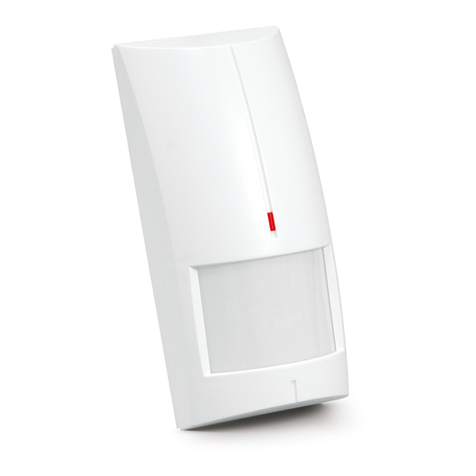
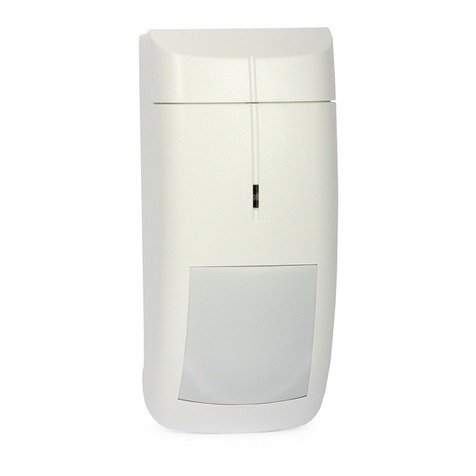
Satel SILVER User manual

®
SILVER
DIGITAL DUAL TECHNOLOGY MOTION DETECTOR
silver_en 01/15
The SILVER detector allows detection of motion in the protected area. This manual applies to the detector with
electronics version G (or newer).
1. Features
Passive infrared (PIR) sensor and microwave sensor.
Adjustable detection sensitivity of both sensors.
Digital motion detection algorithm.
Digital temperature compensation.
Selectable operation modes: basic or advanced.
Microwave based anti-mask feature
Built-in EOL resistors (Double EOL).
Bi-color LED to indicate motion detection / alarm status.
Remote LED enable/disable.
Alarm memory.
Capability of separate sensor testing.
Supervision of detector signal path and supply voltage.
Tamper protection against cover removal.
2. Description
Operation modes
Basic – the detector indicates an alarm if both sensors detect motion within a time period shorter than 3
seconds.
Advanced – the detector indicates an alarm if:
both sensors detect motion within a time period shorter than 3 seconds,
within a time interval less than 3 seconds, the microwave sensor detects motion and the PIR sensor
detects some changes in coverage area, insufficient however to be recognized as motion,
within 15 minutes' period, the microwave sensor detects motion 16 times, but PIR sensor does not detect
any changes in coverage area.
Anti-mask feature
Detection by the microwave sensor of an object moving at a distance of 10-20 centimeters from the detector is
interpreted as an attempt to mask the detector and results in activation of anti-masking relay for two seconds.
Objects permeable to microwaves, but isolating the infrared radiation are not detected by the anti-mask feature.
Supervision features
In the event of the voltage drop below 9 V (± 5%) for more than 2 seconds or the signal path failure, the detector
will signal a trouble. The trouble is indicated by the activation of alarm relay and the steady red light of LED
indicator. The trouble signaling will continue as long as the trouble persists.
Remote LED enable/disable
The LED can be enabled/disabled remotely when the LED is not enabled by means of the LED pins. The LED
terminal is provided to allow remote LED enable/disable. The LED is enabled, when the terminal is connected to
the common ground, and disabled, when the terminal is disconnected from the common ground. You can
connect to the LED terminal an OC type control panel output programmed e.g. as the
SERVICE MODE STATUS
,
BI SWITCH
or
ZONE TEST STATUS
.
Alarm memory
If the LED is enabled, the detector can signal the alarm memory. The MEM terminal is provided to allow the
alarm memory enable/disable. The alarm memory is enabled, when the terminal is connected to the common

2 SILVER SATEL
ground. The alarm memory is disabled, when the terminal is disconnected from the common ground. If the
alarm memory is enabled and an alarm occurs, the LED will start blinking red. Indication of the alarm memory
will continue until the alarm memory is enabled again (the MEM terminal is connected to the common ground).
Disabling the alarm memory will not stop the alarm memory indication. You can connect to the MEM terminal an
OC type control panel output programmed e.g. as the
ARMED STATUS
.
3. Electronics board
terminals:
WRN - anti-masking output (NC relay).
TMP - tamper output (NC).
COM - common ground.
12V - power input.
NC - alarm output (NC relay).
LED - remote LED control.
MEM - alarm memory control.
configuration pins for detector outputs:
the built-in resistors are to be used – place the jumpers
as shown in Fig. 2 (connect the outputs as shown in
Fig. 12),
the built-in resistors are not to be used – place the
jumpers as shown in Fig. 3 (connect the outputs as
shown in Fig. 11).
microwave sensor.
bi-color LED to indicate:
– alarm – the LED lights red for 2 seconds,
– alarm memory – the LED is blinking red,
– motion detected by one of the sensors – the LED
lights green for 2 seconds,
– trouble – the LED lights red,
– warm-up – the LED is blinking alternately red and
green.
detector configuration pins:
MODE - selecting the detector operation mode:
basic mode – place the jumper as shown in Fig. 4,
advanced mode – place the jumper as shown in Fig. 5.
LED - enable/disable the LED indicator. If the LED is to be enabled, place the jumper as shown in Fig.
6 (the remote LED enable/disable is not available then).
dual element pyrosensor. Do not touch the pyroelectric sensor, so as not to soil it.
tamper switch.
potentiometer for adjustment of PIR sensor sensitivity.
potentiometer for adjustment of the microwave sensor sensitivity. Please bear in mind that microwaves can
penetrate e.g. glass, gypsum walls, non-metallic doors, etc.
fixing screw hole.
4. Installation
1. Remove the front cover (Fig. 7).
2. Remove the electronics board.

SATEL SILVER 3
3. Make the openings for screws and cable in the enclosure base.

4 SILVER SATEL
4. Pass the cable through the prepared opening.
5. Fix the enclosure base to the wall or to the attached bracket (Fig. 8 i 9).
s and jumpers, set the detector working parameters.
5. Start-up and walk test
6. Fasten the electronics board.
7. Connect the wires to the corresponding terminals.
8. Using potentiometer
9. Replace the cover.
Note: When testing the detector, the LED should be enabled.
1. Power-up the detector. The LED will begin alternately blinking red and green, which indicates the detector
and
0 shows the maximum coverage area (maximum sensitivity).
per from the MODE pins. After
e area will activate the alarm relay and make the LED light up green.
MODE pins as shown in
eke the LED light up red.
Note: The sensor separate testing mode is automatically exited after 20 minutes.
warm-up.
2. When the LED stops blinking, check that moving within the coverage area will activate the alarm relay
make the LED light up red. Fig. 1
Separate testing of sensors
To test the microwave sensor, do the following:
1. Before you power-up the detector, place the jumper across the MODE pins as shown in Fig. 4.
2. Power-up the detector and, during the warm-up period, remove the jum
completion of the warm-up, the LED should flash green every 3 seconds.
3. Check that moving within the coverag
To test the PIR sensor, do the following:
1. Before you power-up the detector, remove the jumper from the MODE pins.
2. Power-up the detector and, during the warm-up period, place the jumper across the
Fig. 4. After completion of the warm-up, the LED should flash red every 3 seconds.
3. Ch ck that moving within the coverage area will activate the alarm relay and ma
6. Specifications
Supply voltage ...................................................................................................................................12 V DC ±15%
Standby current consumption ......................................................................................................................... 18 mA
Maximum current consumption....................................................................................................................... 25 mA
EOL resistors ............................................................................................................................................ 2 x 1.1 k
Relay contacts rating (resistive load)............................................................................................. 40 mA / 16 V DC
Microwave frequency............................................................................................................................. 10.525 GHz
Detectable speed......................................................................................................................................0.3...3 m/s
Alarm signaling period ..........................................................................................................................................2 s
Warm-up period ..................................................................................................................................................30 s
Recommended installation height.....................................................................................................................2.4 m
Security grade according to EN50131-2-4 ...................................................................................................Grade 2
Standards complied with......................................................... EN50131-1, EN50131-2-4, EN50130-4, EN50130-5
Environmental class according to EN50130-5.........................................................................................................II
Operating temperature range ................................................................................................................ -30...+55 °C
Maximum humidity......................................................................................................................................... 93±3%
Dimensions ...................................................................................................................................62 x 136 x 49 mm
Weight...............................................................................................................................................................126 g
The declaration of conformity may be consulted at www.satel.eu/ce
SATEL sp. z o.o. • ul. Bu -298 Gdańsk • POLAND
te
www.satel.pl
dowlanych 66 • 80
l. 58 320 94 00
Other manuals for SILVER
3
Table of contents
Other Satel Security Sensor manuals
Satel
Satel AGD-100 User manual
Satel
Satel OPAL User manual

Satel
Satel AGD-200-BR User manual
Satel
Satel TD-1 User manual
Satel
Satel AVD-100 User manual
Satel
Satel AGD-100-BR User manual
Satel
Satel GREY User manual
Satel
Satel APMD-250 User manual
Satel
Satel AOD-200 User manual
Satel
Satel AQUA RING User manual
Satel
Satel COBALT Pro User manual
Satel
Satel SLIM-PIR-PET User manual
Satel
Satel APD-100 User manual
Satel
Satel OPAL User manual
Satel
Satel ARD-100 User manual
Satel
Satel COBALT User manual
Satel
Satel FD-1 User manual
Satel
Satel ASD-250 User manual
Satel
Satel ABAX 2 User manual
Satel
Satel AVD-100 User manual