This is the Internet version of the user's guide. © Print only for private use. 9
English
Voice digit dialling
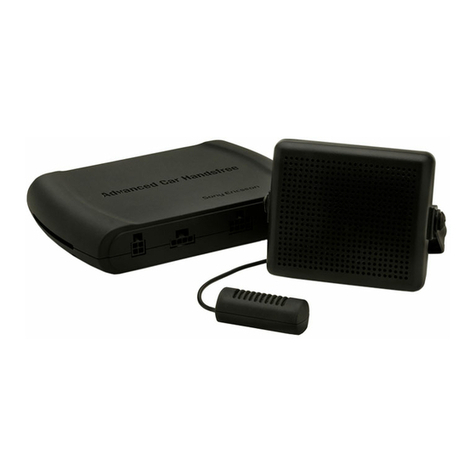
You dial your number by saying the digits in the car
handsfree microphone.
To turn voice digit dialling on or off
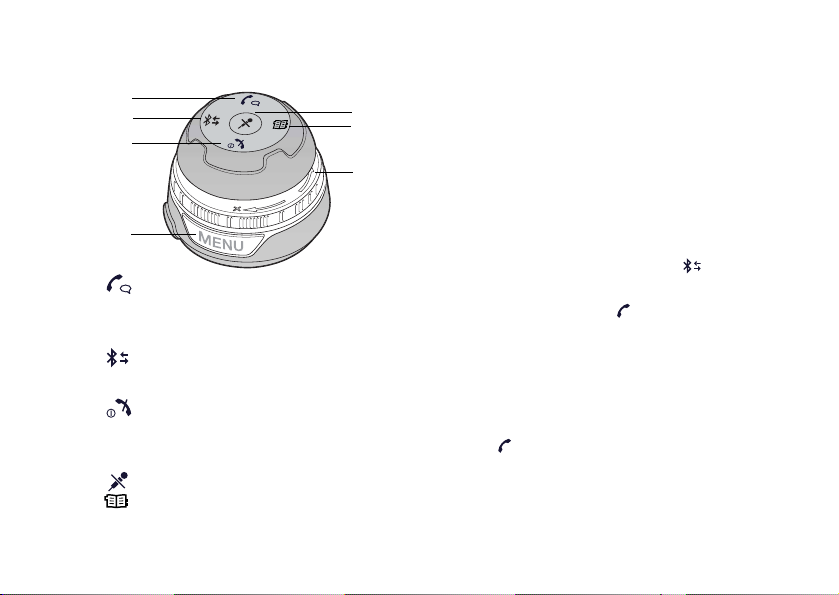
1To enter the settings menu, press the menu button.
2Scroll to Digit dialling, and press .
3Scroll to On or Deactivate, and press .
4To exit the menu, press the menu button.
To make a call using voice digit dialling
1Press , on the car handsfree.
2After the tone, or voice prompt, say the command
Number, in the voice language that you have selected
for the phone.
3Say the digits, in small sequences, for example
012 345 678, of the phone number that you wish
to dial.
• To dial a +, say Plus.
• To dial a *, say Star.
• To dial a #, say Hash.
• To delete a sequence of numbers say Clear.
• To interrupt the session, say Cancel.
4Say Dial or press to make the call.
5Press to end the call.
Settings
When voice digit dialling is enabled, you can make the
following settings:
• Voice language – to decide in what language you want
to say the commands.
• Command playback – to let all recognized voice tags
be spoken back to you, by the car handsfree.
• Voice prompts – to let spoken user instructions
be spoken back to you, by the car handsfree, before
the recognition window opens. If voice prompts
is turned off, a tone is played instead.
• Speaker adaptation – to adapt the car handsfree voice
recognition to your voice.
To set the voice language
1To enter the settings menu, press the menu button.
2Scroll to Digit dialling, and press .
3Scroll to Voice language, and press .
4Scroll to a language, and press .
5To exit the menu, press the menu button.
To activate command playback
1To enter the settings menu, press the menu button.
2Scroll to Digit dialling, and press .
3Scroll to Command playback, and press .
4Scroll to On to activate the command playback,
and press .
5To exit the menu, press the menu button.
Not all phones support voice digit dialling. Please refer to
www.sonyericsson.com for more information on compatibility.
The languages that can be selected as voice language are:
English, German, French, Italian, Spanish, Portuguese
or Swedish.