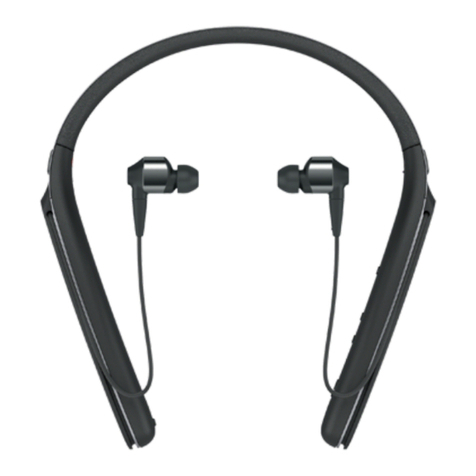
Sony SBH60 User manual

User guide
Stereo Bluetooth®Headset
SBH60

Contents
Introduction....................................................................................3
Function overview..............................................................................3
Hardware overview............................................................................3
Basics.............................................................................................5
Charging the battery..........................................................................5
Turning the headset on and off..........................................................5
Adjusting the volume.........................................................................5
Resetting and restarting.....................................................................5
Wearing instruction............................................................................6
Getting started...............................................................................7
Preparing to use your headset with a Bluetooth® device.................7
Using your headset in wired mode....................................................7
Using your headset........................................................................8
Using your headset to handle phone calls.........................................8
Using your headset to listen to music...............................................8
Using your headset with two devices simultaneously.......................8
Troubleshooting...........................................................................10
Music from another device does not play in the headset................10
The headset turns off automatically.................................................10
No connection between headset and other device.........................10
Unexpected behaviour.....................................................................10
Legal information..........................................................................11
Declaration of Conformity ...............................................................12
2
This is an Internet version of this publication. © Print only for private use.

Introduction
Function overview
Your Stereo Bluetooth® Headset SBH60 is designed to make life more convenient
when you're on the go. You can use it together with an Android™ powered device
such as a phone or tablet, or with a Bluetooth® compatible device such as a non-
Android phone, a computer or a music player. When paired with a compatible device,
you can use your headset to control incoming and outgoing phone calls or to listen to
music.
Hardware overview
1 Music key/Call key Press to play or pause the current media file.
Press to answer incoming calls.
Press and hold down to reject incoming calls.
2 Volume key Press up or down to adjust the volume.
3 3.5 mm audio jack Connect your headset by cable if you don’t want to use a
wireless connection.
4 Micro USB port Insert the USB cable here when you charge the battery.
5 Ear cushion
6 Notification light Flashing red light: the battery level is too low.
Flashing blue light: the headset is in pairing mode.
Flashing white light: a call is coming in.
3
This is an Internet version of this publication. © Print only for private use.

7 Power key Press and hold down to turn the headset on or off.
When the headset is on, briefly press to activate a
notification light which shows the battery level by displaying
different colours.
Flashing red light: Low battery level
Yellow light: Medium battery level
Green light: High battery level
8 Microphone
9 NFC detection area Touch other devices to this area during NFC pairing.
4
This is an Internet version of this publication. © Print only for private use.

Basics
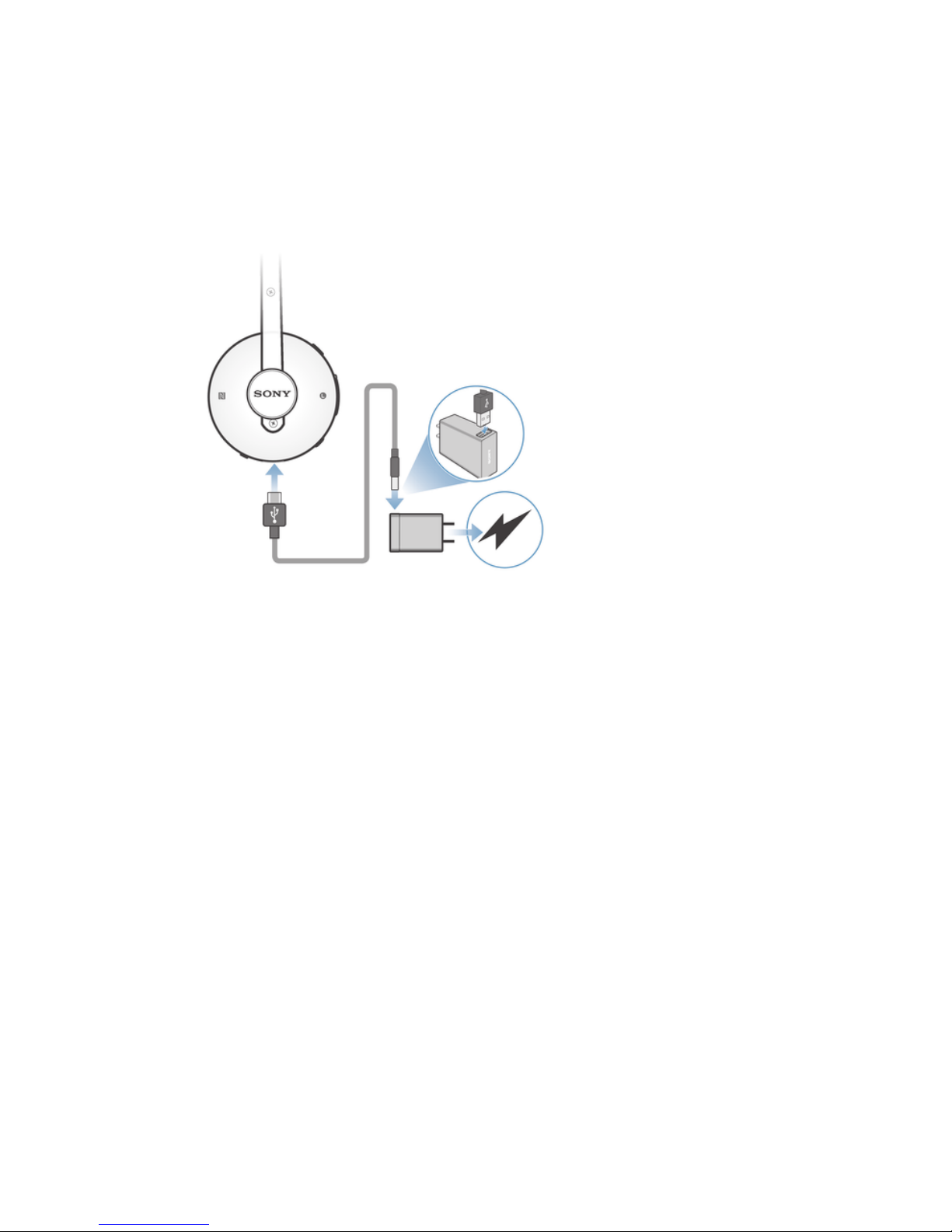
Charging the battery
Before using the Stereo Bluetooth® Headset SBH60 for the first time, you need to
charge it for approximately 1 hour. Sony chargers are recommended.
To charge your headset
1Plug one end of the USB cable into the charger.
2Plug the other end of the cable into the Micro USB port of your Stereo
Bluetooth® Headset SBH60.
3After your headset is fully charged, the notification light turns to green.
Turning the headset on and off
To turn on the headset
•Press and hold down the Power key until a white notification light flashes once.
To turn off the headset
•Press and hold down the Power key until a white notification light flashes
rapidly three times.
Adjusting the volume
To change the call or music volume
•During a call, or when listening to music, press the Volume key up or down.
Resetting and restarting
You can reset your Stereo Bluetooth® Headset SBH60 to its factory default settings.
This action, which deletes all pairing-related data on your headset, is sometimes
necessary if your headset stops functioning properly.
You can also force your Stereo Bluetooth® Headset SBH60 to restart in situations
where it hangs or does not restart normally. When you force your headset to restart,
no pairing data is deleted.
5
This is an Internet version of this publication. © Print only for private use.

To perform a factory reset
1Turn off the headset, then connect the charger so that the headset starts to
charge.
2Press and hold down the Call key until a white notification light starts flashing.
To force your headset to restart
•Press and hold down the Power key for at least 10 seconds until your headset
restarts.
Wearing instruction
To get the best performance from the microphone, make sure to wear your headset
correctly, that is, with the earphone indicated by an "L" placed on the left ear and
with the earphone indicated by an "R" placed on the right ear.
6
This is an Internet version of this publication. © Print only for private use.

Getting started
Preparing to use your headset with a Bluetooth® device
Before you can start using your headset with a Bluetooth® device, you need to pair
the headset with the Bluetooth® device manually using Bluetooth® or automatically
using NFC.
To manually pair your headset with a Bluetooth® device
1Bluetooth® device: Make sure the Bluetooth® function is turned on.
2Turn off your headset.
3Headset: Press and hold down the Power key until a blue notification light
starts flashing rapidly.
4Bluetooth® device: Scan for Bluetooth® devices, then select SBH60 in the list
of available devices.
5Bluetooth® device: Follow the pairing instructions that appear on the screen.
To automatically pair your headset with a Bluetooth® device
1Bluetooth® device: Make sure that the NFC function is turned on and that the
screen is active and unlocked.
2Place the Bluetooth® device over your headset so that the NFC detection area
of each device touches the other.
3Bluetooth® device: Follow the pairing instructions that appear.
The device used in this illustration is for illustration purposes only and may not accurately
depict the actual device used.
To reconnect to a paired Bluetooth® device
•Briefly press the Call key.
Using your headset in wired mode
You can also use your Stereo Bluetooth® Headset SBH60 as a wired headset, that is,
in wired mode. When you insert an audio cable into the 3.5 mm audio jack, the
headset gets disconnected from any paired Bluetooth® devices and turns off
automatically. You can then use the headset in wired mode, that is, using a wired
connection that does not require the headset to be turned on.
7
This is an Internet version of this publication. © Print only for private use.

Using your headset
Using your headset to handle phone calls
Use the headset to handle incoming calls, for example, to answer or reject a call. You
can also switch between different ongoing calls.
The number of ongoing calls supported can vary depending on the phone operator or
network.
To answer a call with the headset
•When you hear an incoming call signal, press the Call key.
To end a call
•During an ongoing call, press the Call key.
To reject a call
•When you hear an incoming call signal, press and hold down the Call key.
To answer a second call
•When you hear an incoming call signal during an ongoing call, press the Call
key. The ongoing call is put on hold.
To reject a second call
•When you hear an incoming call signal during an ongoing call, press and hold
down the Call key.
To switch between ongoing calls
•Press the Call key twice in rapid succession.
Using your headset to listen to music
You can listen to music from your phone or another Bluetooth® compatible device
using your headset.
To listen to music
1Open the music player application in your Bluetooth® device and select a track
that you want to listen to.
2To play the track, press the Music key.
3To pause the track, press the Music key again.
To move between tracks
1To skip forward to the next track, press and hold down the Volume up key.
2To skip back to the previous track, press and hold down the Volume down key.
Using your headset with two devices simultaneously
Your headset has two different connection modes: Multipoint mode and Singlepoint
mode. Multipoint mode helps you manage two connections at the same time. For
example, if you connect your headset with two phones, you can receive calls from
both phones without having to disconnect and reconnect.
Singlepoint mode is enabled by default. If you want to use your headset with two
devices at the same time, you should switch to Multipoint mode manually.
You can only connect to a maximum of two devices in Multipoint mode. If you pair the headset
with a third device, the first paired device gets disconnected.
8
This is an Internet version of this publication. © Print only for private use.


To switch to Multipoint mode
1Make sure that the headset is turned on.
2Press and hold down both the Power key and the Volume up key until a purple
notification light flashes twice.
To manually pair your headset with two Bluetooth® devices
1Make sure that the headset is in Multipoint mode and is paired successfully
with the first Bluetooth® device.
2Turn off the headset.
3Headset: Press and hold down the Power key until a blue notification light
starts flashing rapidly.
4Second Bluetooth® device: Scan for Bluetooth® devices, then select SBH60 in
the list of available devices. Follow the pairing instructions that appear on the
screen.
5First Bluetooth® device: To reconnect to the headset, select SBH60 in the list
of paired devices on the Bluetooth® settings screen.
To automatically pair your headset with two Bluetooth® devices
1Make sure that the headset is in Multipoint mode and is paired successfully
with the first Bluetooth® device.
2Second Bluetooth® device: Make sure that the NFC function is turned on and
that the screen is active and unlocked.
3Place the second Bluetooth® device over your headset so that the NFC
detection area of each device touches the other, then follow the pairing
instructions that appear on the screen.
4First Bluetooth® device: To reconnect to the headset, select SBH60 in the list
of paired devices on the Bluetooth® settings screen.
To switch to Singlepoint mode
1Make sure that the headset is turned on and disconnected from all Bluetooth®
devices.
2Press and hold down both the Power key and the Volume down key until a
purple notification light flashes once.
9
This is an Internet version of this publication. © Print only for private use.

Troubleshooting
Music from another device does not play in the headset
•Make sure that the music-playing device is connected with the headset.
•Restart the music player application on the music-playing device.
•Make sure that the correct music source is selected.
The headset turns off automatically
•If the headset beeps several times shortly or a red notification light starts flashing
rapidly before turning off, the battery level is low. Charge the battery.
No connection between headset and other device
•Make sure that the headset is charged and within range of the device that you want
to connect to. A maximum distance of 10 metres (33 feet), with no solid objects in
between, is recommended.
•Disable the Bluetooth® function in the other device so that all connections are
closed, then re-enable the Bluetooth® function and pair the headset with the device
again.
Unexpected behaviour
•Reset the headset.
10
This is an Internet version of this publication. © Print only for private use.
Table of contents
Other Sony Headset manuals

Sony
Sony WH-CH520 User manual

Sony
Sony DR-EX12iP User manual

Sony
Sony MDR-ZX750BN User manual

Sony
Sony STH40D Operating instructions

Sony
Sony DR-BT21IK/B - Wireless Transmitter And Bluetooth... User manual

Sony
Sony MBH20 User manual

Sony
Sony XBA-2IP User manual

Sony
Sony XBA-30iP User manual

Sony
Sony MDR-XB50BS User manual

Sony
Sony DR-210DP User manual

Sony
Sony WI-C400 User manual

Sony
Sony WH-CH710N User manual

Sony
Sony WI-C300 Reference guide

Sony
Sony DR-BTN200 User manual

Sony
Sony DR-GA200 User manual

Sony
Sony DR-BT101 User manual

Sony
Sony WH-CH500 Reference guide

Sony
Sony Xperia Ear Duo Operating instructions

Sony
Sony WF-1000XM3 User manual

Sony
Sony LinkBuds S YY2950 User manual