8
SETTINGS ADJUSTEMENT
WITH A REMOTE CONTROL
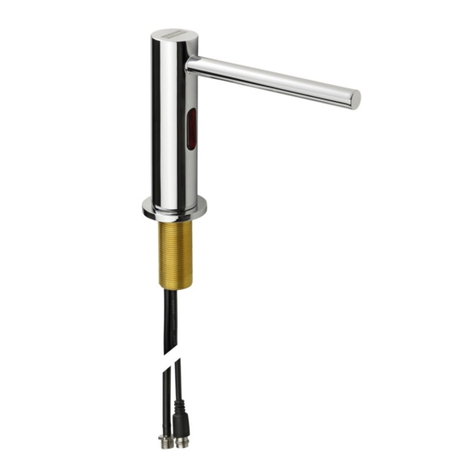
If desired, use the remote control to adjust the soap dispenser settings.
Hold the remote control straight in front of the sensor in a distance of about 4-6”
(10-15cm).
Attention: Holding the soap dispenser remote control out of the recommended
range (too close or too far)may interfere with the remote’s activation.
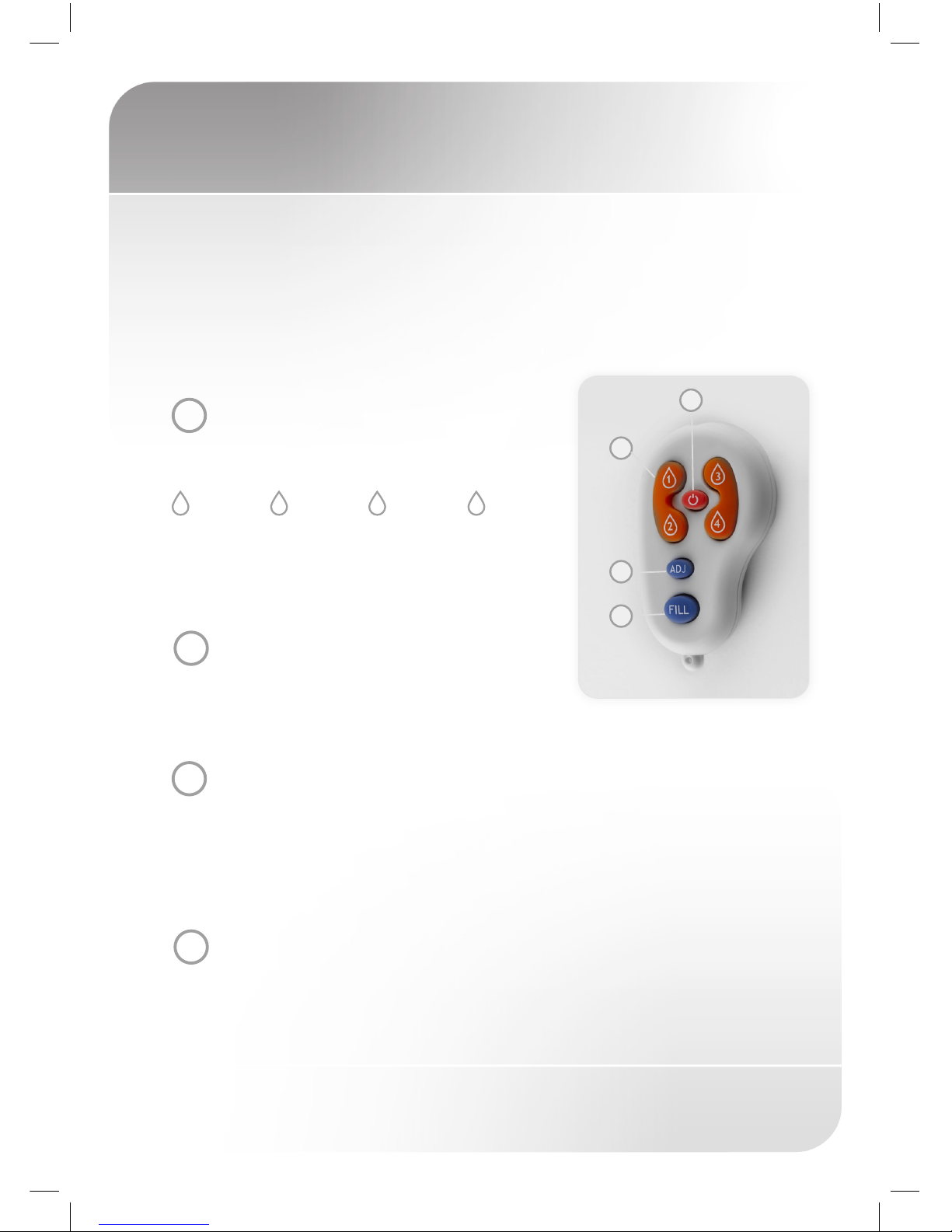
Choose the function you want to adjust by pressing on the function button as
following:
1SOAP QUANTITY
The 1-4 drop keys allow the user to choose the
desired soap quantity.
Indication: continues blink of the red light in the
sensor eye.
* The exact soap dosage depends on the soap
viscosity.
10.2 to 0.4 20.7 to 0.9 31.2 to 1.6 42.1 to 2.3
2ADJ
This function allows coming back to soap quantity
factory settings. Press the ADJ button.
Indication: 2 blinks of the red light in the sensor eye.
3TEMPORARY OFF FUNCTION
This function is ideal to perform any kind of activity in front of the sensor without
operating the system (for example, cleaning). The soap dispenser will remain shut
for 1 minute when this button is pressed once. To cancel this function and to return
to normal operation press the On/Off button again or wait 1 minute.
Indication: OFF – 2 fast blinks, ON – 4 fast blinks
4REFILL THE SOAP TANK
Once the soap tank has been refiled, press the FILL button. The pump would work
for one minute in order for the soap to start coming out of the soap dispenser
spout. To stop this activity press the FILL button again.
2
3
1
4