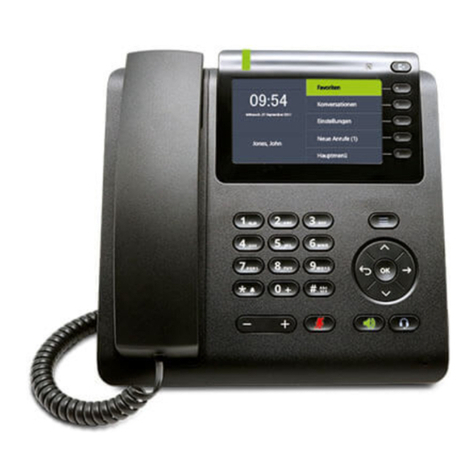
SwyxPhone D565 Q U I C K S T A R T SwyxPhone D565 Q U I C K S T A R T
Unlock keypad
To unlock the keys, hold down the
key.
9 I want to talk hands free.
You are making a call and using the earpiece.
Press the key to activate the speaker. You can now talk hands free.
Press the key again to deactivate the speaker.
Note:
It is also possible to pick up a call with the button.
10 I want to adjust the volume.
You are making a call.
Press on the volume control to increase the volume.
Press
on the volume control to reduce the volume.
11 I want to mute the microphone.
You are making a call.
Press the
key.
The icon appears. Your call partner cannot hear you.
To unmute the microphone, press the key again.
12 I want to make a second call.
You are already making a call to a subscriber.
Press the "Hold" function key
.
The connection is put on hold.
Your conversation partner hears hold music.
Dial the number of another subscriber and press
the key.
The call is initiated.
Switch between the subscribers by pressing the "Swap" function key.
To terminate the current call, press the
key.
To activate the call on hold, press the "Retrieve" function key.
13 I want to connect two subscribers.
During an active call, press the "Transfer" function key.
The connection is put on hold.
Your conversation partner hears hold music.
Dial the number of another subscriber and press the
key. The second
connection is set up.
Notify the call to be transferred and
press the "Transfer" function key.
The call is ended. The subscribers are connected to one another.
14 I want to transfer a call without inquiry.
You have been called.
Press the
key.
Press the "Transfer" function key
.
The connection is put on hold.
Your conversation partner hears hold music.
Dial the number to which you want to forward the call. Press the "Trasnfer"
function key, followed by the "Hook on" function key.
The call is immediately forwarded without inquiry.
15 I want to input text.
You need this function when you want to add, find or edit a name in the
phonebook, for example.
The keys in the numeric keypad are assigned multiple characters. Press a key
repeatedly to reach another character on the key.
Example:
You want to input the letter "B" in input mode. Press the key twice to do this.
• The key contains special characters: ! ? ,- ” @ + ; :
• To activate lower case/upper case/numbers: press the key briefly.
• To insert spaces in the text: press the key briefly.
• To delete a character: press the "
Delete" function key briefly.
16 I want to edit my personal contacts.
You can create and edit a list of frequently used contacts. The contacts are stored
only on your SwyxPhone. All entries are listed in alphabetical order.
Press the
function key.
A list of your personal contacts appears.
Select a contact and press the "More" function key.
You have several options:
Add contact
Select "Add contact" and confirm with the enter key.
Enter the name and phone number(s) of the contact. Use the "Save" function key to
confirm that the information is correct.
You can assign a particular call signal to the contact. Use the "Select" function key
to define the setting.
Press the "Save" function key, followed by "Yes", to save the new contact.
Edit contact
Select "Edit contact" and confirm with the "Select" function key.
Edit the name or the number, and confirm the changes with the "Save" function key.
Then select "Yes" to save the changes.
Delete contact
Select "Edit contact" and confirm with the "Select" function key.
Press the "Yes" function key to delete the contact.
The contact is deleted and no longer appears in the list.