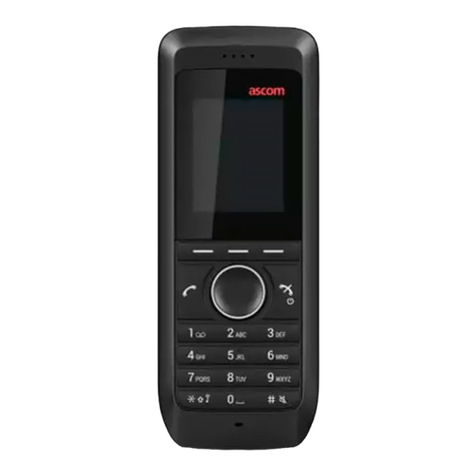
SwyxPhone D710 Q U I C K S T A R T SwyxPhone D710 Q U I C K S T A R T
8 Lock/unlock keypad
To avoid activating keys accidentally when carrying the phone, you can lock the
keys:
Hold down the
key.
The display shows the icon. All keys are locked.
You can also set up automatic key locking:
In the menu, select “Settings | Display + Keypad”, followed by the option “Auto.
KeyLock".
If you do not press any keys for 20 seconds, the keypad locks automatically. The
display shows the icon.
Note:
If a call comes in, the key lock is automatically removed. It is activated again after the
call ends.
Unlock keypad
To unlock the keys, hold down the
key.
9 I want to talk hands free.
You are making a call and using the earpiece.
Press the key to activate the speaker. You can now talk hands free.
Press the key again to deactivate the speaker.
10 Regulate volume
You are making a call.
Press on the volume control to increase the volume.
Press on the volume control to reduce the volume.
11 Mute Microphone
You are making a call.
Press the
right Navigation key. The information “microphone is off” appears on
the display. Your call partner cannot hear you.
To unmute the microphone, press the key again.
12 I want to make a second call.
You are making a call to a subscriber.
Press the "Inquiry" function key
.
The connection is put on hold. Your conversation partner hears hold music.
Dial the number of another subscriber and press the
key. The call is initiated.
Switch between the subscribers by pressing the Navigation key (down, up).
To terminate the current call, press the key.
13 Transferring a Call With Inquiry
During an active call, press the “Ext. Call" function key.
The connection is put on hold. Your conversation partner hears hold music.
Dial the number of another subscriber and press the
key
. The second
connection is set up.
Notify the call to be transferred and
go on hook.
The call is ended. The subscribers are connected to one another.
14 Transferring a Call Without Inquiry
You are making a call to a subscriber.
Press the "Inquiry" function key
.
The connection is put on hold. Your conversation partner hears hold music.
Dial the number to which you want to forward the call. Press the key.
The call is immediately forwarded without inquiry.
15 I want to input text.
You need this function when you want to add, find or edit a name in the directory,
for example.
The keys in the numeric keypad are assigned multiple characters. Press a key
repeatedly to reach another character on the key.
Example:
You want to input the letter "B" in input mode. Press the key twice to do this.
• The key contains special characters: . ? ! ,- ” @ + ; :
• To activate lower case/upper case/numbers: press the key briefly.
• To insert spaces in the text: press the key briefly.
• To delete a character, press the "<C"function key.