manuals.online logo
Brands
  1. Home
  2. •
  3. Brands
  4. •
  5. Takstar
  6. •
  7. Microphone
  8. •
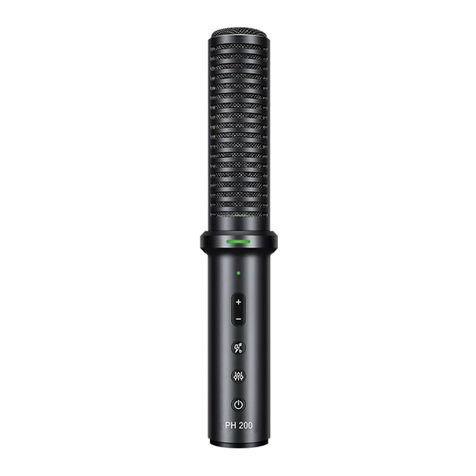
  9. Takstar PH 200 User manual

Takstar PH 200 User manual

Other manuals for PH 200

1

Other Takstar Microphone manuals

Takstar TA-55D User manual

Takstar

Takstar TA-55D User manual

Takstar SM-18 EL User manual

Takstar

Takstar SM-18 EL User manual

Takstar BM-600 User manual

Takstar

Takstar BM-600 User manual

Takstar E-340 User manual

Takstar

Takstar E-340 User manual

Takstar V4 DUAL User manual

Takstar

Takstar V4 DUAL User manual

Takstar DA-237 User manual

Takstar

Takstar DA-237 User manual

Takstar SM-8B-S User manual

Takstar

Takstar SM-8B-S User manual

Takstar UC-2R User manual

Takstar

Takstar UC-2R User manual

Takstar PC-K320 User manual

Takstar

Takstar PC-K320 User manual

Takstar TS-8807PP User manual

Takstar

Takstar TS-8807PP User manual
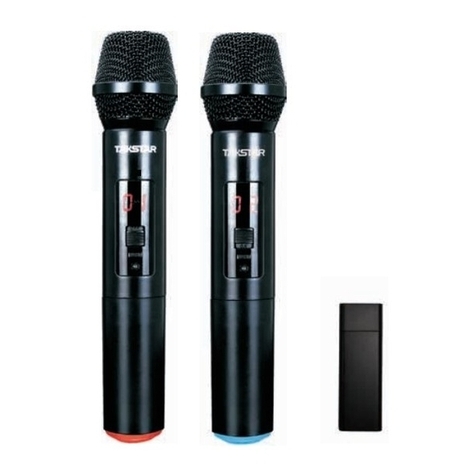
Takstar GN-900 User manual

Takstar

Takstar GN-900 User manual

Takstar G5 User manual

Takstar

Takstar G5 User manual

Takstar TA-60 User manual

Takstar

Takstar TA-60 User manual

Takstar TS-6310 User manual

Takstar

Takstar TS-6310 User manual

Takstar SM-10 User manual

Takstar

Takstar SM-10 User manual

Takstar TS-8807PP User manual

Takstar

Takstar TS-8807PP User manual

Takstar X5 User manual

Takstar

Takstar X5 User manual

Takstar HM-200W User manual

Takstar

Takstar HM-200W User manual

Takstar TS-8807TT User manual

Takstar

Takstar TS-8807TT User manual

Takstar MS-118 User manual

Takstar

Takstar MS-118 User manual

Takstar DA10 User manual

Takstar

Takstar DA10 User manual

Takstar MS300 User manual

Takstar

Takstar MS300 User manual

Takstar TS-3380 User manual

Takstar

Takstar TS-3380 User manual

Takstar DG-K10USB User manual

Takstar

Takstar DG-K10USB User manual
Popular Microphone manuals by other brands

Betzold 760932 operating instructions

Betzold

Betzold 760932 operating instructions

Shure A88SM user guide

Shure

Shure A88SM user guide

JTS UF-10TH/12 instruction manual

JTS

JTS UF-10TH/12 instruction manual

Shure BETA 58A User giude

Shure

Shure BETA 58A User giude

Shure SM7 user guide

Shure

Shure SM7 user guide

Sony ECM-Z200 Service manual

Sony

Sony ECM-Z200 Service manual

Electro-Voice 652 engineering data

Electro-Voice

Electro-Voice 652 engineering data

mantona 21150 instruction manual

mantona

mantona 21150 instruction manual

Loewe We. SEE 55 user manual

Loewe

Loewe We. SEE 55 user manual

IK Multimedia iRig Stream MIC PRO user manual

IK Multimedia

IK Multimedia iRig Stream MIC PRO user manual

DAPAudio RM-101 user manual

DAPAudio

DAPAudio RM-101 user manual

AKG CHM 21 User instructions

AKG

AKG CHM 21 User instructions

Sennheiser evolution wireless series EM 100 instruction manual

Sennheiser

Sennheiser evolution wireless series EM 100 instruction manual

Sony C-48 operating instructions

Sony

Sony C-48 operating instructions

GIGAMEDIA GGM PAMICUHFG user manual

GIGAMEDIA

GIGAMEDIA GGM PAMICUHFG user manual

Shure WH30TQG user guide

Shure

Shure WH30TQG user guide

auna PRO MIC-900 manual

auna PRO

auna PRO MIC-900 manual

Shure MV51 manual

Shure

Shure MV51 manual

manuals.online logo
manuals.online logoBrands
  • About & Mission
  • Contact us
  • Privacy Policy
  • Terms and Conditions

Copyright 2025 Manuals.Online. All Rights Reserved.

充电:电源指示灯长亮红灯,表示电量较低,需及时给麦克风充电
内放:开机状态下循环点按电源按钮,指示灯长亮绿灯,表示内放开启;指示灯熄灭,表示
内放关闭。
内放指示灯
音量+/-:调节麦克风音量,根据个
人对音量大小的适应情况适当调节
音效:点按切换8种美声效果,同时
有相应的语音提示
电源指示灯
电声基调:在音效切换到“电音”
效果模式后,点按切换电音基调,
根据演唱歌曲的基调进行选择
开关: 开关机, 开启
内放功能(内放功能解释详见说
明书)
长按2秒 点按
2
3
耳机接口:连接耳机(带麦或
不带麦的耳机都可以兼容)
连接方法
伴奏接口:通过标配的音频线连
接外部音源设备,方便直播时播
放伴奏
手机接口:与手机Φ3.5mm接口
连接,如手机没有Φ3.5mm接口,
需配合OTG转接头使用
USB接口:通过Micro USB
数据线给麦克风充电或实现
OTG功能
连麦接口:通过标配的音频
线与第2支PH 200的手机接
口连接,实现双人合唱
1
Charging: that the power LED keeps lighting up red means low power supply. Please
charge the microphone in time.
Mixing: after turning on the mic press the power switch. That LED keeps lighting up
green means the mixing function is on, and LED lights off means mixing function is off.
Mixing LED
Volume +/-: adjusting mic
volume to a proper level.
Sound effect: 8 sound effects for
switching, and there are relative
sound prompt.
Power LED
Autotune: when it is switched to
autotune mode, press it to switch
autotune. Select the autotune
according to specific song.
Switch: to
turn on mic. to turn on
mixing function (refer to mixing
function section in the manual for details).
press it for 2 seconds
Press it
2
3
Headset connector: linking
with headset (headset with
or without mic).
Connection
Accompaniment connector:
linking with external audio
equipment via standard audio
cable for playing
accompaniment.
Cell phone connector:
linking with cell phone
Φ3.5mm connector. If the cell
phone has no Φ3.5mm
connector, use OTG adapter.
USB interface: charging
mic or achieving OTG
function via Micro USB
charging cable.
Mic connector: linking
with the second PH200 mic
via standard audio cable
for chorus.
1
Function operation
Others
Quick Start Guide