04
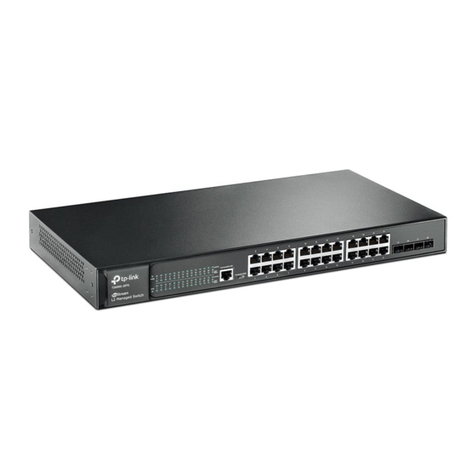
Gigabit L2 Managed Switch
Introduction
LED Status Indication
SFP1, SFP2
Green On A 1000Mbps device is connected to the
corresponding port, but no activity
Flashing Data is being transmitted or received
Yellow On A 100Mbps device is connected to the
corresponding port, but no activity
Flashing Data is being transmitted or received
Off No device is connected to the corresponding port
When the PoE LED is on, the port LED is indicating the power supply status.
LED Status Indication
PWR
On The switch is powered on
Off The switch is powered off or power supply is
abnormal
Flashing Power supply is abnormal
SYS Flashing The switch works properly
On/Off The switch works improperly
FAN
Green All the fans work properly
Yellow Not all the fans work properly
Off The switch works improperly
PoE MAX
On The remaining PoE power≤7W
Flashing The remaining PoE power keeps ≤7W after this
LED is on for 2 minutes
Off The remaining PoE power>7W
Speed or PoE
Green
On The port is supplying power normally
Flashing The supply power exceeds the corresponding
port's maximum power
Yellow On Overload or short circuit is detected
Flashing Power-on self-test has failed
Off No PoE power supply is provided on the port
SFP1, SFP2
Green On A 1000Mbps device is connected to the
corresponding port, but no activity
Flashing Data is being transmitted or received
Yellow On A 100Mbps device is connected to the
corresponding port, but no activity
Flashing Data is being transmitted or received
Off No device is connected to the corresponding port
Console (RJ-45) Port
Designed to connect with the serial port of a computer or terminal for monitoring
and configuring the switch.
Console (USB) Port
Designed to connect with the USB port of a computer for monitoring and
configuring the switch. The switch has an RJ-45 console port and a micro-USB
console port available. Console input is active on only one console port at a
time. By default, the micro-USB connector takes precedence over the RJ-45
connector.