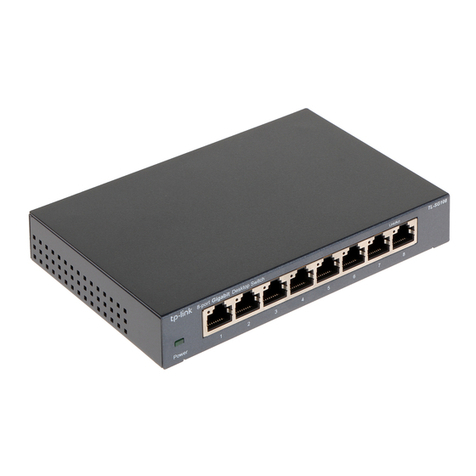
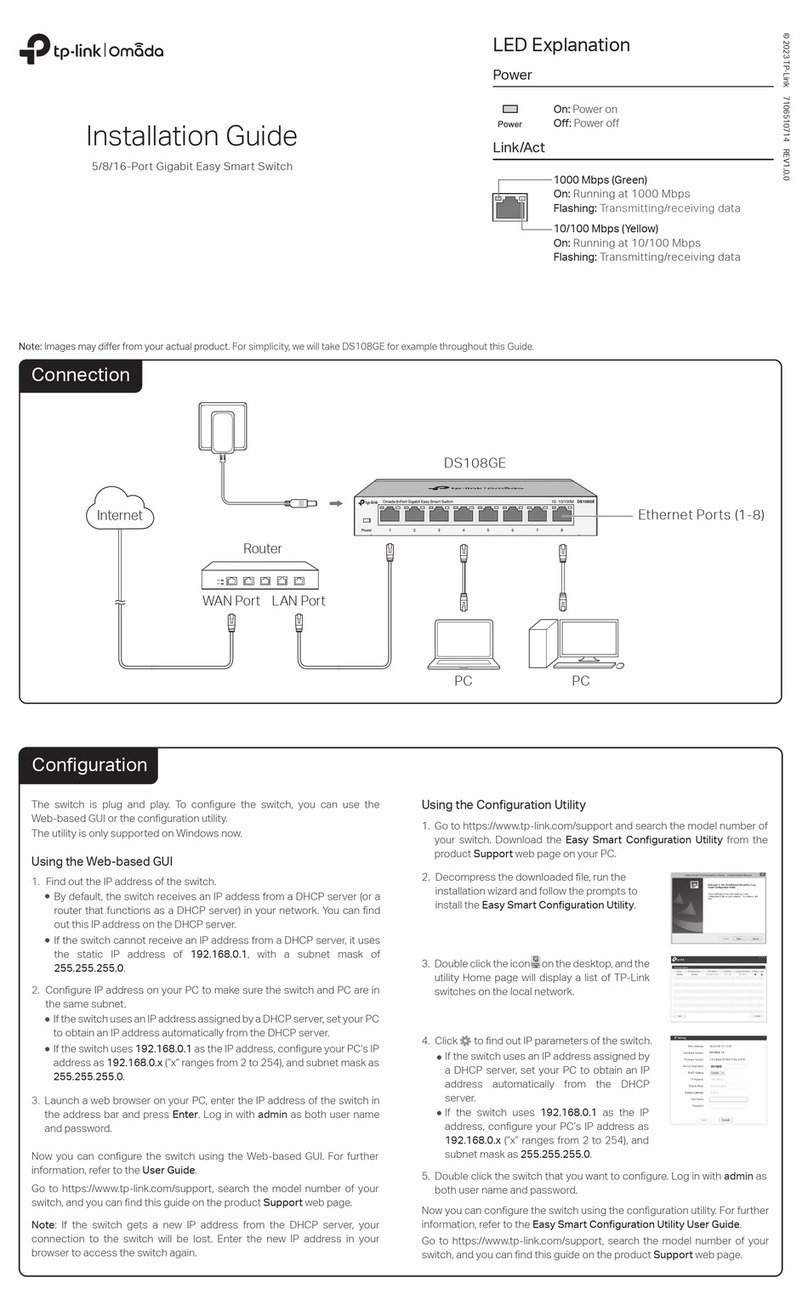
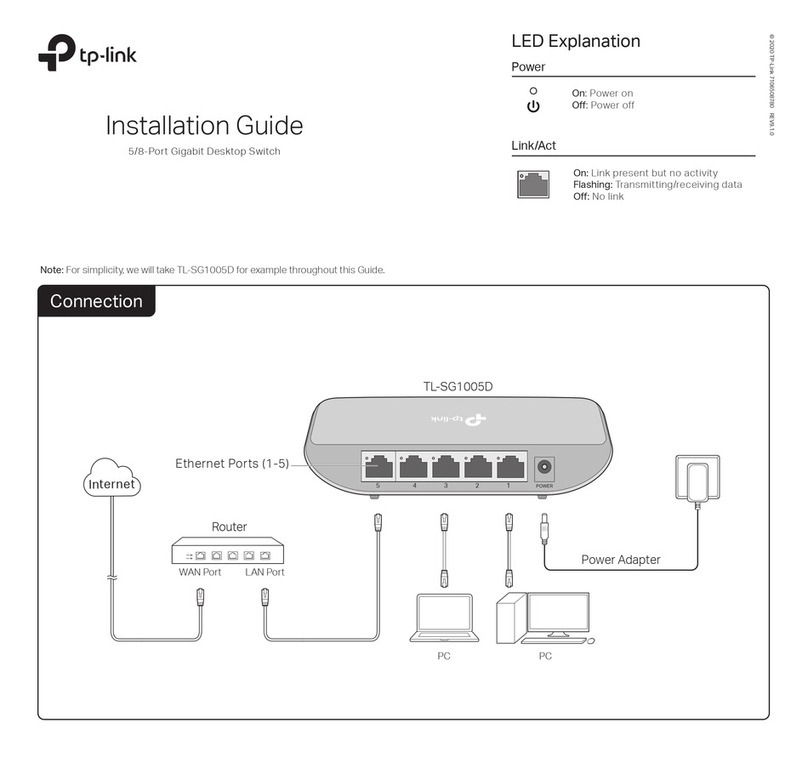
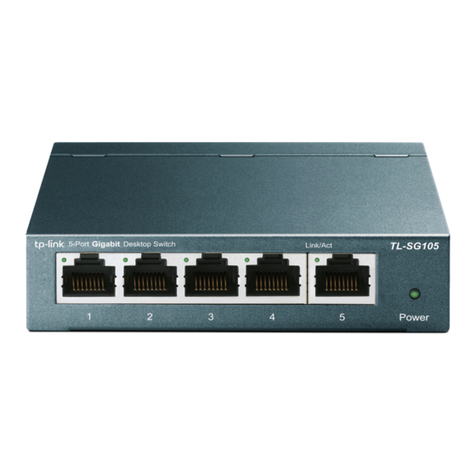
The Power LED should be lit when the power system is working normally.
If the Power LED is not lit, check as follows:
A1:
A2:
A3:
Make sure the power source is ON.
Q1. The Power LED is not lit.
It is recommended that you check the following items:
A1:
A2:
Make sure the connected device is turned on and works normally.
Frequently Asked Questions (FAQ) Specications
For technical support and other information, please visit
https://www.tp-link.com/support, or simply scan the QR code.
General Specications
Data Transfer Rate
Network Media (Cable)
IEEE802.3, IEEE802.3i, IEEE802.3u, IEEE802.3ab,
IEEE802.3x, IEEE802.1p
CSMA/CD
Ethernet: 10Mbps (Half Duplex), 20Mbps (Full Duplex)
Fast Ethernet: 100Mbps (Half Duplex), 200Mbps (Full Duplex)
Gigabit Ethernet: 2000Mbps (Full Duplex)
10Base-T: UTP category 3, 4, 5 cable (maximum 100m)
EIA/TIA-568 100
Ω
STP (maximum 100m)
100Base-TX: UTP category 5, 5e cable (maximum 100m)
EIA/TIA-568 100
Ω
STP (maximum 100m)
1000Base-T: UTP category 5e cable (maximum 100m)
EIA/TIA-568 100Ω STP (maximum 100m)
5/8/16 10/100/1000Mbps Auto-Negotiation RJ45 Ports
Power, Link/Act LED
IGMP Snooping, QoS (802.1p/DSCP Priority)
Store-and-Forward
Automatically learning, automatically aging
10Base-T: 14881pps/Port
100Base-TX: 148810pps/Port
1000Base-T: 1488095pps/Port
Standard
Protocol
Interface
LED Indicators
Advanced Features
Transfer Method
MAC Address Learning
Frame Forward Rate
Operating Temperature
Storage Temperature
Operating Humidity
Storage Humidity
Environmental and Physical Specications
0˚C to 40˚C (32˚F to 104˚F)
-40˚C to 70˚C (-40˚F to 158˚F)
10% to 90%RH non-condensing
5% to 90%RH non-condensing
Q2. The Link/Act LED is not lit when a device is connected
to the corresponding port.
Make sure the power adapter is connected to the switch with power
source properly.
Make sure the voltage of the power supply meets the requirements
of the input voltage of the switch.
Make sure that the cable connectors are rmly plugged into the
switch and the device.
A3:
The cable must be less than 100 meters long (328 feet).
For TL-SG116
This equipment has been tested and found to comply with the limits for a Class A digital device, pursuant to part
15 of the FCC Rules. These limits are designed to provide reasonable protection against harmful interference
when the equipment is operated in a commercial environment. This equipment generates, uses, and can radiate
radio frequency energy and, if not installed and used in accordance with the instruction manual, may cause
harmful interference to radio communications. Operation of this equipment in a residential area is likely to cause
harmful interference in which case the user will be required to correct the interference at his own expense.
For TL-SG105/TL-SG105S/TL-SG108/TL-SG108S
This equipment has been tested and found to comply with the limits for a Class B digital device, pursuant to part
15 of the FCC Rules. These limits are designed to provide reasonable protection against harmful interference in a
residential installation. This equipment generates, uses and can radiate radio frequency energy and, if not
installed and used in accordance with the instructions, may cause harmful interference to radio communication.
FCC STATEMENT
© 2018 TP-Link
BSMI Notice
安全諮詢及注意事項
請使用原裝電源供應器或只能按照本產品注明的電源類型使用本產品。
清潔本產品之前請先拔掉電源線。請勿使用液體、噴霧清潔劑或濕布進行清潔。
注意防潮,請勿將水或其他液體潑灑到本產品上。
插槽與開口供通風使用,以確保本產品的操作可靠並防止過熱,請勿堵塞或覆蓋開口。
請勿將本產品置放於靠近熱源的地方。除非有正常的通風,否則不可放在密閉位置中。
請不要私自打開機殼,不要嘗試自行維修本產品,請由授權的專業人士進行此項工作。
此為甲類資訊技術設備,于居住環境中使用時,可能會造成射頻擾動,在此種情況下,使用者
會被要求採取某些適當的對策。(For TL-SG116)
限用物質含有情況標示聲明書
限用物質及其化學符號
鉛
Pb
鎘
Cd
汞
Hg
六價鉻
CrVI
多溴聯苯
PBB
多溴二苯醚
PBDE
產品元件名稱
PCB
外殼
電源適配器
備考1. “ “系指該項限用物質之百分比含量未超出百分比含量基準值。
備考2. “ “系指該項限用物質為排除項目。
Industry Canada Statement
CAN ICES-3 (A)/NMB-3(A) (For TL-SG116)
CAN ICES-3 (B)/NMB-3(B) (For TL-SG105/TL-SG105S/TL-SG108/TL-SG108S)
Use only power supplies which are provided by manufacturer and in the origin
packing of this product. If you have any questions, please don’t hesitate to contact us.
Safety Information
Do not use any other chargers than those recommended.
Keep the device away from water, re, humidity or hot environments.
Adapter shall be installed near the equipment and shall be easily accessible.
Do not use damaged charger or USB cable to charge the device.
Do not attempt to disassemble, repair, or modify the device.
TL-SG116 is a class A product, TL-SG105/TL-SG105S/TL-SG108/TL-SG108S is a class B product. In a
domestic environment, this product may cause radio interference, in which case the user may be
required to take adequate measures.
TP-Link hereby declares that the device is in compliance with the essential requirements and other relevant
provisions of directives 2014/30/EU, 2014/35/EU, 2009/125/EC and 2011/65/EU.
The original EU declaration of conformity may be found at https://www.tp-link.com/en/ce.
Explanation of the symbols on the product label
DC voltage
Indoor use only
RECYCLING
This product bears the selective sorting symbol for Waste electrical and electronic equipment
(WEEE). This means that this product must be handled pursuant to European directive 2012/19/EU
in order to be recycled or dismantled to minimize its impact on the environment.
User has the choice to give his product to a competent recycling organization or to the retailer
when he buys a new electrical or electronic equipment.
EU declaration of conformity
Wall Mountable
Distance Between
Mounting Holes
Ye s
TL-SG105/TL-SG105S: 52mm
TL-SG108/TL-SG108S: 110mm
TL-SG116: 200mm