Triton Systems ©
5
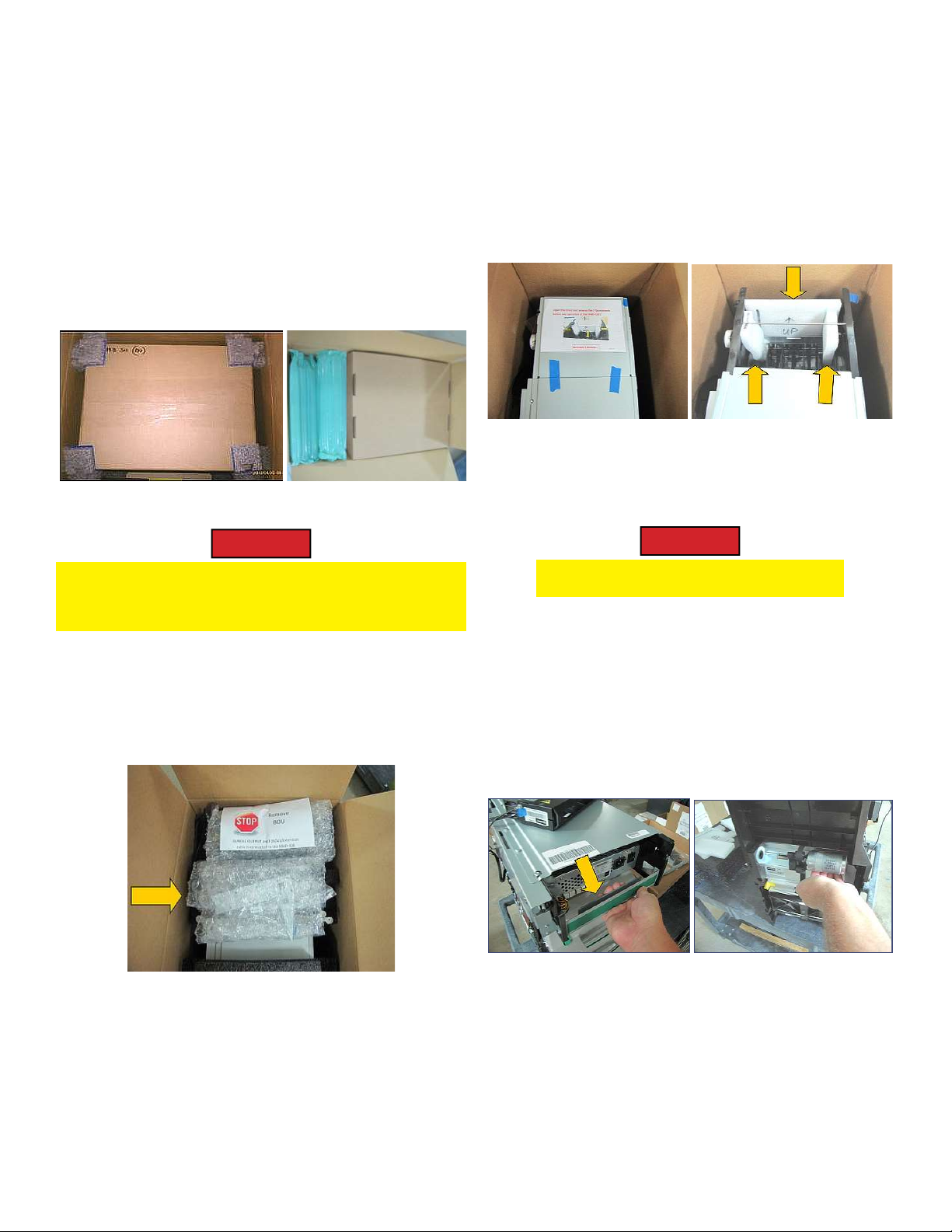
1. Do not remove the inner box. Use the inner and
outer boxes for repackaging and shipping. Save all
packing material for re-use in return shipment, the
four (4) corner cushions, (Figure 2A), green air
llers, and the cardboard tray (Figure 2B).
Figure 2A Figure 2B
Caution
e BOU with cable is connected to the NMD100
chassis. Do not damage the cable in the process of
removing the BOU and the dispenser from the box.
2. (Figure 3A), remove the extension kit (Yellow ar-
row) and set aside. Hold the BOU with the (STOP)
label out of the way until ready to li the dispenser
from the box.
Figure 3A
3. Remove and set aside the packing foam from the
top and sides of the dispenser. All returns must be
received with original packing material.
4. Remove the top cover with the internal foam label.
No fasteners hold the cover in place, (Figure 3B).
Remove the 3 pieces of BCU retaining foam from
**Note**
Before proceeding, follow these steps to properly unpack the contents and prepare for assembly of the Bundle
Output Unit extension and its attachment to the NMD 100 dispenser. Save all packing materials for use in
returning unit.
the unit, (Figure 3C). Set aside with the other
foams for reshipment.
Figure 3B Figure 3C
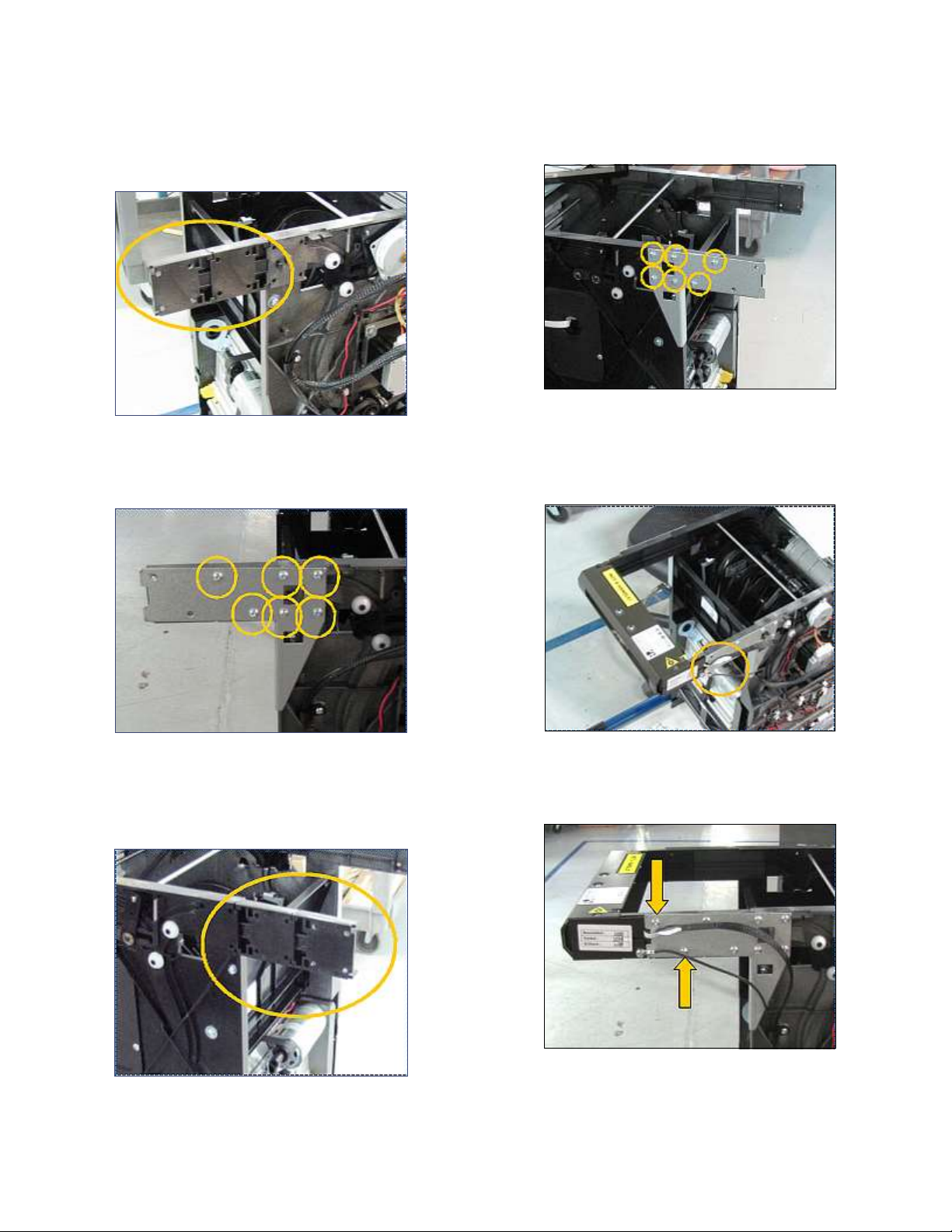
5. Rest the BOU on top of the dispenser, (Figure 4A).
Caution
e NMD100 is a two-person li .
6. Li handles will not be shipped with the unit. To
remove the unit, reach in front and grip the upper
dispenser bracket, (Figure 4A). Reach behind the
unit and grip the main motor housing, (Figure
4B). Li the dispenser straight up, then out of the
inner box. Place the unit on a sturdy work table to
complete the assembly.
Figure 4A Figure 4B
7. Examine the BOU, parts kit, and the dispenser’s
outside and inside areas for cracks or damages
caused by shipping. Inspect wiring connections.
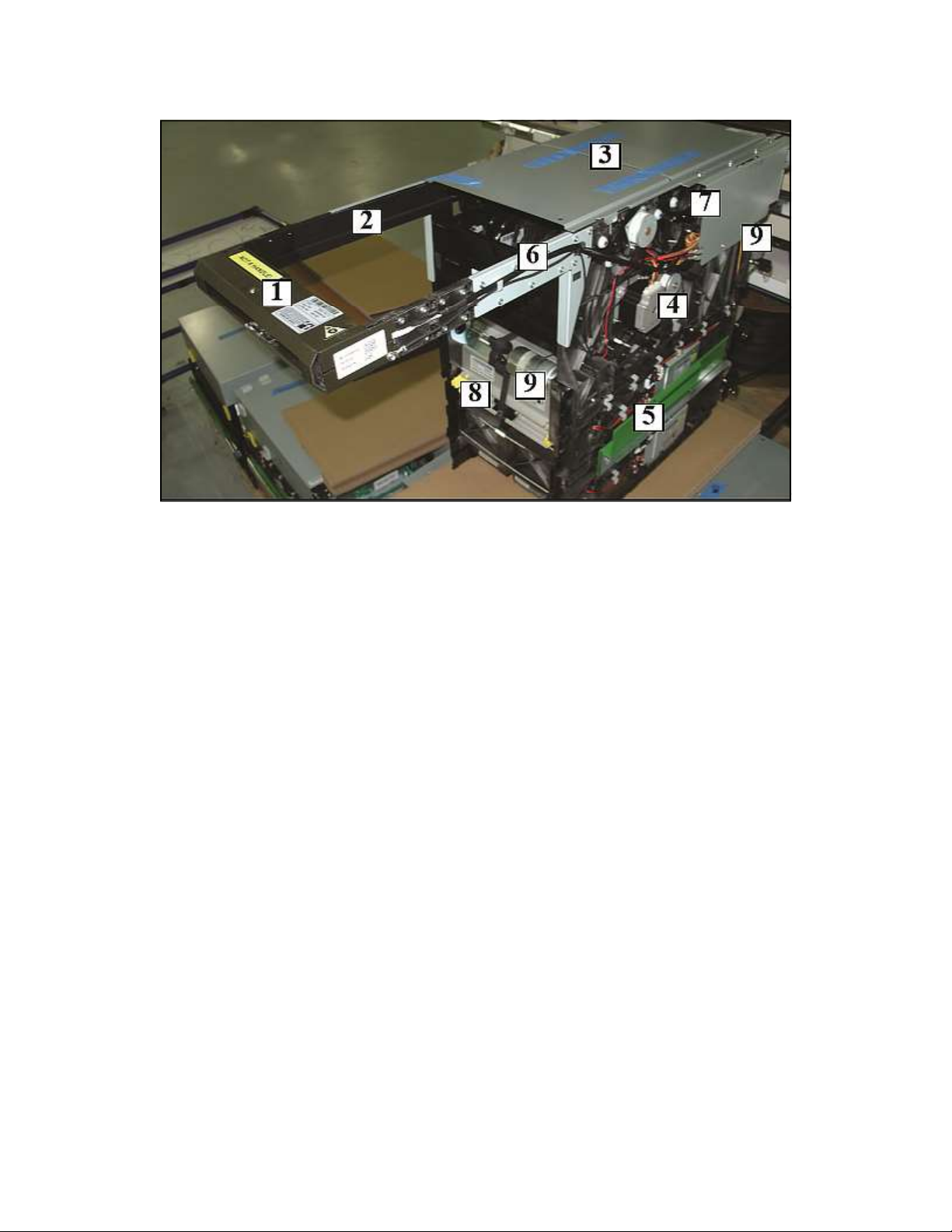
Ensure note quali er doors (Figure 1) are snapped
closed.
8. See instructions for installing a 5” or 10” extension
assembly below.