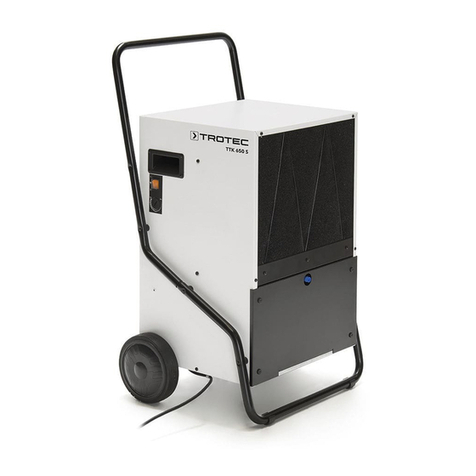
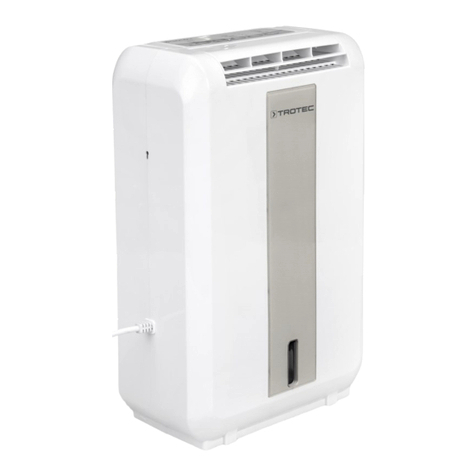
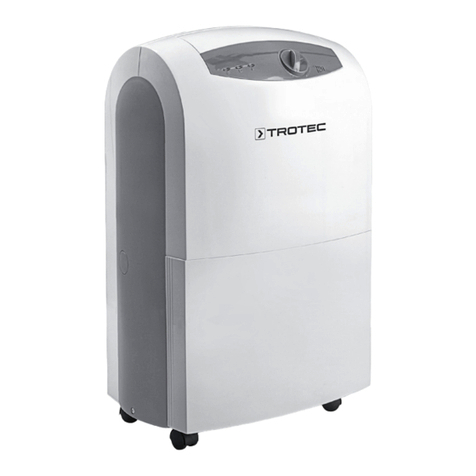
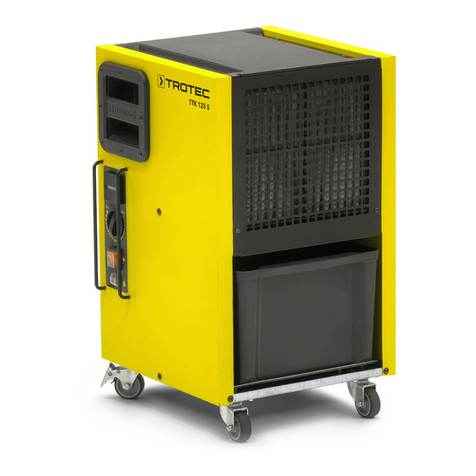
Trotec TTK 100 E User manual

TRT-BA-TTK100E-TC2019-35-010-EN
TTK 100 E
EN
OPERATING MANUAL
DEHUMIDIFIER

2 EN
dehumidifier TTK 100 E
Table of contents
Notes regarding the operating manual.................................2
Safety .....................................................................................2
Information about the device................................................5
Transport and storage...........................................................6
Assembly and installation.....................................................7
Operation ...............................................................................8
Errors and faults..................................................................11
Maintenance ........................................................................13
Technical annex...................................................................16
Disposal ...............................................................................19
Notes regarding the operating manual
Symbols
Danger
This symbol indicates dangers to the life and health of
persons due to extremely flammable gas.
Warning of electrical voltage
This symbol indicates dangers to the life and health of
persons due to electrical voltage.
Warning
This signal word indicates a hazard with an average
risk level which, if not avoided, can result in serious
injury or death.
Caution
This signal word indicates a hazard with a low risk
level which, if not avoided, can result in minor or
moderate injury.
Note
This signal word indicates important information (e.g.
material damage), but does not indicate hazards.
Info
Information marked with this symbol helps you to carry
out your tasks quickly and safely.
Follow the manual
Information marked with this symbol indicates that the
operating manual must be observed.
You can download the current version of the operating manual
and the EU declaration of conformity via the following link:
TTK 100 E
https://hub.trotec.com/?id=40316
Safety
Read this manual carefully before starting or using the
device. Always store the manual in the immediate vicinity
of the device or its site of use.
Warning
Read all safety warnings and all instructions.
Failure to follow the warnings and instructions may
result in electric shock, fire and/or serious injury.
Save all warnings and instructions for future
reference.
This appliance can be used by children aged from
8 years and above and persons with reduced physical,
sensory or mental capabilities or lack of experience
and knowledge if they have been given supervision or
instruction concerning use of the appliance in a safe
way and understand the hazards involved.
Children shall not play with the appliance. Cleaning and
user maintenance shall not be made by children
without supervision.
• Do not use the device in potentially explosive rooms or
areas and do not install it there.
• Do not use the device in aggressive atmosphere.
• Only put up the device in an upright, stable position on firm
ground.
• Let the device dry out after a wet clean. Do not operate it
when wet.
• Do not use the device with wet or damp hands.
• Do not expose the device to directly squirting water.
• Never insert any objects or limbs into the device.
• Do not cover or transport the device during operation.
• Do not sit on the device.
• This appliance is not a toy. Keep away from children and
animals. Do not leave the device unattended during
operation.
• Check accessories and connection parts for possible
damage prior to every use of the device. Do not use any
defective devices or device parts.

EN 3
dehumidifier TTK 100 E
• Ensure that all electric cables outside of the device are
protected from damage (e.g. caused by animals). Never
use the device if electric cables or the power connection
are damaged!
• The mains connection must correspond to the
specifications in the Technical annex.
• Insert the mains plug into a properly fused mains socket.
• Observe the device's power input, cable length and
intended use when selecting extensions to the power
cable. Completely unroll extension cables. Avoid electrical
overload.
• Before carrying out maintenance, care or repair work on
the device, remove the mains plug from the mains socket.
Hold onto the mains plug while doing so.
• Switch the device off and disconnect the power cable from
the mains socket when the device is not in use.
• Do not under any circumstances use the device if you
detect damages on the mains plug or power cable.
If the power cable is damaged, it must be replaced by the
manufacturer, its service agent or similarly qualified
persons in order to avoid a hazard.
Defective power cables pose a serious health risk!
• When positioning the device, observe the minimum
distances from walls and other objects as well as the
storage and operating conditions specified in the Technical
annex.
• Make sure that the air inlet and outlet are not obstructed.
• Make sure that the suction side is kept free of dirt and
loose objects.
• Do not remove any safety signs, stickers or labels from the
device. Keep all safety signs, stickers and labels in legible
condition.
• Only transport the device in an upright position with an
emptied condensation tank or drain hose.
• Discharge the collected condensate before transport and
storage. Do not drink it. Health hazard!
Safety warnings for devices containing flammable
refrigerants
• Only position the device in rooms where potentially leaking
refrigerant cannot accumulate.
• Only position the device in rooms where there is no source
of ignition (e.g. open flames, an active gas appliance or an
electric heater).
• Please note that the refrigerant is odourless.
• Only install the device in compliance with the national
installation regulations.
• Observe the national gas regulations.
• Only install, operate and store the device TTK 100 E in a
room measuring more than 4m2.
• Store the device in a way that no mechanical damage can
occur.
• Please note that the connected pipelines must not contain
any sources of ignition.
• R290 is a refrigerant that complies with European
environmental regulations. No part of the cooling circuit
may be perforated.
• Observe the maximum refrigerant capacity in the technical
data.
• Do not drill through or burn.
• Do not use any means other than those recommended by
the manufacturer for accelerating the defrosting process.
• Every person working with or at the refrigerant circuit must
be able to provide a certificate of qualification issued by a
body accredited by the industry, demonstrating their
competence in the safe use of refrigerants based on a
procedure well-known in the industry.
• Service work may only be carried out in accordance with
the manufacturer's specifications. If maintenance and
repair work require the support of additional persons, the
person trained in handling flammable refrigerants shall
continuously supervise the work carried out.
• Unventilated rooms, in which the device is installed,
operated or stored, must be built in a way to ensure that
potentially leaking refrigerant cannot accumulate. This
serves to avoid fire or explosion hazards resulting from an
ignition of the refrigerant by an electric furnace, cooking
stove or another ignition source.
• The entire refrigerant circuit is a maintenance-free,
hermetically sealed system and may only be maintained or
repaired by specialist companies for cooling and air-
conditioning or by Trotec.

4 EN
dehumidifier TTK 100 E
Intended use
Only use the device for drying and dehumidifying room air, while
adhering to and following the technical data.
In addition, the device may also be used as a kind of clothes
dryer to dry wet laundry.
Intended use comprises:
• dehumidifying and drying:
– living rooms, bedrooms, bathrooms and basements
– laundries, holiday homes, camper vans, boats
• maintaining the dryness of:
– storage spaces, archives, laboratories, garages
– bathrooms, wash rooms, changing rooms etc.
Foreseeable misuse
The device is not intended for industrial use.
• Do not place the device on wet or flooded ground.
• Do not place any objects, e.g. clothing, on the device.
• Do not use the device out of doors.
• Do not make any unauthorised modifications, alterations or
structural changes to the device.
• Any use other than the intended use is regarded as a
reasonably foreseeable misuse.
Personnel qualifications
People who use this device must:
• be aware of the dangers that occur when working with
electric devices in damp areas.
• have read and understood the operating manual, especially
the Safety chapter.
Maintenance tasks which require the housing to be opened
must only be carried out by specialist companies for cooling and
air-conditioning or by Trotec.
Safety signs and labels on the device
Note
Do not remove any safety signs, stickers or labels from
the device. Keep all safety signs, stickers and labels in
legible condition.
The following safety signs and labels are attached to the device:
TTK100E
Follow the manual
This symbol indicates that the operating manual must
be observed.
Follow the repair manual
Disposal, maintenance and repair work of the
refrigerant circuit may only be carried out in
accordance with the manufacturer's specifications and
by persons having a certificate of qualification. A
corresponding repair manual is available from the
manufacturer upon request.
Residual risks
Danger
Natural refrigerant propane (R290)!
H220 – Extremely flammable gas.
H280 – Contains gas under pressure; may explode if
heated.
P210 – Keep away from heat, sparks, open flames and
other ignition sources. No smoking.
P377 – Leaking gas fire: Do not extinguish, unless leak
can be stopped safely.
P410+P403 – Protect from sunlight. Store in a well-
ventilated place.

EN 5
dehumidifier TTK 100 E
Warning of electrical voltage
Work on the electrical components must only be
carried out by an authorised specialist company!
Warning of electrical voltage
Before any work on the device, remove the mains plug
from the mains socket!
Do not touch the mains plug with wet or damp hands.
Hold onto the mains plug while pulling the power cable
out of the mains socket.
Warning
Dangers can occur at the device when it is used by
untrained people in an unprofessional or improper way!
Observe the personnel qualifications!
Warning
The device is not a toy and does not belong in the
hands of children.
Warning
Risk of suffocation!
Do not leave the packaging lying around. Children may
use it as a dangerous toy.
Note
Do not operate the device without an air filter inserted
into the air inlet!
Without the air filter, the inside of the device will be
heavily contaminated. This could reduce the
performance and result in damage to the device.
Behaviour in the event of an emergency
1. Switch the device off.
2. In an emergency, disconnect the device from the mains
feed-in: Hold onto the mains plug while pulling the power
cable out of the mains socket.
3. Do not reconnect a defective device to the mains.
Information about the device
Device description
The device uses the principle of condensation to automatically
dehumidify rooms.
The fan sucks damp room air through the air inlet, the air filter,
the evaporator and to the condenser located behind it. The air is
cooled at the cold evaporator until it is below the dew point.
Water vapour contained in the room air precipitates on the
evaporator fins as condensation or rime. The dehumidified,
cooled air is slightly warmed at the condenser and blown out
again. The drier air thus conditioned mixes with the air in the
room. The humidity in the room where the device is positioned
is reduced as air constantly circulates through the device.
Depending on the air temperature and the relative humidity, the
condensed water either drops continuously or only during the
defrost phase through the integrated drain nozzle into the
condensation tank below. It is fitted with a float to measure the
filling level.
The device has a control panel for operating and controlling the
functions.
Once the maximum filling level of the condensation tank is
reached or in case the condensation tank is not installed
correctly, the condensation tank indicator light (see chapter
Operation) on the control panel is illuminated. The device
switches off. The condensation tank indicator light only goes out
again once the emptied condensation tank is reinserted.
Optionally, the condensed water can be drained by attaching a
hose at the condensation connection.
The device can reduce the relative humidity of a room to
approx. 30%.
In addition, the device may also be used as a kind of clothes
dryer to dry wet laundry in living or working spaces.
Because of the heat radiation generated during operation, the
room temperature may rise slightly.

6 EN
dehumidifier TTK 100 E
Device depiction
1
6
7
2
5
4
3
No. Designation
1 Air outlet
2 Transport handle
3 Condensation drain hose connection
4 Wheels
5 Air inlet with air filter
6 Condensation tank
7 Control panel
Transport and storage
Note
If you store or transport the device improperly, the
device may be damaged.
Note the information regarding transport and storage of
the device.
Transport
Please note that additional transport regulations might apply to
devices containing flammable refrigerants. The equipment's
arrangement and the maximum number of components to be
transported together can be gathered from the applicable
transport regulations.
To make the device easier to transport, it is fitted with a carry
handle.
To make the device easier to transport, it is fitted with wheels.
Before transporting the device, observe the following:
• Switch the device off.
• Hold onto the mains plug while pulling the power cable out
of the mains socket.
• Drain the remaining condensate from the device and the
condensation drain hose (see chapter Maintenance).
• Do not use the power cable to drag the device.
• Only wheel the device on a level and smooth surface.
After transporting the device, proceed as follows:
• Set up the device in an upright position after transport.
• Leave the device to rest for 12to24hours, so the
refrigerant can accumulate within the compressor. Wait
12to24hours before switching the device back on! Acting
contrary might lead to compressor damage and a
malfunctioning device. If so, any warranty claims will be
voided.
Storage
Before storing the device, observe the following:
• Drain the remaining condensate from the device and the
condensation drain hose (see chapter Maintenance).
• Hold onto the mains plug while pulling the power cable out
of the mains socket.
When the device is not being used, observe the following
storage conditions:
• Only store the device in a room measuring more than 4m2.
• dry and protected from frost and heat
• in an upright position where it is protected from dust and
direct sunlight
• with a cover to protect it from invasive dust, if necessary
• Place no further devices or objects on top of the device to
prevent it from being damaged.

EN 7
dehumidifier TTK 100 E
Assembly and installation
Scope of delivery
• 1x Device
• 1x Air filter
• 1x Manual
Unpacking the device
1. Open the cardboard box and take the device out.
2. Completely remove the packaging.
3. Fully unwind the power cable. Make sure that the power
cable is not damaged and that you do not damage it during
unwinding.
Start-up
When positioning the device, observe the minimum distance
from walls or other objects as described in the chapter
Technical annex.
A
B
C
C
D
• Before restarting the device, check the condition of the
power cable. If there are doubts as to the sound condition,
contact the customer service.
• Only position the device in rooms where potentially leaking
refrigerant cannot accumulate.
• Only position the device in rooms where there is no source
of ignition (e.g. open flames, an active gas appliance or an
electric heater).
• Only put up the device in an upright, stable position on firm
ground.
• Do not create tripping hazards when laying the power
cable or other electric cables, especially when positioning
the device in the middle of the room. Use cable bridges.
• Make sure that extension cables are completely unrolled.
• When positioning the device, keep a sufficient distance to
heat sources.
• Make sure that no curtains or other objects interfere with
the air flow.
• When positioning the device, particularly in wet areas,
secure it locally with an RCD (residual current device)
which complies with the respective regulations.
Inserting the air filter
Note
Do not operate the device without an air filter inserted
into the air inlet!
Without the air filter, the inside of the device will be
heavily contaminated. This could reduce the
performance and result in damage to the device.
• Make sure that the air filter is installed before switching
the device on.
Inserting the condensation tank
• Ensure that the float inside the condensation tank is
inserted correctly.
• Ensure that the condensation tank is empty and inserted
correctly.
Connecting the power cable
• Insert the mains plug into a properly secured mains
socket.

8 EN
dehumidifier TTK 100 E
Operation
• Avoid open doors and windows.
• After being switched on, the device operates fully
automatically.
• The fan permanently runs in dehumidification mode even
after the set nominal value has been reached until the
device is switched off.
Operating elements
89
10 11 12 13 14
No. Designation Meaning
8TANK FULL LED Condensation tank full or not
inserted correctly
9 Segment display Indicates the current relative room
humidity.
Indicates the desired relative room
humidity during setting
Indicates the number of hours
during timer programming.
10 Power button Switching the device on or off
11 Timer button Switches the timer function on or
off.
For setting the number of hours for
the timer (1h to 12h)
12 Arrow button down For setting the relative humidity
level (30% to 80%RH in
increments of 10%)
13 Arrow button up
14 Speed button For setting a high or low fan speed
Display
20
21
19 18 17
16
15
No. Designation Meaning
15 Condensation tank full
indication
Is displayed when the
condensation tank is full or not
installed correctly
16 Indication of the target
humidity value
Indicates the desired humidity
level (30% to 80%RH).
17 Fan speed indication One drop: low fan speed
Two drops: high fan speed
(function for drying laundry)
18 Automatic defrost
indication
Is displayed during automatic
defrost.
19 Indication of the timer
and the operating time
Indicates the set number of
hours for the timer and the
operating time.
20 Room temperature
indication
Indicates the current room
temperature.
21 Room humidity indication Indicates the current relative
room humidity.
Indicates the desired humidity
level.
Switching the device on
Once you have completely installed the device as described in
the chapter Assembly and start-up, you can switch it on.
1. Press the powerbutton(10).
ðThe device starts to dehumidify.

EN 9
dehumidifier TTK 100 E
Setting the operating mode
• Dehumidification
• Laundry drying function
Dehumidification
The compressor keeps running until reaching the desired
relative room humidity. If the desired humidity is exceeded, the
compressor switches back on. The fan permanently runs even
after the desired relative room humidity has been reached.
In this operating mode, the desired relative room humidity can
be set at any time in increments of 10% within a setting range
of 30% to 80%.
Setting the desired relative room humidity
Setting is possible in the range between 30% and 80% in
increments of 10%.
1. Press the arrow buttons(12, 13) to adjust the relative room
humidity.
ðThe desired relative room humidity will be displayed by the
indication of the target humidity value(16).
Setting the fan speed
Using this function you can choose between a low and a high
fan speed.
1. Press the fan speed button(14) to select either high or low
fan speed.
ðWith a low fan speed setting one drop will be displayed on
the fan speed indication(17), at a high fan speed (laundry
drying function) there will be two.
Setting the timer
Note
The device must not be left unattended in a freely
accessible room with an activated timer.
The timer has two modes of operation:
• Automatic switch-on upon expiry of a preset number of
hours
• Automatic switch-off upon expiry of a preset number of
hours
The number of hours can be set in hourly increments (1h to
max.12h).
Automatic switch-on
üThe device is now in standby mode.
1. Repeatedly press the timer button(11) until the desired
number of hours is displayed.
ðThe indication of the timer with the operating time(19)
will be displayed to indicate the number of hours.
2. Press the down(12) or up arrow button(13) to set the
relative humidity level.
3. Press the Fan Speed button(14) to set the desired fan
stage.
ðThe device switches on after the predefined time.
Notes regarding automatic switch-on:
• Manually switching the device on disables the automatic
switch-on function.
• If you select 0hours, the timer will be off.
Automatic switch-off
üThe device is switched on.
1. Press the Timer button(11) to activate the timer.
2. Repeatedly press the timer button(11) until the desired
number of hours is displayed.
ðThe indication of the timer with the operating time(19)
will be displayed to indicate the number of hours.
ðThe device switches off after the predefined time.
Notes regarding automatic switch-off:
• Manually switching the device off disables the automatic
switch-off function.
• If you select 0hours, the timer will be off.
Operation with hose attached to the condensation
connection
Note
The condensation drain hose is not included in the
scope of delivery.
For continuous operation or unattended dehumidification, please
connect a suitable condensation drain hose to the device.
üA suitable hose (diameter: 1/2inch) is ready for use.
üThe device is switched off.
1. Use a suitable tool (e.g. a slotted screwdriver) to remove
the cover from the connection.

10 EN
dehumidifier TTK 100 E
2. Remove the condensation tank.
3. Push one end of the hose onto the hose connection.
1/2''
4. Check whether the hose is properly positioned on the
connection. If necessary, adjust the position through the
condensation tank opening.
5. Put the condensation tank back in.
6. Guide the other hose end to a suitable drain or sufficiently
dimensioned collection container. Please note that the
hose must not be kinked.
Remove the hose if you want to collect the condensate in the
condensation tank again. Allow the hose to dry prior to storage.
The hose can be connected in any operating mode for
continuous operation.
Other manuals for TTK 100 E
2
Table of contents
Other Trotec Dehumidifier manuals
Trotec
Trotec TTK 30 E User manual
Trotec
Trotec TTR 50 E User manual
Trotec
Trotec TTK 175 S User manual
Trotec
Trotec TTK 800 User manual
Trotec
Trotec TTK 25 E User manual
Trotec
Trotec TTK 52 E User manual
Trotec
Trotec MD 01-10 User manual

Trotec
Trotec TTK 400 User manual
Trotec
Trotec TTK 175 S User manual
Trotec
Trotec TTK 40 E User manual
Trotec
Trotec ttk 71 e User manual
Trotec
Trotec 1120001110 User manual
Trotec
Trotec TTK 900 MP User manual
Trotec
Trotec TTK 120 E User manual
Trotec
Trotec TTK 95 E User manual
Trotec
Trotec TTR 55 S User manual
Trotec
Trotec TTK 54 E User manual
Trotec
Trotec TTP 5 E User manual
Trotec
Trotec TTK 400 User manual
Trotec
Trotec TTK 53 E User manual